


RTX 4060 Ti Throttling Under Load: SA Temperature Guide
RTX 4060 Ti Throttling Under Load: Temperature. Everything you need to know with SA pricing, step-by-step instructions & expert recommendations.
Read morePC case temperatures dictate component heat, FPS, and lifespan. This guide explains how case size, airflow, fans, panels and cable routing affect temps — with fixes and picks. 🔥🛠️
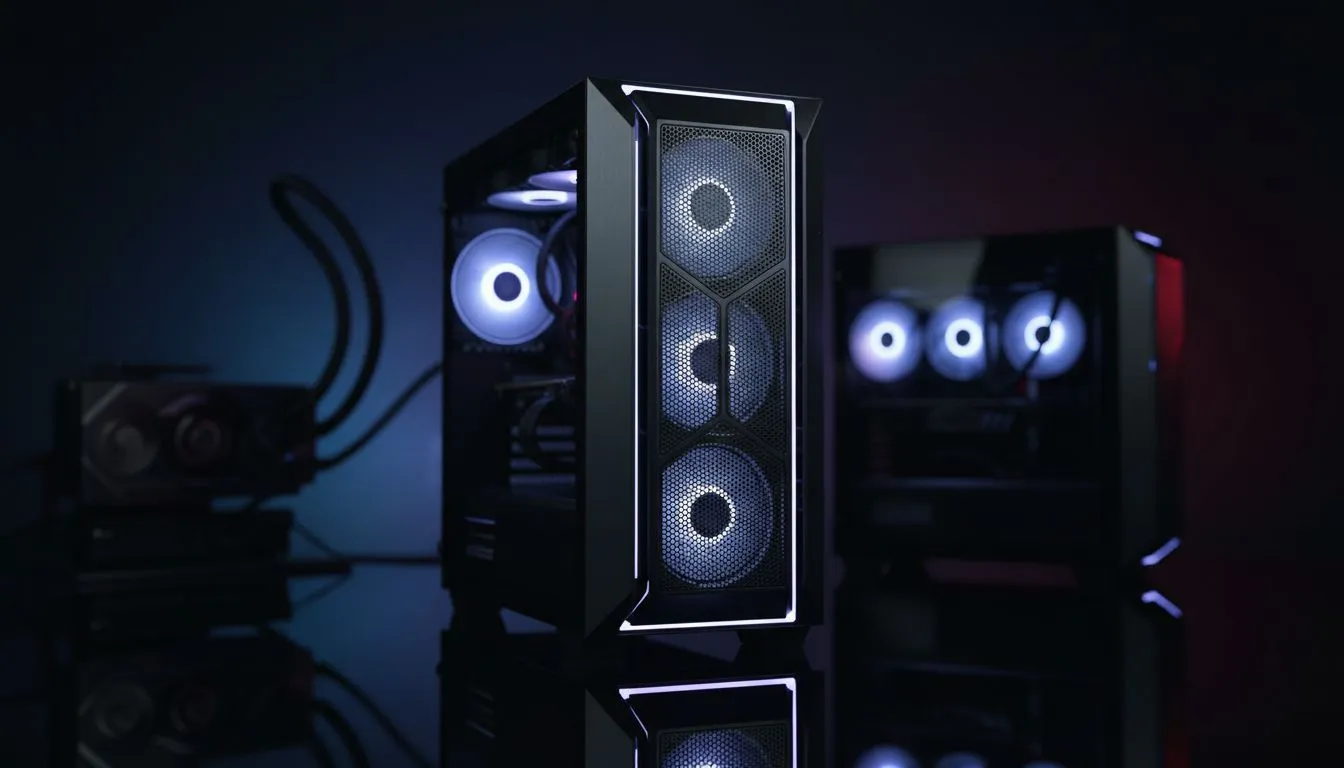
In the middle of a sweltering South African summer, your PC faces a silent enemy: heat. High PC case temperatures aren't just a number on a monitor; they lead to thermal throttling, reduced component lifespan, and a frustrating drop in FPS during your most intense gaming sessions. Choosing the right chassis is the foundation of a stable, high-performance build that can handle our local climate without breaking a sweat 🔧.
When your CPU and GPU work hard, they generate immense heat. If your chassis lacks proper ventilation, that heat stays trapped inside, creating an oven effect. Modern components are designed to slow down when they hit specific thermal limits... a process known as thermal throttling. If you notice your frame rates dipping after an hour of play, your internal temperatures are likely the culprit.
Investing in high-quality computer cases ensures that cool air is constantly pulled in while hot air is efficiently exhausted. This cycle keeps your boost clocks higher for longer, giving you the performance you actually paid for.
We all love the look of a seamless glass front panel, but it often comes at a thermal cost. For those running high-end rigs, airflow-optimised designs are a necessity. For example, Fractal Design PC cases have mastered the balance between minimalist Scandinavian aesthetics and world-class thermal performance. Their mesh fronts allow fans to breathe freely, significantly lowering the ambient temperature inside the shroud ⚡.
To keep dust out of your system, ensure you have more intake fans than exhaust fans. This creates 'positive pressure', forcing air out of every small gap in the case and preventing dust from being sucked in through unfiltered cracks. It is a simple way to keep your internals clean and your temperatures low over time.
You don't need to spend a fortune to get great cooling. Many Gamdias gaming cases come pre-installed with multiple fans, providing excellent out-of-the-box airflow. This is particularly important for South African gamers who might be building on a budget but still need to combat 30°C+ ambient room temperatures.
If you are looking for maximum value, there are several budget-friendly gaming cases under R1,500 that feature mesh front panels and side-window layouts. These options prove that you can keep your PC case temperatures in check without emptying your savings account 🚀.
Even the best case will struggle if it is choked by dust. In South Africa, dust is an inevitable reality... especially if your PC sits on the floor. Regularly cleaning your magnetic dust filters and ensuring your cables are neatly managed will improve the path of least resistance for airflow. A clean case is a cool case, and a cool case is a fast one ✨.
Ready to Cool Down Your Rig? Don't let high temperatures throttle your potential. Whether you need a high-airflow mesh masterpiece or a sleek tempered glass showpiece, we have the right fit for your build. Explore our massive range of computer cases and give your hardware the room it needs to breathe.
Yes. Case design governs airflow, fan placement and radiator fitment, directly shaping PC case temperatures and component heat under load.
Larger cases allow more airflow, bigger radiators and flexible fan layouts; small form factor cases need careful planning to avoid high temps.
Tempered glass limits intake airflow versus mesh; mesh-front cases are often the best airflow PC case choice for lower temps.
Typical builds use 2–3 intake and 1–2 exhaust fans. Balance intake and exhaust to maintain steady airflow and reduce hotspots.
Yes. Tidy cables reduce airflow obstruction, improving case airflow and lowering component hotspots.
Indirectly. Better cooling reduces CPU/GPU thermal throttling, which can raise FPS in sustained gaming or rendering loads.
Prioritize a mesh front, top vents, radiator support, multiple fan mounts and room for proper case fan placement for cooling.
RTX 4060 Ti Throttling Under Load: Temperature. Everything you need to know with SA pricing, step-by-step instructions & expert recommendations.
Read more
Apex Legends Max Settings on RTX 4080. Tested & verified settings for best FPS and visual quality on SA hardware budgets.
Read more
GPU Buying Guide. Everything you need to know with SA pricing, step-by-step instructions & expert recommendations.
Read more
GPU Terms Guide. Everything you need to know with SA pricing, step-by-step instructions & expert recommendations.
Read more
AMD Adrenalin Download & Setup Guide: GPU. Clear setup instructions with SA-specific considerations, troubleshooting tips & recommended components.
Read more
Back-to-School GPU Buying Guide. Everything you need to know with SA pricing, step-by-step instructions & expert recommendations.
Read more
Can RTX 4080 Super Run AI Workloads for SA Developers Detailed answer with SA data, expert analysis & practical recommendations for local buyers.

Can RTX 4090 Run AI Workloads for SA Developers Detailed answer with SA data, expert analysis & practical recommendations for local buyers.

Top Settings for Intel Arc B580 at Ultrawide 1440p picks evaluated on performance, value & SA availability with current Rand pricing from Evetech.

RX 7600 Overclocking Guide: Safe OC Settings for. Real-world benchmark data, FPS numbers & performance analysis. What SA gamers can actually expect.

RTX 4060 CS2 Low Settings at 1080p: FPS Results. Real-world benchmark data, FPS numbers & performance analysis. What SA gamers can actually expect.

Visual Artifacts: Possible GPU Issue Issue #1. Diagnosis steps, proven fixes & when to seek professional help. SA-specific support info included.

Can the RTX 4090 Handle 1440p 144Hz Gaming. Performance testing verdict with real data & practical recommendations for SA buyers.

Top ASUS GPU Under R15000 picks evaluated on performance, value & SA availability with current Rand pricing from Evetech.
RTX 4060 Ti Throttling Under Load: Temperature. Everything you need to know with SA pricing, step-by-step instructions & expert recommendations.
Apex Legends Max Settings on RTX 4080. Tested & verified settings for best FPS and visual quality on SA hardware budgets.
GPU Buying Guide. Everything you need to know with SA pricing, step-by-step instructions & expert recommendations.
GPU Terms Guide. Everything you need to know with SA pricing, step-by-step instructions & expert recommendations.