PC Fan Size Explained: start with the blade, not the badge
PC cases get judged fast in SA… “my temps are bad” or “my airflow is noisy”. But the real win is usually simpler: PC Fan Size Explained: How Blade Design and Speed Cool Better.
Fan size affects where static pressure builds, how much air a case can move, and how fast blades spin to do the job. And Blade Design… well, that’s where cooling gets either efficient… or wasteful. 🔧
Before you buy, take 60 seconds to match your fan size to your case layout and radiator needs. ⚡
PC Fan Size Explained: how blade design changes cooling results
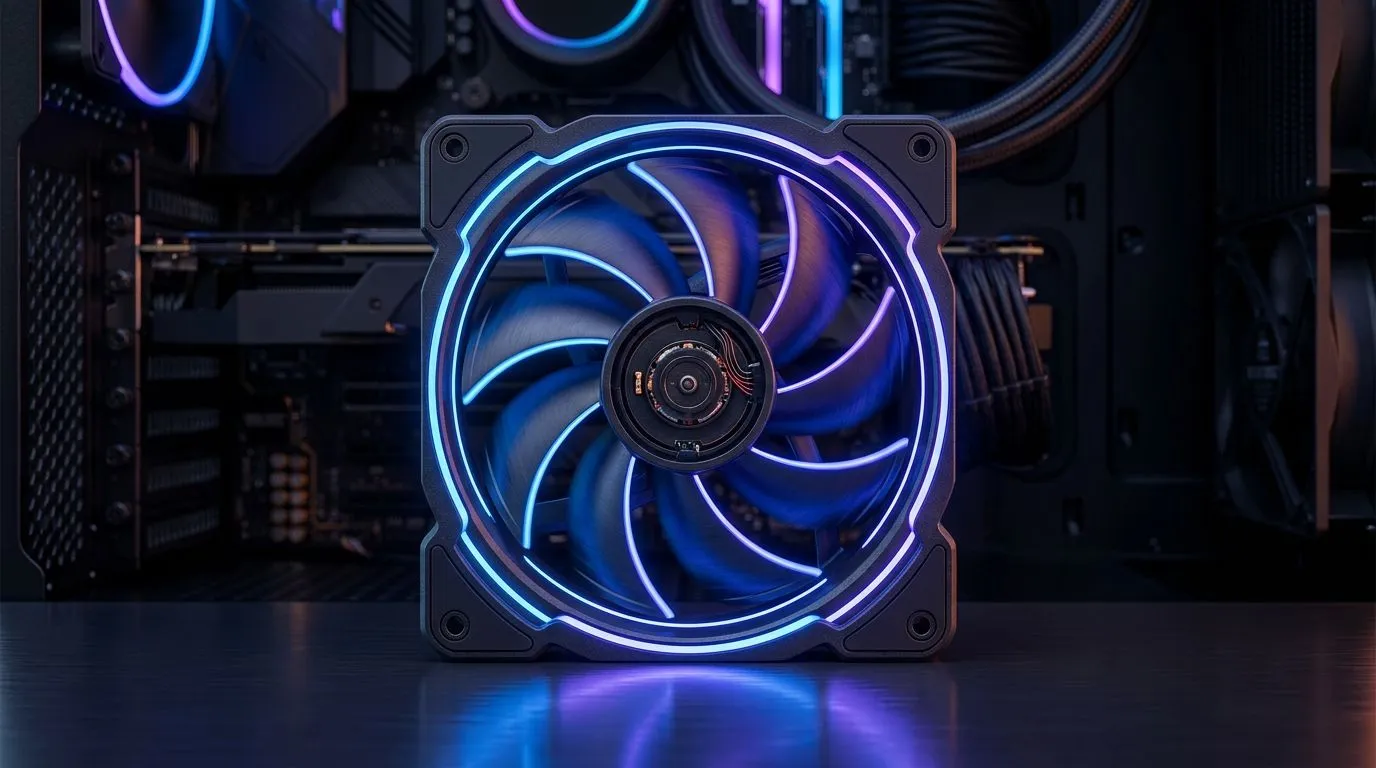
Fan diameter is only half the story. The other half is blade geometry: blade count, blade pitch (angle), and how the hub transitions airflow.
- Wider blades (bigger fans) move more air per rotation, often at lower RPM. That can mean quieter gaming sessions… especially with good fan curves.
- More aggressive blade pitch can improve airflow through restrictions (like radiator fins), but it may demand higher speed for the same cooling.
- Tighter blade spacing and optimized shrouds can reduce turbulence, improving how effectively air travels where you need it.
If you’ve ever swapped from a cheap 120mm to a “proper” unit and suddenly your system feels calmer, this is why. Design matters.
For shopping, explore a variety of case options here:
Browse case fans on Evetech
PC Fan Size Explained: why RPM and static pressure matter in real cases
Bigger fans don’t automatically cool “better”. What matters is whether they can maintain airflow through resistance: dust filters, radiator cores, and restricted front intakes.
Quick rule of thumb (practical, not perfect):
- Use larger fans (like 140mm) when you can get decent front-to-back airflow and your radiator isn’t too restrictive.
- Use fans that perform under restriction when mounting on radiators or through dense filters.
- Keep RPM sensible. Higher RPM can win temps, but it also adds fan whine.
Evetech stocks lots of sizes, including:
120mm case fans
140mm case fans
If you’re building for South African summer heat, aim for balanced intake and exhaust. Don’t just add fans… route the air.
PC Fan Size Explained: the “blade speed” myth and the quieter truth
A common mistake is thinking cooling equals raw fan speed. Higher RPM can help, but it’s not a free lunch.
What actually helps:
- Correct fan placement (intake cool air, exhaust hot air)
- Good cable management so you’re not blocking paths
- A fan curve based on GPU and CPU temperatures
Also, bigger doesn’t always mean better aesthetics. If you care about lighting, you’ll want to match size and style to your build.
You can filter RGB options here:
RGB case fans for your build
Or go simple and clean:
Non-RGB case fans
Productivity Pro Tip ⚡
Productivity Pro Tip ⚡
your PC, set a simple test routine: run a game or benchmark for 10 minutes, check GPU hotspot and case temps, then change only one thing at a time (fan speed curve, intake direction, or filter cleaning). This stops “temp guessing” and helps you dial in the right fan size and speed for your setup.
PC Fan Size Explained: choosing the right fan for your build (and your wallet)
Let’s make it real. Imagine a mate in Cape Town who upgrades his GPU and suddenly the case feels warmer. The CPU cooler is fine, but the GPU is cooking because the airflow route got worse when he added a front dust filter.
In that moment, the fix is often:
- Clean the filter (seriously… dust increases restriction)
- Ensure the front fans are actually intakes
- Consider fans that maintain airflow through resistance
Brand choice can help too, because blade tuning varies. If you’re comparing brands, start here:
Deepcool case fans
Corsair case fans
Looking for a quick starting point? Pick a size that fits your case mounts, then tune RPM with a curve. Cooling is a system… not a single part. 🚀
PC Fan Size Explained: before you buy, check these 5 things
- Your case mount size (120mm vs 140mm) and available clearance.
- Radiator position if you’re doing AIO or custom loop.
- How restrictive your front intake is (filters, mesh density).
- Noise tolerance during long sessions.
- Fan curve control via your motherboard or fan hub.
When you get these right, fan “speed” becomes efficient. That’s the goal: better cooling without turning your tower into a hairdryer.
Ready to Find Your Perfect Match?
The Mac vs Windows debate is complex, but for maximum power, choice, and value in South Africa, Windows is hard to beat. Explore our massive range of laptop specials and find the perfect machine to conquer your world.