


RTX 4060 Ti Throttling Under Load: SA Temperature Guide
RTX 4060 Ti Throttling Under Load: Temperature. Everything you need to know with SA pricing, step-by-step instructions & expert recommendations.
Read morePixel density 4K vs FHD 27-inch: Understand PPI, viewing distance, scaling and visual clarity to decide if 4K is worth it on a 27-inch monitor. 🖥️🔍
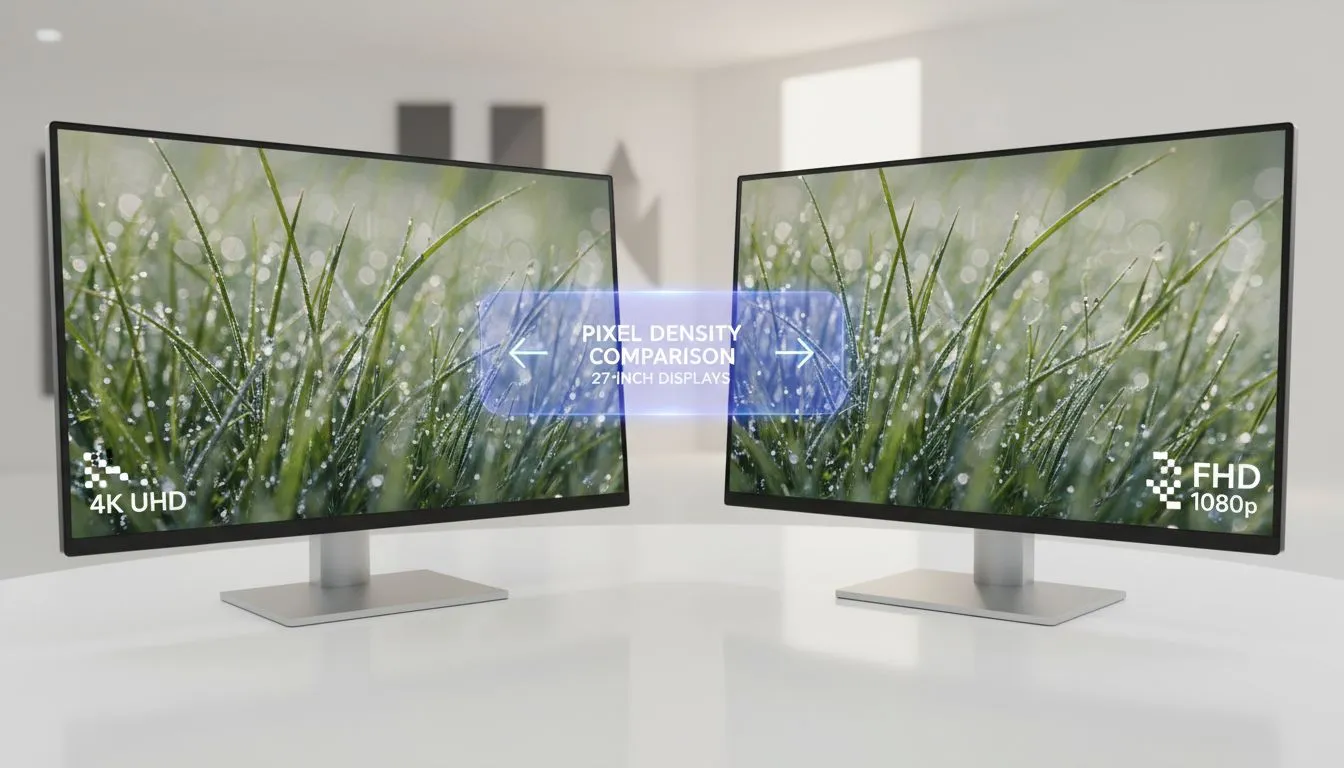
Staring at your current monitor and seeing individual pixels? It’s a common frustration for South African gamers upgrading their rigs. When choosing a 27-inch display, the pixel density 4K vs FHD 27-inch battle becomes incredibly apparent. While FHD is easy on the wallet, 4K offers a level of clarity that transforms your digital world. Let’s break down exactly why those extra pixels matter. 🚀
Pixel density is measured in Pixels Per Inch (PPI). On a 27-inch canvas, a Full HD (1080p) resolution results in roughly 81 PPI. This can often lead to a "screen door effect" where text looks slightly jagged. In contrast, a 4K resolution on the same size delivers a staggering 163 PPI. The difference is night and day... images look like printed photographs rather than digital grids. If you are browsing our massive range of pc monitors, you will notice that 4K panels offer significantly more screen real estate for multitasking.
If you sit closer than 60cm to your screen, the lower density of FHD will be very noticeable. For those with shallow desks in smaller South African apartments, 4K or even 1440p is highly recommended to maintain sharpness and reduce eye strain during long sessions.
Choosing between these resolutions isn't just about looks... it is about performance. Pushing 4K requires a beefy GPU, often costing upwards of R15,000. If your frame rates dip, you will want a screen that supports Adaptive Sync to prevent tearing. For those using Team Red hardware, look for monitors featuring FreeSync (AMD) to keep gameplay fluid. Conversely, NVIDIA users should prioritise displays with G-Sync (NVIDIA) to ensure the smoothest possible experience at higher resolutions.
The "sharpness" isn't just about resolution... it is also about how colours are reproduced. Most professionals prefer an IPS panel because it maintains colour accuracy even at wide viewing angles. This is vital when you are comparing pixel density 4K vs FHD 27-inch models for creative work.
You also need to consider the physical shape of your display. A Flat monitor is a classic choice for designers who need straight lines to stay straight. However, many local gamers prefer a Curved screen to increase immersion and bring the edges of a 27-inch panel closer to their peripheral vision. ✨
If your budget is tight and you primarily play fast-paced esports, FHD is a reliable workhorse. But for anyone doing office work, video editing, or playing cinematic RPGs, the jump to 4K is the single best upgrade you can make for your eyes. The crispness of text and the depth of detail in high-resolution textures are simply unmatched. 🔧
Ready to Find Your Perfect Match? The pixel density debate is over, but finding the right deal is just beginning. For the best prices and widest selection of high-performance displays in South Africa, we have you covered. Explore our massive range of monitor specials and find the perfect screen to elevate your setup today.
Pixel density measures PPI; higher PPI (27-inch 4k vs fhd) yields crisper text and images, especially at close viewing distances.
A 27-inch 4K has about 163 PPI while 27-inch FHD has around 81 PPI — the ppi 27-inch 4k vs fhd gap explains sharper detail on 4K.
Yes if you want sharper visuals and have a GPU to drive 4K; for high frame rate competitive play, fhd may still be preferable (4k vs fhd gaming 27-inch).
Often yes — enable 100–150% scaling to keep UI readable; see windows scaling 4k 27-inch tips to balance clarity and usability.
At typical desk distances (20–30 inches), a 27-inch 4K shows noticeably more detail than FHD; viewing distance for 27-inch 4k matters for perceived clarity.
Yes without proper scaling. For users asking is 4k worth it on 27-inch monitor, proper scaling ensures text clarity and readable UI while keeping detail benefits.
Usually yes: 27-inch 4k vs 1080p pixel density shows finer detail on icons, fonts and textures at typical desk distances.
RTX 4060 Ti Throttling Under Load: Temperature. Everything you need to know with SA pricing, step-by-step instructions & expert recommendations.
Read more
Apex Legends Max Settings on RTX 4080. Tested & verified settings for best FPS and visual quality on SA hardware budgets.
Read more
GPU Buying Guide. Everything you need to know with SA pricing, step-by-step instructions & expert recommendations.
Read more
GPU Terms Guide. Everything you need to know with SA pricing, step-by-step instructions & expert recommendations.
Read more
AMD Adrenalin Download & Setup Guide: GPU. Clear setup instructions with SA-specific considerations, troubleshooting tips & recommended components.
Read more
Back-to-School GPU Buying Guide. Everything you need to know with SA pricing, step-by-step instructions & expert recommendations.
Read more
Can RTX 4080 Super Run AI Workloads for SA Developers Detailed answer with SA data, expert analysis & practical recommendations for local buyers.

Can RTX 4090 Run AI Workloads for SA Developers Detailed answer with SA data, expert analysis & practical recommendations for local buyers.

Top Settings for Intel Arc B580 at Ultrawide 1440p picks evaluated on performance, value & SA availability with current Rand pricing from Evetech.

RX 7600 Overclocking Guide: Safe OC Settings for. Real-world benchmark data, FPS numbers & performance analysis. What SA gamers can actually expect.

RTX 4060 CS2 Low Settings at 1080p: FPS Results. Real-world benchmark data, FPS numbers & performance analysis. What SA gamers can actually expect.

Visual Artifacts: Possible GPU Issue Issue #1. Diagnosis steps, proven fixes & when to seek professional help. SA-specific support info included.

Can the RTX 4090 Handle 1440p 144Hz Gaming. Performance testing verdict with real data & practical recommendations for SA buyers.

Top ASUS GPU Under R15000 picks evaluated on performance, value & SA availability with current Rand pricing from Evetech.
RTX 4060 Ti Throttling Under Load: Temperature. Everything you need to know with SA pricing, step-by-step instructions & expert recommendations.
Apex Legends Max Settings on RTX 4080. Tested & verified settings for best FPS and visual quality on SA hardware budgets.
GPU Buying Guide. Everything you need to know with SA pricing, step-by-step instructions & expert recommendations.
GPU Terms Guide. Everything you need to know with SA pricing, step-by-step instructions & expert recommendations.