


Starfield Max Settings on RTX 5070: Complete Guide
Starfield Max Settings on RTX 5070. Tested & verified settings for best FPS and visual quality on SA hardware budgets.
Read morePro-Tuned FPS EQ profiles can help you hear enemies faster by sharpening footsteps, gunfire, and cues—if tuned right. Here’s how they work, what to expect, and how to choose the best EQ for your setup 🎧⚡
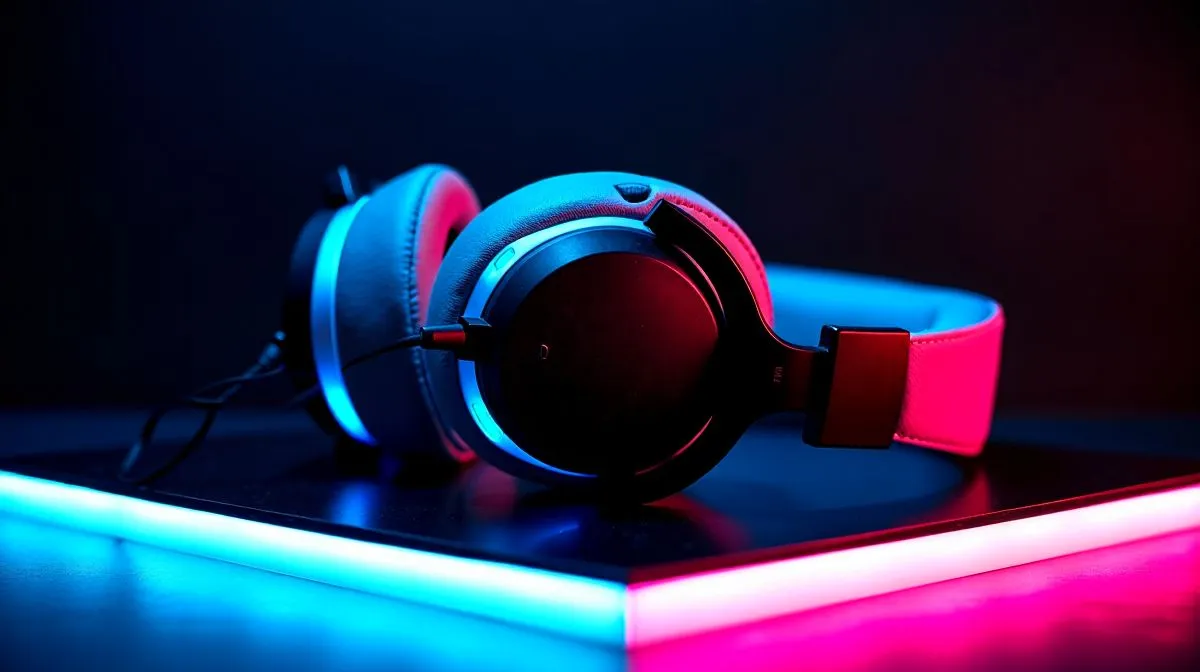
You hear footsteps in Valorant. Or do you? In a noisy South African setup, with a fan whirring and a roommate talking nearby, tiny audio details matter. That is why pro-tuned FPS EQ profiles get so much attention. They promise clearer footsteps, cleaner reload cues, and sharper positional awareness. But can they actually help you hear enemies faster, or is it just marketing fluff?
EQ, or equalisation, changes how loud certain frequencies sound. In FPS games, most players want more mid and high detail, because those ranges often carry footsteps, weapon swaps, and environmental cues. Bass is fun, but too much of it can blur the mix.
A pro-tuned FPS EQ profile is simply a preset designed to emphasise those useful sounds. It usually lowers bass and lifts the frequencies where movement and direction cues live. That can make audio feel more precise, especially in competitive shooters.
It is worth noting that EQ does not create new information. It only reshapes what your headset already produces. So if the headset has weak imaging, tuning can help a bit, but not magically fix it.
The real benefit is speed of recognition. Your brain reacts faster when important sounds stand out clearly. If footsteps are masked by explosions or low-end rumble, you may notice them later. With a better-tuned mix, those same sounds can become easier to separate.
That said, results depend on the game, the headset, and even your ears. Some players prefer a flat stereo profile. Others like virtual surround sound for single-player immersion, but competitive players often stick to stereo because directional cues can feel more natural. For a quick look at Razer headset options, it helps to compare tuning features before you buy.
If you are comparing different headphone and headset categories, check whether the model supports app-based tuning. That matters more than a flashy badge on the box.
If you want to test FPS tuning properly, start with the headset itself. A model with decent clarity and a stable connection gives the EQ preset room to work. The Razer Barracuda X Chroma Wireless Headset in Phantom White is a good example of a wireless option many gamers will compare when shopping in South Africa.
For buyers who want a more direct competitive focus, filtering by 7.1 audio headsets can help narrow the field. If you prefer a simpler soundstage, stereo headsets often appeal to players who want cleaner positional cues without extra processing.
Try this before you chase every preset:
When testing EQ, lower bass first, then adjust treble in small steps. Big boosts can make footsteps sound louder, but also harsher. Subtle changes usually give better results in actual matches.
Yes... but only if the profile suits your headset and your ears. A good FPS EQ profile can improve clarity, reduce masking, and make enemy movement easier to pick out. It is not a cheat code. It is a tuning tool.
For South African gamers, that makes it worth trying, especially if you already own a capable headset. The best approach is simple... buy for comfort and sound quality first, then use EQ to fine-tune the experience. If a preset helps you catch one extra step before the swing, that is a win.
Ready to Find Your Perfect Match? The Mac vs Windows debate is complex, but for maximum power, choice, and value in South Africa, Windows is hard to beat. Explore our massive range of laptop specials and find the perfect machine to conquer your world.
They can. Pro-tuned FPS EQ profiles boost key frequencies where footsteps sit, but results depend on your headset, in-game mix, and how well the profile matches your hardware.
Look for profiles that gently reduce muddy lows, add clarity to midrange presence, and control harsh treble. Start from a pro-tuned base, then adjust by testing real match audio.
Often they complement each other. In-game settings affect the global mix, while EQ shapes your headset output. Use both, but verify changes with consistent test clips and live rounds.
Pick profiles labeled for your headset type (closed-back, open-back, mic monitoring needs). Then calibrate: match bass level, check footstep clarity, and avoid excessive sibilance in gunfire.
Yes. Over-boosting can cause clipping, fatigue, and masking. Keep boosts moderate, watch for harsh treble, and lower overall volume if any distortion appears.
Use repeatable tests: compare footsteps at the same distance, then validate in competitive rounds. If cues improve without increased harshness, your FPS EQ profile is working.
Not exactly. Each game mixes audio differently. A pro-tuned FPS EQ profile may transfer partially, but you should verify with game-specific footstep and gunfire playback.
Start with a pro-tuned FPS EQ profile for your headset, then make small changes. Prioritize footstep clarity and intelligibility over boosting everything loud.
Starfield Max Settings on RTX 5070. Tested & verified settings for best FPS and visual quality on SA hardware budgets.
Read more
When Will the RTX 6090 Launch in South Africa Detailed answer with SA data, expert analysis & practical recommendations for local buyers.

Top Valorant Settings for RTX 5070: FPS Optimisation picks evaluated on performance, value & SA availability with current Rand pricing from Evetech.

RDNA 3.5 Graphics in Ryzen AI 400? Can You Game. Plain-English explanation of what it means, why it matters & how it affects your buying decisions in SA.

GPU Price Index : December Report. Current stock data & price tracking for SA buyers. See what is available and where prices are heading.

Core i5-14600K + B760 + RTX 5060 Build Under. Full parts list, Rand pricing & expected performance. Build confidently with SA-available components.

RX 7600 Apex Legends at 4K: FPS Benchmark. Real-world benchmark data, FPS numbers & performance analysis. What SA gamers can actually expect.

RX 7900 XTX GTA 6 at 4K: FPS Benchmark & Optimal. Real-world benchmark data, FPS numbers & performance analysis. What SA gamers can actually expect.

Head-to-head comparison of RTX 5070 vs RX 9070 XT: Gaming Performance for SA gamers. Performance benchmarks, Rand pricing & which delivers better value.

GPU Setup Guide Gamers. Clear setup instructions with SA-specific considerations, troubleshooting tips & recommended components.

Top RTX 5090 Under R12000 picks evaluated on performance, value & SA availability with current Rand pricing from Evetech.

Call of Duty Warzone 2 Settings on RX 7600. Real-world benchmark data, FPS numbers & performance analysis. What SA gamers can actually expect.

GTA 6 Settings on RTX 5070 Ti: Performance. Real-world benchmark data, FPS numbers & performance analysis. What SA gamers can actually expect.