

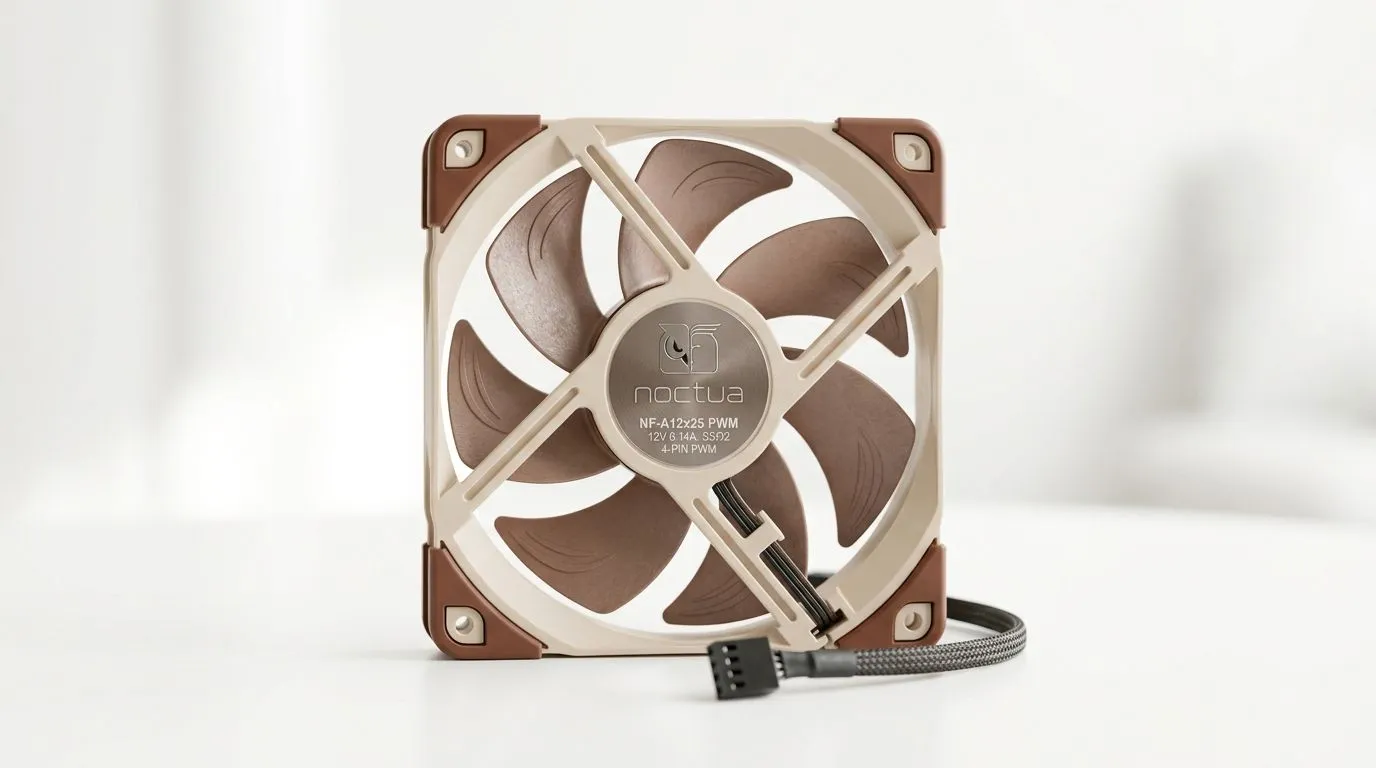
Do PWM Case Fans Improve Cooling vs Fixed-Speed Fans? (and why gamers should care)
Your PC’s airflow is your invisible “FPS boost”. When your CPU or GPU ramps up, case temps can climb fast… and then thermal throttling quietly steals performance. 🔧
So, do PWM case fans really cool better than fixed-speed fans? Or is it just marketing hype? Let’s break it down in plain South African English, then talk real-world buying tips for gaming rigs and streaming setups.
PWM vs fixed-speed fans: what changes in practice?
PWM (Pulse Width Modulation) lets the fan controller vary fan speed on demand. That means the fan can slow down when temps are low, and ramp up when components start heating up.
Fixed-speed fans, on the other hand, run at a constant RPM. Some are “quiet-ish”, but they still spin the same speed whether your system is idling or melting your GPU in Warzone.
In most modern builds, PWM is the smarter control method because it matches airflow to workload… not just the calendar.
What you’ll notice: noise, temperature stability, and power draw
With PWM fans, you typically get:
- Better noise control at idle (slower spins when you’re not gaming) ✨
- More aggressive cooling under load when temps rise ⚡
- Smoother thermal behaviour because fans respond to sensors
To sanity-check your expectations: PWM fans are not magic. They still depend on fan size, airflow direction, case design, dust control, and how your GPU exhausts hot air.
If you’re building a competitive system, the goal isn’t just lower temps… it’s consistent temps so boost clocks hold longer.
Build Like a Pro… With Smart Fan Setup 🔧
Choose PWM fans and connect them to a PWM-capable header (CPU_FAN or SYS_FAN on your motherboard). Then use BIOS fan curves so fans ramp gradually from ~50°C to ~75°C. This prevents the “jet engine” effect while keeping headroom during raids, ranked matches, and long benchmarks.
Buying guide: choosing PWM case fans for your PC
Before you buy, decide what matters most in your case:
- Cooling performance (airflow + pressure)
- Noise levels (PWM control + good bearings)
- Fitment (120mm vs 140mm changes how much air you can move)
- Aesthetics (RGB can be fun, but airflow comes first)
For a straightforward selection, start with Evetech’s case fan range:
- Browse case fans here: https://www.evetech.co.za/PC-Components/case-fans-97.aspx
- If you prefer one brand’s ecosystem, check the CORSAIR options here: https://www.evetech.co.za/PC-Components/case-fans-97.aspx?brands=CORSAIR
- Want value-focused options? Deepcool’s lineup is a good place to look: https://www.evetech.co.za/PC-Components/case-fans-97.aspx?brands=Deepcool
Size matters: 120mm vs 140mm for cooling
Bigger fans often move more air at lower RPM, which can mean quieter cooling… but your case must support them. If you’re shopping by size:
- 120mm case fans: https://www.evetech.co.za/PC-Components/case-fans-97.aspx?attributes-size=120mm
- 140mm case fans: https://www.evetech.co.za/PC-Components/case-fans-97.aspx?attributes-size=140mm
A quick rule of thumb for South African builders: if your case supports both, 140mm usually lets you hit airflow targets with less noise.
RGB is optional, thermals aren’t
RGB fans look great on a desk under load… but don’t sacrifice basic cooling. If you’re going RGB:
- RGB-focused picks: https://www.evetech.co.za/PC-Components/case-fans-97.aspx?attributes-lightingeffects=RGB And if you’d rather keep it clean:
- Non-RGB options: https://www.evetech.co.za/PC-Components/case-fans-97.aspx?attributes-lightingeffects=None
The practical answer: when PWM will feel better than fixed-speed
PWM case fans improve cooling vs fixed-speed fans in setups where:
- You run mixed loads (gaming, browsing, school work, rendering)
- Your motherboard can control PWM fan curves well
- You care about noise during everyday use
Fixed-speed fans can still be “good enough” if you only care about maximum airflow and don’t mind constant fan noise. But most gamers do care… especially during Discord call nights and late ranked sessions.
If you want a simple upgrade path, go PWM first, then fine-tune fan curves. That combo usually gives the biggest real-world payoff. 🚀
Ready to Find Your Perfect Match? The Mac vs Windows debate is complex, but for maximum power, choice, and value in South Africa, Windows is hard to beat. Explore our massive range of laptop specials and find the perfect machine to conquer your world.











