


GTA 6 Max Settings on RTX 5070: Complete Guide
GTA 6 Max Settings on RTX 5070. Tested & verified settings for best FPS and visual quality on SA hardware budgets.
Read moreReduce echo in conference calls with practical 360° conference camera audio tips for South African offices and home workspaces. Learn mic placement, room treatment, and quick fixes. 🇿🇦🎧
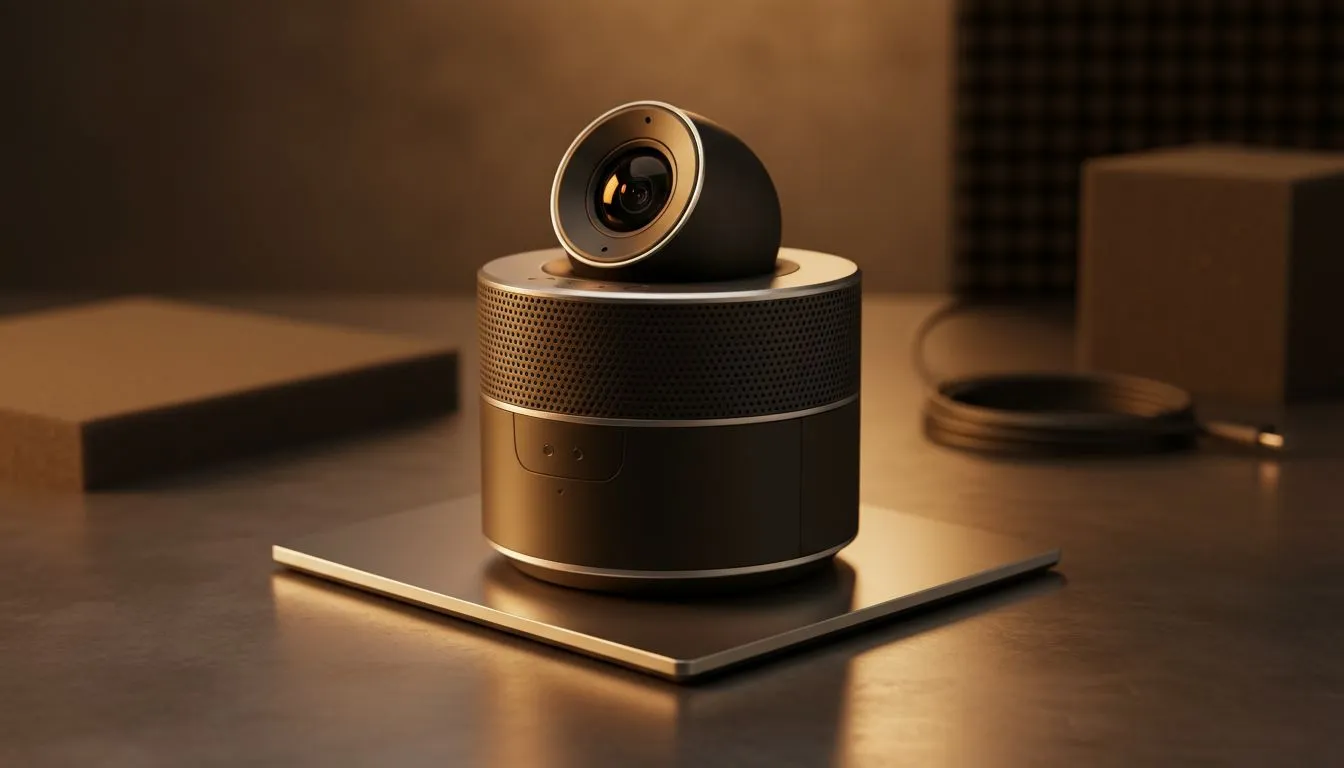
Tired of hearing your own voice bouncing back during a meeting? We have all been there. Echo ruins professional calls and frustrates everyone in the virtual room. If you are using a 360-degree camera to capture the whole boardroom, audio management is vital. Here is how to reduce echo in conference calls: 360° camera audio tips to keep your South African team sounding professional.
Sound waves love to bounce off hard surfaces. Most South African boardrooms feature glass walls or tiled floors. These surfaces are echo magnets. To improve your audio, try adding soft materials to the room. Curtains or acoustic panels work wonders. Even a simple rug can dampen the sound reflections significantly.
Whether you are browsing the wide selection of webcams for a home office or a corporate boardroom, the environment always dictates the final sound quality.
Placement is everything for a panoramic device. Never place your camera in a corner. This causes sound to trap and bounce immediately. Position the device in the centre of the table. This allows the beamforming microphones to distinguish between different speakers clearly.
Budget is often a concern for local startups. You can find reliable webcams under R1,000 that offer decent noise suppression for smaller spaces. However, for larger rooms, the physical distance to the microphone becomes a major factor in echo creation.
When using a 360-degree camera, try placing a small piece of acoustic foam or even a thick rug directly underneath the device. This simple trick reduces vibrations from the table surface. It prevents the internal microphones from picking up thumping sounds when people move their laptops or tap on the desk.
Most modern 360-degree cameras include Acoustic Echo Cancellation (AEC). This software identifies the output from the speakers and subtracts it from the microphone input. If you still hear an echo, check your meeting software settings. Ensure that "Noise Suppression" is set to "Auto" or "High" in apps like Microsoft Teams or Zoom.
For better build quality and smarter microphones, look at mid-range webcam options around the R2,000 mark. These units often feature dedicated DSP chips to handle audio processing... reducing the load on your PC.
If your boardroom is particularly large, you might need more than a basic setup. High-end cameras use "Zone Shielding" to ignore sounds coming from specific directions... like a noisy air conditioner.
If you need professional-grade 360-degree coverage, these premium 360 and high-res cameras under R3,000 provide the best audio processing. They ensure that your voice is the only thing being transmitted, not the background noise of the office. ⚡
Ready to Find Your Perfect Match? Clear communication is the backbone of every successful project. For the best audio and video quality in South Africa, choosing the right hardware is essential. Explore our massive range of webcam specials and find the perfect device to make your next conference call crystal clear.
Position the 360° camera mic away from reflective surfaces, enable echo cancellation, and add soft materials to reduce echo in conference calls.
Yes. Acoustic panels absorb reflections and improve clarity, a proven small office echo reduction method for hybrid meetings.
Place the camera centrally, about 1–1.5m above the table and away from walls. Proper microphone placement 360 camera reduces room echo.
They help, but combine echo cancellation settings with room treatment and mic placement for reliable echo reduction in conference calls.
Use rugs, curtains, soft furniture, and position the 360° camera correctly. These quick fixes minimize echo in home workspaces.
No single device fully eliminates echo. Pair 360 conference camera echo reduction features with acoustic treatment and proper mic setup.
Add soft furnishings, move the camera, enable noise suppression, or use a USB mic—low-cost ways to remove echo from conference calls.
GTA 6 Max Settings on RTX 5070. Tested & verified settings for best FPS and visual quality on SA hardware budgets.
Read more
Cyberpunk 2077 Max Settings on RTX 5080. Tested & verified settings for best FPS and visual quality on SA hardware budgets.
Read more
Starfield Max Settings on RTX 5070 Ti. Tested & verified settings for best FPS and visual quality on SA hardware budgets.
Read more
AMD RX 9050 XT: Rumoured Specs, Price & Release. SA-focused analysis with local pricing data, real-world insights & actionable buying advice.

Can RTX 4080 Super Run AI Workloads for SA Developers Detailed answer with SA data, expert analysis & practical recommendations for local buyers.

Can RTX 4090 Run AI Workloads for SA Developers Detailed answer with SA data, expert analysis & practical recommendations for local buyers.

Top Settings for Intel Arc B580 at Ultrawide 1440p picks evaluated on performance, value & SA availability with current Rand pricing from Evetech.

RTX 4060 CS2 Low Settings at 1080p: FPS Results. Real-world benchmark data, FPS numbers & performance analysis. What SA gamers can actually expect.

Visual Artifacts: Possible GPU Issue Issue #1. Diagnosis steps, proven fixes & when to seek professional help. SA-specific support info included.

Can the RTX 4090 Handle 1440p 144Hz Gaming. Performance testing verdict with real data & practical recommendations for SA buyers.

Top ASUS GPU Under R15000 picks evaluated on performance, value & SA availability with current Rand pricing from Evetech.
GTA 6 Max Settings on RTX 5070. Tested & verified settings for best FPS and visual quality on SA hardware budgets.
Cyberpunk 2077 Max Settings on RTX 5080. Tested & verified settings for best FPS and visual quality on SA hardware budgets.
Starfield Max Settings on RTX 5070 Ti. Tested & verified settings for best FPS and visual quality on SA hardware budgets.

Top RTX 5090 Under R5000 picks evaluated on performance, value & SA availability with current Rand pricing from Evetech.