



iRacing SA Gaming PC Build Guide
iRacing build planning should focus on the target resolution, settings and total system balance. Treat launch wording as time-sensitive, then verify requirements before choosing SA PC parts.
Read moreWant to reduce fan noise while keeping strong cooling performance? Use smarter fan curves, clean airflow paths, and optimize mounting. Follow these steps to lower RPM, cut noise, and protect thermals. 🔇🌡️
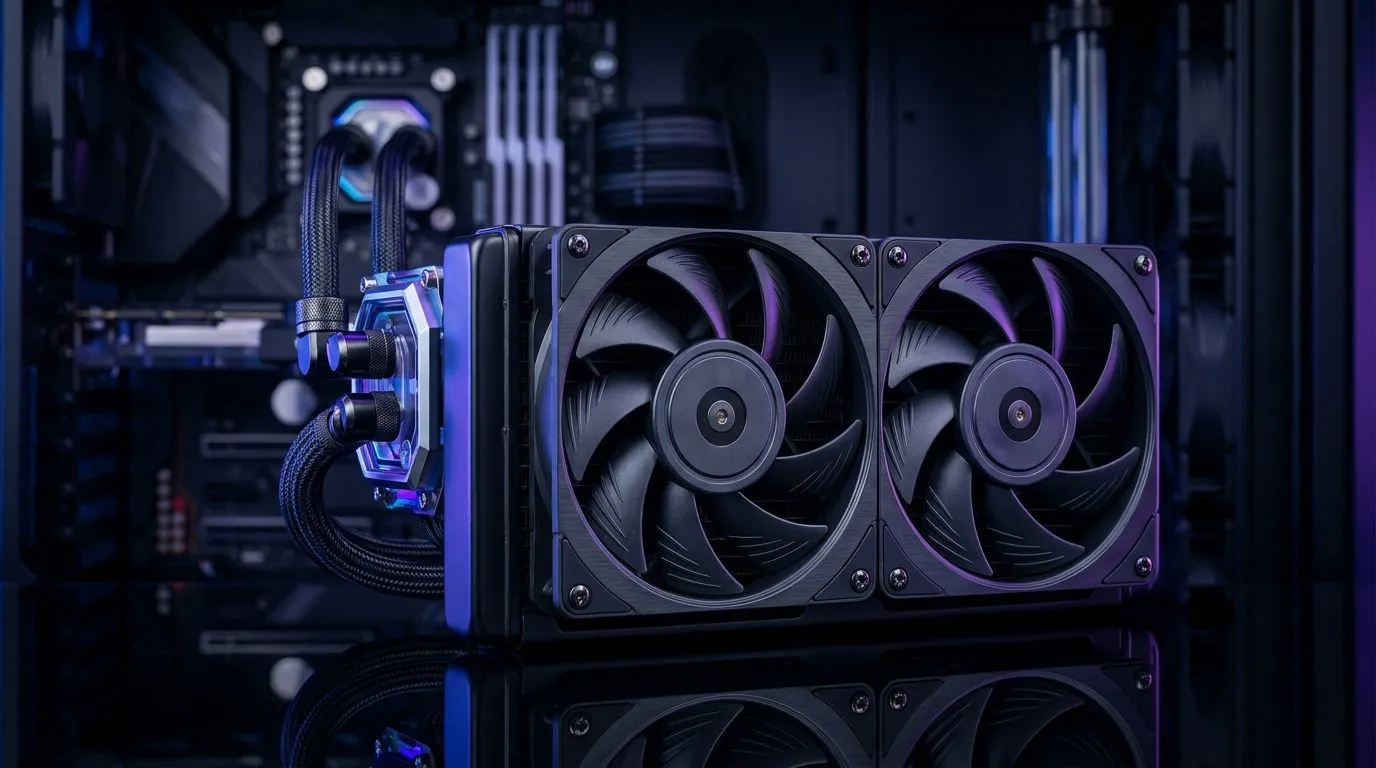
If your gaming PC sounds like it’s about to launch… you’re not imagining it. Loud case fans usually mean one thing: fans are spinning too hard for the airflow you actually need. The tricky part is keeping cooling performance steady for long sessions, especially in warm SA rooms and LAN nights. Let’s fix that without sacrificing temperatures or stability 🔧.
The best approach is simple: match airflow to real heat, then control fan speed smoothly.
Noise often comes from turbulence. Fans placed against obstructions or mounted where airflow “collides” tend to scream at the same RPM. Aim for a clear path from front/bottom intake to rear/top exhaust. If your case supports it, keep intake mostly in front or bottom and exhaust out the back or top.
Bigger fans can move the same air at lower RPM. Lower RPM usually means lower noise… and it can also reduce bearing stress over time.
You can browse matching options here:
Instead of “loud when gaming”, make your fans ramp only when it matters. A solid rule is:
If you’re using a modern motherboard, the fan control software is typically better than basic manual voltage controls.
On Windows, reduce background heat by checking which apps spike CPU usage during gaming sessions. Open Task Manager (Ctrl+Shift+Esc), sort by CPU, and close or limit heavy background tasks. Lower CPU load means lower fan ramp… and a calmer PC without changing hardware.
Not all fans are equal. Some focus on pressure, some on airflow, and some on static pressure for radiator setups. If you’re going radiator-heavy, static pressure matters more. If you’re focusing on case ventilation, airflow matters more.
To explore a broad selection, start here: Case fans (all options)
If you prefer brand-specific shopping, Evetech also lists:
RGB itself doesn’t always increase noise, but it can add extra cables, extra controllers, and more software. If you’re chasing quiet first, keep it simple: run non-RGB or use “quiet lighting” modes.
I once helped a client who thought their AIO was “broken” because idle fans were audible. The temps looked fine, but the curve was aggressive. We adjusted the curve to stay near low RPM until meaningful heat hit. The noise dropped immediately… and gaming temps stayed stable.
The lesson? Cooling performance often wasn’t the problem. Fan control was.
Before upgrading, quickly verify:
When these are sorted, new fans and smarter curves usually make the biggest difference in perceived noise 🔥.
Ready to Find Your Perfect Match? If you’re aiming for quieter gaming without risking heat, start by matching the right fan size, type, and style to your case. Explore our range and build with confidence. Shop case fans on Evetech and get the airflow you need, with the noise you don’t.
Reduce fan noise by optimizing fan curves, keeping airflow unobstructed, and ensuring heatsink contact is correct. Pair quieter profiles with safe thermal targets.
Use gradual ramping in your fan curve so RPM rises only when temps approach your limit. Start with longer, smoother transitions to avoid audible spin-ups.
Yes. Dust buildup increases turbulence and friction, which raises fan noise. Cleaning computer fans and filters improves airflow and can restore smoother spin behavior.
Fan control software (like motherboard fan tuning or PC utilities) lets you set PWM targets, hysteresis, and custom curves to reduce fan noise at idle and load.
Loud CPU fans at low temps can come from aggressive fan curves, sensor misreads, poor heatsink mounting, or failing bearings. Check settings and remount if needed.
Often yes. Reducing power draw lowers heat output, which can let you keep RPM lower. Combine power tuning with quiet fan curves for best results.
Improve airflow inside your PC by correcting intake/exhaust balance, managing cable clutter, and ensuring unobstructed intake paths. Better airflow means fans can run slower.
Replace fans if bearings are worn, you hear grinding, or noise persists after cleaning and fan curve tuning. New quality fans can improve quiet cooling performance.
iRacing build planning should focus on the target resolution, settings and total system balance. Treat launch wording as time-sensitive, then verify requirements before choosing SA PC parts.
Read more
Skyrim PC requirements should be mapped to resolution, settings and upgrade budget before choosing a tier. Verify current requirements, then balance GPU, CPU, RAM and SSD around SA pricing.
Read more
Skyrim PC builds is a cautious guide for game PC build planning. Compare game requirements, tier fit, resolution goals, RAM, storage, and GPU choice for SA buyers without assuming live prices, availability, or exact benchmark results.
Read more
Hades 2 PC builds is a cautious guide for game PC build planning. Compare game requirements, tier fit, resolution goals, RAM, storage, and GPU choice for SA buyers without assuming live prices, availability, or exact benchmark results.
Read more
Roblox PC builds is a cautious guide for game PC build planning. Compare game requirements, tier fit, resolution goals, RAM, storage, and GPU choice for SA buyers without assuming live prices, availability, or exact benchmark results.
Read more
Mortal Kombat 1 launch needs a balanced parts plan, not a random basket. Map the CPU, GPU, RAM, SSD, cooling, and monitor target to the budget so SA builders know where to spend first.
Read more
Wondering if a TKL wireless mechanical keyboard is worth it for everyday productivity? We break down latency, battery life, comfort, and workflow gains for real work. ⚡⌨️

Maximise battery life on a fanless 15-inch laptop using efficiency core architecture. Cut idle drain, tune power profiles, and improve thermals for longer runtime. 🔋⚙️

Learn how to reduce desk clutter with a TKL wireless keyboard using fewer cables, smart placement, and tidy essentials. Get a faster, calmer workspace with better ergonomics. ✅🧼

RGB keyboard lighting too distracting? Learn how to manage backlight modes, set brightness, and reduce distraction for focus and productivity 😌🖱️

Are themed gaming keyboards worth the extra cost? Compare build quality, switch options, features, and resale value to find the best fit for your setup 🎮⌨️

Full-Size vs Tenkeyless mechanical keyboards for gaming: find out if a smaller layout truly improves aim, speed, and comfort. We break down layout, desk space, latency-feel, and keybinds 🎮⌨️

Dedicated media rollers vs function key shortcuts: learn which setup gives you better workflow control, faster media access, and fewer mistakes. 🖱️🎧

Best Mechanical Switch Type for Gaming: Clicky vs Linear vs Tactile. Find your feel, speed, and noise balance with practical guidance for FPS, MOBA, and productivity 😄🎮

Direct mouse answer: Mouse not keeping up with your work? Everything that matters about dual-mode 2.4GHz + BT 5.0: DPI behaviour, channel switching, battery curves and per-app button mapping. Covers when 2.4GHz USB wins (low-latency desk) and when BT 5.0 wins (laptop, d

Plain wireless mouse guide: Mouse not keeping up with your work? Everything that matters about wireless productivity mouse: DPI behaviour, channel switching, battery curves and per-app button mapping. Includes DPI tuning tips, channel switch shortcuts, and ZAR-aware fea

Real productivity numbers: Set up your wireless mouse in this order: everything that matters about wireless productivity mouse: DPI behaviour, channel switching, battery curves and per-app button mapping. Includes DPI tuning tips, channel switch shortcuts, and ZAR-aware

Pen not feeling like paper? Stylus lag and skipping usually trace to old drivers, dirty nibs, or display refresh mismatches, not the pen itself. Covers pressure curve tuning, tilt thresholds, nib swap timing, and SA pricing brackets.