


Starfield Max Settings on RTX 5070: Complete Guide
Starfield Max Settings on RTX 5070. Tested & verified settings for best FPS and visual quality on SA hardware budgets.
Read moreWant to reduce pump noise in liquid cooling without losing efficiency? This guide helps you tune mounting, airflow, and pump settings for quieter temps and stable performance 😌❄️
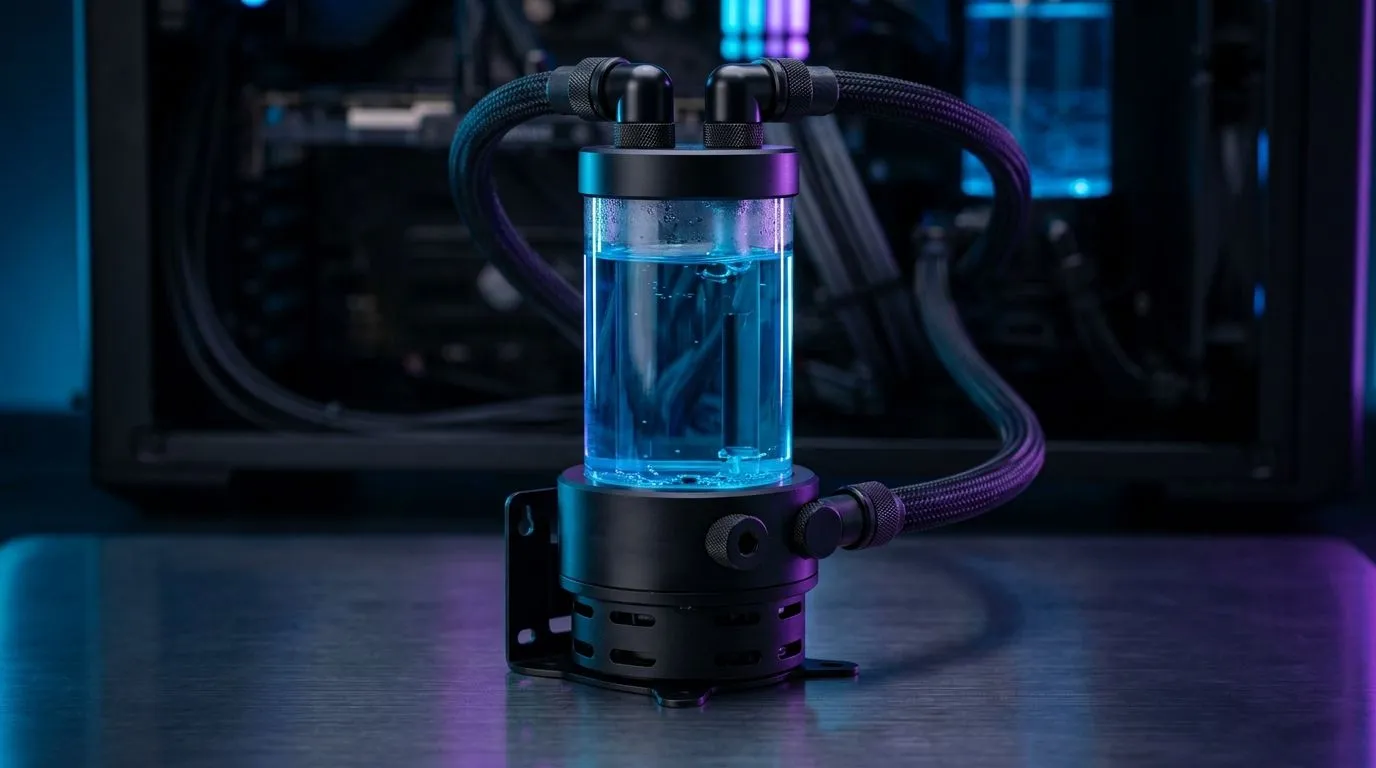
If your rig hums like a Johannesburg minibus taxi at peak hour, you can Reduce Pump Noise in Liquid Cooling Without Losing Efficiency — and still keep peak thermals for long sessions. South African gamers want silence without trading FPS or component life. This quick Deep Dive shows proven swaps, install tweaks and fan choices that cut vibration and keep coolant flowing 🔧.
Start by isolating vibration. Soft anti-vibration mounts and rubber grommets decouple the pump from the chassis. Also check tubing routing: tight bends create back-pressure that can make pumps work harder. Swap stiff tubing for more compliant rubber or soft PETG where appropriate. For extra airflow balance, consider larger blades: 140mm fans move air at lower RPMs and reduce overall system noise — great for rads and case exhausts. See Evetech’s 140mm selection for options that suit your build: 140mm fans.
Many AIOs let you control pump RPMs through BIOS or a fan hub. Lowering pump speed can hugely reduce noise, but ensure your loop still meets thermal needs. If you need more airflow headroom, bigger fans at lower RPM are the silent partner. Browse standard case fan choices to pair with your cooler: case fans general.
Not all fans are equal. Brands like Corsair and Deepcool offer models tuned for static pressure or airflow — pick static pressure for rads. If you want brand-specific picks, compare the latest Corsair fans and Deepcool fans to match your radiator density and case layout.
If aesthetics matter, RGB doesn’t have to mean loud. Many RGB models are optimised for low RPM, giving light without the scream. Shop RGB case fans or choose stealth looks with non-RGB fans if silence is priority ✨.
When customising a loop, bleed it thoroughly and run the pump at an angle so trapped air migrates to the reservoir. Small air pockets near the pump are a common cause of noise and cavitation.
If your radiator faces constant high load, upgrade to thicker rads and pair them with low-RPM high-static-pressure fans. You’ll lower pump strain and drop acoustic levels during long raids. For compact builds where 120mm is the only option, pick premium 120mm fans tuned for rads: 120mm fans — they still offer good pressure at lower noise.
A quieter pump is often a set of small wins stacked together. Try the checklist, match fan types to your rad, and you’ll get silent runs without sacrificing efficiency 🚀.
Ready to Find Your Perfect Match? The Mac vs Windows debate is complex, but for maximum power, choice, and value in South Africa, Windows is hard to beat. Explore our massive range of laptop specials and find the perfect machine to conquer your world.
Focus on secure pump mounting, correct tubing routing, avoiding air bubbles, and setting fan curves so temperatures stay stable while the pump stays quieter.
Common causes include cavitation, trapped air, resonance from loose mounting, or a pump speed profile that doesn’t match your system load.
Yes. Air bubbles can create irregular flow and add noise. Bleed or re-seat the loop and ensure the pump is positioned correctly for your AIO.
Use the correct screws and spacing, avoid overtightening, ensure the radiator and pump are firmly attached, and consider soft isolation only if the manufacturer allows.
Often, yes—but do it carefully. Reduce pump RPM only within safe limits and verify CPU temps and coolant behavior under sustained load.
They can. Better radiator airflow improves heat transfer, which can let you run a calmer pump profile while keeping efficiency high.
Eliminate loose parts, reroute tubing to avoid contact with fans or metal panels, and secure the radiator to prevent vibration transfer.
Check for air in the loop, confirm tight mounting, inspect tubing routing, and keep fans free of dust so thermal load stays consistent.
Starfield Max Settings on RTX 5070. Tested & verified settings for best FPS and visual quality on SA hardware budgets.
Read more
When Will the RTX 6090 Launch in South Africa Detailed answer with SA data, expert analysis & practical recommendations for local buyers.

Top Valorant Settings for RTX 5070: FPS Optimisation picks evaluated on performance, value & SA availability with current Rand pricing from Evetech.

RDNA 3.5 Graphics in Ryzen AI 400? Can You Game. Plain-English explanation of what it means, why it matters & how it affects your buying decisions in SA.

GPU Price Index : December Report. Current stock data & price tracking for SA buyers. See what is available and where prices are heading.

Core i5-14600K + B760 + RTX 5060 Build Under. Full parts list, Rand pricing & expected performance. Build confidently with SA-available components.

RX 7600 Apex Legends at 4K: FPS Benchmark. Real-world benchmark data, FPS numbers & performance analysis. What SA gamers can actually expect.

RX 7900 XTX GTA 6 at 4K: FPS Benchmark & Optimal. Real-world benchmark data, FPS numbers & performance analysis. What SA gamers can actually expect.

Head-to-head comparison of RTX 5070 vs RX 9070 XT: Gaming Performance for SA gamers. Performance benchmarks, Rand pricing & which delivers better value.

GPU Setup Guide Gamers. Clear setup instructions with SA-specific considerations, troubleshooting tips & recommended components.

Top RTX 5090 Under R12000 picks evaluated on performance, value & SA availability with current Rand pricing from Evetech.

Call of Duty Warzone 2 Settings on RX 7600. Real-world benchmark data, FPS numbers & performance analysis. What SA gamers can actually expect.

GTA 6 Settings on RTX 5070 Ti: Performance. Real-world benchmark data, FPS numbers & performance analysis. What SA gamers can actually expect.