



80+ Gold vs 80+ Platinum for Couch co-op gaming in SA
80+ Gold vs 80+ Platinum for couch co-op gaming is about PSU efficiency, heat, fan behaviour, quality, and wattage headroom, not direct FPS. SA buyers should compare the whole build.
Read moreDiscover how adjusting seat edge stiffness 🪑 can eliminate thigh numbness while driving. Customise your car seat settings 🚗 for maximum blood flow and comfort.
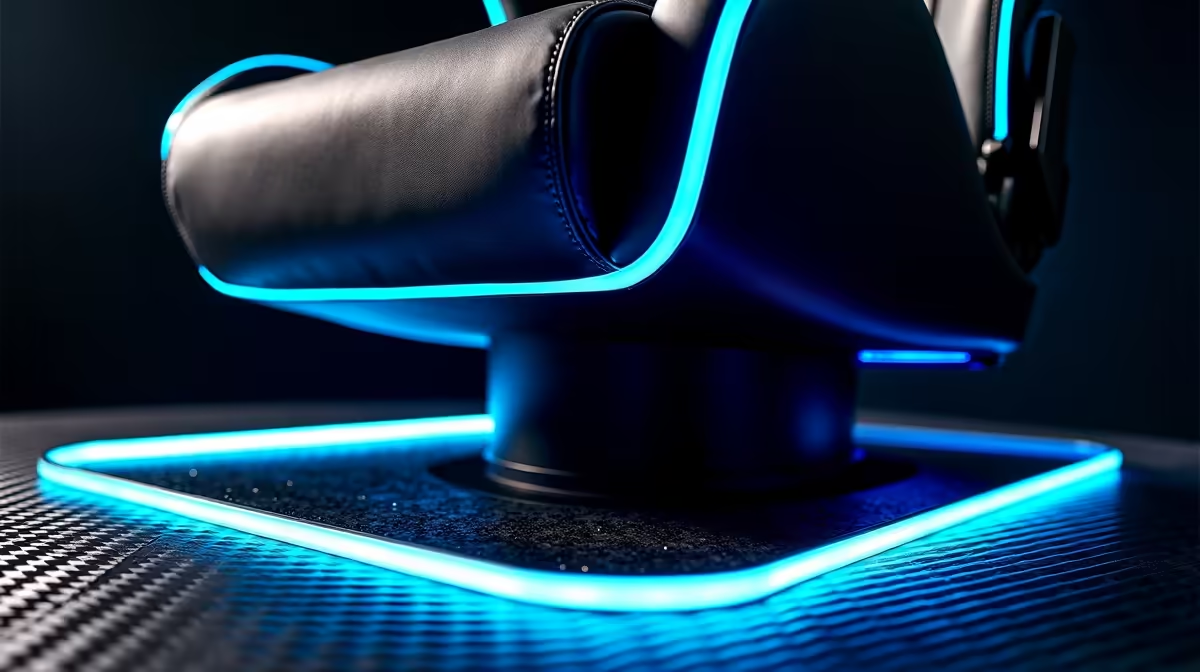
You’ve just pulled off an insane clutch, your heart is pounding, and you jump up to celebrate… only to be met with that familiar, frustrating pins-and-needles sensation in your legs. That nagging thigh numbness is more than just an annoyance; it’s your body telling you that your gaming chair setup isn't working for you. The culprit is often something surprisingly simple: your seat edge stiffness settings. Let's fix that. ⚡
Before we dive into the "how," let's quickly cover the "why." When you're sitting for hours, locked into a tense match of Apex Legends or grinding through a raid in WoW, the pressure your chair's seat exerts on the back of your thighs is critical. A seat edge that's too hard or angled incorrectly can compress the nerves and blood vessels, leading to poor circulation. The result? That all-too-common numbness and tingling.
A well-designed gaming chair features a "waterfall" front edge, which is curved downwards to relieve this pressure. The ability to reduce thigh numbness with seat edge stiffness settings is a key ergonomic feature that separates basic chairs from high-performance thrones. By adjusting this, you ensure blood flows freely, keeping you comfortable and focused for longer.
Ready to optimise your setup? Finding and tweaking your chair's settings is usually straightforward. Most chairs with this feature have a knob or lever under the front of the seat.
Look underneath the seat pan, near the front edge. You're searching for a tension knob or a lever. Turning this control will either soften or firm up the front cushion's edge. Some premium models might have a seat-slide function instead, which achieves a similar result by changing the depth. If you're looking for a chair with these advanced features, you'll typically find them in premium gaming chairs built for marathon sessions.
Sit down as you normally would for gaming—feet flat on the floor, back against the backrest.
quick ergonomics check: sit back fully in your chair and slide two fingers between the edge of the seat and the back of your knees. If you can't fit them, your seat is too deep, potentially cutting off circulation. Adjust!
If you've checked your chair and can't find any seat edge stiffness settings, don't stress. Many entry-level chairs skip this feature to keep costs down. While you might not get the perfect tailored fit, you can still improve your comfort. A footrest can help change the angle of your legs, relieving pressure.
However, if numbness is a constant problem, it might be a sign that it’s time for an upgrade. Investing in your comfort is investing in your gaming performance and long-term health. You don't have to break the bank; many chairs offer significant ergonomic improvements, and you can explore a full range of ergonomic gaming chairs in South Africa to see what fits your needs and budget. Even great entry-level options can provide a major step up in support from a standard office chair. ✨
Ready to Upgrade Your Comfort? A proper gaming chair isn't a luxury; it's essential gear for preventing discomfort and staying focused. Find an ergonomic throne that fits your budget and banishes thigh numbness for good. Check out the best gaming chair deals in SA and feel the difference in your very next session.
Thigh numbness occurs from prolonged pressure on seat edges restricting blood flow and compressing nerves.
Proper seat edge stiffness prevents nerve compression and improves blood flow to reduce thigh tingling.
Yes – adjusting seat edge stiffness settings can prevent thigh numbness for South African drivers.
A firm but slightly flexible seat edge provides optimal pressure distribution and thigh support.
Sit for 10 minutes – if you feel numbness or tingling, your seat edge stiffness requires adjustment.
Ergonomic car seats with adjustable stiffness settings help prevent thigh numbness and improve driving comfort.
Yes – supportive materials that maintain proper stiffness reduce nerve compression risks.
80+ Gold vs 80+ Platinum for couch co-op gaming is about PSU efficiency, heat, fan behaviour, quality, and wattage headroom, not direct FPS. SA buyers should compare the whole build.
Read more
80+ Platinum or 80+ Titanium for competitive should be shortlisted around the job it must do. South African buyers should compare fit, performance, compatibility, and upgrade room, warranty path, and upgrade room before treating any pick as best.
Read more
The real world difference between IPS and OLED for AAA single-player gaming is immersion versus versatility. OLED lifts contrast and dark scenes, while IPS can suit bright rooms, mixed PC use, and SA buyers watching total setup cost.
Read more
HDMI 2.1 vs HDMI 2.0 for SA MMO needs a workload-first comparison. For SA buyers, judge real performance, platform fit, warranty path, power needs, and upgrade timing before choosing either side.
Read more
USB4 and Thunderbolt 4 differ for competitive esports through dock, display, and capture consistency. Use this real world difference between usb4 and thunderbolt 4 for competitive guide to keep SA tournament desks tidy without assuming better ping.
Read more
Magnetic switches vs Mechanical switches depends on Competitive esports needs, platform limits, and budget fit. Compare compatibility, latency, upgrade path, and real setup constraints before choosing for an SA build.
Read more
B850 motherboard FPS drops needs a methodical troubleshooting pass. Review drivers, thermals, power settings, background apps, cables and game settings before replacing parts in an SA gaming setup.

Gaming PC FPS drops in South Africa often come from drivers, thermals, background apps, power plans, or in-game settings. Check one change at a time and use the same scene before buying upgrades for your local setup.

Difference between PCIe 5.0 and PCIe 4.0 explained for PC builders starts with bandwidth, lanes, and support. SA builders should match the motherboard, GPU, NVMe drive, and budget before choosing a platform.

Windows 11 mechanical keyboard setups rarely cause display banding directly. Fix color banding by checking HDR, colour depth, GPU range, monitor profiles, and any new RGB utility conflicts.

Steam Big Art Mode enlarges library artwork in Big Picture Mode and on Steam Deck, while the same beta adds configurable screensavers. Both features are optional and currently require the Steam beta client.

Diablo 4 HDR settings work best after Windows and the display are calibrated, then the game's black point, brightness and white point are adjusted in that order. Use visible shadow detail and controlled highlights, not copied values from another screen.

The best HOTAS for Elite Dangerous is a separate stick-and-throttle set with enough analogue axes for pitch, roll, yaw and thrust, plus local support. Evetech's captured flight-simulation sample lists the complete Logitech X56 at R4,999.

Nintendo Switch 2 docked VRR arrives with system version 23.0.0 and also requires a dock update. The connected TV or monitor and the running software must support VRR before the output can follow changing frame rates.

750W for RTX 5080 Super needs a full-build check, not a simple yes. Review GPU guidance, CPU draw, transient load, connectors, PSU quality, and upgrade plans before deciding.
80+ Gold vs 80+ Platinum for couch co-op gaming is about PSU efficiency, heat, fan behaviour, quality, and wattage headroom, not direct FPS. SA buyers should compare the whole build.

ultrawide monitor FPS drops needs a methodical troubleshooting pass. Review drivers, thermals, power settings, background apps, cables and game settings before replacing parts in an SA gaming setup.
80+ Platinum or 80+ Titanium for competitive should be shortlisted around the job it must do. South African buyers should compare fit, performance, compatibility, and upgrade room, warranty path, and upgrade room before treating any pick as best.