Router Placement for Better WiFi: The Ultimate Guide to Full Coverage
If your WiFi drops the moment you step into the lounge… you’re not alone. In SA homes, walls, ceilings, and even your steel-framed TV cabinet can wreck signal quality. 🎮📶
The good news? You usually don’t need a brand-new router. With smart router placement and a couple of practical tweaks, you can get full coverage that feels consistent for gaming, streaming, and work calls. Let’s make your network behave.
Why Router Placement for Better WiFi Matters in South Africa
WiFi is radio, not magic. Where you place your router changes:
- How far the signal travels
- What it has to pass through (brick, plasterboard, glass, and metal)
- How evenly it spreads across rooms
For most home setups, you’ll see the biggest improvement by placing your router:
- Centrally in your home
- Elevated (higher is usually better)
- Away from interference sources
If you’re building your network from scratch, it helps to pick the right gear category too. Start with Evetech’s wireless network options like wireless networking gear.
Router Placement for Better WiFi: Best Locations for Full Coverage
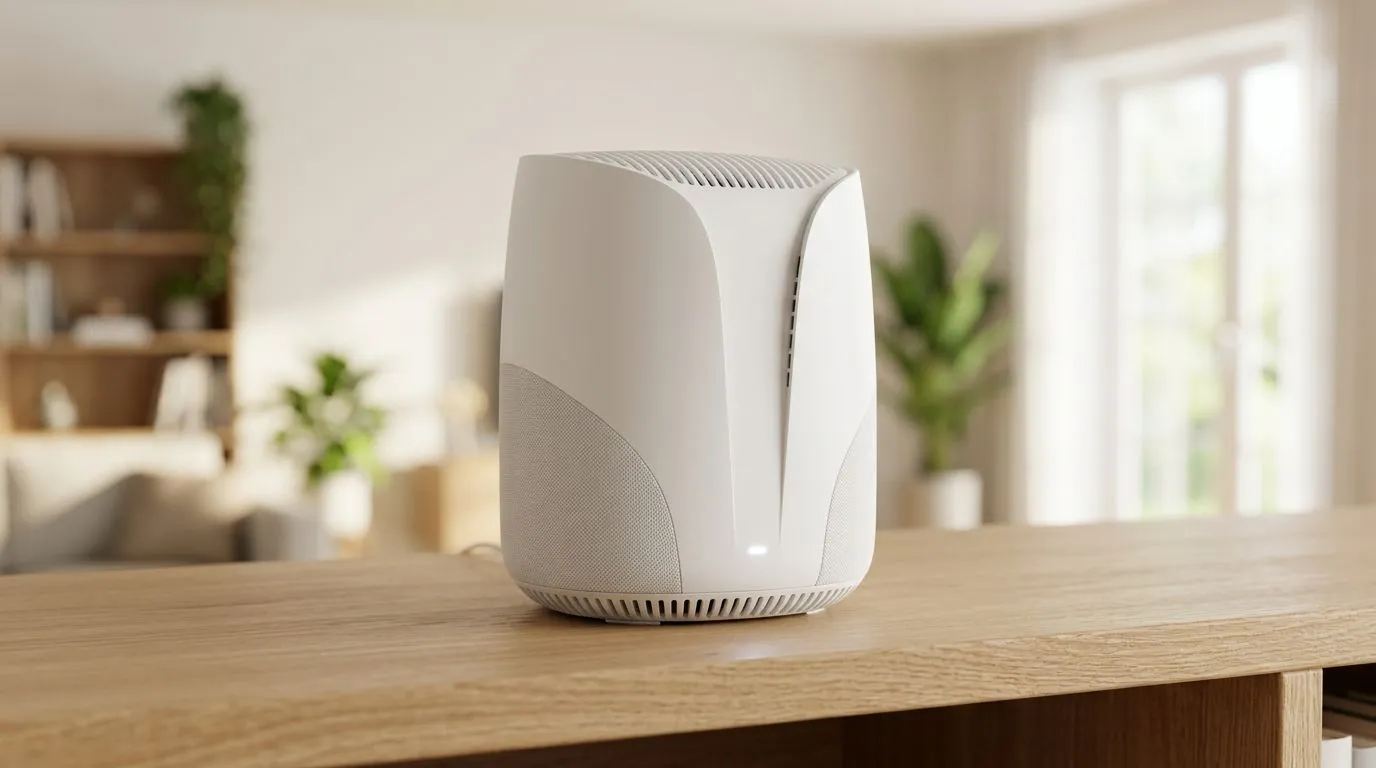
Think of your router like the campfire. Put it in the centre, not hidden behind the braai stand.
Ideal placement checklist (quick wins) 🔧
- Central, not corner-based: Middle of the home beats “near the office.”
- On a shelf or wall-mounted higher: Aim roughly at chest to head height.
- Open space around it: Avoid stuffing it in a cabinet.
- Rotate antennas if your router has them: Even small orientation changes can help.
Avoid these common “coverage killers” 🚫
- Behind the TV: many TVs have internal metal shielding and the cabinet is often enclosed.
- Inside cupboards: that closes off airflow and blocks radio paths.
- Next to microwaves and Bluetooth-heavy devices: interference is real, especially in busy homes.
A practical micro-story from a typical SA setup ✨
One Evetech customer we spoke to kept blaming “the internet.” The truth was simpler: the router was tucked behind a router rack in a hallway. After placing it in a more central, elevated position, their game lag spikes reduced significantly. Not because the ISP changed… but because the signal path improved.
Productivity Pro Tip ⚡
your router in a “high and open” spot before you buy anything new. If you can, test in two spots: central shelf vs desk near the TV. Then run a quick speed check on your devices at the far end of the home. Small movement often beats expensive add-ons. If you use a laptop, keep it on the same chair table during each test for a fair comparison. (Track results.)"
Router Placement for Better WiFi: WiFi Channel, Bands, and Layout Choices
Placement is step one. After that, it’s about reducing interference and steering devices to the right band.
Dual-band vs tri-band reality
- Dual-band (2.4 GHz + 5 GHz) is fine for many homes.
- Tri-band can help in larger homes or when many devices connect at once.
Evetech carries a range of wireless adapters if you need a better link on your PC or console, especially for older WiFi cards.
How to choose your band for gaming
- 5 GHz usually gives better speeds and lower latency, but covers less distance.
- 2.4 GHz travels farther and penetrates walls better, but is often slower and more crowded.
If your lounge is far from the router, a stable 2.4 GHz connection can be smoother than a weak 5 GHz signal. The goal is consistency, not peak speed.
Simple layout tip for multi-room coverage
If your home has a long passage, don’t aim the router down the hallway. Instead, place it where it can “see” multiple rooms, then cover the far end with a proper add-on if needed.
Router Placement for Better WiFi: When You Need Upgrades (Extenders vs Mesh)
Sometimes, your house layout wins the argument. That’s where you decide between an extender and better distributed coverage.
Range extenders: use carefully
Extenders can boost coverage, but performance depends on signal strength where the extender sits. Too far from the router and you just amplify a weak signal.
If you’re considering one, browse Evetech’s wireless range extenders.
Router upgrades: faster options can help too
If your router is older, you may not be getting modern WiFi efficiency. Upgrading can improve throughput and reduce congestion. Check out Evetech’s wireless routers if you’re ready to move up.
Fibre routers: don’t assume they’re all the same
If you’re using fibre, the “router” is often part of your ISP setup. The hardware quality, WiFi generation, and feature set vary a lot. For fibre-specific options, use Evetech’s fibre routers to compare properly.
Router Placement for Better WiFi: Quick Troubleshooting Steps (No Guesswork)
Before you buy new gear, run a fast diagnostic.
Step-by-step troubleshooting
- Reposition first: move the router to a central elevated spot.
- Check whether the issue follows the device: one device lagging vs the whole home.
- Test at the far location: don’t only test near the router.
- Reduce interference: keep the router away from microwaves and metal enclosures.
- Restart smartly: power cycle once, then test again after 5 to 10 minutes.
If you play online games
- Prefer Ethernet where possible for consoles/PC.
- If WiFi is required, aim for a stronger band (usually 5 GHz) near the play area.
- Keep the router antennas properly oriented.
Ready to Rebuild Your WiFi Like a Pro? (Evetech Will Help)
You’ve already done the hardest part: paying attention to placement. Now you just need the right equipment and advice to match your home size, wall types, and device count. 🎮📶
Ready to Find Your Perfect Match?
The Mac vs Windows debate is complex, but for maximum power, choice, and value in South Africa, Windows is hard to beat. Explore our massive range of laptop specials and find the perfect machine to conquer your world.