


RTX 4060 Ti Throttling Under Load: SA Temperature Guide
RTX 4060 Ti Throttling Under Load: Temperature. Everything you need to know with SA pricing, step-by-step instructions & expert recommendations.
Read moreRunning AI models locally on a mini PC gives you private, fast, and cost-efficient AI at home or work 🚀🧠 Learn what specs matter, what models run well, and how to set up a compact AI machine.
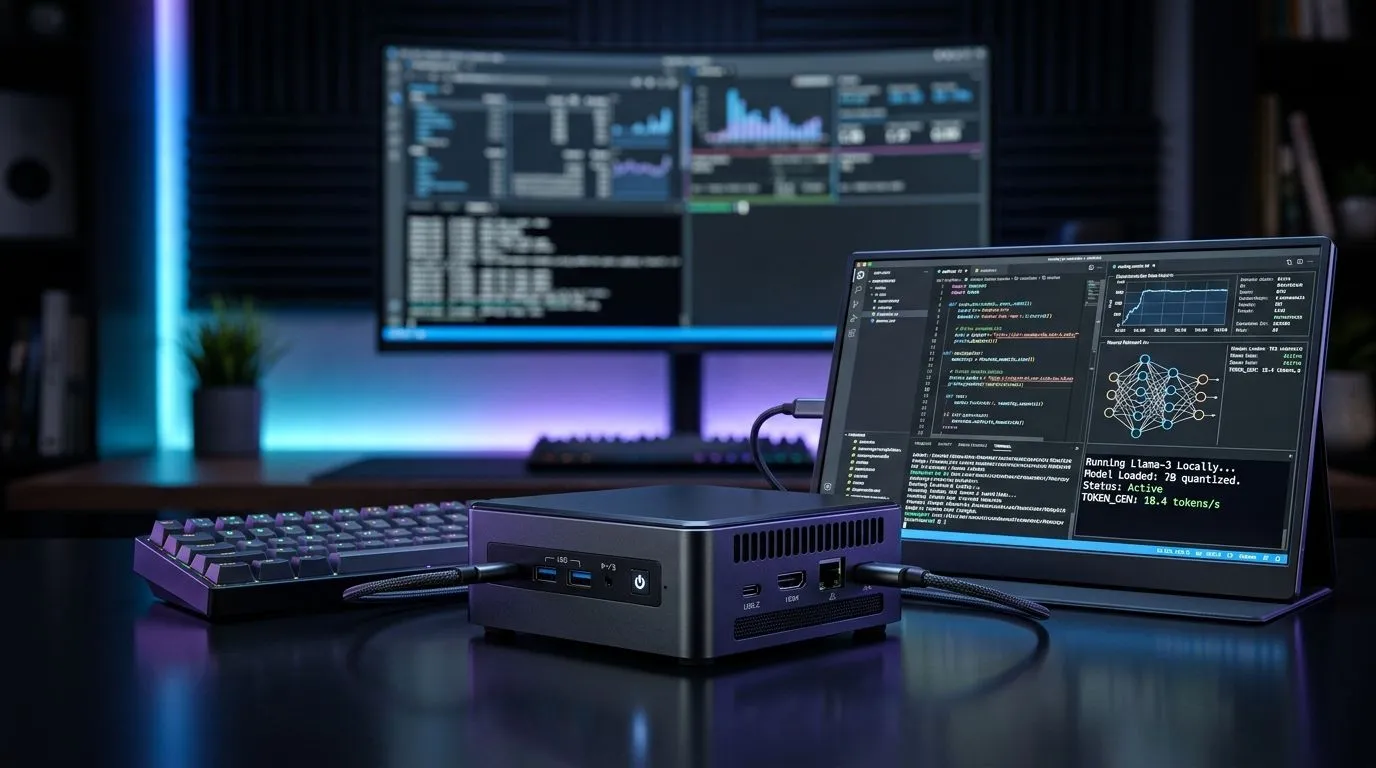
So you want to run AI at home without feeding your wallet to the cloud? Good. In South Africa, latency matters and data costs add up fast. Plus, there’s something satisfying about seeing prompts become results on your own desk… no waiting for servers in another time zone. 🚀
Running AI Models Locally on a Mini PC: What You Need is simpler than it sounds. With the right mini PC, sensible settings, and a little tuning, you can test image, text, and even lightweight coding assistants from your own network.
Local AI is mostly about three things: compute (CPU/GPU), memory (RAM), and storage speed. Mini PCs are popular because they fit small spaces, sip power, and are easy to upgrade later.
When you browse options, treat the spec sheet like a shortlist:
If you’re comparing mini PC categories, start here to get a feel for what’s available: Explore mini PCs and compact systems at Evetech
And if you already know the brand you want, narrow it down: Browse mini PCs Looking specifically at Minisforum models? Shop Minisforum mini PCs
Different models behave differently. Smaller language models run more comfortably on CPU, while GPU support often makes the experience feel “instant”.
For a balanced setup, aim for:
Want options across more manufacturers? Start with these Evetech mini PC groups:
Begin with a small model you can run comfortably, then scale. If you jump straight to huge models, you’ll just learn your hardware limits… and lose time. A smoother path:
Windows, keep your AI workspace tidy: create a dedicated folder structure for models, prompts, and outputs, then use consistent filenames. It reduces “where did that file go?” moments and makes it easy to swap models between experiments on your mini PC.
A local setup gets better fast when you focus on the basics:
Also, remember: “local” doesn’t mean “offline-only”. Some tools need downloads, but once models are stored locally, your day-to-day prompts can run without the same cloud dependency. That’s the sweet spot for home users in SA.
Ready to Find Your Perfect Match? If you want the best experience running AI locally, start with the mini PC that matches your budget and workload. For max power, choice, and value in South Africa, explore Evetech’s mini PC range and build a setup that fits your desk and your goals. Shop mini PCs at Evetech.
Yes. A mini PC can run many local AI models, especially smaller LLMs and image tools, if it has enough RAM, storage, and a capable CPU or GPU.
For local AI, aim for 16GB to 64GB RAM, fast NVMe storage, and the strongest CPU or integrated GPU your compact system can support.
Smaller and quantized LLMs, lightweight vision models, and offline assistants perform best on a compact mini PC with limited power and cooling.
Local AI gives you more privacy, lower latency, and no ongoing API costs, but cloud AI usually offers larger models and easier scaling.
16GB is a starting point, but 32GB or more is better for smoother local AI model performance, especially when running an LLM on mini PC hardware.
Not always. Many local AI tools can run on CPU, but a GPU or strong integrated graphics can greatly improve speed and responsiveness.
AI edge computing on a mini PC works well for private assistants, local transcription, smart home processing, and lightweight content generation.
RTX 4060 Ti Throttling Under Load: Temperature. Everything you need to know with SA pricing, step-by-step instructions & expert recommendations.
Read more
Apex Legends Max Settings on RTX 4080. Tested & verified settings for best FPS and visual quality on SA hardware budgets.
Read more
GPU Buying Guide. Everything you need to know with SA pricing, step-by-step instructions & expert recommendations.
Read more
GPU Terms Guide. Everything you need to know with SA pricing, step-by-step instructions & expert recommendations.
Read more
AMD Adrenalin Download & Setup Guide: GPU. Clear setup instructions with SA-specific considerations, troubleshooting tips & recommended components.
Read more
Back-to-School GPU Buying Guide. Everything you need to know with SA pricing, step-by-step instructions & expert recommendations.
Read more
Can RTX 4080 Super Run AI Workloads for SA Developers Detailed answer with SA data, expert analysis & practical recommendations for local buyers.

Can RTX 4090 Run AI Workloads for SA Developers Detailed answer with SA data, expert analysis & practical recommendations for local buyers.

Top Settings for Intel Arc B580 at Ultrawide 1440p picks evaluated on performance, value & SA availability with current Rand pricing from Evetech.

RX 7600 Overclocking Guide: Safe OC Settings for. Real-world benchmark data, FPS numbers & performance analysis. What SA gamers can actually expect.

RTX 4060 CS2 Low Settings at 1080p: FPS Results. Real-world benchmark data, FPS numbers & performance analysis. What SA gamers can actually expect.

Visual Artifacts: Possible GPU Issue Issue #1. Diagnosis steps, proven fixes & when to seek professional help. SA-specific support info included.

Can the RTX 4090 Handle 1440p 144Hz Gaming. Performance testing verdict with real data & practical recommendations for SA buyers.

Top ASUS GPU Under R15000 picks evaluated on performance, value & SA availability with current Rand pricing from Evetech.
RTX 4060 Ti Throttling Under Load: Temperature. Everything you need to know with SA pricing, step-by-step instructions & expert recommendations.
Apex Legends Max Settings on RTX 4080. Tested & verified settings for best FPS and visual quality on SA hardware budgets.
GPU Buying Guide. Everything you need to know with SA pricing, step-by-step instructions & expert recommendations.
GPU Terms Guide. Everything you need to know with SA pricing, step-by-step instructions & expert recommendations.