


GPU Setup Guide for SA Gamers
GPU Setup Guide Gamers. Clear setup instructions with SA-specific considerations, troubleshooting tips & recommended components.
Read moreWondering how South Africa’s climate affects CPU cooling performance in gaming PCs? Get practical tips for stable FPS in hot, humid weather. 🌡️💨
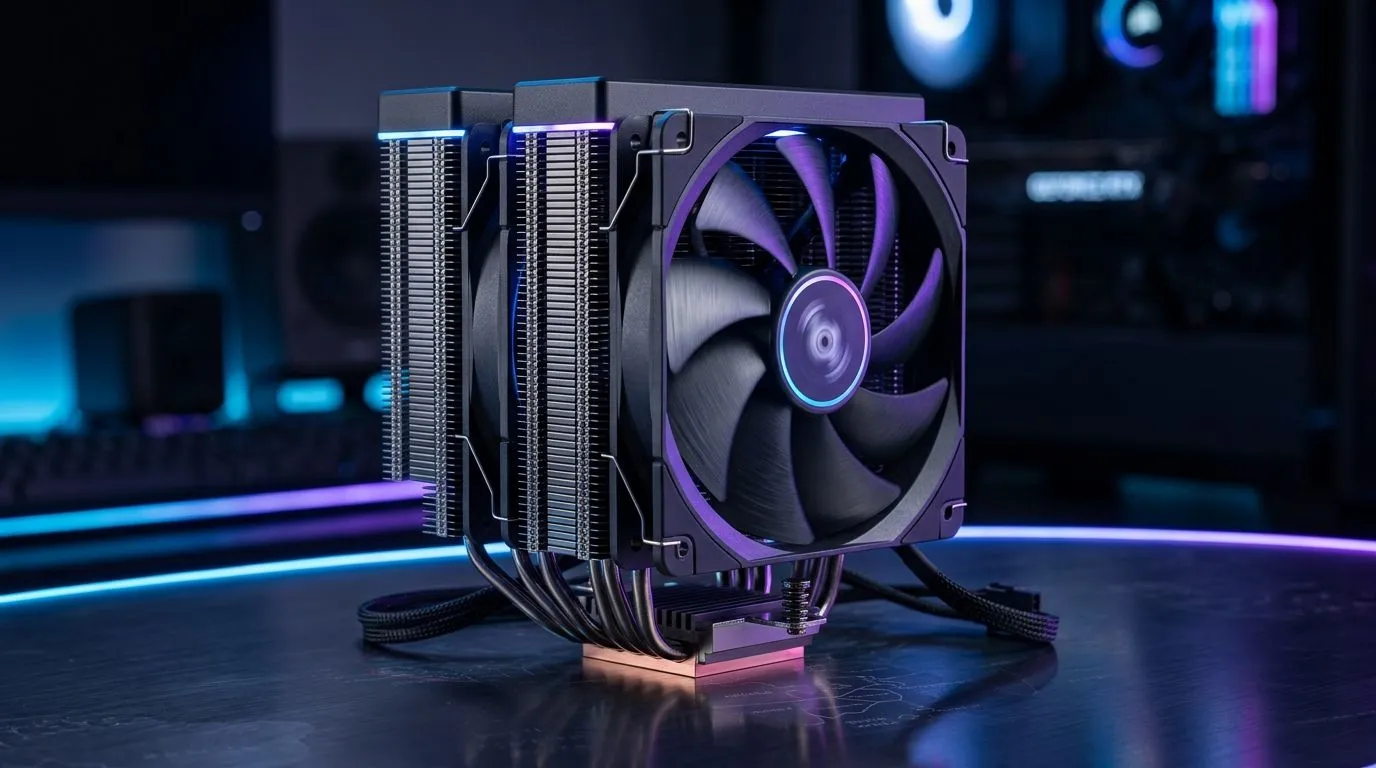
South African summers can be brutal on PCs. One minute you’re grinding ranked… the next your game stutters and fans spin like a jet. 🔥 If you’re gaming in a hotter room, your CPU cooling becomes more than “nice to have”. It directly affects boost clocks, stability, and how long your build stays healthy. So let’s talk practical, climate-aware cooling for gaming PCs in South Africa.
In warm weather, your CPU has less headroom to boost. Even if your GPU is fine, a hot CPU can throttle performance. That shows up as:
Modern CPUs also protect themselves. Thermal throttling is real, and it’s a common cause of “my PC was smooth yesterday” complaints after a heat wave.
Evetech’s CPU cooler range is built around a key idea: match cooling style and airflow to your case and environment. If your system is in a small, poorly ventilated room, cooling needs become more important.
Your cooler’s job is simple: move heat away from the CPU and into your case airflow. The real-world bottleneck is usually one of these:
When ambient temperatures rise, air cooling often needs better airflow and fan support. Liquid cooling (AIO) can handle sustained loads well, but installation quality still matters. Either way, you want a cooler that fits your case and keeps RPM noise tolerable.
Start with the practical path: find a CPU cooler category that matches your setup, then narrow by cooler type and fan size.
If you’re building around air, Evetech makes it easy to compare. Start broad, then refine by your case and preferences:
Cooling isn’t only about the cooler. Small changes can drop CPU temps enough to reduce throttling.
On Windows, use your motherboard vendor’s fan control software (or BIOS fan curves) to create a “Gaming” profile that ramps CPU fan speed earlier during long matches. Pair it with a stable fan curve instead of spikes, so temperatures stay controlled without constant loud fan cycling.
Before you blame your FPS on Wi‑Fi or drivers, check these:
If your CPU is throttling during heavy games or shader compilation, upgrading cooling is usually worth it. But if your CPU is already staying within safe temps, focus on airflow and fan curves first.
A quick way to decide: compare temps under the same game session at different times of day. If evenings are much cooler and performance improves, your system is ambient-sensitive. That’s your cue to go climate-aware with airflow and cooler selection.
If you want fewer temp-related stutters and quieter gaming evenings, choose a cooler that fits your case, your airflow plan, and your local climate reality.
Ready to Find Your Perfect Match? The Mac vs Windows debate is complex, but for maximum power, choice, and value in South Africa, Windows is hard to beat. Explore our massive range of laptop specials and find the perfect machine to conquer your world.
Higher ambient temperatures and humidity reduce cooling efficiency, raising CPU temps and increasing the chance of thermal throttling in gaming PCs.
Yes. Humidity can worsen heat dissipation and increase condensation risk, so you may need stronger airflow and careful component placement.
If you see frequent FPS drops, sudden clock speed drops, or CPU temps climbing during long sessions, thermal throttling may be active.
Both can work, but many builds benefit from well-sized air coolers or properly maintained AIOs with strong radiator airflow for sustained loads.
Focus on adequate cooler size, correct fan curves, strong case airflow, and proper thermal paste application to handle high ambient temperatures.
Improve airflow first: clean dust, optimize fan direction, remove obstructions, re-seat thermal paste if needed, and ensure cables don’t block vents.
Yes. In high-heat climates, degraded or poorly applied thermal paste can increase CPU temps and raise the likelihood of throttling.
Use balanced intake and exhaust, keep front intake unobstructed, and consider filters that are cleaned regularly to maintain airflow efficiency.
GPU Setup Guide Gamers. Clear setup instructions with SA-specific considerations, troubleshooting tips & recommended components.
Read more
When Will the RTX 6090 Launch in South Africa Detailed answer with SA data, expert analysis & practical recommendations for local buyers.

Top Valorant Settings for RTX 5070: FPS Optimisation picks evaluated on performance, value & SA availability with current Rand pricing from Evetech.

RDNA 3.5 Graphics in Ryzen AI 400? Can You Game. Plain-English explanation of what it means, why it matters & how it affects your buying decisions in SA.

GPU Price Index : December Report. Current stock data & price tracking for SA buyers. See what is available and where prices are heading.

Core i5-14600K + B760 + RTX 5060 Build Under. Full parts list, Rand pricing & expected performance. Build confidently with SA-available components.

RX 7600 Apex Legends at 4K: FPS Benchmark. Real-world benchmark data, FPS numbers & performance analysis. What SA gamers can actually expect.

RX 7900 XTX GTA 6 at 4K: FPS Benchmark & Optimal. Real-world benchmark data, FPS numbers & performance analysis. What SA gamers can actually expect.

Head-to-head comparison of RTX 5070 vs RX 9070 XT: Gaming Performance for SA gamers. Performance benchmarks, Rand pricing & which delivers better value.

Top Laptop with Ryzen 5 + RTX 4090 Laptop: Picks picks evaluated on performance, value & SA availability with current Rand pricing from Evetech.

Top Budget GPU for Marvel Rivals picks evaluated on performance, value & SA availability with current Rand pricing from Evetech.

Valorant Settings on RTX 5070: Performance. Real-world benchmark data, FPS numbers & performance analysis. What SA gamers can actually expect.

Top Budget GPU for Assassins Creed Shadows picks evaluated on performance, value & SA availability with current Rand pricing from Evetech.