


GPU Setup Guide for SA Gamers
GPU Setup Guide Gamers. Clear setup instructions with SA-specific considerations, troubleshooting tips & recommended components.
Read moreStorage bay options for gaming PCs explained: SSD mounts vs HDD bays and how many you need for games, backups, and installs. ✅🚀 Choose smarter now.
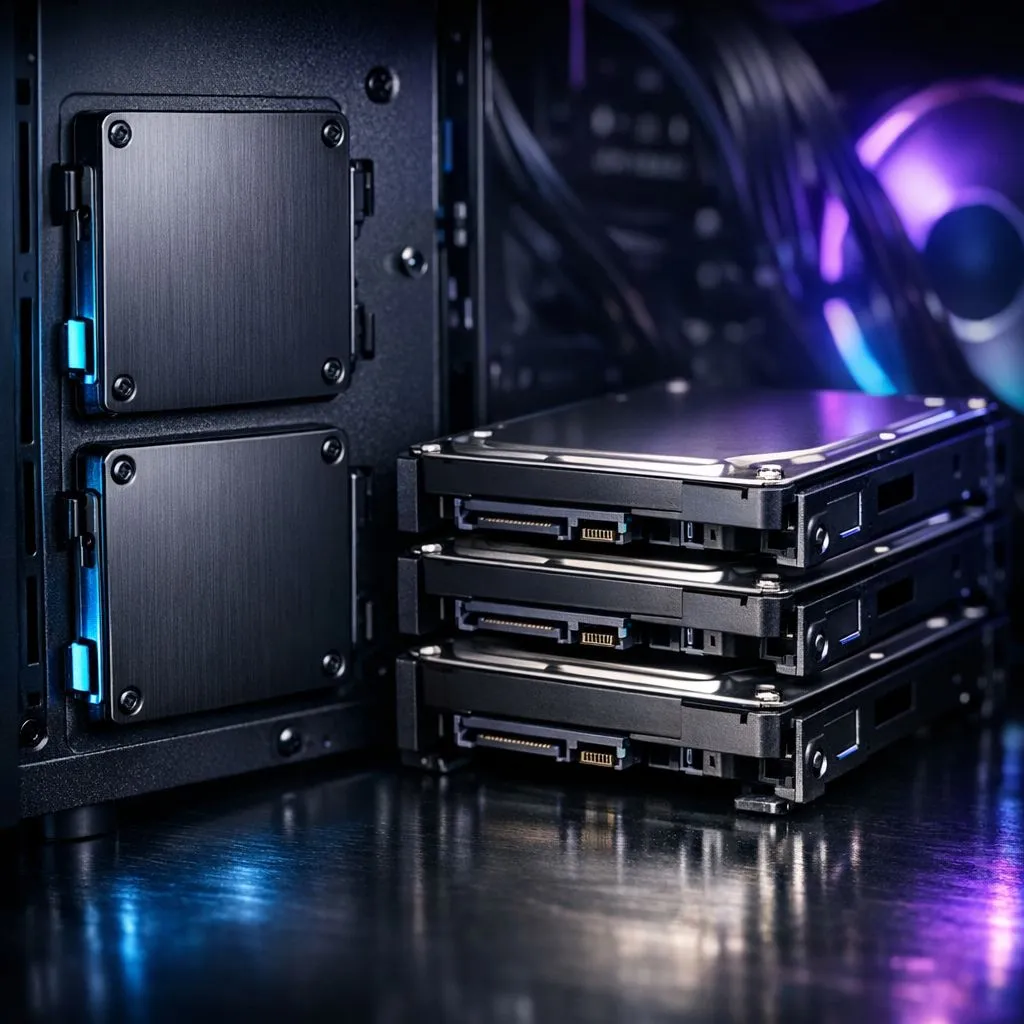
Ever stared at your PC case, wondering if you have space for that new NVMe drive or if your old mechanical hard drive is going to rattle your frame rates? Building a rig in South Africa means balancing performance with budget, and your storage configuration is the backbone of that experience. Whether you are hunting for the best computer cases for airflow or trying to squeeze one more drive into your setup, understanding your storage bay options is essential. 🔧
Modern gaming is all about load times... or lack thereof. Solid State Drives (SSDs) have revolutionised how we play, offering lightning-fast access that makes waiting for textures to load a thing of the past. Most Fractal Design PC cases come with dedicated 2.5-inch SSD sleds tucked behind the motherboard tray. This design keeps your primary chamber clean, allowing for better airflow across your GPU and CPU. If you are aiming for a minimalist, high-performance aesthetic, prioritising these mounts is a no-brainer.
If you are building on a budget, look for cases that allow for tool-less SSD installation. It saves you the headache of hunting for tiny screws during your late-night build session.
Let us be honest... games are getting massive. With titles easily crossing the 150GB mark, sometimes you need the sheer capacity of an HDD for your media library or archival storage. While SSDs are king for your OS and main games, traditional HDD bays in Gamdias gaming cases provide the perfect home for those high-capacity mechanical drives. These bays are usually located at the bottom of the case, often shrouded by a PSU cover to keep your build looking sharp.
You do not need to break the bank to get a case that accommodates both your high-speed SSDs and your mass-storage HDDs. If you are working with a tighter budget, you can still find feature-rich options under R1500 that offer flexible mounting brackets. The trick is to check the spec sheet for "drive compatibility" before you checkout. Ensure your chosen case has enough clearance for your PSU cables if you plan to fill every single bay. 🚀
Ready to Find Your Perfect Match? Whether you need high-speed NVMe mounts or massive HDD bays, we have the chassis to house your dream build. Explore our massive range of gaming cases and find the perfect home for your components today.
Yes, if you want large, low-cost capacity for libraries. But many builds use fewer HDD bays and rely on SSDs for speed.
Plan for at least one fast boot drive and extra space for game libraries. Many users add 2 to 3 SSD slots total for headroom.
Start with 1 to 2 bays if you store media and backups. If you maintain big libraries, 2 to 4 bays is more future-proof.
SSD mounts are often tool-less and optimized for 2.5-inch drives. HDD bays are typically 3.5-inch slots built for heavier drives and airflow.
Often yes, using a 2.5-inch to 3.5-inch adapter or tray. Check your case supports the bracket before buying.
Many gaming builds favor NVMe for direct motherboard lanes, but SATA SSDs still work well for extra capacity when drive slots are limited.
Count current drives, account for future installs, and confirm airflow and cable clearance. Choose a case with enough mounts for both SSDs and HDDs.
GPU Setup Guide Gamers. Clear setup instructions with SA-specific considerations, troubleshooting tips & recommended components.
Read more
When Will the RTX 6090 Launch in South Africa Detailed answer with SA data, expert analysis & practical recommendations for local buyers.

Top Valorant Settings for RTX 5070: FPS Optimisation picks evaluated on performance, value & SA availability with current Rand pricing from Evetech.

RDNA 3.5 Graphics in Ryzen AI 400? Can You Game. Plain-English explanation of what it means, why it matters & how it affects your buying decisions in SA.

GPU Price Index : December Report. Current stock data & price tracking for SA buyers. See what is available and where prices are heading.

Core i5-14600K + B760 + RTX 5060 Build Under. Full parts list, Rand pricing & expected performance. Build confidently with SA-available components.

RX 7600 Apex Legends at 4K: FPS Benchmark. Real-world benchmark data, FPS numbers & performance analysis. What SA gamers can actually expect.

RX 7900 XTX GTA 6 at 4K: FPS Benchmark & Optimal. Real-world benchmark data, FPS numbers & performance analysis. What SA gamers can actually expect.

Head-to-head comparison of RTX 5070 vs RX 9070 XT: Gaming Performance for SA gamers. Performance benchmarks, Rand pricing & which delivers better value.
GPU Setup Guide Gamers. Clear setup instructions with SA-specific considerations, troubleshooting tips & recommended components.

Top RTX 5090 Under R12000 picks evaluated on performance, value & SA availability with current Rand pricing from Evetech.

Call of Duty Warzone 2 Settings on RX 7600. Real-world benchmark data, FPS numbers & performance analysis. What SA gamers can actually expect.

GTA 6 Settings on RTX 5070 Ti: Performance. Real-world benchmark data, FPS numbers & performance analysis. What SA gamers can actually expect.