


Will RDNA 5 Use the Same Silicon as the Next Xbox? Console-PC GPU Crossover Explained
Will RDNA 5 Use the Same Silicon as the Next. Plain-English explanation of what it means, why it matters & how it affects your buying decisions in SA.
Read moreStorage Specs Explained for Beginners. Plain-English explanation of what it means, why it matters & how it affects your buying decisions in SA.
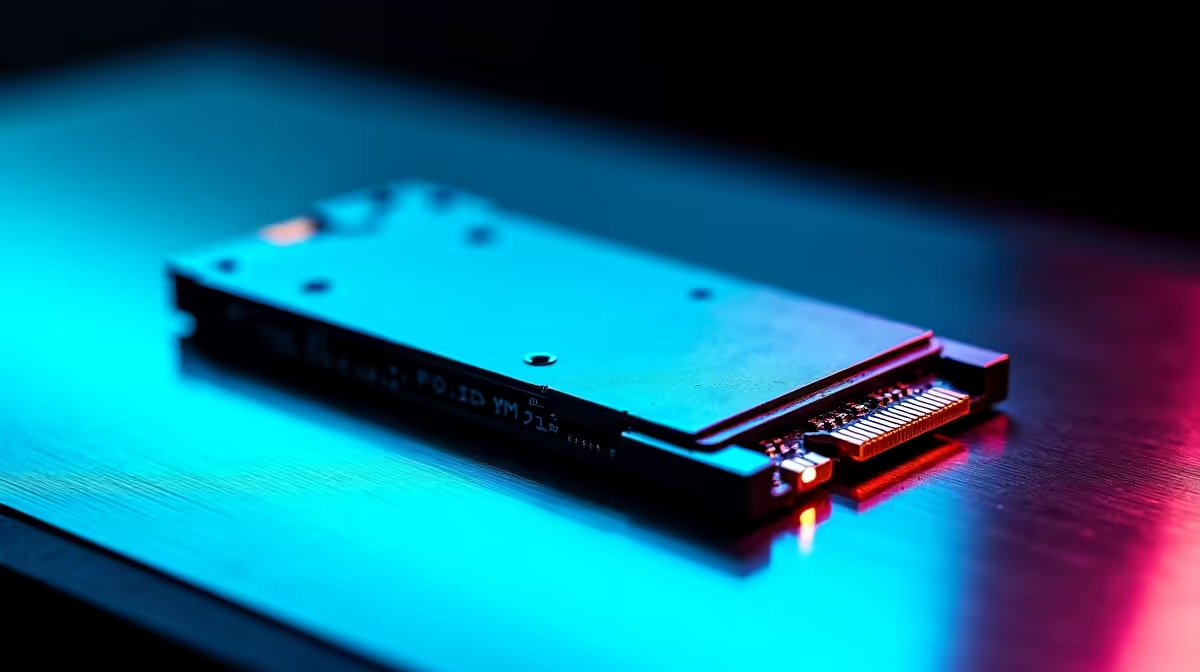
Storage specs define how fast your PC loads games, boots Windows, and handles files. For beginners, the three numbers that matter most are storage type (HDD or SSD), capacity (measured in gigabytes or terabytes), and read/write speed (measured in MB/s). Understanding these three figures makes it much easier to choose the right drive for your budget and use case.
Hard disk drives (HDDs) store data on spinning magnetic platters and are the oldest and cheapest option per gigabyte. They are slow by modern standards, with sequential read speeds around 100 to 150 MB/s, and they are vulnerable to shock damage because of their moving parts. For South African buyers, HDDs are often used as secondary storage for large game libraries or media archives where speed is less critical.
Solid state drives (SSDs) use flash memory chips with no moving parts. They are dramatically faster than HDDs, with SATA SSDs reaching 500 to 550 MB/s and NVMe SSDs reaching 3,000 to 7,000 MB/s on PCIe 4.0 and PCIe 5.0 interfaces respectively. NVMe drives plug directly into the motherboard's M.2 slot rather than using a SATA cable, making them faster and simpler to install. For any new PC build or laptop purchase in 2026, an NVMe SSD as the primary drive is the baseline recommendation.
Capacity is measured in gigabytes (GB) and terabytes (TB), where 1TB equals 1,000GB. Modern Windows installations consume around 30GB, and individual AAA games range from 50GB to over 150GB each. A 500GB SSD fills up quickly once you install Windows, a few large games, and applications. For most users, 1TB is the practical minimum for a primary drive in 2026, with 2TB being comfortable for gamers who maintain large game libraries.
NSFAS students buying laptops for university study should prioritise at least 512GB of NVMe storage, as project files, software installations, and recorded lectures accumulate rapidly across a semester. Budget constraints may push toward 256GB systems, but these fill up within months without active management.
Drive speed specs are listed as sequential read and write speeds. Sequential read tells you how fast the drive can pull continuous data, which affects how quickly large files load. Write speed tells you how fast data is saved, which matters during software installations, video exports, or file transfers. Random read and write speeds (measured in IOPS) reflect performance when accessing many small files simultaneously, which is what happens when Windows or a game loads hundreds of small assets at once.
For gaming, a fast random read speed is more important than raw sequential throughput. NVMe drives with strong random read performance reduce in-game loading times and texture pop-in significantly compared to SATA SSDs.
Is a 1TB HDD enough for gaming in 2026? A 1TB HDD provides enough capacity but will deliver noticeably slower load times than an SSD. Pairing a small SSD for your OS and active games with a larger HDD for storage is a cost-effective approach.
What does NVMe mean? NVMe stands for Non-Volatile Memory Express and refers to the communication protocol used by high-speed M.2 SSDs. It allows the drive to communicate directly with the CPU via PCIe lanes, bypassing older SATA bottlenecks.
Does loadshedding damage SSDs? Sudden power loss during a write operation can cause data corruption on any drive, including SSDs. Using a UPS during loadshedding protects your data and extends drive lifespan.
Also at Evetech: Graphics Card Deals | Evetech Best Sellers
Ready to Find Your Perfect Match? Shop Storage Drives at Evetech
Storage Specs Explained for Beginners available at Evetech.co.za with local warranty and fast delivery.
Storage Specs Explained for Beginners - check Evetech for latest stock and SA pricing.
Depends on your use case. Storage Specs Explained for Be offers good value at current Rand pricing.
Will RDNA 5 Use the Same Silicon as the Next. Plain-English explanation of what it means, why it matters & how it affects your buying decisions in SA.
Read more
Google Workspace on Mac: Drive, Docs, Sheets and. Everything you need to know with SA pricing, step-by-step instructions & expert recommendations.
Read more
Back-to-School Parent Guide: Storages. Everything you need to know with SA pricing, step-by-step instructions & expert recommendations.
Read more
to Esports Tournaments. Everything you need to know with SA pricing, step-by-step instructions & expert recommendations.
Read more
Easter Storage Buying Guide. Hand-picked gift ideas at every budget tier. SA pricing & Evetech availability included.
Read more
Setting Up Custom Loop. Tested & verified settings for best FPS and visual quality on SA hardware budgets.
Read more
AMD RX 9050 XT: Rumoured Specs, Price & Release. SA-focused analysis with local pricing data, real-world insights & actionable buying advice.

Can RTX 4080 Super Run AI Workloads for SA Developers Detailed answer with SA data, expert analysis & practical recommendations for local buyers.

Can RTX 4090 Run AI Workloads for SA Developers Detailed answer with SA data, expert analysis & practical recommendations for local buyers.

Top Settings for Intel Arc B580 at Ultrawide 1440p picks evaluated on performance, value & SA availability with current Rand pricing from Evetech.

RTX 4060 CS2 Low Settings at 1080p: FPS Results. Real-world benchmark data, FPS numbers & performance analysis. What SA gamers can actually expect.

Visual Artifacts: Possible GPU Issue Issue #1. Diagnosis steps, proven fixes & when to seek professional help. SA-specific support info included.

Can the RTX 4090 Handle 1440p 144Hz Gaming. Performance testing verdict with real data & practical recommendations for SA buyers.

Top ASUS GPU Under R15000 picks evaluated on performance, value & SA availability with current Rand pricing from Evetech.

GTA 6 Max Settings on RTX 5070. Tested & verified settings for best FPS and visual quality on SA hardware budgets.

Cyberpunk 2077 Max Settings on RTX 5080. Tested & verified settings for best FPS and visual quality on SA hardware budgets.

Starfield Max Settings on RTX 5070 Ti. Tested & verified settings for best FPS and visual quality on SA hardware budgets.

Top RTX 5090 Under R5000 picks evaluated on performance, value & SA availability with current Rand pricing from Evetech.