

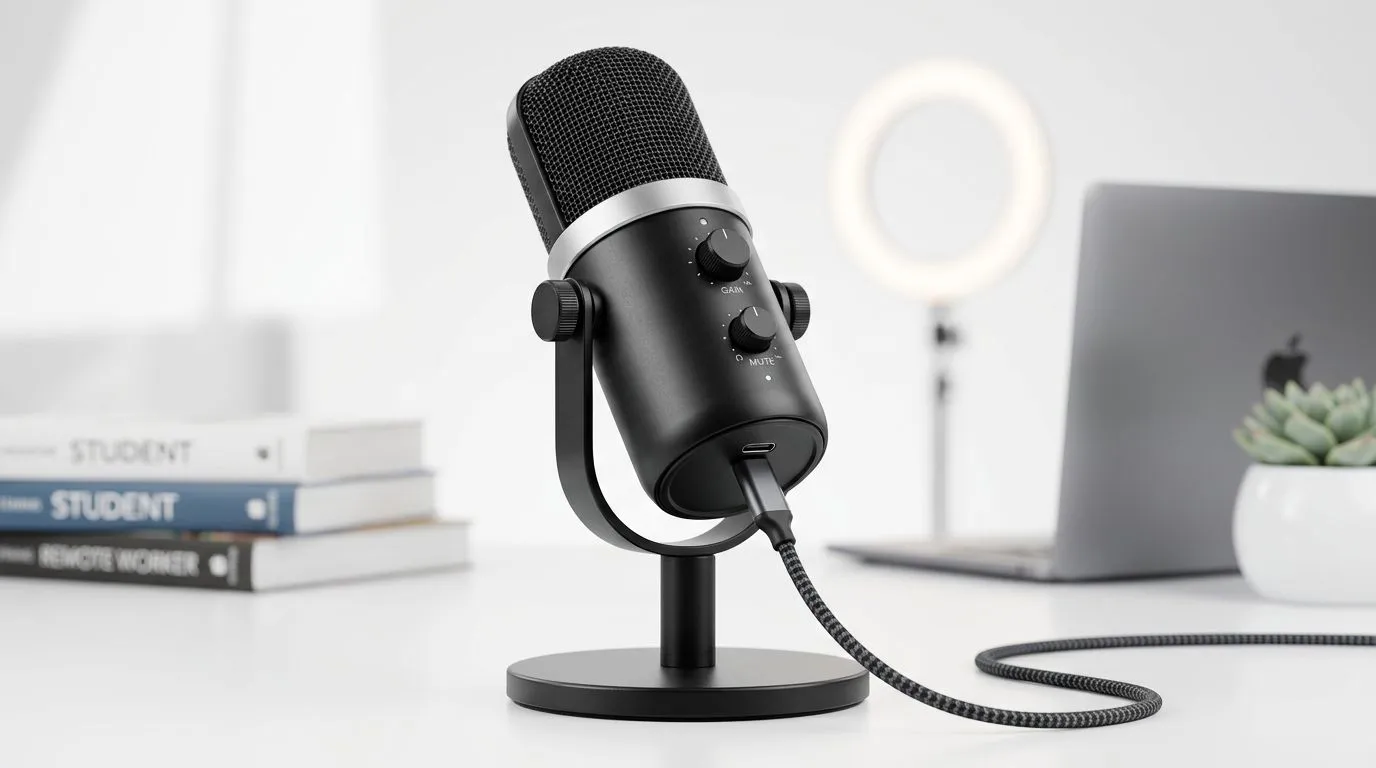
USB-C microphone buying guide for streamers and remote work
If your voice sounds thin on a Twitch stream or fuzzy on a Teams call, the mic is usually the culprit. A good USB-C microphone can sharpen your delivery fast, whether you’re grinding ranked at home in Joburg or jumping between Zoom meetings in Cape Town. The trick is picking one that fits your space, your budget, and your setup... without buying features you’ll never use. 🔧
USB-C microphone buying guide for streamers and remote work basics
USB-C microphones are popular because they are simple. Plug in, select the input, and start recording. No audio interface required. That makes them ideal for beginners, streamers, students, and remote workers who want cleaner voice quality with less fuss.
What should you look for first?
USB-C microphone buying guide for streamers and remote work: sound pattern
A cardioid mic is usually the safest choice. It focuses on sound from the front and rejects more noise from the sides and rear. That helps if your room has a fan, keyboard clatter, or street noise.
USB-C microphone buying guide for streamers and remote work: monitoring
Headphone monitoring lets you hear yourself in real time. That helps you catch clipping, hiss, or distance issues before they ruin a recording.
USB-C microphone buying guide for streamers and remote work: controls
Look for a gain knob, mute button, and headphone volume control. These small touches save time during live sessions.
For a broader look at streaming gear bundles, Evetech’s streaming essentials range is a useful starting point.
USB-C microphone buying guide for streamers and remote work for real-world setups
Not everyone records in a treated studio. Most South Africans work from a bedroom, study, or shared flat. That changes what matters.
A microphone with strong off-axis rejection can help reduce keyboard noise. A sturdy stand matters too, especially if your desk shakes when you type. If you stream for hours, a compact mic with easy positioning may be better than a huge desktop unit that blocks your monitor.
USB-C microphone buying guide for streamers and remote work in a creator desk setup
If you already use RGB, a webcam, and a tidy streaming corner, consistency matters more than flash. CORSAIR gear often appeals to creators who want a matching ecosystem. You can check Evetech’s CORSAIR streaming essentials to see what fits your setup.
USB-C microphone buying guide for streamers and remote work for cleaner visuals
Audio matters most, but video still affects trust. If you’re upgrading for work calls or content creation, pair your mic with a decent camera angle. Evetech’s webcams collection can help round out the rest of your desk setup.
USB-C microphone buying guide for streamers and remote work: what to avoid ⚡
Don’t chase specs you won’t feel. A higher sample rate looks impressive on paper, but most people need clarity, not lab-grade numbers. Focus on voice tone, ease of use, and how well the mic handles your room.
Also avoid buying a mic that only looks good in photos. If the stand is flimsy, the buttons are awkward, or the cable is too short, you’ll notice it every single day.
Quick Setup Tip ⚡
When testing a new USB-C mic, record 30 seconds of speech in your usual room. Then listen back with headphones at low volume. If your voice sounds full and clear without pushing gain too high, you’ve probably found the right fit.
USB-C microphone buying guide for streamers and remote work: final buying advice
For streamers, the best choice is the mic that keeps your voice present and your background quiet. For remote work, it’s the one that makes you sound professional without extra setup time. If you’re on a budget, prioritise cardioid pickup and simple controls first. If you’re building a full content desk, look for matching accessories and stronger desk presence.
The smartest buy is the one you’ll actually use every day. Clean audio builds trust... and trust keeps viewers, clients, and teammates paying attention. 🚀
Ready to Find Your Perfect Match? The Mac vs Windows debate is complex, but for maximum power, choice, and value in South Africa, Windows is hard to beat. Explore our massive range of laptop specials and find the perfect machine to conquer your world.











