


GTA 6 Max Settings on RTX 5070: Complete Guide
GTA 6 Max Settings on RTX 5070. Tested & verified settings for best FPS and visual quality on SA hardware budgets.
Read moreFind the best USB microphone for streaming in South Africa with clear voice, low noise, and easy setup for 🎙️ podcasts & Discord. Learn key specs, room tips, and what to avoid so you sound pro fast.
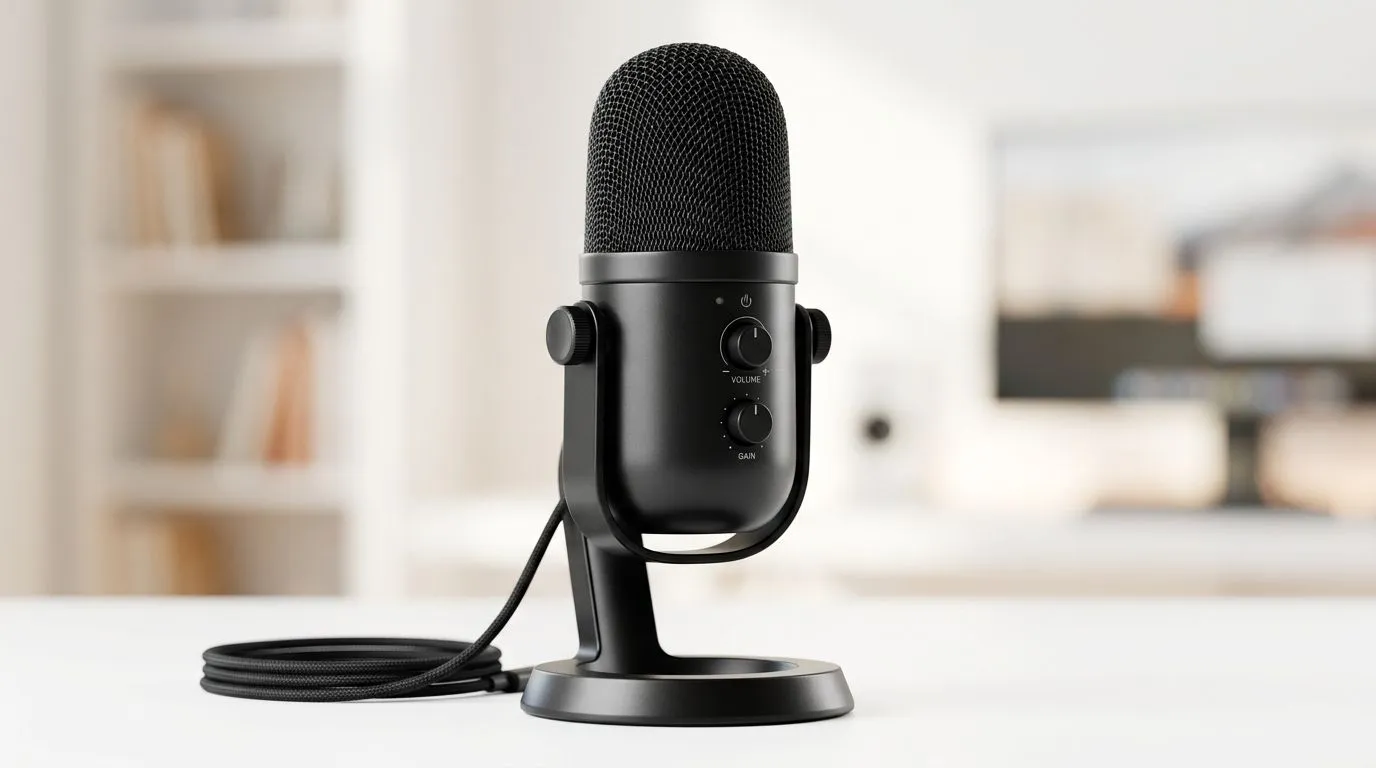
South Africa’s gaming culture is booming, and streaming has become the heartbeat for many local creators and tech enthusiasts. Whether you’re broadcasting your latest Fortnite clutch or hosting a chill podcast, crystal-clear audio is non-negotiable. A quality USB microphone for streaming ensures your voice cuts through the background noise and internet static, making your streams feel professional and engaging. Plus, USB mics are super easy to plug and play—perfect for both newcomers and seasoned South African streamers looking to upgrade.
When picking a USB microphone for streaming, consider factors like sound quality, build, and compatibility. In South Africa, budget-friendly yet reliable options are plentiful. Focus on condenser mics if you want studio-like clarity; dynamic mics work well in noisy environments. The right mic can boost your stream’s overall vibe without breaking the bank.
If you’re adding to your streaming setup, browse our detailed buy streaming essentials page—covering microphones, lighting, and more to elevate your channel.
USB microphones connect directly to your PC or laptop, cutting out complicated audio gear. No external interfaces needed. This ease-of-use is a big win for South African streamers who want reliable gear without technical headaches. Many USB mics include pop filters and adjustable stands, tailored for live commentary and gameplay sessions.
Another advantage? USB mics usually work seamlessly with popular streaming software like OBS and Streamlabs, available to our local content creators free or at low cost.
For quality and reliability, brands like CORSAIR have become staples among South African gamers. Check out the CORSAIR streaming essentials collection if you want trusted hardware that pairs well with gaming rigs.
Colourful stream visuals matter too. Combine your mic with ambient lighting from the Cololight brand to create a stunning streaming setup that keeps viewers hooked.
Audio quality is crucial, but video counts just as much. A good USB microphone deserves to be paired with a solid webcam. South African streamers can find great options on our webcams page, with models balancing performance and value.
Position your USB microphone about 15–20 cm from your mouth and use a foam cover to reduce plosives. This simple tweak makes your voice sound clearer and more natural LIVE.
Investing in the right USB microphone for streaming in South Africa is the first step toward elevating your content and attracting followers. It’s about making your voice heard with clarity and ease while navigating a growing market filled with options tailored for local gamers and creators.
Stream Like a Pro Ready to upgrade your sound? Discover the full range of streaming essentials and Shop now at Evetech for performance that leaves lag in the dust.
Prioritize clear voice quality, low noise, and easy setup. Look for a suitable pickup pattern, gain control, and features like headphone monitoring for latency-free Discord calls.
Condenser USB microphones capture more detail, while dynamic USB microphones handle noisy rooms better. Choose dynamic for background noise and condenser for controlled spaces.
Cardioid patterns usually work best because they focus on your voice and reduce side/background noise. This helps keep Discord audio clearer in real rooms.
Headphone monitoring helps you hear your mic in real time, reducing awkward delays. It can improve comfort during long streams, podcasts, and Discord calls.
Use a cardioid mic, position it closer to your mouth, and reduce room reflections. A pop filter and basic acoustic treatment can dramatically improve clarity.
Set gain so peaks stay strong without clipping. If your USB mic supports sample rates, use compatible settings for your PC and streaming software to avoid audio issues.
Most modern USB microphones are plug and play. Still, confirm the mic works with your OS, streaming apps, and whether it needs special drivers for best performance.
Focus on reliable audio quality and core features over extras. For beginners, prioritize cardioid performance, manageable noise, and straightforward controls to avoid setup headaches.
GTA 6 Max Settings on RTX 5070. Tested & verified settings for best FPS and visual quality on SA hardware budgets.
Read more
Cyberpunk 2077 Max Settings on RTX 5080. Tested & verified settings for best FPS and visual quality on SA hardware budgets.
Read more
Starfield Max Settings on RTX 5070 Ti. Tested & verified settings for best FPS and visual quality on SA hardware budgets.
Read more
AMD RX 9050 XT: Rumoured Specs, Price & Release. SA-focused analysis with local pricing data, real-world insights & actionable buying advice.

Can RTX 4080 Super Run AI Workloads for SA Developers Detailed answer with SA data, expert analysis & practical recommendations for local buyers.

Can RTX 4090 Run AI Workloads for SA Developers Detailed answer with SA data, expert analysis & practical recommendations for local buyers.

Top Settings for Intel Arc B580 at Ultrawide 1440p picks evaluated on performance, value & SA availability with current Rand pricing from Evetech.

RTX 4060 CS2 Low Settings at 1080p: FPS Results. Real-world benchmark data, FPS numbers & performance analysis. What SA gamers can actually expect.

Visual Artifacts: Possible GPU Issue Issue #1. Diagnosis steps, proven fixes & when to seek professional help. SA-specific support info included.

Can the RTX 4090 Handle 1440p 144Hz Gaming. Performance testing verdict with real data & practical recommendations for SA buyers.

Top ASUS GPU Under R15000 picks evaluated on performance, value & SA availability with current Rand pricing from Evetech.
GTA 6 Max Settings on RTX 5070. Tested & verified settings for best FPS and visual quality on SA hardware budgets.
Cyberpunk 2077 Max Settings on RTX 5080. Tested & verified settings for best FPS and visual quality on SA hardware budgets.
Starfield Max Settings on RTX 5070 Ti. Tested & verified settings for best FPS and visual quality on SA hardware budgets.

Top RTX 5090 Under R5000 picks evaluated on performance, value & SA availability with current Rand pricing from Evetech.