

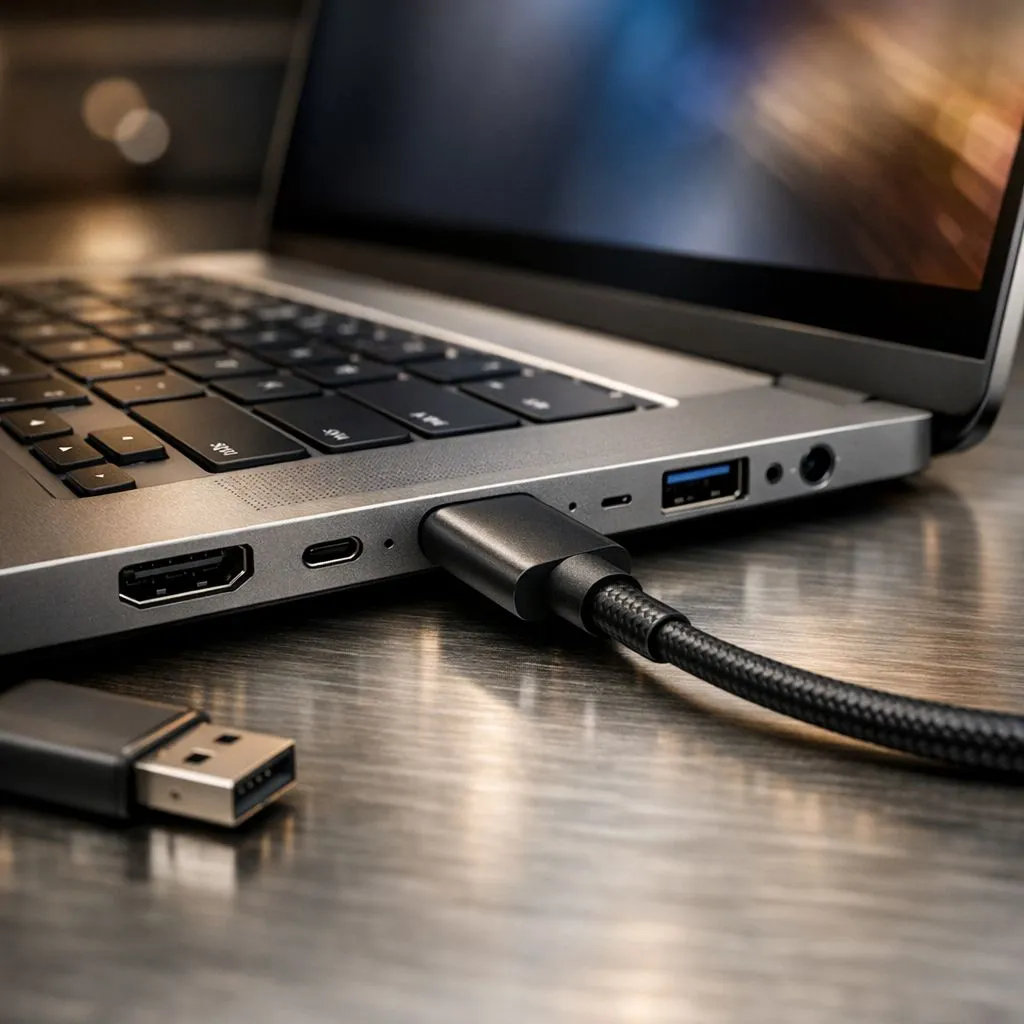
USB Type-C Laptop Features Explained: PD, Alt Mode, and Data Speeds (So You Don’t Get Burned Buying)
Buying a laptop in South Africa is a bit like tuning a PC… you need the right ports, or you’ll pay twice. Whether you’re gaming on weekends, grinding work before classes, or carrying a backpack across campus, USB Type-C is everywhere. But not all Type-C ports are equal. Some charge fast, some drive monitors, some move files at high speed… and some look identical while doing the bare minimum.
This guide breaks down USB Type-C Laptop Features Explained: PD, Alt Mode, and Data Speeds so you can shop smarter.
USB Type-C Laptop Features Explained: PD (Power Delivery) for charging without hassle ⚡
Power Delivery (PD) is the “how much power can this cable and port actually deliver?” part of the story. If you want your laptop to charge reliably through USB-C, you’re looking for PD support.
What to check before you buy 🔧
When shopping, confirm:
- The laptop supports USB-C Power Delivery (PD) for charging.
- The charger wattage is high enough for the model.
- Your cable is rated for charging, not just “data”.
Why this matters: a “USB-C” cable that’s fine for peripherals may not handle the higher current needed for charging. That’s when you get slow charging or, worse, disconnects.
Real-life example for South Africans
Many students and office workers want one charger for multiple devices. If your laptop supports USB-C PD, you can use the same compatible charger for phone, laptop, and sometimes even a tablet or portable drive. Save space, fewer bricks in the bag.
Charging Pro Tip ⚡
On USB-C laptops, always match your charger’s wattage to the laptop’s USB-C PD requirements. If the laptop supports higher PD but you use a lower-watt charger, expect slower charging even if the connection works.
USB Type-C Laptop Features Explained: Alt Mode (video output) for monitors 🚀
Alt Mode is what tells you whether that USB-C port can carry video. Without it, the port might charge and transfer data, but won’t drive a second screen.
The common Alt Mode you’ll see
Most laptops that advertise external display support do so via:
- USB-C with DisplayPort Alt Mode (often the one you want for monitors)
How to avoid the “it worked on YouTube” mistake
Different devices use different standards. A dock that works on one laptop might fail on another if:
- the laptop’s port does not support video Alt Mode
- the cable is incorrect or too limited
- the dock relies on a specific protocol
Before you buy a docking station, check the laptop’s exact USB-C display capability in the product specs. Evetech product pages usually include key port and display details on the listed model range, which makes it much easier to verify before checkout.
USB Type-C Laptop Features Explained: Data speeds (USB 2.0, 3.2, Thunderbolt) ✨
Now the “speed” part. Data speed is usually where buyers accidentally overpay or under-spec.
Why “USB-C” doesn’t automatically mean “fast”
USB-C is the connector shape. The actual data protocol depends on the laptop:
- USB 2.0 class speeds are much lower
- USB 3.x versions are faster
- Thunderbolt (when present) is typically the best for fast transfers and high-performance docks
Quick buying checklist
Look for the exact wording in specs:
- “USB 3.2 Gen 1 / Gen 2” (good for external drives)
- “Thunderbolt” (best for demanding workflows and some docks)
- Confirm whether the port supports both data + video (Alt Mode) on the same connector.
If your goal is transferring big game files, editing footage, or moving projects between devices, you’ll feel the difference between USB 2.0 and modern USB 3.x immediately.
Where to shop in South Africa (and match the right ports) 🎮
If you’re shopping for a gaming or creator laptop, it’s smart to compare models side-by-side. Evetech lists many laptops by brand and platform, which makes it easier to narrow down machines that fit your port needs.
Start with Intel options here: Browse Intel laptops on special
If you’re looking at AMD Ryzen deals, check this range: Explore Ryzen laptop deals
For gaming laptops that may include modern I/O and higher-performance connectivity, take a look here: See the best gaming laptop deals
Budget matters too. If you’re aiming for value around R20k, this helps you filter what’s realistic: Buy gaming laptops under R20k
And if you’re focused on NVIDIA GeForce RTX configurations, you can browse this specials page: Find GeForce RTX gaming laptops on special
USB Type-C Laptop Features Explained: PD + Alt Mode + Data speeds in one decision 🧠
If you remember only three things, make them these:
- PD answers: “Will it charge my laptop properly over USB-C?”
- Alt Mode answers: “Will USB-C drive an external monitor?”
- Data speeds answer: “How fast will my transfers and docks actually be?”
Once you match those to your use case, you’re less likely to end up with a cable that “works” but doesn’t solve your real problem.
And yes… this is the kind of detail that decides whether your desk setup feels premium or frustrating.
Before-Checkout Checklist 🔧
Before you buy a USB-C dock or cable, confirm (1) PD charging support, (2) Alt Mode display support, and (3) the port’s rated data protocol in the laptop’s specs. It’s the fastest way to avoid compatibility surprises.
CALLTOACTION
Ready to Find Your Perfect Match? The Mac vs Windows debate is complex, but for maximum power, choice, and value in South Africa, Windows is hard to beat. Explore our massive range of laptop specials and find the perfect machine to conquer your world.











