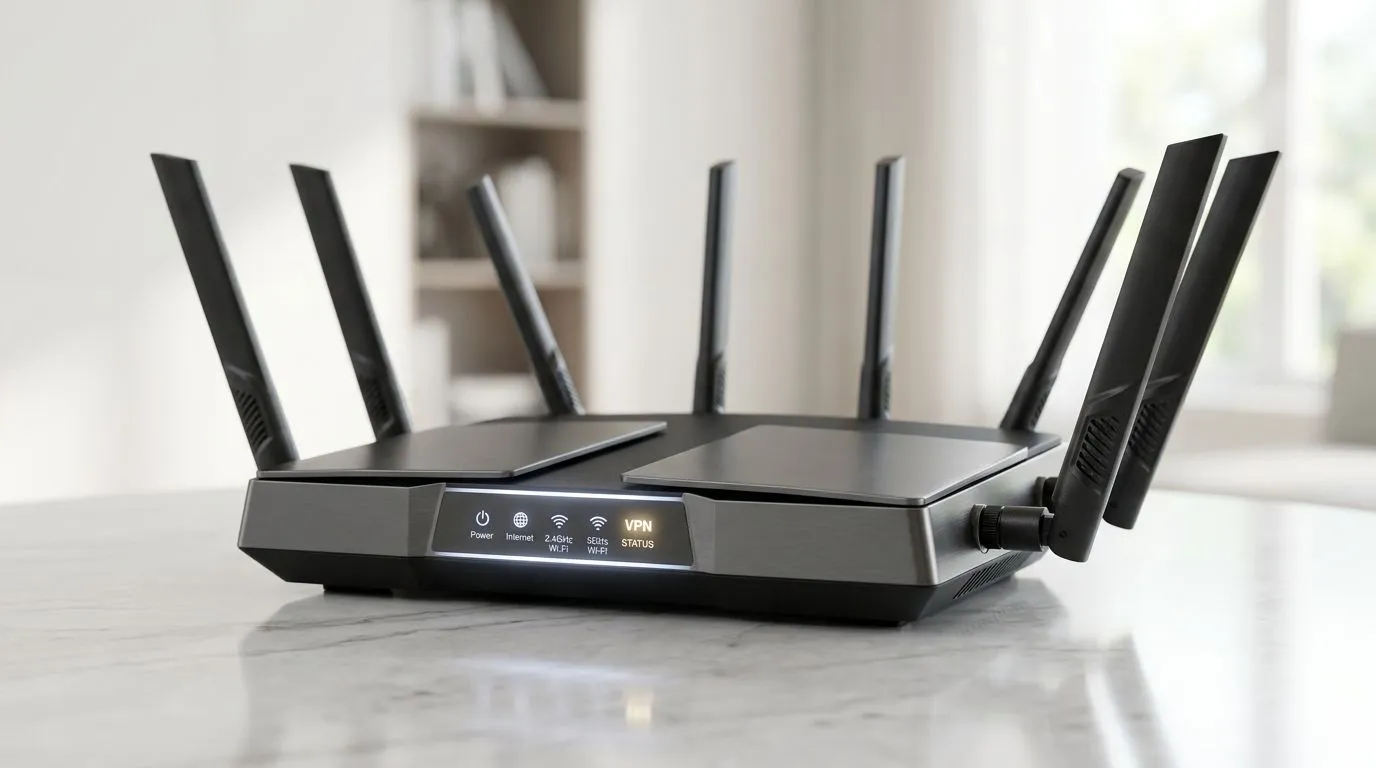
VPN-Ready Router: Secure Your Entire Home Network Effortlessly (Start Here for SA Gamers)
If you game after hours in South Africa and your internet feels “fine”… but your devices still share the same network, you’re not alone. 🛡️
A VPN can hide your traffic, but only if your setup actually protects everything that matters: consoles, PCs, phones, and smart home gear.
In this guide, we’ll show you how a VPN-ready router can secure your entire home network effortlessly, without complicated “IT department” vibes.
Why a VPN-Ready Router Beats VPN Apps on Every Device
Running a VPN on each device sounds simple… until you remember how messy life gets. Consoles don’t always support VPN apps neatly, and TVs often can’t run them at all. Meanwhile, IoT devices keep broadcasting and checking in.
With a VPN-ready router, the VPN tunnel can cover your whole network from the source. That means fewer device-specific headaches and more consistent protection.
Also, you reduce the chance of accidental “VPN bypass” when a device reconnects or updates.
What to Look For in a VPN-Ready Router (So You Don’t Overpay) 🔧
Not all routers handle VPN traffic the same way. Here are the practical things to check before you buy:
VPN support that matches your use
Look for explicit VPN support (often OpenVPN and/or WireGuard support, depending on model). If the router doesn’t list VPN compatibility clearly, treat it as a gamble.
Performance for gaming + streaming
VPN encryption can reduce throughput. A router with stronger CPU and good firmware will usually hold up better under load. For home networks, aim for a setup that can sustain your normal speeds while gaming.
Wi-Fi coverage for the whole house
Even the best VPN router fails if your signal drops during ranked matches. That’s where placement and upgrades come in.
Firmware that gets security updates
Routers are security devices. If firmware updates are rare, you risk older vulnerabilities lingering.
Quick Win for Better Coverage ✨
On a typical SA home layout, place your router centrally, avoid metal shelving, and test a simple speed run in the rooms you actually game from. If you need to extend Wi‑Fi, consider a dedicated solution instead of relying on one weak signal.
Budget-Friendly Options: Router + Coverage Plan
Most South African households don’t have one “perfect” room. You might game in the lounge today and the study tomorrow. So don’t buy a router and hope.
Here’s a smarter approach:
- Pick a VPN-ready router first
- Ensure stable Wi‑Fi where you play
- Add range help only if needed
For the broader wireless upgrade path, browse Evetech’s options here:
Strengthen Your Setup With the Right Wireless Hardware
If Wi‑Fi drops in specific corners, you have a few routes. Choose based on your home layout and how much wiring you can tolerate.
If you’re upgrading Wi‑Fi on PCs and laptops
Sometimes the easiest win is improving the connection at the endpoint. If your PC uses an older adapter, you may be bottlenecked before VPN even matters.
Explore wireless adapters here:
If your Wi‑Fi is struggling in one or two rooms
Range extenders can help, but they aren’t always the smoothest experience for gaming. Placement and model matter.
Check range extenders:
If you want one-and-done improvements
A better router can simplify everything: coverage, performance, and VPN handling in one box.
Browse wireless routers:
Don’t Forget Fibre: Router Choice Still Matters ⚡
Fibre setups often come with a gateway or fibre router. If yours is outdated, the VPN capability might be limited, or performance may be inconsistent under encryption.
For fibre-specific options, start here:
Step-by-Step: Set Up a VPN on Your Whole Home Network (Without the Headaches)
Here’s a practical sequence that keeps things stable.
1) Confirm your router supports VPN mode
Before touching settings, verify VPN support in the router’s features. If the model supports multiple methods, choose the one your VPN provider recommends.
2) Use a “network-first” approach
Instead of installing VPN apps everywhere, configure the router’s VPN settings first. Then reboot devices and test.
3) Test in layers (gaming, then streaming, then browsing)
Do a quick test:
- Open a game and confirm stable connection
- Stream a video in another room
- Check normal browsing
If something struggles, it’s often an MTU issue, DNS configuration mismatch, or routing setting.
4) Keep your router firmware updated
After the VPN is working, don’t leave it behind. Apply updates as they come.
Latency Check Tip 🚀
If gaming feels laggier after enabling VPN, test your connection with and without VPN, then compare Wi‑Fi vs Ethernet. A wired test can quickly show whether the problem is encryption overhead or unstable wireless signal.
Common Mistakes South Africans Make (And How to Avoid Them)
- Assuming any router “supports VPN”: If it’s not listed, don’t guess.
- Ignoring coverage: A VPN increases overhead. Weak Wi‑Fi can feel even worse.
- Not checking after firmware updates: Some updates can change VPN or DNS behaviour.
- Setting VPN but forgetting DNS: DNS leaks or odd resolution can break streaming and banking sites.
If you want the safest “it just works” path, plan your router and wireless coverage together.
CALLTOACTION: Pick a VPN-Ready Router That Fits Your Home
Ready to Find Your Perfect Match?
The Mac vs Windows debate is complex, but for maximum power, choice, and value in South Africa, Windows is hard to beat. Explore our massive range of laptop specials and find the perfect machine to conquer your world.