So, you're ready to join the vibrant world of VTubing from right here in South Africa? It’s an amazing way to connect, create, and build a community. But before you debut your digital persona, there’s a crucial step: assembling the right rig. Your avatar’s every smile, gasp, and laugh depends on your hardware. Getting the right VTuber-approved avatar gear isn't about spending a fortune; it's about smart choices for a flawless, lag-free performance. ✨
Why Your Gear is Your Avatar's Lifeline
VTubing is more demanding than standard streaming. You're not just running a game and OBS; you're also running complex facial and body tracking software in real-time. Every component in your setup is working overtime to translate your movements into your avatar's actions. A weak link in the chain—be it a stuttering webcam or a struggling CPU—can lead to immersion-breaking glitches.
Think of it this way: your PC hardware is the engine, and your peripherals are the controls. To achieve that seamless connection with your audience, you need VTuber-approved avatar gear that can keep up with your energy and creativity.
The Core Components for Flawless Performance
Building the perfect VTuber setup doesn't have to be complicated. Let's break down the essentials that form the foundation of a professional-grade stream, ensuring your avatar performs perfectly every time.
Crystal-Clear Audio: Your Voice, Amplified
Before your audience sees your avatar, they hear your voice. Poor audio is the fastest way to lose a viewer. Crackling, background noise, or a distant-sounding voice can be incredibly distracting. That's why a high-quality microphone is your single most important piece of gear.
A USB condenser mic is a fantastic starting point, offering crisp, clear vocals without needing a complex audio interface. Brands like Corsair have developed microphones specifically with streamers in mind, offering features like built-in pop filters and easy-to-use software. Investing in a solid Corsair headset or microphone ensures your personality shines through with every word.
Flawless Visuals: Lighting & Tracking 💡
For a VTuber, your "camera" is your motion capture device. While a high-end 4K webcam helps, your lighting is what truly enables accurate tracking. Facial recognition software works best in well-lit environments with minimal shadows. A simple three-point lighting setup (a key light, fill light, and back light) can dramatically improve your avatar's responsiveness.
You don't need expensive studio lights. Modern, modular lighting panels are perfect for this. Something like Cololight's customisable lighting solutions can add both functional brightness for tracking and aesthetic background colour for your stream.
Quick Lighting Tip
Position your main light (key light) at a 45-degree angle to your face. This creates soft, even lighting that helps your tracking software capture every subtle expression without harsh shadows.
The Engine Room: PC Performance
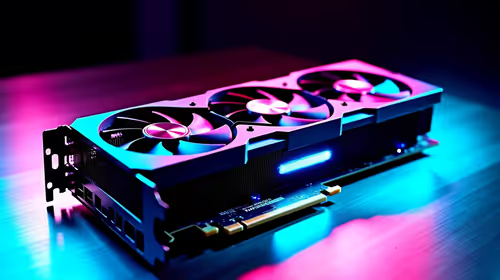
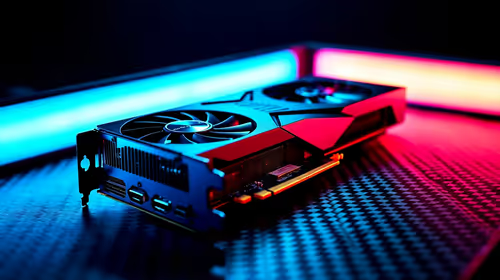
Your PC is doing the heavy lifting, juggling the game, streaming software (like OBS), and tracking application (like VSeeFace or VTube Studio). This is where your CPU and GPU come into play.
- CPU (Processor): This is critical for the tracking software. A modern processor with at least 6 cores will provide a smooth experience, preventing your avatar's movements from becoming choppy.
- GPU (Graphics Card): Your GPU renders both the game and your 2D or 3D avatar. A mid-range card is usually sufficient to handle both without dropping frames.
The great news is that you can build a capable rig without breaking the bank. There are plenty of powerful and affordable streaming components under R6000 that can get you started on your journey, from motherboards to power supplies. 🚀