

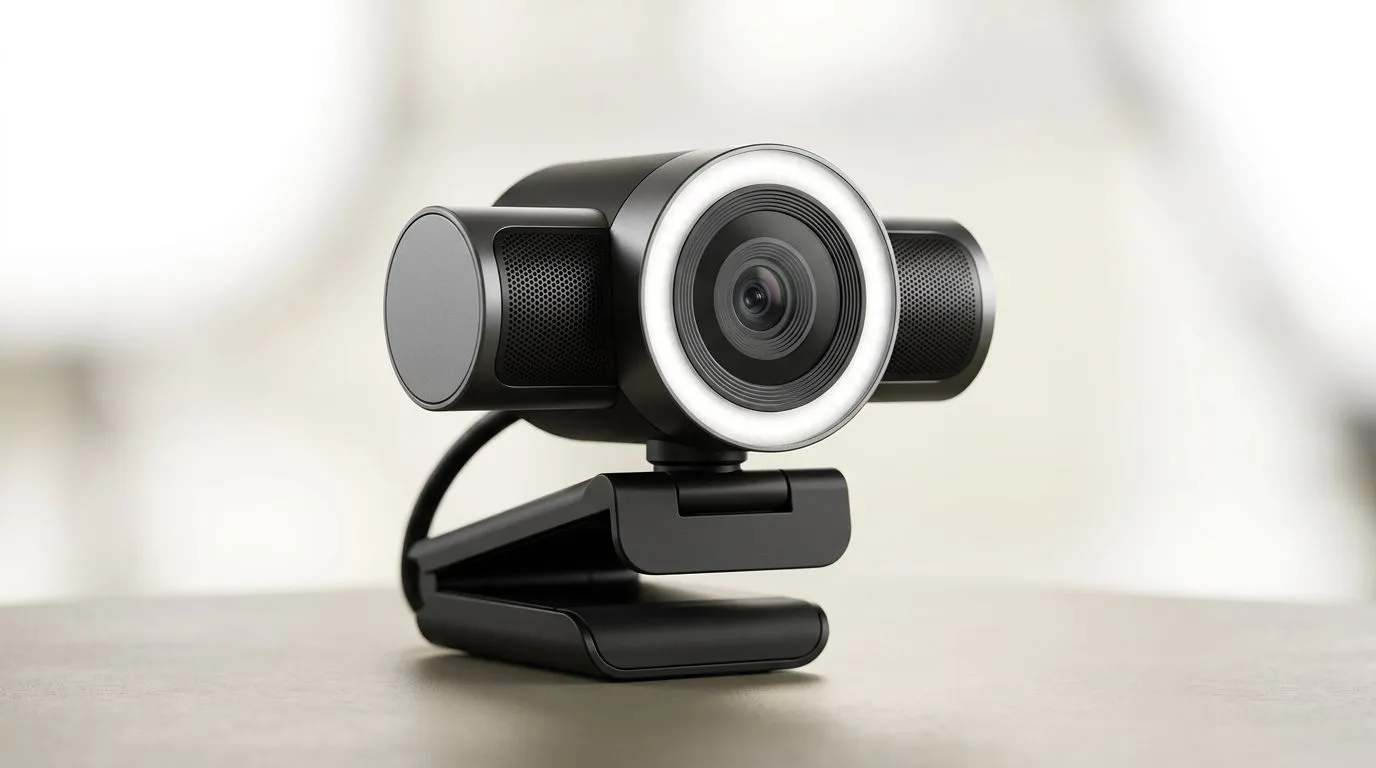
Webcams With Ring Lights: Save Money on Your South African Stream Setup (without losing image quality) ✨
If you stream on Twitch, TikTok, or YouTube from a bedroom setup in South Africa… you’ve probably fought with glare, harsh shadows, and “why does my face look so washed out?” lighting. A ring light helps, but you don’t need to overspend. The trick is matching a good webcam to ring lighting so you get a cleaner look while keeping your budget for games, upgrades, and data.
In this Deep Dive, we’ll show you how Webcams With Ring Lights: Save Money on Your South African Stream Setup using smarter buying choices, placement tips, and simple settings. 🔧
Webcams With Ring Lights: What you actually need (and what you can skip) ⚡
A ring light is only half the story. Your webcam matters because lighting can’t fix a weak sensor or bad exposure control. Before you buy, focus on three basics:
Frame clarity beats “more pixels”
For streaming, you’ll notice:
- sharp focus on your face
- stable exposure (less flicker)
- natural skin tones (not orange or grey)
Ring lights can make skin look smoother, but they can also amplify overexposure if your webcam has limited auto-exposure control. That’s why pairing matters more than chasing the highest megapixels.
Compatibility: ring lights and mounting
Many ring lights are “universal” in the sense that they can sit near your camera. Still, check:
- whether the ring light has a sturdy stand or clamp
- if it can sit at the right height for your eye level
- if your webcam can be mounted securely (no wobble)
A stable setup is cheaper than replacing gear after it falls off your monitor stand.
Don’t forget audio… even if the lighting looks perfect
Clean visuals draw people in, but good mic audio keeps them there. Lighting won’t save stream quality if viewers struggle to hear you.
Webcams With Ring Lights: Budget paths by webcam price (ZAR) 🛒
If you’re trying to stay in budget, use price brackets to narrow options. Evetech makes this easy with webcam filters, so you can quickly find models that fit your spend and then focus on your lighting setup.
Start with a lower spend if you’re just testing the waters:
- Browse budget-friendly webcam options: webcams up to R1000
If you want a more dependable image and smoother exposure:
- Consider mid-range choices: webcams up to R2000
If you’re building a “serious but still sensible” streaming rig:
- Explore higher value picks: webcams up to R3000
And if you want to compare across the full range first:
- Browse all webcam options: buy webcams
Local reality check: South African pricing can shift with stock. Filters help you lock onto what’s actually available in your budget today.
Webcams With Ring Lights: Placement and settings that stop the “glare spiral” 🔥
Here’s the part most people get wrong: the ring light placement.
Place the ring light for eye-level, not forehead-level
Aim for the ring light so it sits roughly at eye height relative to your webcam lens. If it’s too low, you’ll get shadows under your chin. Too high, and you’ll get harsh glare on your forehead and glasses (if you wear them).
Angle your webcam slightly downward
If your webcam is centred but slightly above eye level, tilt it down a touch. This reduces the “ceiling spotlight” look that ring lights can create.
Use room lighting as a “back-up”
Ring lights are great for front lighting, but a little ambient room light reduces contrast. You don’t need bright bulbs. Even a softly lit room can stop your background from looking like a black void.
Stop using auto-white-balance blindly
Auto white balance often shifts during stream start-up, especially with mixed light sources (lamp + ring light). If your webcam software allows it, set a consistent white balance. Fewer changes mean a more reliable look.
Productivity Pro Tip ⚡
Windows, use OBS Studio’s filters to stabilise exposure feel: add a mild colour correction and keep saturation low. Then test with your ring light at eye level for 30 seconds before going live. This prevents the classic “first 10 minutes look awful” problem when auto settings settle.
Webcams With Ring Lights: A quick micro-plan to build your setup 🚀
Let’s turn this into a simple plan you can follow this weekend.
- Pick your webcam budget first Use the Evetech webcam brackets above to choose a webcam within your spend. Get something that streams smoothly and focuses well in your current lighting.
- Set ring light position before you touch settings Eye level, stable mount, and no wobble.
- Calibrate for your face, not the background Your background can be dark. Your face must look consistent.
- Do a short test recording Watch it back on your phone. If your skin looks too bright or too grey, adjust the ring light distance before you change webcam settings.
- Lock it in When you find the right placement, mark the stand height and camera position. Repeat every stream.
Webcams With Ring Lights: The cost-saving mindset that actually works ✨
The “save money” part comes from avoiding unnecessary upgrades. You don’t need a premium ring light if your webcam exposure is stable. You also don’t need a top-tier webcam if your lighting is consistent and your settings are sane.
What you should spend on:
- a webcam that focuses clearly
- a ring light that places light at eye level
- stable mounting (so you stop re-adjusting every session)
What you can often skip:
- chasing extreme megapixel numbers that don’t improve streaming in your lighting
- buying multiple lights “just because”
- constantly changing settings mid-stream
The best stream setups are repeatable… not complicated.
Ready to Find Your Perfect Match? The Mac vs Windows debate is complex, but for maximum power, choice, and value in South Africa, Windows is hard to beat. Explore our massive range of laptop specials and find the perfect machine to conquer your world.











