




StreamMaster
2716 articles
End-of-Year Gift: A Laptop for the Student in Your Family
Pick a gift laptop by the student's course and how far it gets carried, then add a bag. Wrapping it in December means it is ready for a January start. The student discount takes R1,000 off an order with a laptop.
Read more
Beginner streaming setup for PS5 and Xbox
The easiest console stream uses the console's own Twitch or YouTube sharing, with no PC at all. For overlays and better control, add a capture card and OBS on a PC. Turn off HDR if the picture looks washed out. A streaming starter kit can begin near R199.
Read more
OBS audio out of sync with video: how to fix it
Fix OBS audio drift by matching sample rates, adding a sync offset to the delayed source and clearing dropped frames. Capture cards and webcams add video delay, so delay the microphone track to match. A busy CPU makes drift worse.
Read more
Dynamic vs electret microphones: what is the difference?
A dynamic mic uses a moving coil and needs no power, while an electret is a condenser type with a built-in polarised element and a small preamp. Dynamics handle loud sources and noisy rooms. Electrets are small, cheap and common in headsets and laptops.
Read more
Choosing a microphone stand for a Shure MV7
A Shure MV7 needs a stand or arm that fits its yoke thread and carries its weight. Match the thread, then pick a low-profile arm if you want the mic above a monitor. Check Shure's manual for the exact thread before you buy.
Read more
How to go live on TikTok from your phone or PC: what gear helps?
To go live on TikTok, tap the plus button, swipe to LIVE and start, once your account is eligible. TikTok sets its own follower and age rules. A phone mount and mic help most, and a PC needs TikTok's LIVE Studio.
Read more
USB microphone not detected in Windows: how to fix it
If Windows cannot see a USB microphone, try another port and cable, check Settings, Privacy and security, Microphone, then open Sound settings and make sure it is enabled as the input. A Blue Yeti should appear without extra drivers. Avoid unpowered hubs.
Read more
Can you use a phone or IP camera as a webcam?
Yes, a phone works well as a webcam through an app over USB or Wi-Fi. Some IP and home security cameras can do it too, but only if the maker offers a webcam mode or an RTSP feed OBS can read. Expect more delay from IP cameras than from a USB webcam.
Read more
How to improve webcam quality in Google Meet, Zoom and Teams
Webcam quality in Meet, Zoom and Teams improves most with front light, a camera at eye level and HD video turned on in each app. Close tabs that eat bandwidth. A wired connection helps, because wireless dropouts make video blocky even on a good camera.
Read more
Microphone not working in Chrome or Teams: how to fix it
If your mic fails in Chrome or Teams, check Chrome's permission, the app's input device and Windows privacy. Close other apps that hold the mic. Try the Windows sound test to separate hardware from software faults.
Read more
Capture card noise, static or lag: how to fix it
Static, noise or lag from a capture card usually comes from a weak USB port, a poor HDMI cable, mismatched resolution or HDR on the console. Use a rear USB 3.0 port, a short quality cable and match the resolution in OBS.
Read more
How to start streaming on Twitch or YouTube: gear and settings
To start streaming you need a PC that can encode video, OBS, a decent microphone and a steady upload line. Create your channel, paste the stream key into OBS and run a private test. On SA fibre, test your upload at evening peak first.
Read more
Can you use a webcam on Xbox or PS5?
Neither current console treats a generic USB webcam as a plug-and-play stream camera. For a facecam, the common approach is to capture the console on a PC and add a webcam in OBS. Check the console's current accessory support list before buying a camera.
Read more
How to use multiple webcams in OBS
Add each webcam as its own Video Capture Device in OBS, then arrange them in one scene or switch scenes with a hotkey. Cameras share USB bandwidth, so use different USB controllers and lower the resolution if frames drop.
Read more
How to record video of yourself on a Windows laptop
Open the Windows Camera app, switch to video mode and press record, and the clip saves in Pictures, Camera Roll. For a longer video with screen and camera together, use OBS. Plug the laptop in and add a lamp in front of you, as battery saver modes can lower quality.
Read more
Webcam flicker: 50Hz vs 60Hz setting explained
Webcam flicker comes from a mismatch between the camera's frame timing and the mains frequency. South Africa's 230V supply runs at 50Hz, so choose the 50Hz anti-flicker option in the camera app. If banding stays, change exposure or use a steadier light.
Read more
Windows Hello compatible webcams: what works
Windows Hello face sign-in needs a camera with infrared sensors, not just a normal webcam. A regular 1080p USB webcam will not unlock Windows by face. Look for a camera marked as Windows Hello capable, and check that your Windows edition supports it.
Read more
Best hotkeys for OBS streaming
Set hotkeys for the actions you cannot fumble live: start and stop, mute the mic, switch scenes and save a replay. Choose combinations games do not use, or a macro pad. Keep the list short and practise before going live.
Read more
How to set up a condenser mic for streaming
A USB condenser mic plugs straight into the PC, while an XLR condenser needs an interface with phantom power. Place it a hand-width from your mouth, set gain well below clipping and add a pop filter. Condensers hear fans and keys, so treat the room.
Read more
Game capture not working in OBS or Streamlabs: how to fix it
If Game Capture goes black or says looking for a game to capture, start the game first, run OBS as administrator and check the capture mode. Some titles and anti-cheat tools block it, so try Window or Display Capture as a fallback.
Read morePinned Articles

Radeon RX 6700 XT vs GeForce RTX 3070: which GPU should you choose?
The RX 6700 XT brings 12GB of VRAM; the RTX 3070 brings 8GB, DLSS and stronger ray tracing. Both are rated near 220 to 230W, so one PSU suits either. A Radeon card in the R9,999 to R19,999 band sets the AMD budget.

Radeon RX 580 vs GeForce GTX 1650: what is the difference?
The RX 580 has more video memory but draws far more power; the GTX 1650 runs from the slot alone on most models. That makes the 1650 the safer drop-in for weak office power supplies, while the RX 580 wants proper PCIe leads and a roomier case.

How to choose the best earbuds for your needs
The best earbuds are the ones that fit your ears, work with your phone and suit how you use them. List your main uses, then check fit, battery, noise cancelling and call quality. Local earbuds span roughly R199 to R3,999, so decide your ceiling early.

How to replace a laptop hard drive
Back up, shut down, unplug the charger, open the base and swap the drive. Then clone the old disk or reinstall Windows. Check whether your laptop takes a 2.5-inch SATA drive or an M.2 stick, because the two are not interchangeable.
Featured Articles

403 error: check permission to open a shared page
A 403 error means the server understood the request and refused access. Give the page owner the account role and local time so they can investigate the refusal.

How to remove ads from my phone Samsung: fix pop-ups
Block browser pop-ups, revoke the site's notification permission or remove the app that sends the ads. Find whether a browser tab, site notification or downloaded app produced the ad.

Monitor black screen when Alt Tab: try borderless
Try Borderless Windowed if the screen blacks out when you switch away from a fullscreen game. Compare fullscreen and borderless modes before replacing a display or cable.
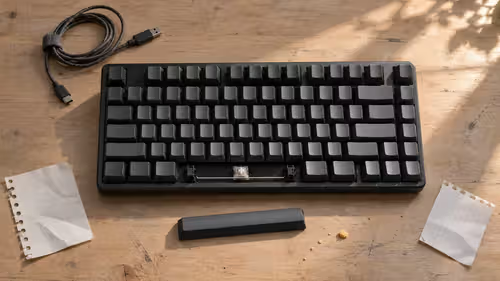
Keyboard double typing spacebar: test single taps
Count spaces from single taps in a plain editor and repeat the test on another device. Test duplicate spaces in plain text, then compare devices and profiles before replacing a keyboard.
New Articles

Truckers of Europe 3 new update: Android and iPhone
The Truckers of Europe 3 new update lists an Ivora truck and a truck-entry animation on Android. An Android build record shows 0.9.82. On an iPhone in South Africa, check Wanda Software's App Store version history before expecting the same features.
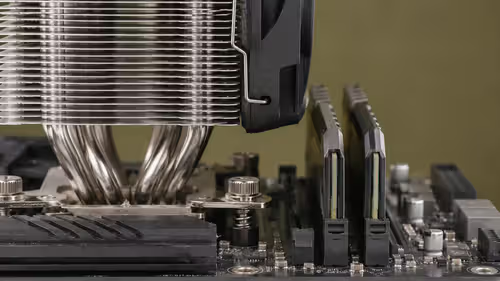
CPU cooler fan touches side panel after raising it
If a CPU cooler fan touches the side panel after you raise it, measure the assembled cooler height. Lower the fan only if the RAM clears. Evetech's GAMDIAS BOREAS M1-620 was R699 on 25 November as a local tower-cooler reference.
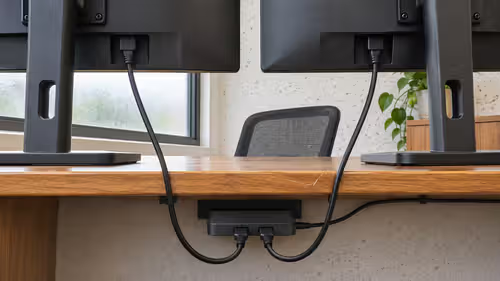
USB-C dock mirrors both monitors on Mac: what to check
A USB-C dock that mirrors both monitors on Mac may be using DisplayPort MST. Check the Mac's external-display limit and the dock's Mac-specific wiring. Evetech's ORICO XCR-X11 was R349 on 25 November, a price reference rather than proof of Mac compatibility.
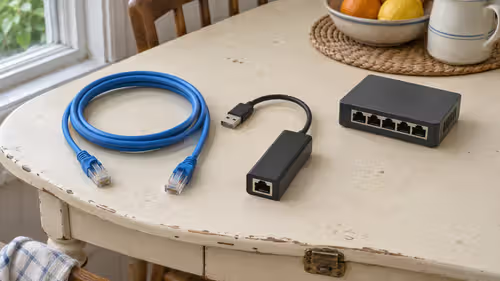
Ethernet link speed stuck at 100 Mbps: cable or port?
Ethernet link speed stuck at 100 Mbps usually calls for a cable and port check. Check Ethernet status with a known-good cable connected to a Gigabit port. Evetech's 5 metre CAT-6 straight cable was R79 on 25 November as a price reference.