Your game fills the screen. You press Alt+Tab to answer a message, and the monitor goes black for a moment before the desktop returns. A monitor black screen when Alt Tab switches out of a fullscreen game gives you a specific test to run before you touch the cables.
Quick Answer
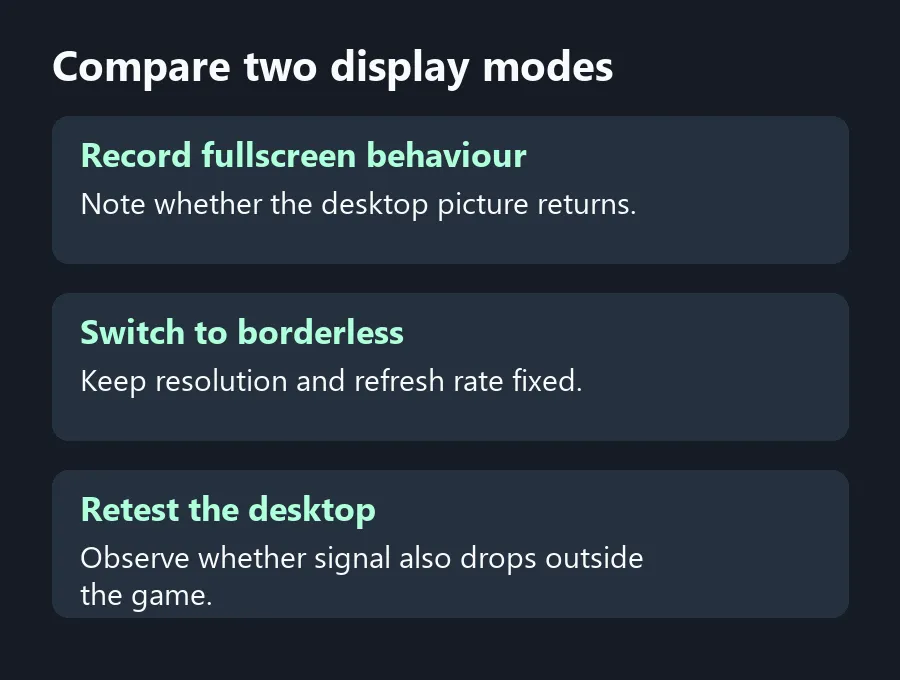
Switch the game to Borderless Windowed and repeat Alt+Tab without changing your resolution or refresh rate. If the pause disappears, keep that mode for the game. The setting costs R0 to try. If the desktop also loses signal outside the game, troubleshoot the display connection separately.
🎮 Compare two modes in one game
Save your progress. In the game's display or video menu, note the current mode and choose Borderless Windowed. Apply the change, return to the same scene and switch to the same desktop app several times. Keep the same monitor connected and use the same resolution for both tests. Write down whether the picture returned and whether the monitor itself displayed a no-signal notice.
Some games call the option Windowed Fullscreen. If yours offers only Fullscreen and Windowed, test the latter as a diagnostic even if you dislike the border. You can put it back after the comparison.
🪟 Check the Windows setting for older games
Windows 11 offers the windowed games optimisation setting under Settings, System, Display, Graphics. It applies to compatible DirectX 10 and DirectX 11 games in windowed or borderless mode. If you change a per-game setting, save it and restart the game before retesting. Leave other settings alone so you can tell which change helped. Your game may use a different rendering path, so judge the result on your own machine.
🔌 Follow the symptoms outside the game
If you lose the desktop picture while the game is closed, note whether the display shows no signal or stays lit with a black image. Test your usual monitor on a direct connection before swapping multiple parts. If you have a second display, observe whether both screens go dark together. A problem across two applications deserves a broader graphics or connection check than a pause tied to one fullscreen title.
Keep the test result handy if you are comparing Gaming Monitors. A replacement display earns its place when you can identify a separate display fault or a feature you need. The lowest in-stock gaming monitor in our 24 November 2026 category check was R1,699. Check Monitor Accessories for cable options only if your connection test points to that cable.
Frequently Asked Questions
Why does my monitor go black when I Alt+Tab?
If it happens only when leaving one fullscreen game, compare the same game in borderless mode to isolate the display-mode transition.
Should I use borderless windowed mode?
Use it for that game if it fixes the interruption and still gives you the image and responsiveness you want.
Do Windows 11 windowed optimisations apply to all games?
The documented setting applies to compatible DirectX 10 and 11 games running windowed or borderless.
Must I replace my monitor?
Try the same game in borderless mode first. Investigate a display fault if the signal also drops outside the game.
Should I change the refresh rate first?
Keep it fixed during the first comparison. Change one setting per test so you can identify the difference.
What if the game has no borderless option?
Use its ordinary Windowed mode as a diagnostic. Compare the result with Fullscreen before choosing which mode to keep.
Record fullscreen behaviour
Compare fullscreen and borderless modes before replacing a display or cable.