A condenser microphone rewards careful placement and punishes a careless room. The route to clean audio is simple: connect it the right way for its type, sit it about a hand-width from your mouth, set gain so loud peaks stay out of the red and add a pop filter. Follow that order and setting up a condenser mic for streaming takes about ten minutes.
Quick Answer
A USB condenser plugs into the PC and needs nothing else, while an XLR condenser needs an audio interface or mixer that supplies 48V phantom power. Place the capsule 10 to 15 centimetres from your mouth, slightly off to one side. Set gain so your loudest speech peaks around the top of the green in OBS. USB condensers sit roughly between R800 and R2,500; an XLR microphone plus interface costs more.
🔌 Connecting the right way
USB condensers
Plug it into a rear USB port and choose it as the audio device in Windows. Open Settings, System, Sound, then pick the microphone as the input and set its level to around 80 to 100 percent. In OBS, add an Audio Input Capture source and select the same device. Nothing else is needed.
XLR condensers
An XLR mic cannot talk to the PC directly. It goes through an audio interface or mixer, which supplies 48V phantom power from a button marked 48V. Turn the gain knob down before you press it, switch phantom power on, then raise the gain slowly. Never plug or unplug the cable with phantom power running, since the pop can be harsh on your ears and the gear.
📏 Placement and gain
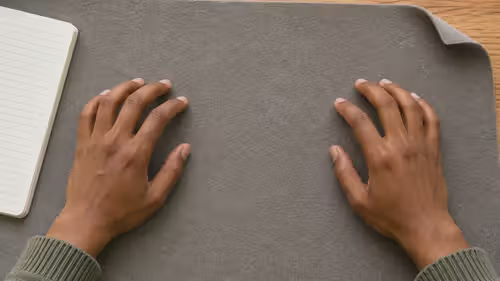
Distance does most of the work. A hand-width, with fingers spread, puts you near 10 to 15 centimetres. Aim slightly off-axis so breath from hard P and B sounds misses the capsule. Closer sounds boomy, and further lets the room echo in.
For gain, read the OBS meter while you speak at full excitement, the way you sound in a tense match. Raise the knob until peaks land near the top of the green, then lower it a notch. Yellow is a warning and red means clipped audio you cannot repair. Our microphone range lists USB and XLR options so you can match gear to this setup.
Pop filter and boom arm
A foam or mesh pop filter costs little and removes plosives. A boom arm lifts the mic off the desk, which stops thumps from your keyboard and mouse travelling through the stand.
🧱 Taming the room
Condensers hear everything: fans, mechanical keys, a passing bakkie, even bare walls. In a small flat or a res room in Pretoria or Joburg, hard surfaces bounce sound straight back. Hang a duvet or put a bookshelf behind the microphone, add a rug on a tiled floor and point the back of the capsule towards the PC fans.
Then lean on OBS filters, applied in this order on your mic source: Noise Suppression, Noise Gate and a Compressor. Use them lightly. Heavy filtering makes a voice sound underwater, so fix the room first and treat filters as the finishing touch.
🎧 Final check before going live
Record thirty seconds and listen with headphones. Check for hiss, keyboard clatter and any hum. If it sounds thin, move a little closer; if it sounds harsh, back off and angle the mic. A short test now beats discovering the problem through viewer comments. Gear to support the setup, such as lights, arms and stands, sits in our streaming essentials category.
Frequently Asked Questions
Does a condenser mic need phantom power?
An XLR condenser does, normally 48V from an interface or mixer. A USB condenser takes its power from the computer, so you can skip the whole step.
How far should the mic be from my mouth?
Aim for roughly a hand-width, which is 10 to 15 centimetres, slightly to the side. Further away adds room echo and closer gives a muddy, boomy sound.
How do I set gain correctly?
Speak at your loudest while watching the OBS meter. Raise gain until peaks reach the upper green, then drop it a little so a sudden shout never turns red.
Why does my condenser pick up the keyboard?
Condensers are very sensitive, so they hear key clicks, fans and reflections. A boom arm, soft furnishings and pointing the back of the mic at the noise all help.
Is a pop filter worth adding to a condenser streaming setup?
Yes. It softens hard P and B bursts and keeps spit off the capsule, and a basic foam or mesh model costs very little.
Can I set up a DSLR for streaming at the same time?
You can, but treat it as a separate job. The camera needs HDMI capture for video, while the mic stays on its own input, so check that sound and picture stay in sync.
Ready to get a clear voice on stream?
Browse the Evetech microphone category for USB and XLR condensers, then add a boom arm and pop filter from the streaming range to finish the setup.