


RTX 4060 Ti Throttling Under Load: SA Temperature Guide
RTX 4060 Ti Throttling Under Load: Temperature. Everything you need to know with SA pricing, step-by-step instructions & expert recommendations.
Read moreWondering what a 120mm liquid cooler actually cools and if it is enough for gaming CPUs? We break down heat transfer, VRM coverage, temps, and performance. 🎮❄️
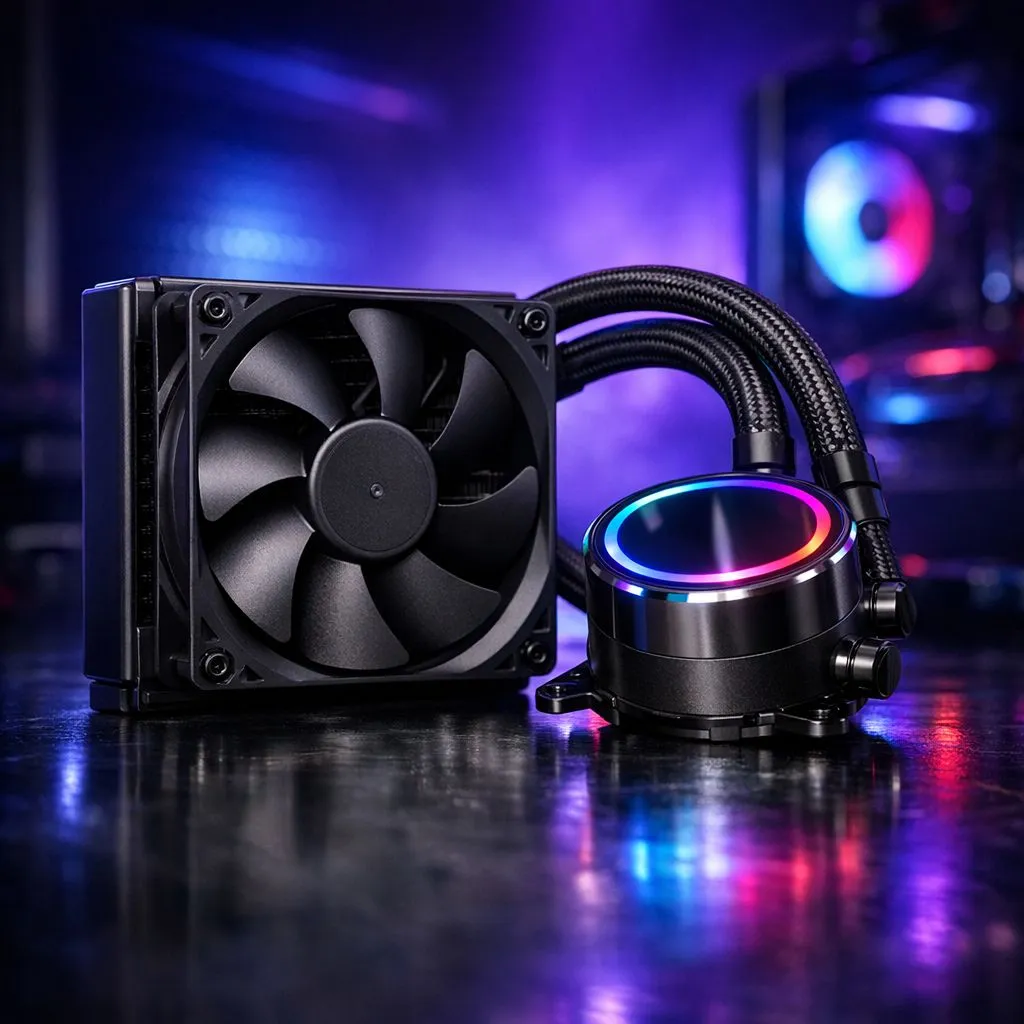
If you’re building a compact gaming PC in Cape Town or Joburg, you’ve probably wondered: What Does a 120mm Liquid Cooler Actually Cool? Short answer: the CPU die and, indirectly, the nearby VRM and memory areas by improving overall case thermals. A 120mm AIO suits small cases and single-socket builds where space is tight. 🔧
A 120mm radiator pairs with one fan to move heat from the pump block to the fins. For fan choices and airflow options, check Evetech’s case fans collection for matching mounts and speeds. (See more on case fans here: case fans at Evetech.)
A compact 120mm radiator has less surface area than larger radiators. That means it removes heat more slowly under sustained heavy load. In everyday gaming at 1080p or light streaming, a quality 120mm AIO keeps midrange CPUs within safe temps. For high-core-count chips, consider larger radiators. Corsair makes popular 120mm-compatible fans and AIO accessories if you value proven performance and software control. (See Corsair options: Corsair fans at Evetech.)
The cooler’s pump block sits over the CPU socket. That direct contact cools the CPU die. Better exhaust and directed airflow can lower motherboard VRM and DIMM temperatures too. If you plan a compact build, Deepcool offers compact solutions designed for tight layouts and clearance concerns. (Explore compact models: Deepcool options at Evetech.) ✨
A 140mm radiator uses a larger fan and more core area, so it usually runs cooler per watt. If your case supports it, a 140mm or dual 120mm setup improves headroom for overclocking and prolonged loads. Compare sizes and mounts before buying to avoid fitment headaches. Evetech lists 140mm fan-compatible options if you want the next step up. (See 140mm choices: 140mm fans at Evetech.)
If your case only supports a single 120mm rear mount, prioritise a high-quality 120mm AIO and pair it with intake airflow. A balanced intake exhaust configuration keeps VRMs and SSDs cooler without needing a larger radiator.
Fan quality matters as much as radiator size. Good bearings keep RPM stable and noise down. If you want lighting, there are plenty of RGB 120mm fans that pair with AIOs. (Browse RGB options: RGB fans at Evetech.) If you prefer stealth, non-RGB fans offer lower cost and simpler control. (See non-RGB fans: non-RGB fans at Evetech.)
If you need a direct match for a 120mm radiator or fan upgrade, use Evetech’s 120mm size filter to find compatible parts fast. (Find exact 120mm parts here: 120mm size filter at Evetech.) 🚀
For compact builds and moderate CPUs, yes. They save space and simplify cable management. For extreme overclocking, a larger radiator is safer. Consider case airflow, fan choice, and mounting before you buy. If you want help matching parts for your budget, Evetech’s product pages linked above are a reliable starting point.
Ready to Find Your Perfect Match? The Mac vs Windows debate is complex, but for maximum power, choice, and value in South Africa, Windows is hard to beat. Explore our massive range of laptop specials and find the perfect machine to conquer your world.
A 120mm liquid cooler is designed to cool the CPU heat (through the water block and radiator). It does not directly cool GPU VRAM or most case components.
For many mid-range CPUs at typical gaming loads, a 120mm AIO can be enough. Heavier sustained loads or high-end chips may hit higher temps or throttle.
Usually no. Some boards have VRM airflow from the radiator fans, but an AIO mainly cools the CPU. VRM cooling still depends on fan and case airflow.
Temperatures vary by CPU model, ambient room temperature, fan curves, pump health, and thermal paste. A 120mm AIO often holds acceptable gaming temps but may struggle with sustained spikes.
Sometimes. A good air cooler can perform similarly or better for many CPUs, while a 120mm AIO may reduce heat spread under certain workloads. Case airflow and component choice matter.
Commonly, front or top mounting helps with airflow efficiency, but your case layout and clearances decide. Use good fan direction and keep the radiator unobstructed.
Lower to mid-power gaming CPUs typically pair best. For high-TDP or heavily overclocked chips, consider a larger radiator or additional cooling headroom.
RTX 4060 Ti Throttling Under Load: Temperature. Everything you need to know with SA pricing, step-by-step instructions & expert recommendations.
Read more
Apex Legends Max Settings on RTX 4080. Tested & verified settings for best FPS and visual quality on SA hardware budgets.
Read more
GPU Buying Guide. Everything you need to know with SA pricing, step-by-step instructions & expert recommendations.
Read more
GPU Terms Guide. Everything you need to know with SA pricing, step-by-step instructions & expert recommendations.
Read more
AMD Adrenalin Download & Setup Guide: GPU. Clear setup instructions with SA-specific considerations, troubleshooting tips & recommended components.
Read more
Back-to-School GPU Buying Guide. Everything you need to know with SA pricing, step-by-step instructions & expert recommendations.
Read more
Can RTX 4080 Super Run AI Workloads for SA Developers Detailed answer with SA data, expert analysis & practical recommendations for local buyers.

Can RTX 4090 Run AI Workloads for SA Developers Detailed answer with SA data, expert analysis & practical recommendations for local buyers.

Top Settings for Intel Arc B580 at Ultrawide 1440p picks evaluated on performance, value & SA availability with current Rand pricing from Evetech.

RX 7600 Overclocking Guide: Safe OC Settings for. Real-world benchmark data, FPS numbers & performance analysis. What SA gamers can actually expect.

RTX 4060 CS2 Low Settings at 1080p: FPS Results. Real-world benchmark data, FPS numbers & performance analysis. What SA gamers can actually expect.

Visual Artifacts: Possible GPU Issue Issue #1. Diagnosis steps, proven fixes & when to seek professional help. SA-specific support info included.

Can the RTX 4090 Handle 1440p 144Hz Gaming. Performance testing verdict with real data & practical recommendations for SA buyers.

Top ASUS GPU Under R15000 picks evaluated on performance, value & SA availability with current Rand pricing from Evetech.
RTX 4060 Ti Throttling Under Load: Temperature. Everything you need to know with SA pricing, step-by-step instructions & expert recommendations.
Apex Legends Max Settings on RTX 4080. Tested & verified settings for best FPS and visual quality on SA hardware budgets.
GPU Buying Guide. Everything you need to know with SA pricing, step-by-step instructions & expert recommendations.
GPU Terms Guide. Everything you need to know with SA pricing, step-by-step instructions & expert recommendations.