

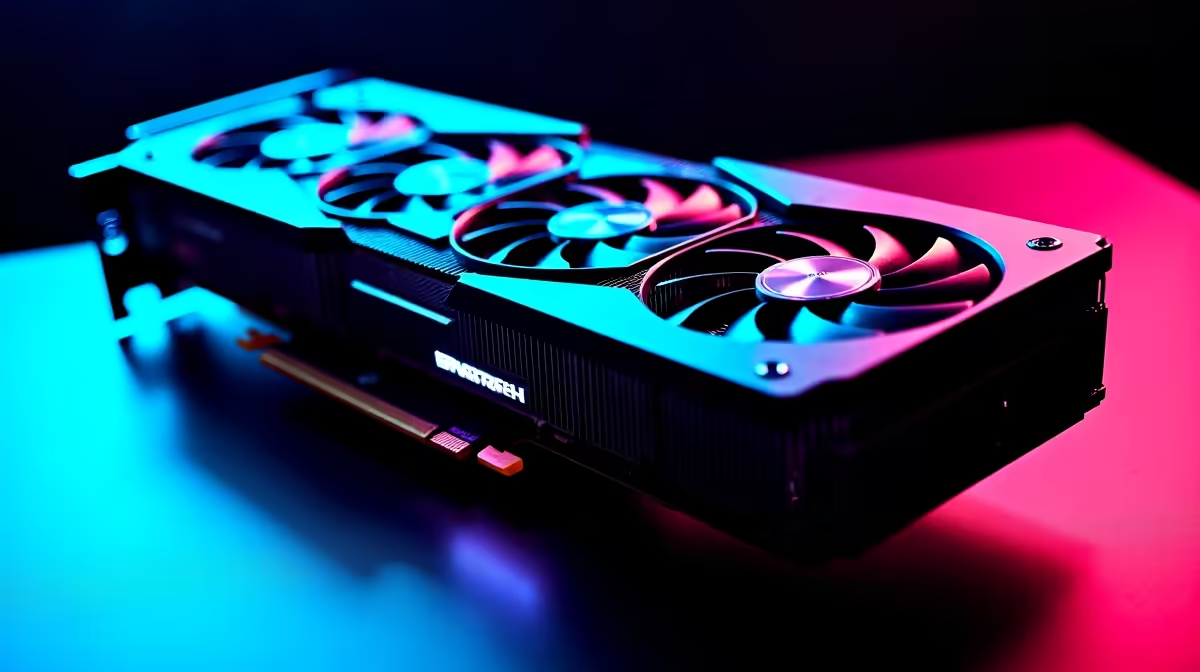
Summer gaming in South Africa is brutal on your PC. When room temperatures spike, your rig works overtime. It tries desperately to prevent thermal throttling. If you are eyeing a massive new upgrade, you have noticed how huge modern GPUs have become. But which cooling features actually matter in a 3.8-slot four-fan graphics card? Let us cut through the marketing fluff. We will look at what truly keeps your frames high.
The Anatomy of a Massive Cooler ❄️
When you browse premium graphics cards, the sheer size of flagship models is staggering. A 3.8-slot footprint is mostly just raw aluminium fin stacks. This massive surface area is crucial for heat dissipation.
The heatsink mass acts as a thermal buffer. When a sudden explosion happens in-game, the metal absorbs that quick heat spike. But metal alone is not enough... you need efficient ways to move heat away from the GPU die.
Vapour Chambers vs Standard Heat Pipes
Remember the cooling setups on older NVIDIA GeForce GTX graphics cards? They relied heavily on direct-touch copper pipes. Today, the core cooling feature in a 3.8-slot four-fan graphics card is the vapour chamber.
This flat vacuum-sealed plate contains a specialised liquid. It vapourises instantly when heated. It spreads thermal energy across the entire heatsink much faster than traditional pipes ever could. Vapour chambers are expensive to manufacture. However, they are worth every cent when you push your hardware to the absolute limit.
Why Four Fans? Airflow Dynamics 🌀
Three fans push air down. What does the fourth one do? Usually, it provides targeted exhaust or push-pull airflow. This helps cool the backplate directly.
If you are hunting for the best graphics card deals, look closely at the fan blade design. Axial-tech fans with joined outer rings direct air straight down. They push air into the fins rather than spilling it out the sides. Static pressure is another vital metric. Fans must force cool air through dense aluminium fins. High static pressure fans are non-negotiable for these massive heatsinks.
Case Clearance Pro Tip 🔧
Before dropping R30,000 or more on a flagship 3.8-slot GPU, measure your PC case carefully. These cards often require anti-sag brackets and massive clearance. Ensure your chassis has enough fresh intake air to feed those four fans properly.
Memory and VRM Cooling
The GPU core gets all the glory. However, memory modules and VRMs run incredibly hot under heavy loads. Power delivery components need constant cooling to maintain stable overclocks. Without proper VRM cooling, your massive GPU will throttle even if the core temperature is low.
A premium card uses dedicated thermal pads. These connect critical components directly to the main heatsink. If you browse our pre-built gaming PC deals, you will see our strategy. We specifically choose models that prevent memory throttling during intense 4K gaming sessions.
Making the Right Investment ⚡
Ultimately, knowing which cooling features actually matter in a 3.8-slot four-fan graphics card saves you money. It comes down to surface area, vapour chambers, and directed airflow. Do not just count the fans on the box. Look at how the entire thermal ecosystem works together.
Ready to upgrade your rig? Keep an eye on our tech specials to find a high-performance GPU. You can find one that fits your budget and stays ice-cold through the toughest gaming marathons.
Ready to Dominate the Leaderboards? Upgrading your GPU is the fastest way to boost your frame rates. You need the right hardware to keep temperatures low and performance high in South Africa. Explore our massive range of graphics cards and find the perfect cooling monster for your next custom build.











