


Complete Guide: Setting Up Monitor Light
Setting Up Monitor Light. Tested & verified settings for best FPS and visual quality on SA hardware budgets.
Read moreChoosing a white 120mm ARGB fan? Get the right airflow, lighting, noise level, and control compatibility—without wasting money. Here’s what to check before you buy ✨🎮
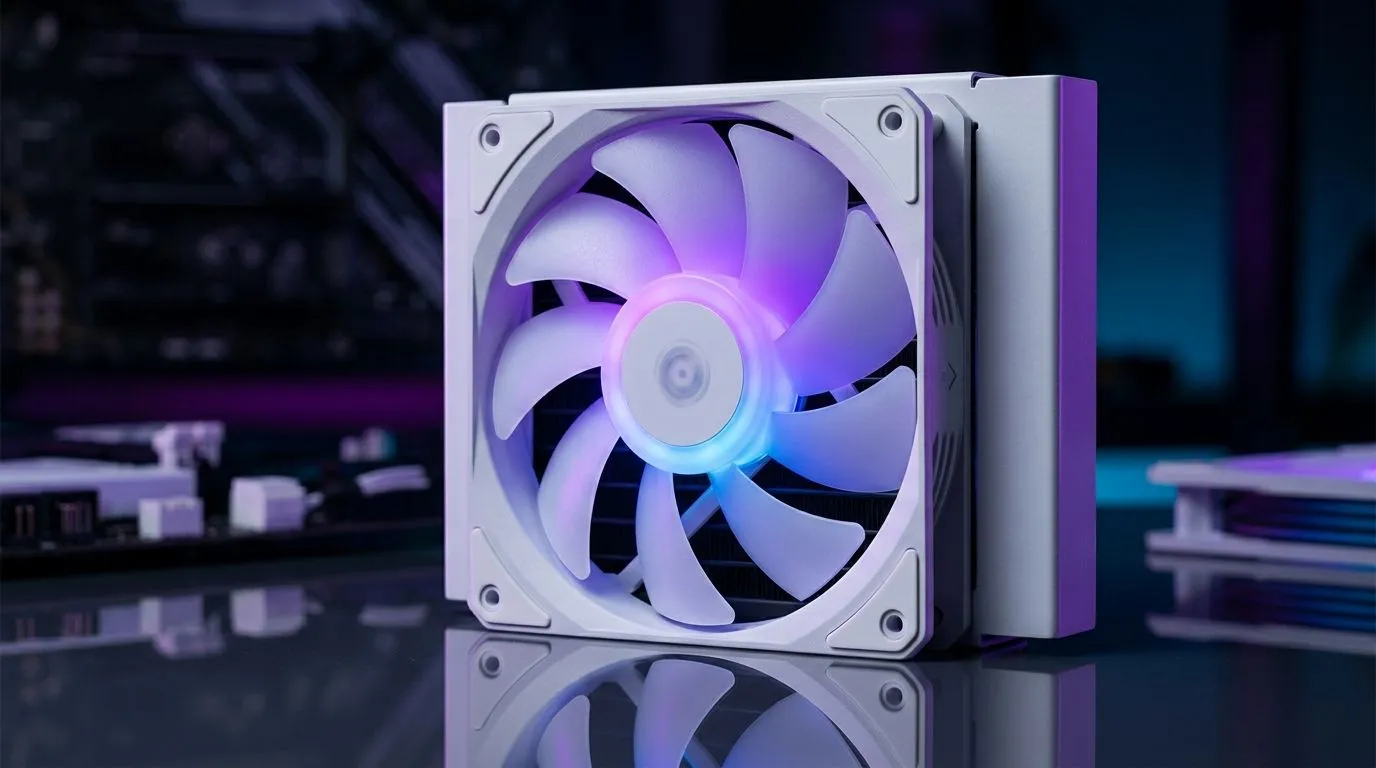
When you’re building a fresh gaming rig in South Africa, fans aren’t just “extra”. They decide whether your CPU stays cool during a late-night ranked grind… or throttles when the lobby gets spicy. White builds are having a moment too, and 120mm ARGB fans are the sweet spot for airflow without looking bulky.
But in 2026, “ARGB” means a lot more than colourful blades. Here’s what to look for before you spend your next ZAR on fans that actually perform. ✨
Start with airflow and noise, then verify the lighting and compatibility details. Here’s the checklist most buyers skip.
For case fans, airflow matters. For radiator and dense front panels, static pressure matters more. If your case uses a restrictive mesh or sits close to a radiator, you want fans designed to push air through resistance. For a quick baseline of what’s available, browse Evetech’s case fan range here: Shop 120mm and more case fans on Evetech
Many “ARGB” setups rely on 5V addressable RGB. If you don’t match the lighting standard to your motherboard/controller, you’ll lose effects or get weird behaviour. In 2026, it’s worth double-checking lighting compatibility before checkout. If you want RGB-focused options, use this filter: RGB case fans (lighting effects)
A “120mm” fan is usually standard, but your case may only support certain thicknesses or mounting patterns. Stick to the correct size category while you plan your airflow layout: 120mm case fans
Mixing brands can work, but syncing effects is smoother with compatible ecosystems. If you prefer a single brand family, filter by what you trust. For example: Corsair options in the case fan range
A common mistake is guessing. Intake fans should draw cool air in. Exhaust fans should push hot air out. If you’re unsure, check your case airflow guide or plan a simple front intake + rear exhaust setup. Then adjust with fan curves.
Windows, keep your fan-related tests organised: use a simple logging routine with HWInfo64 while you game. Record CPU package temperature, fan RPM, and any throttling spikes. Compare changes after you swap fan curves or move to a different ARGB controller profile. That way, you’ll know what actually helped, not just what looks better."
ARGB is fun… until the glow hits your desk at 2AM and you regret it. Before you commit, decide whether you want vivid rainbow effects or subtle lighting.
If you’re after a cleaner look, some fans offer no lighting at all. That’s great for stealth builds or for people who hate constant colour cycling: Non-RGB (no lighting) options
Some cases give you the option to use larger fans for lower RPM and potentially quieter cooling. If you’re planning an upgrade path or want to redesign airflow, compare sizing: 140mm case fans
DeepCool is popular for affordable cooling and straightforward parts choices. If that’s your lane, filter to explore compatible options: DeepCool case fan options
Before you hit “Add to cart”, confirm:
If you do that, you’ll get the white aesthetic without sacrificing performance. And yes, you’ll probably smile at the lighting every time you boot. 🚀
Ready to Find Your Perfect Match? The Mac vs Windows debate is complex, but for maximum power, choice, and value in South Africa, Windows is hard to beat. Explore our massive range of laptop specials and find the perfect machine to conquer your world.
Focus on airflow (CFM), noise level (dBA), PWM control, static pressure needs, and ARGB sync compatibility with your motherboard or controller.
Yes. For gaming PCs, choose PWM 120mm ARGB fans with strong airflow and proper case fan placement for balanced intake and exhaust.
Often yes if you run multiple ARGB fans. A compatible ARGB hub can simplify connections and prevent header overload while keeping sync smooth.
Airflow helps in open areas; static pressure helps through dust filters and radiators. Match the fan to the mount location for best temps.
Verify the fan uses addressable ARGB (5V 3-pin) and confirm your motherboard supports the same ARGB type for software sync.
Aim for lower dBA at your expected RPM and choose PWM control so you can keep fans quiet during idle and medium workloads.
Not always. Higher RPM can raise noise. Prioritize the best balance of CFM, static pressure, and PWM behavior for your case.
Commonly, use 2–3 intakes and 1–2 exhaust fans, then adjust with PWM. Add pressure-optimized fans for radiators or dense filters.
Setting Up Monitor Light. Tested & verified settings for best FPS and visual quality on SA hardware budgets.
Read more
Assassins Creed Shadows Ultrawide Support: 21:9. Clear setup instructions with SA-specific considerations, troubleshooting tips & recommended components.
Read more
Complete Gaming Setup Guide for the Collector. Clear setup instructions with SA-specific considerations, troubleshooting tips & recommended components.
Read more
Will the Steam Deck 2 Have an OLED Screen? Leaked. Plain-English explanation of what it means, why it matters & how it affects your buying decisions in SA.
Read more
Setting Up Ultrawide 144Hz. Tested & verified settings for best FPS and visual quality on SA hardware budgets.
Read more
Kingdom Come: Deliverance 2 Ultrawide Support. Clear setup instructions with SA-specific considerations, troubleshooting tips & recommended components.
Read more
When Will the RTX 6090 Launch in South Africa Detailed answer with SA data, expert analysis & practical recommendations for local buyers.

Top Valorant Settings for RTX 5070: FPS Optimisation picks evaluated on performance, value & SA availability with current Rand pricing from Evetech.

RDNA 3.5 Graphics in Ryzen AI 400? Can You Game. Plain-English explanation of what it means, why it matters & how it affects your buying decisions in SA.

GPU Price Index : December Report. Current stock data & price tracking for SA buyers. See what is available and where prices are heading.

Core i5-14600K + B760 + RTX 5060 Build Under. Full parts list, Rand pricing & expected performance. Build confidently with SA-available components.

RX 7600 Apex Legends at 4K: FPS Benchmark. Real-world benchmark data, FPS numbers & performance analysis. What SA gamers can actually expect.

RX 7900 XTX GTA 6 at 4K: FPS Benchmark & Optimal. Real-world benchmark data, FPS numbers & performance analysis. What SA gamers can actually expect.

Head-to-head comparison of RTX 5070 vs RX 9070 XT: Gaming Performance for SA gamers. Performance benchmarks, Rand pricing & which delivers better value.

Starfield Max Settings on RTX 5070. Tested & verified settings for best FPS and visual quality on SA hardware budgets.

Top RX 7800 XT Model Under R8,000 picks evaluated on performance, value & SA availability with current Rand pricing from Evetech.

RTX 5070 Valorant Optimised Settings: Graphics. Real-world benchmark data, FPS numbers & performance analysis. What SA gamers can actually expect.

Top Laptop with Core i7 + RX 7700S: Picks picks evaluated on performance, value & SA availability with current Rand pricing from Evetech.