Quick Answer
Wi-Fi 6E is better when you can use the cleaner 6GHz band, while Wi-Fi 6 remains the practical value choice for many SA homes. For MMO and live-service games, choose the newer standard only when your router, PC, phone, and home layout can use it; otherwise spend on placement, Ethernet, or a stronger GPU first.
What Changes In The Standard
Wi-Fi 6 uses 2.4GHz and 5GHz, while Wi-Fi 6E adds 6GHz with wider, cleaner channels for compatible devices. Those wider channels can reduce congestion and improve large downloads, but they do not automatically lower every game's ping.
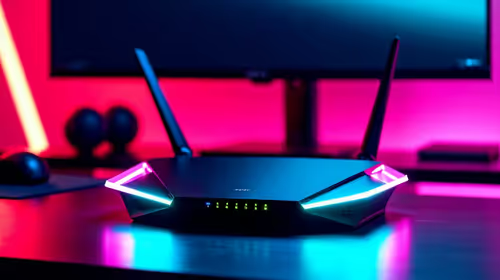
Wi-Fi 6 routers can sit around R1,000 to R3,000, while Wi-Fi 6E models usually cost more because of the extra band. That gap matters for SA buyers because many homes still have mixed devices, older laptops, and router placement limits. A good Wi-Fi 6 router in the right spot can beat a premium router hidden behind concrete walls.
Fit For Mmo And Live-Service Games
For MMO play, stable latency matters more than headline Mbps. Congested apartment Wi-Fi can feel worse than a slower but cleaner wired connection. A 100Mbps to 200Mbps fibre line already has enough raw speed for gaming; latency, jitter, and signal quality are the usual pain points.
If the PC is in a study, bedroom, or lounge far from the ONT, test signal strength before replacing hardware. Sometimes a short Ethernet run or mesh placement fixes more than a new standard.
Device Compatibility Matters
You need support on both ends. A Wi-Fi 7 router paired with a Wi-Fi 5 laptop will fall back to what the laptop supports. The same applies to Wi-Fi 6E and 6GHz: if the PC adapter cannot use 6GHz, the extra band does not help.
Check motherboard Wi-Fi specs, antenna placement, and driver support. Desktops often perform badly when antennas are left behind the case against a wall.
FAQ
Is Wi-Fi 6E vs Wi-Fi 6 worth it for gaming?
It can be worth it for cleaner wireless and faster downloads, but it does not replace Ethernet for serious competitive play. Buy it when your devices support the standard and your home layout can use it.
Will a new router increase fps?
No. A router can improve latency, downloads, and streaming stability, but fps comes from the CPU, GPU, RAM, and game settings.
What should SA buyers check first?
Check fibre speed, router placement, PC adapter support, and whether walls block the signal. Fixing those basics often improves Wi-Fi more than chasing the newest label.
router or mesh node where the gaming PC can see a cleaner signal, then test ping and jitter before judging the upgrade.