


RTX 4060 Ti Throttling Under Load: SA Temperature Guide
RTX 4060 Ti Throttling Under Load: Temperature. Everything you need to know with SA pricing, step-by-step instructions & expert recommendations.
Read moreWired vs wireless gaming controllers: input lag, weight, and reliability compared. Get a clear pick for FPS, fighting, and racing setups with practical tips ⚡🎮
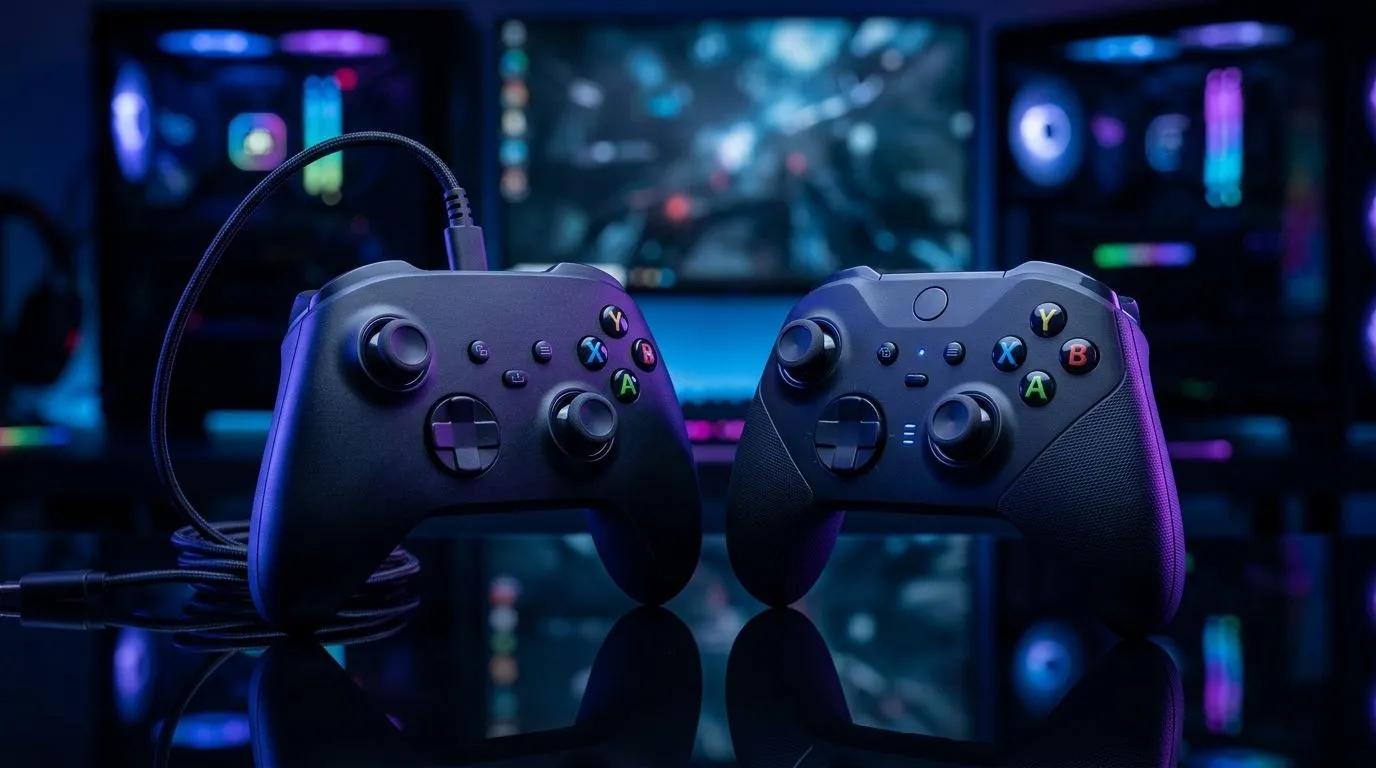
If you’ve ever lost a duel because your aim “arrived late”, you already understand input lag. In South Africa, where loadshedding and Wi‑Fi congestion are real, the controller debate is more than specs. Gamers want consistency, not marketing. So let’s break down wired vs wireless gaming controllers: input lag, what causes it, and how to choose the right one for your play style and budget. 🎮
Wired controllers send button presses through a physical cable to your console or PC. That physical connection typically produces the most consistent timing because there’s no radio transmission, pairing handshake, or wireless retry. In practice, that means fewer “micro-delays” you only notice in fast shooters, rhythm games, or fighting titles.
When wired wins hardest
If you’re serious about precision, wired is the simplest path to stable performance. Even if wireless is “good enough” for casual play, wired helps you remove variables.
Wireless doesn’t always mean high lag. Many modern controllers use low-latency wireless modes (often 2.4GHz) and efficient polling. Still, wireless can add delay due to:
Here’s the key… for most players, the “feel” depends less on raw numbers and more on stability. A slightly higher but consistent delay can feel smoother than a lower delay that spikes during interference.
Before blaming your controller, check your PC’s USB and wireless setup. Use a short, high-quality USB cable for wired tests, and for wireless try moving your USB receiver closer to the play area (avoid metal desks and thick walls). Small changes often beat expensive upgrades.
Don’t rely on forum arguments alone. Do a quick in‑home test:
If you notice wireless spikes only at certain times, interference is the likely culprit. In SA homes, that can be your router, mesh nodes, or even the placement of your receiver.
Not every controller is built for low-latency use. If you want fewer variables, start with models designed for tournament or competitive use, and match them to your platform.
For example, if you’re hunting for a wired-first or high-performance option, check out the Razer Wolverine V3 Tournament Edition 8K deal here: Explore the Razer Wolverine V3 Tournament Edition 8K best deal
If you want to browse broadly and compare what’s currently available (and what fits your budget in ZAR), use Evetech’s controller buying guide: Browse gaming controllers at Evetech
And if you’re specifically considering Razer, here’s the branded view to speed up your shortlist: Shop Razer gaming controllers at Evetech
Once you’ve narrowed down your options, test the controller style (grip, stick tension, response feel) the same way you tested lag. Comfort affects reaction time too.
Ready to Find Your Perfect Match? The Mac vs Windows debate is complex, but for maximum power, choice, and value in South Africa, Windows is hard to beat. Explore our massive range of laptop specials and find the perfect machine to conquer your world.
Wired controllers typically deliver the lowest latency. Wireless can be close on 2.4GHz, but Bluetooth often adds more delay.
For competitive FPS, wired usually wins on consistency. If you choose wireless, use a low-latency 2.4GHz connection and check polling rate.
Yes. Weight and balance can change hand fatigue and micro-aim stability. Compare ergonomics, not just grams, in your wired vs wireless decision.
Modern wireless can be reliable, especially on 2.4GHz. Reliability depends on interference, range, and battery health.
2.4GHz generally has lower and more consistent latency than Bluetooth, making it the safer choice for low input lag gaming.
Higher polling rates can reduce perceived input lag. Look for controller polling specs and match them to your PC or console capabilities.
Battery level can affect performance and responsiveness. Keep charged, and consider rechargeable packs to avoid lag spikes.
RTX 4060 Ti Throttling Under Load: Temperature. Everything you need to know with SA pricing, step-by-step instructions & expert recommendations.
Read more
Apex Legends Max Settings on RTX 4080. Tested & verified settings for best FPS and visual quality on SA hardware budgets.
Read more
GPU Buying Guide. Everything you need to know with SA pricing, step-by-step instructions & expert recommendations.
Read more
GPU Terms Guide. Everything you need to know with SA pricing, step-by-step instructions & expert recommendations.
Read more
AMD Adrenalin Download & Setup Guide: GPU. Clear setup instructions with SA-specific considerations, troubleshooting tips & recommended components.
Read more
Back-to-School GPU Buying Guide. Everything you need to know with SA pricing, step-by-step instructions & expert recommendations.
Read more
Can RTX 4080 Super Run AI Workloads for SA Developers Detailed answer with SA data, expert analysis & practical recommendations for local buyers.

Can RTX 4090 Run AI Workloads for SA Developers Detailed answer with SA data, expert analysis & practical recommendations for local buyers.

Top Settings for Intel Arc B580 at Ultrawide 1440p picks evaluated on performance, value & SA availability with current Rand pricing from Evetech.

RX 7600 Overclocking Guide: Safe OC Settings for. Real-world benchmark data, FPS numbers & performance analysis. What SA gamers can actually expect.

RTX 4060 CS2 Low Settings at 1080p: FPS Results. Real-world benchmark data, FPS numbers & performance analysis. What SA gamers can actually expect.

Visual Artifacts: Possible GPU Issue Issue #1. Diagnosis steps, proven fixes & when to seek professional help. SA-specific support info included.

Can the RTX 4090 Handle 1440p 144Hz Gaming. Performance testing verdict with real data & practical recommendations for SA buyers.

Top ASUS GPU Under R15000 picks evaluated on performance, value & SA availability with current Rand pricing from Evetech.
RTX 4060 Ti Throttling Under Load: Temperature. Everything you need to know with SA pricing, step-by-step instructions & expert recommendations.
Apex Legends Max Settings on RTX 4080. Tested & verified settings for best FPS and visual quality on SA hardware budgets.
GPU Buying Guide. Everything you need to know with SA pricing, step-by-step instructions & expert recommendations.
GPU Terms Guide. Everything you need to know with SA pricing, step-by-step instructions & expert recommendations.