


Complete Guide: Setting Up Monitor Light
Setting Up Monitor Light. Tested & verified settings for best FPS and visual quality on SA hardware budgets.
Read moreLearn wireless gaming controller connection types: 2.4 GHz vs Bluetooth vs USB-C wired. Get clear latency, range, and setup tips so you can choose the fastest, smoothest connection. 🎮⚡
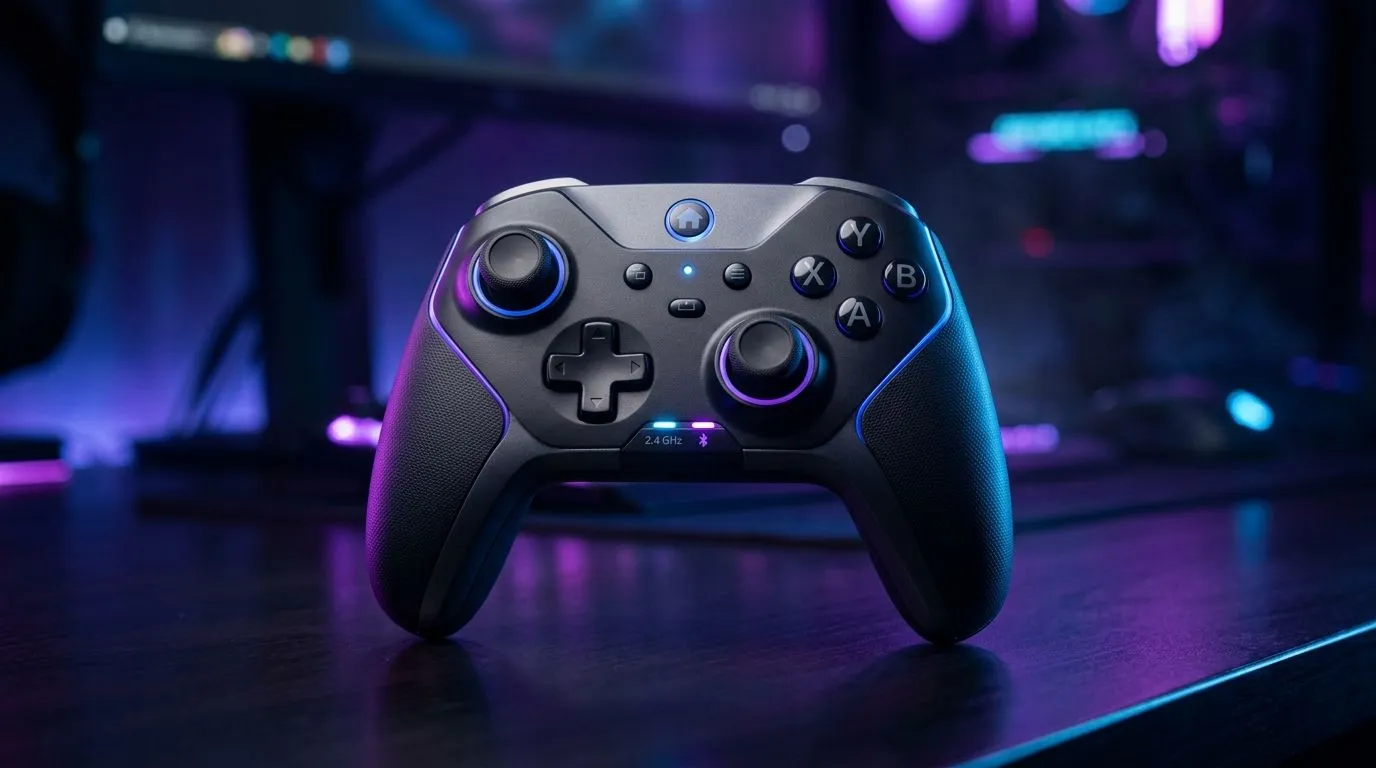
For South African gamers hunting that smooth, untethered gaming thrill, knowing your wireless gaming controller connection types is essential. Whether you’re diving into fast-paced FPS or chill RPG marathons, your controller’s connection can make or break your gameplay. The debate usually boils down to 2.4 GHz vs Bluetooth — two wireless standards with distinct perks and quirks. Let’s unpack what sets them apart and which one suits your setup best. ⚡
Controllers using a 2.4 GHz wireless connection rely on a dedicated USB receiver plugged into your PC or console. This connection frequency offers low latency, critical for action-packed gaming where every millisecond counts. The 2.4 GHz signal is strong at short range, providing a consistent connection even through obstacles.
2.4 GHz controllers often deliver reliable, lag-free gameplay with less risk of interference. That explains why competitive gamers prefer models like the Razer Wolverine V3 Tournament Edition, which leverage this tech to ensure precision timing during tournaments.
Bluetooth controllers connect directly to your device without extra dongles—ideal for minimalists or users on the go. They’re compatible with a variety of devices, including laptops, tablets, and even some smart TVs. South African gamers love this versatility, especially for casual gaming sessions.
However, Bluetooth may introduce slightly higher latency compared to 2.4 GHz and can be more susceptible to interference in crowded wireless environments. Still, modern Bluetooth controllers have improved significantly, delivering solid performance and excellent battery life.
The choice depends on your priorities. If you’re chasing ultra-responsive gameplay for esports or competitive matches, a 2.4 GHz connection might serve you better. But if convenience and broad device support appeal more, Bluetooth is a solid option.
Answering these will guide you toward a wireless setup that feels seamless. For those ready to explore the options, browse our full range of gaming controllers available at Evetech.
Choose a 2.4 GHz controller if your setup supports a USB receiver and you want minimal latency. For mobile or multi-device play, Bluetooth offers convenient plug-and-play connectivity without extra hardware.
Many local gamers combine strong fibre internet with 2.4 GHz controllers to nail every shot and combo behind their rigs. Meanwhile, Bluetooth controllers excel for casual players who game in lounges or on the go.
To minimise lag, keep your controller’s firmware updated via official apps or sites. Also, avoid crowding 2.4 GHz channels if you’re surrounded by many wireless devices—try switching USB ports or adjusting device placement.
If you want to explore controllers tailored to your gaming style, consider checking out specific Razer controller options on Evetech. Razer’s wireless tech balances performance and connectivity elegantly.
Call-to-Action Heading Upgrade your arsenal with the wireless controller that fits your playstyle perfectly. Discover premium options and Shop now at Evetech for performance that leaves lag in the dust.
For most players, a 2.4 GHz gaming controller delivers lower latency and more consistent performance than Bluetooth, especially in competitive play.
Bluetooth can add delay depending on device support and interference. If you want the smoothest response, 2.4 GHz usually performs better.
2.4 GHz typically offers strong range for living rooms and desks, but walls and crowded Wi-Fi can reduce stability.
USB-C wired generally provides the most reliable, consistent input timing because it avoids wireless link latency.
Most 2.4 GHz controllers use a USB dongle. Plug it into your PC, then pair as directed by the controller software.
It depends on the controller and platform Bluetooth support. Many controllers work on multiple devices via Bluetooth or a 2.4 GHz adapter.
Battery life varies by controller model, but 2.4 GHz and Bluetooth can differ. Check the manufacturer specs and test on your setup.
Setting Up Monitor Light. Tested & verified settings for best FPS and visual quality on SA hardware budgets.
Read more
Assassins Creed Shadows Ultrawide Support: 21:9. Clear setup instructions with SA-specific considerations, troubleshooting tips & recommended components.
Read more
Complete Gaming Setup Guide for the Collector. Clear setup instructions with SA-specific considerations, troubleshooting tips & recommended components.
Read more
Will the Steam Deck 2 Have an OLED Screen? Leaked. Plain-English explanation of what it means, why it matters & how it affects your buying decisions in SA.
Read more
Setting Up Ultrawide 144Hz. Tested & verified settings for best FPS and visual quality on SA hardware budgets.
Read more
Kingdom Come: Deliverance 2 Ultrawide Support. Clear setup instructions with SA-specific considerations, troubleshooting tips & recommended components.
Read more
When Will the RTX 6090 Launch in South Africa Detailed answer with SA data, expert analysis & practical recommendations for local buyers.

Top Valorant Settings for RTX 5070: FPS Optimisation picks evaluated on performance, value & SA availability with current Rand pricing from Evetech.

RDNA 3.5 Graphics in Ryzen AI 400? Can You Game. Plain-English explanation of what it means, why it matters & how it affects your buying decisions in SA.

GPU Price Index : December Report. Current stock data & price tracking for SA buyers. See what is available and where prices are heading.

Core i5-14600K + B760 + RTX 5060 Build Under. Full parts list, Rand pricing & expected performance. Build confidently with SA-available components.

RX 7600 Apex Legends at 4K: FPS Benchmark. Real-world benchmark data, FPS numbers & performance analysis. What SA gamers can actually expect.

RX 7900 XTX GTA 6 at 4K: FPS Benchmark & Optimal. Real-world benchmark data, FPS numbers & performance analysis. What SA gamers can actually expect.

Head-to-head comparison of RTX 5070 vs RX 9070 XT: Gaming Performance for SA gamers. Performance benchmarks, Rand pricing & which delivers better value.

Starfield Max Settings on RTX 5070. Tested & verified settings for best FPS and visual quality on SA hardware budgets.

Top RX 7800 XT Model Under R8,000 picks evaluated on performance, value & SA availability with current Rand pricing from Evetech.

RTX 5070 Valorant Optimised Settings: Graphics. Real-world benchmark data, FPS numbers & performance analysis. What SA gamers can actually expect.

Top Laptop with Core i7 + RX 7700S: Picks picks evaluated on performance, value & SA availability with current Rand pricing from Evetech.