


MacBook Pro 16-Inch M5 Max: Complete Specs, Features and SA Pricing Guide
MacBook Pro 16-Inch M5 Max: Complete Specs,. Everything you need to know with SA pricing, step-by-step instructions & expert recommendations.
Read more- Compare setups; - Optimize settings; - Pick accessories; - Troubleshoot xreal glasses iphone 15: Master mobile cinema with XREAL Glasses + Hub—setup, best settings, streaming tips, and battery hacks. 🍿📱
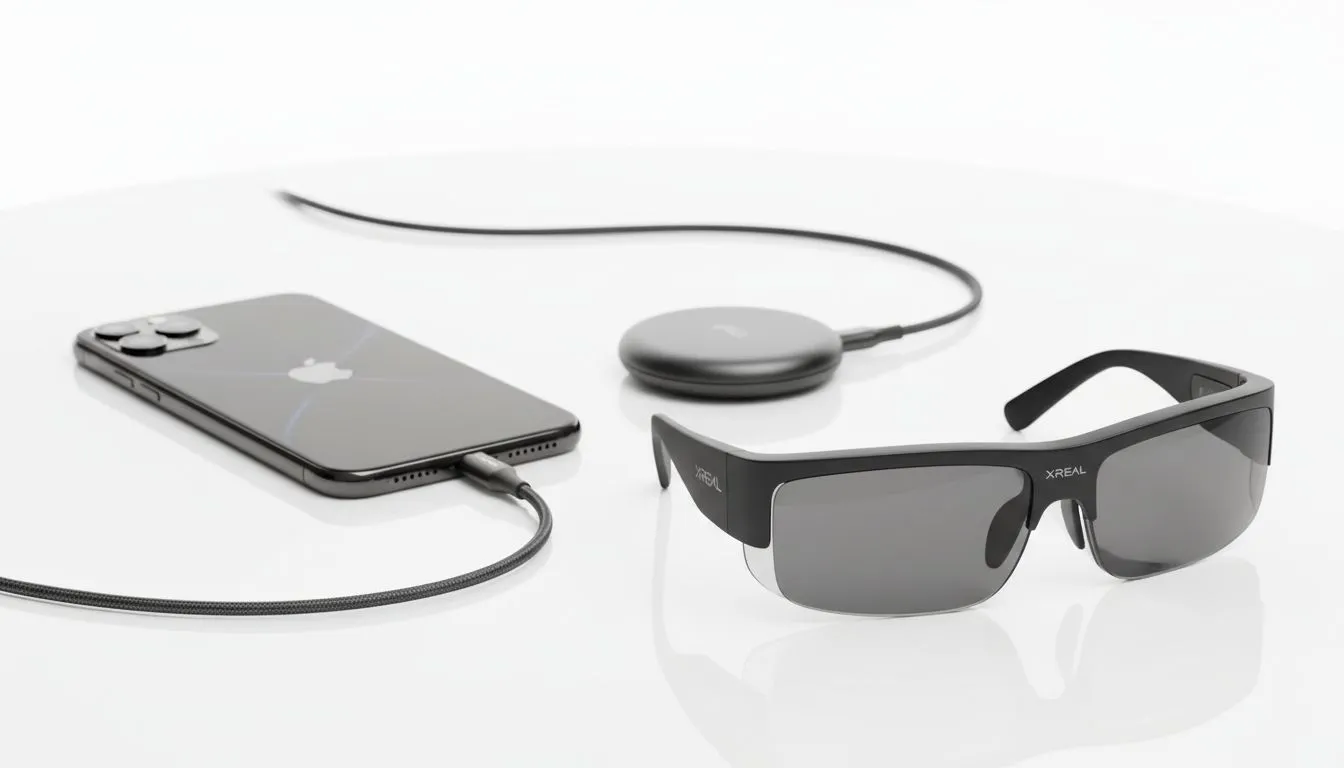
The iPhone 15 series changed everything for South African tech fans. Thanks to the move to USB-C... you can now turn your phone into a massive private theatre. This xreal glasses iphone 15: complete mobile cinema guide shows you how to get a 130-inch view anywhere. You no longer need bulky adapters to enjoy immersive content on the go. 🚀
Connecting your gear is now easier than ever. You simply plug the cable directly into your phone. The display mirrors instantly. It feels like magic. If you are looking to buy, check out the AR glasses range at Evetech. These devices offer a lightweight way to experience augmented reality without the weight of a traditional VR headset.
To get the most out of your xreal glasses iphone 15 setup... you must consider your environment. These glasses are transparent. Bright South African sunlight can wash out the image. Use the included light shield for the best contrast. This makes the colours pop. It is essential for dark movie scenes or detailed spreadsheets. ✨
You can browse the latest ar glasses listings to find the specific model that fits your lifestyle. Whether you are commuting on the Gautrain or relaxing at home... the portability is unmatched.
When using your glasses for long sessions, remember that they draw power from your iPhone. Lower your phone screen brightness to the minimum. The glasses have their own display... so your phone screen doesn't need to be bright. This saves significant battery life during loadshedding.
Gaming in SA is evolving rapidly. With a stable 5G connection... you can stream high-end titles. The XREAL glasses make it feel like you are sitting in front of a premium monitor. It is much better than holding a heavy phone for hours. It helps prevent neck strain during long sessions.
For those ready to invest in premium gear... view the ar glasses search results for high-end options. These models often feature higher refresh rates. This ensures smooth gameplay in fast-paced shooters or racing games. Investing roughly R10,000 in a wearable display might seem steep... but the value is clear.
The portability is the biggest draw. You can fit a whole cinema in your backpack. Whether you are at a coffee shop or waiting for a flight... the big screen is always with you. It is the ultimate upgrade for any modern iPhone user.
Ready to Elevate Your Mobile Experience? Transforming your iPhone 15 into a portable cinema is just the beginning. For the best prices and expert advice on the latest wearable tech in South Africa, we have you covered. Explore our massive range of AR glasses and find the perfect pair to upgrade your digital life.
Yes. Use the XREAL Hub or compatible USB-C adapter to connect XREAL Glasses to iPhone 15 for display and streaming.
The XREAL Hub simplifies power, passthrough, and multi-source switching, making it the recommended accessory for iPhone 15 setups.
Set display mode to 1080p/60, enable low-latency, and adjust brightness and color profiles in the XREAL app for cine-like output.
Most streaming apps work normally via the iPhone 15 output; some DRM-protected content may restrict external display features.
Battery life varies by Hub model; expect multi-hour sessions when using an external power bank or the Hub's passthrough charging.
Carry a compact power bank, a USB-C cable rated for video, comfortable nose pads, and a travel case for XREAL Glasses and Hub.
Yes. Cloud gaming and streaming apps run through iPhone 15 to XREAL Glasses, offering a near-console experience with proper network speed.
MacBook Pro 16-Inch M5 Max: Complete Specs,. Everything you need to know with SA pricing, step-by-step instructions & expert recommendations.
Read more
Travelling With a MacBook: Travellers. Everything you need to know with SA pricing, step-by-step instructions & expert recommendations.
Read more
Back-to-School Parent Guide: Laptops. Everything you need to know with SA pricing, step-by-step instructions & expert recommendations.
Read more
MacBook Air 13-Inch M5: Complete Specs, Features. Everything you need to know with SA pricing, step-by-step instructions & expert recommendations.
Read more
MacBook Neo Unboxing and First Setup Guide for. Clear setup instructions with SA-specific considerations, troubleshooting tips & recommended components.
Read more
MacBook Pro 16-Inch M5 Pro: Complete Specs,. Everything you need to know with SA pricing, step-by-step instructions & expert recommendations.
Read more
CS2 Low FPS: Monitor Bottleneck. Real-world benchmark data, FPS numbers & performance analysis. What SA gamers can actually expect.

Is AOC a Good Monitor Brand for Gaming in South Africa Detailed answer with SA data, expert analysis & practical recommendations for local buyers.

What Gaming Monitor Can You Get for R20,000. Full parts list, Rand pricing & expected performance. Build confidently with SA-available components.

What Gamers Actually Bought: November Report. Real purchase data from SA retailers revealing what local buyers are actually choosing and why.

Can the RX 7700 XT Handle 1440p 144Hz Gaming. Performance testing verdict with real data & practical recommendations for SA buyers.

Top Laptop with Core i7 + RX 7700S: Picks picks evaluated on performance, value & SA availability with current Rand pricing from Evetech.

RX 7700 XT Black Myth Wukong 2 FPS: Performance. Real-world benchmark data, FPS numbers & performance analysis. What SA gamers can actually expect.

RTX 6080 Gran Turismo 7 PC Performance: FPS Test. Real-world benchmark data, FPS numbers & performance analysis. What SA gamers can actually expect.

Eliminate background noise in gaming voice chat using cardioid microphones to focus on your voice and reject room sounds. Get cleaner comms fast with smart placement and settings—🎮🎧

Wondering how much to spend on a high-end gaming headset in South Africa? We break down budget vs performance, what you actually get, and smart upgrade steps 🎧⚡

Wondering about THX Spatial Audio vs 7.1 surround for positional awareness? We compare imaging, depth, and cueing so you can pick the best option for gaming. 🎧👣

50mm bio-cellulose drivers vs standard drivers: does material affect audio precision? Compare clarity, bass control, and imaging so you can choose the right headphones. 🎧🔍