


GTA 6 Max Settings on RTX 5070: Complete Guide
GTA 6 Max Settings on RTX 5070. Tested & verified settings for best FPS and visual quality on SA hardware budgets.
Read more• Identify devices; • Explain connections; • Recommend setups XREAL One Pro compatibility: discover which phones, PCs, consoles and adapters work best, plus quick setup and port tips 🚀🔌
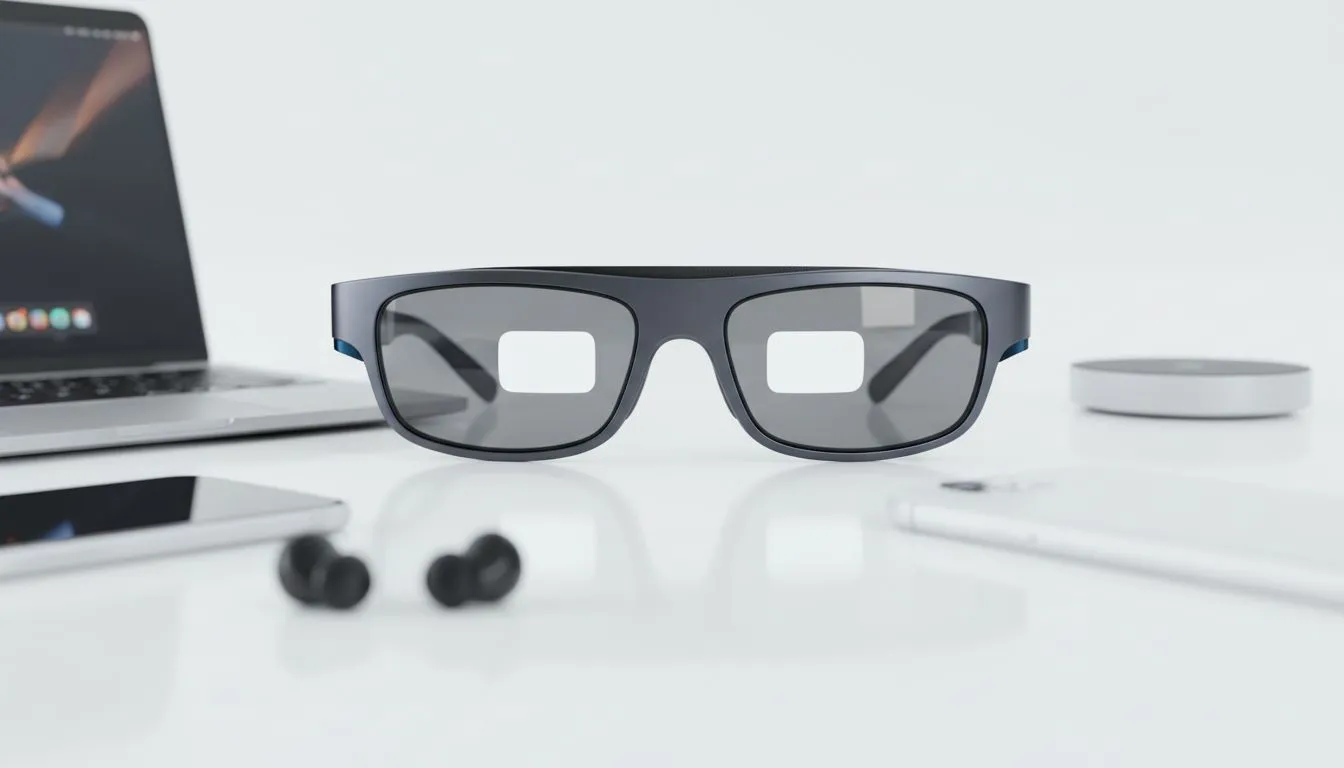
Ever tried gaming on a Gautrain commute only to squint at a tiny handheld screen? The XREAL One Pro changes the layout of your digital world. It offers a massive virtual display that fits in your pocket. However, XREAL One Pro compatibility depends heavily on your hardware's output capabilities. Let’s break down which devices actually deliver the best performance for South African tech enthusiasts. 🚀
The most important factor is the USB-C port on your host device. It must support DisplayPort Alternate Mode (DP Alt Mode). Without this, the glasses cannot receive a video signal directly. Most modern flagship smartphones and high-end laptops include this feature. If you are browsing the latest AR glasses available locally, always verify your port specs first.
For older devices or those without DP Alt Mode, you might need the XREAL Beam. This accessory acts as a bridge. It expands compatibility to almost anything with an HDMI output. This includes older consoles and even some budget-friendly laptops.
South Africa has seen a massive surge in handheld gaming. Devices like the Steam Deck and ROG Ally are perfect partners for AR. These handhelds support XREAL One Pro compatibility natively. You simply plug the glasses into the USB-C port. The handheld treats the glasses as an external monitor.
This setup is perfect for long sessions. You can keep your head in a comfortable position... no more "gamer neck" from leaning over a small screen. If you are looking for specific AR glasses models to pair with your Ally, the One Pro is a top-tier choice.
For PlayStation 5 or Xbox Series X users, the process is slightly different. You will need an HDMI to USB-C adapter that supports power injection. This allows the glasses to draw power while receiving the high-quality video feed from your console. It turns your lounge into a private cinema... even if the family is using the main TV.
Always use the original cable provided with your XREAL glasses. Many standard USB-C charging cables do not have the bandwidth required for high-resolution video data. If you need a replacement, ensure it is rated for at least 10Gbps data transfer and 4K video output to maintain the best image quality.
Mobile compatibility has improved significantly with recent releases. The iPhone 15 and 16 series now feature USB-C ports with DP Alt Mode. This makes XREAL One Pro compatibility seamless for Apple users. You can mirror your screen or use apps designed for spatial environments. ⚡
Android users with Samsung Galaxy S-series devices get an added bonus. Samsung DeX works brilliantly with these glasses. It transforms your phone into a desktop-like environment on a massive virtual screen. This is ideal for working on documents or watching Netflix while travelling between Cape Town and Pretoria.
When investing in premium AR solutions, laptop users should check their Thunderbolt or USB4 ports. Most MacBooks from the last few years work perfectly. Windows ultrabooks usually support this too. It allows you to have multiple virtual monitors floating in space. This boosts productivity without needing a massive desk setup. ✨
Ready to Elevate Your Visual Experience? XREAL One Pro compatibility opens up a world of private, high-resolution gaming and productivity. Whether you are on a flight or relaxing at home, these glasses offer unparalleled immersion. Explore our full range of AR glasses and accessories at Evetech and step into the future of display technology today.
Most Android phones with USB-C DisplayPort Alt Mode work best. Check best phones for XREAL One Pro and confirm USB-C video output and PD support.
iPhone support is limited. Some models may output video via Apple adapters. Review XREAL One Pro iPhone compatibility and adapter requirements.
Yes. PCs and laptops with USB-C DP Alt Mode or DisplayPort/HDMI via reliable adapters support it. See XREAL One Pro PC compatibility notes.
Compatibility varies. Steam Deck can output via its dock or USB-C with DP Alt Mode; Nintendo Switch requires a compatible dock/adapter.
You need USB-C with DisplayPort Alt Mode or a quality HDMI-to-USB-C adapter. Power delivery and high-quality cables ensure stable connections.
Official wireless options are limited. Third-party wireless adapters may add latency — check XREAL One Pro wireless adapters compatibility before buying.
Use direct USB-C DP Alt Mode, avoid hubs, choose a high-quality USB-C cable, and set the device to the highest supported refresh and resolution.
GTA 6 Max Settings on RTX 5070. Tested & verified settings for best FPS and visual quality on SA hardware budgets.
Read more
Cyberpunk 2077 Max Settings on RTX 5080. Tested & verified settings for best FPS and visual quality on SA hardware budgets.
Read more
Starfield Max Settings on RTX 5070 Ti. Tested & verified settings for best FPS and visual quality on SA hardware budgets.
Read more
Can RTX 4080 Super Run AI Workloads for SA Developers Detailed answer with SA data, expert analysis & practical recommendations for local buyers.

Can RTX 4090 Run AI Workloads for SA Developers Detailed answer with SA data, expert analysis & practical recommendations for local buyers.

Top Settings for Intel Arc B580 at Ultrawide 1440p picks evaluated on performance, value & SA availability with current Rand pricing from Evetech.

RX 7600 Overclocking Guide: Safe OC Settings for. Real-world benchmark data, FPS numbers & performance analysis. What SA gamers can actually expect.

RTX 4060 CS2 Low Settings at 1080p: FPS Results. Real-world benchmark data, FPS numbers & performance analysis. What SA gamers can actually expect.

Visual Artifacts: Possible GPU Issue Issue #1. Diagnosis steps, proven fixes & when to seek professional help. SA-specific support info included.

Can the RTX 4090 Handle 1440p 144Hz Gaming. Performance testing verdict with real data & practical recommendations for SA buyers.

Top ASUS GPU Under R15000 picks evaluated on performance, value & SA availability with current Rand pricing from Evetech.
GTA 6 Max Settings on RTX 5070. Tested & verified settings for best FPS and visual quality on SA hardware budgets.
Cyberpunk 2077 Max Settings on RTX 5080. Tested & verified settings for best FPS and visual quality on SA hardware budgets.
Starfield Max Settings on RTX 5070 Ti. Tested & verified settings for best FPS and visual quality on SA hardware budgets.

Top RTX 5090 Under R5000 picks evaluated on performance, value & SA availability with current Rand pricing from Evetech.