



Best Keyboard Settings for Esports: CS2, Valorant & Apex Legends
Discover the best keyboard settings for esports to dominate CS2, Valorant, and Apex Legends. Unlock rapid trigger, actuation points, and polling rates for peak competitive performance! 🚀🎮
|
Loading tags...
Ever lost a crucial 1v1 in CS2 because your strafe felt sluggish? Or fumbled a Valorant ult because your fingers couldn't find the key? You're not alone. In South Africa's competitive scene, where every millisecond counts, your gear is only half the battle. The other half is dialling in the best keyboard settings for esports, a step many local gamers overlook. Let's fix that and give you the edge you need to climb the ranks. 🚀
Why Your Default Keyboard Settings Are Holding You Back
Straight out of the box, your keyboard is set up for typing, not for clutching a 1v3 on Anubis. Default Windows settings prioritise a smooth typing experience, not the instant, razor-sharp response needed for competitive gaming. Things like input delay, key repeat rates, and disabled gaming features can create a tiny... yet fatal... gap between your command and the in-game action.
Optimising these settings is a free performance boost. It ensures your hardware is working for you, not against you. While the perfect settings won't magically make you a pro, they create the ideal foundation for your skill to shine through, especially when paired with one of the top-tier gaming keyboards designed for performance.

Glorious Panda Mechanical Keyboard Switches - Lubed / Tactile Style / Compatible with all GMMK Models / 36 switches per pack / SMD RGB light hole for RGB compatibility / GLO-SWT-HPANDA-LUBED
R699.00In Stock

HP 650 Wireless Keyboard and Mouse Combo - Black / Sleek, Stylish & Comfortable / Customize to Optimize / Long Battery Life / 4R013AA
R1299.00In Stock
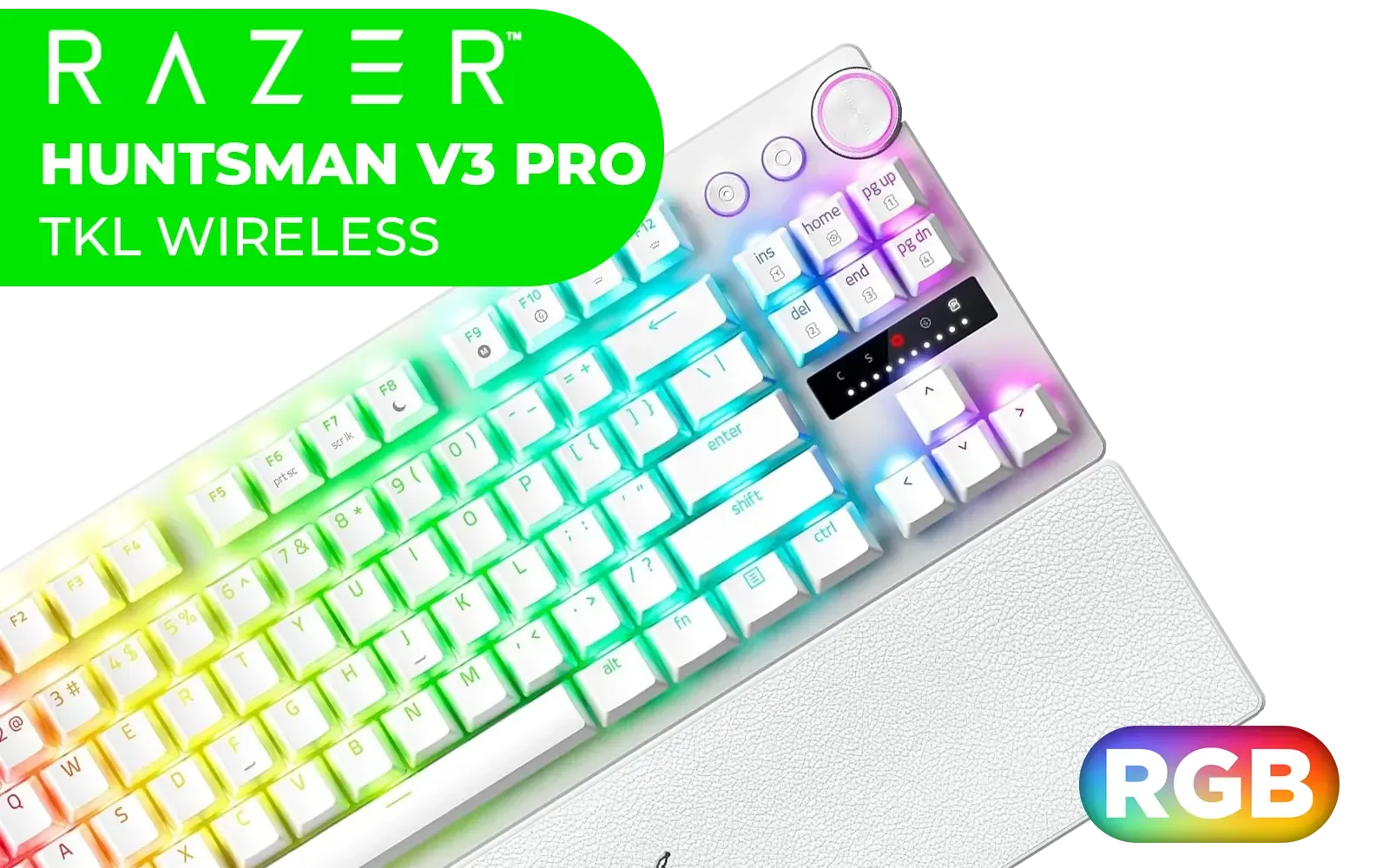
Razer Huntsman V3 Pro Tenkeyless - TKL Analogue Optical Esports PC Keyboard (Onboard Settings, Multifunction Wheel with 2 Dedicated Keys, PBT Keycaps) QWERTY US Layout | White / RZ03-04981700-R3M1
R5999.00In Stock

Razer Ornata V3 TKL Gaming Keyboard: Low-Profile Keys - Mecha-Membrane Switches - UV-Coated Keycaps - Backlit Media Keys - 8-Zone RGB Lighting - Spill-Resistant - Magnetic Wrist Wrest - Classic Black / RZ03-04880100-R3M1
R1799.00In Stock

Glorious Aura V2 145-Key PBT Mechanical Keyboard Keycaps - White / Full-size standard 145 Key / PBT Keys / LED Light Compatible / US Layout / Fits most mechanical keyboards / Compatible with GMMK 2 & GMMK PRO / <span style="color:red; font-size: 16px;">*Keyboard not Included*</span> / GLO-KC-AURA2-W
R599.00In Stock

Glorious GSW-100 Full Size Slim Keyboard Wrist Rest - Black / GSW-100
R349.00In Stock
Universal Keyboard Settings for Any Esports Title
Before we dive into game-specific tweaks, let's get your system-level settings sorted. These changes will improve responsiveness across CS2, Valorant, Apex, and any other competitive title you play.
Tweak Your Windows Settings
First, let's banish the dreaded "Sticky Keys" pop-up forever. Go to Windows Settings > Accessibility > Keyboard and turn off Sticky Keys, Filter Keys, and Toggle Keys. These features are designed for accessibility but can wreak havoc during intense gameplay.
Next, search for "Keyboard" in the Windows search bar to open Keyboard Properties. Set the "Repeat delay" to Short and the "Repeat rate" to Fast. This makes your keys feel much more responsive when held down. Even on an affordable gaming keyboard, these small changes make a noticeable difference.
TIP FOR YOU
Check Your Polling Rate ⚡
Most modern gaming keyboards allow you to set a polling rate, usually via their software (e.g., Razer Synapse, Corsair iCUE). This is how often your keyboard reports its status to your PC. Always set this to the highest value available, typically 1000Hz. A higher polling rate means lower input latency, giving you a slight but crucial advantage.
Game-Specific Keyboard Settings for SA Players
Now for the fun part. Each game has its own unique demands. Here are some of the best keyboard settings for esports titles popular in South Africa.
CS2: Raw Input & Crisp Movement
Counter-Strike is all about precision. Your settings need to reflect that.
- Enable Raw Input: This is non-negotiable. In your game settings, ensure "Raw Input" is ON. This makes the game read data directly from your mouse and keyboard, bypassing any Windows processing that could add delay.
- Movement Keys: Standard WASD is king, but ensure your keyboard has N-Key Rollover. This allows you to press multiple keys at once without any of them being missed... essential for complex counter-strafing. The feel of your movement comes down to having responsive keyboard switches that actuate exactly when you want them to.
- Essential Binds: Bind your grenades to dedicated keys (e.g., F for Flashbang, C for Smoke, V for Molotov) for instant access. Don't rely on scrolling through them.

Razer Mechanical Switches Replacement Pack for Gaming Keyboard: Gen-3 Orange Tactile Switches - 2.0mm Actuation Point at 50g - Transparent Housing - 3 Pin - Box-Style Cross Stem - 36 pcs / RC21-02040300-R3M1
R699.00In Stock

Glorious Gaming Wrist Pad/Rest - Compact - Mechanical Keyboards, Stitched Edges, Ergonomic | 12x4 inches/ (0.7in/17mm) Thickness (GSW-75)
R349.00In Stock
Razer Huntsman V3 Pro Tenkeyless - TKL Analogue Optical Esports PC Keyboard (Onboard Settings, Multifunction Wheel with 2 Dedicated Keys, PBT Keycaps) QWERTY US Layout | White / RZ03-04981700-R3M1
R5999.00In Stock

Mad Catz The Authentic S.T.R.I.K.E. 13 RGB Mechanical Gaming Keyboard — Cherry MX Red switches - Anti-ghosting Technology - Customizable Per-Key RGB Backlighting - Compact 96-Key Layout / KS83MMUSBL000-0
R1699.00In Stock
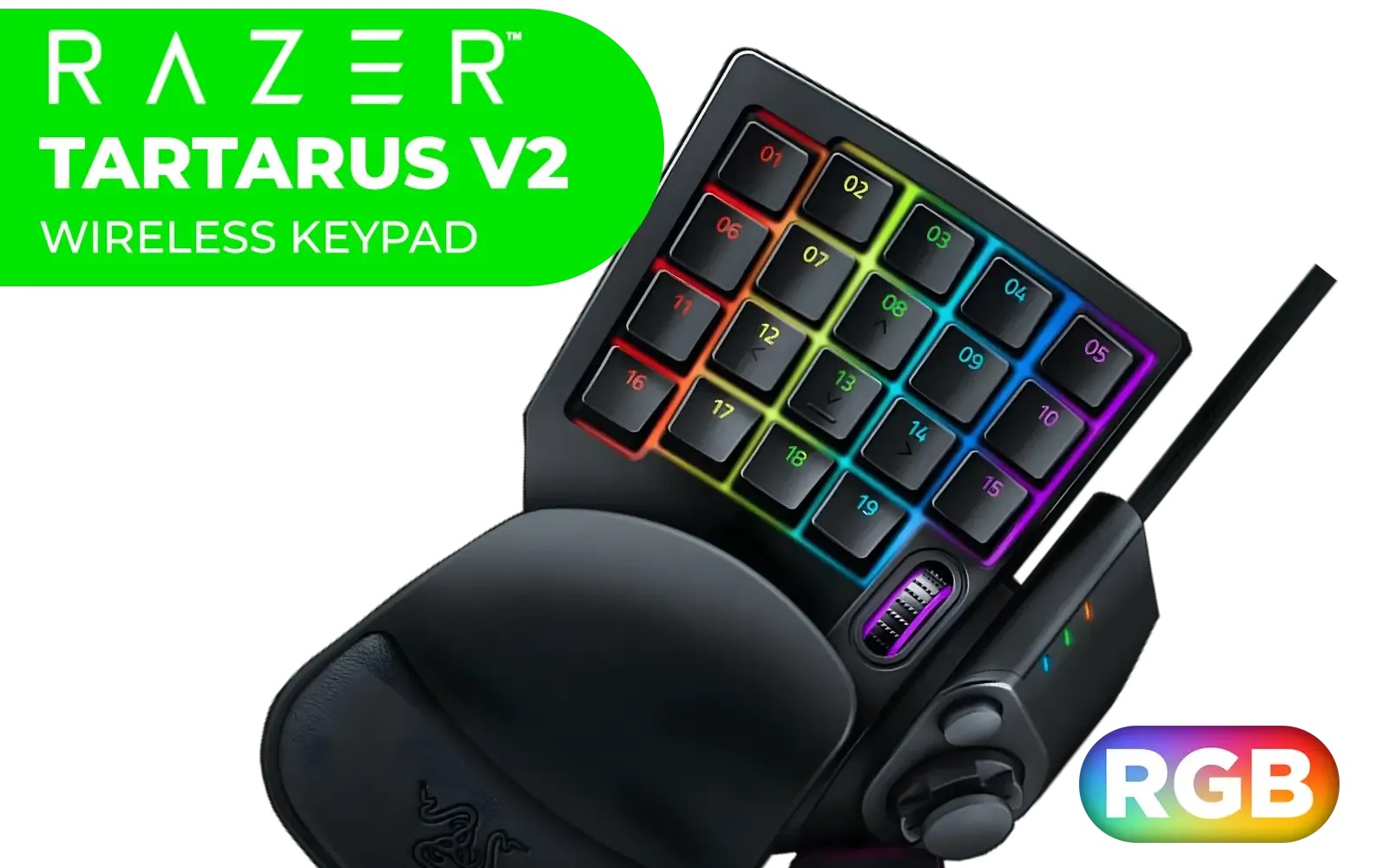
Razer Tartarus V2 Chroma Gaming Keypad / Mecha-Membrane switches / Programmable Keys / Ergonomic Design / Detachable palm rest / RZ07-02270100-R3M1
R2199.00In Stock

Glorious Kailh COPPER Mechanical Keyboard Switches / 120 Pack / Compatible with the GMMK & GMMK PRO / Compatible with Cherry/Gateron/Kailh based keyboards / Plate Mounted / Transparent Switch Housing / SMD Led Compatible / KAI-COPPER
R849.00In Stock
Valorant: Fast Abilities & Agent Control ✨
Valorant is a frantic mix of gunplay and abilities. Your binds should make using abilities feel like a reflex.
- Ability Keys: Keep your primary abilities on easy-to-reach keys like Q, E, and C. Many players bind their ultimate (default X) to a side mouse button or another key that doesn't require them to move their fingers off WASD.
- Customise for Comfort: Don't be afraid to experiment. If you find the default binds awkward, change them. Using custom keycaps with different colours or textures for your ability keys can also help build muscle memory faster.
- Walk & Crouch: Keep Walk on L-Shift and Crouch on L-Ctrl. This is a standard layout for a reason... it works.
Apex Legends: Mastering Advanced Movement
Apex is defined by its fast-paced, fluid movement. Your settings should make actions like shield swapping and tap-strafing effortless.
- Scroll Wheel Binds: A classic Apex trick is to bind "Move Forward" to your mouse wheel scroll up/down (as a secondary bind). This is the secret to consistent tap-strafing. Also, bind "Jump" to scroll wheel down for easier bunny hopping.
- Healing: Use the healing wheel (default 4), but also consider binding specific items like Shield Cells to a single key for quick armour regeneration under pressure.
- Comfort is Key: Apex sessions can be long and intense. Using a comfortable wrist rest can reduce fatigue, helping you stay focused during that final ring battle.

Logitech® G515 TKL Lightspeed Wireless Gaming Keyboard - Tactile Switches / Factory-Lubed Switches / Low-Profile Double-Shot PBT Keycaps / Tri-Mode Connectivity / Lightsync RGB — Black / 920-012538
R2779.00In Stock

Logitech MK295 Wireless Keyboard And Mouse Combo / Long Battery Life / Durable And Reliable / Full-Size, Spill-Resistant Design / 920-009800
R569.00In Stock

Razer Ornata V3 Gaming Keyboard: Low-Profile Keys - Mecha-Membrane Switches - 10-Zone RGB Lighting - Spill-Resistant - Magnetic Wrist Wrest - Classic Black - RZ03-04460100-R3M1
R1499.00In Stock

Glorious GPBT 114-Keys Premium PBT Mechanical Keyboard Keycaps - Black Ash / Compatible with GMMK PRO & GMMK 2 / Fits Most Full-size/TKL Compact Keyboards / Non-Transparent Keycaps / US Layout / <span style="color:red; font-size: 16px;">*Keyboard not Included*</span> / GLO-KC-GPBT-B
R799.00In Stock

Glorious Panda Mechanical Keyboard Switches - Tactile / Compatible with all GMMK Models / 36 switches per pack / SMD RGB light hole for RGB compatibility / GLO-SWT-HPANDA
R499.00In Stock

Glorious GPBT 114-Keys Premium PBT Mechanical Keyboard Keycaps - Arctic White / Compatible with GMMK PRO & GMMK 2 / Fits Most Full-size/TKL Compact Keyboards / Non-Transparent Keycaps / US Layout / <span style="color:red; font-size: 16px;">*Keyboard not Included*</span> / GLO-KC-GPBT-W
R799.00In Stock
Does Your Gear Match Your Settings?
Optimising your esports keyboard settings is a massive step, but it's most effective when your hardware can keep up. A mushy, unresponsive membrane keyboard will always be a bottleneck, no matter how perfect your binds are.
Mechanical keyboards offer superior speed, consistency, and durability. Whether you prefer the lightning-fast linear switches for CS2 or the satisfying bump of tactile switches for Valorant, there's a perfect fit for your playstyle. Many of the best deals come in the form of complete keyboard and mouse combos, giving you a full competitive upgrade in one go.
Ready to Upgrade Your Arsenal? Perfect settings need the right hardware. From lightning-fast optical switches to customisable layouts, the right keyboard can unlock your true potential. Explore our massive range of gaming keyboard deals and find the perfect board to dominate the server.
Related Products

GLORIOUS Polychroma Keycaps: Clear for RGB Shine Through for Mechanical Gaming Keyboards, 115 Keys, Translucent Cherry Profile / GLO-KC-POLY-RGB
R799.00In Stock

Razer Huntsman V2 Optical Gaming Keyboard - Clicky Purple Switch / Doubleshot PBT keycaps / 100 Million Keystroke Lifespan / HyperPolling Technology / Up to true 8000 Hz Polling Rate / Fully programmable keys / Gaming mode option / Aluminum matte top plate / RZ03-03930300-R3M1
R2499.00In Stock

SteelSeries Apex 9 Mini – HotSwap Optical Mini Keyboard – 60% Compact Design – Optical Switches – RGB Customization – Aluminum Alloy Frame – Double Shot PBT Keycap / 64837
R1599.00In Stock

Glorious GMMK Compact RGB Modular Mechanical Gaming Keyboard - Barebone Edition - 61 Key / US Layout / Mechanical Switch - Required, Not Included / Switches - Required, Not Included / Keycaps - Required, Not Included / / GMMK-COMPACT-RGB
R1349.00In Stock
Razer Ornata V3 Gaming Keyboard: Low-Profile Keys - Mecha-Membrane Switches - 10-Zone RGB Lighting - Spill-Resistant - Magnetic Wrist Wrest - Classic Black - RZ03-04460100-R3M1
R1499.00In Stock
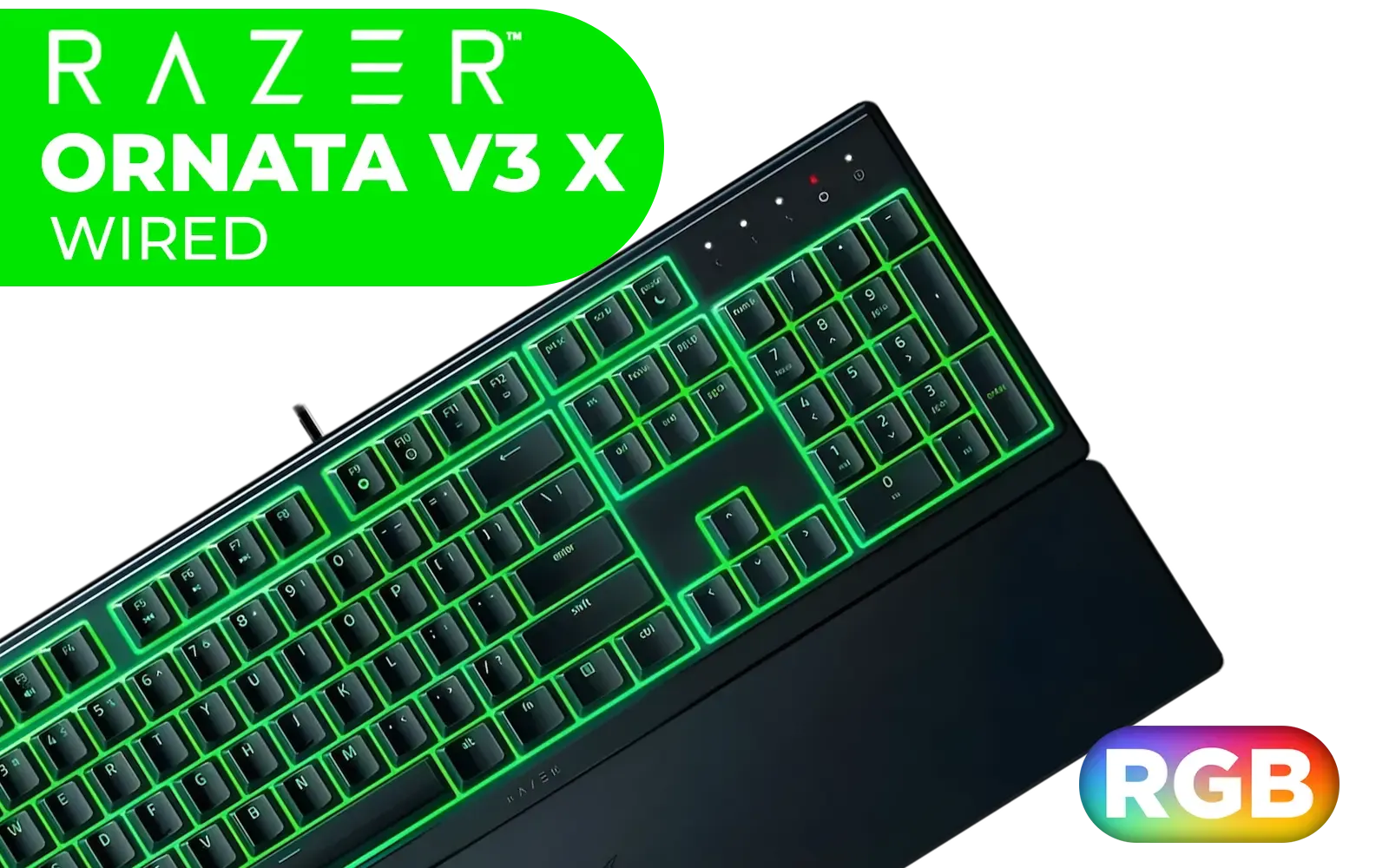
Razer Ornata V3 X Gaming Keyboard: Low-Profile Keys - Silent Membrane Switches - UV-Coated Keycaps - Spill Resistant - Chroma RGB Lighting - Ergonomic Wrist Rest - Classic Black / RZ03-04470100-R3M1
R1199.00In Stock
For Valorant, a low actuation point between 0.1mm and 0.4mm is ideal for instant strafing response, especially when paired with Rapid Trigger features.
Yes, a 1000Hz polling rate is standard, but 4000Hz or 8000Hz offers slightly lower latency for smoother inputs and micro-adjustments in competitive CS2 matches.
Rapid Trigger resets keys immediately upon release rather than at a fixed point, allowing for faster key spamming and precise counter-strafing in FPS games.
Set a sensitive actuation point for movement keys to aid wall bounces and tap-strafing, while leaving ultimate or tactical keys slightly heavier to prevent misclicks.
Legality varies; Valve recently restricted hardware-based SOCD (Snap Tap) automation in CS2, so always verify current tournament rules before enabling specific scripts.
Magnetic (Hall Effect) or optical switches are best for esports as they allow for adjustable actuation points and Rapid Trigger, unlike traditional mechanical switches.











