Best Monitor for Entry Level Gaming PC: South Africa Guide
Searching for the best monitor for entry level gaming PC setups? 🖥️ Don't overspend on specs your GPU can't handle. We guide you through 1080p sweet spots, refresh rates, and budget-friendly picks available in South Africa. 🇿🇦 Unlock smooth gameplay today!
|
Loading tags...
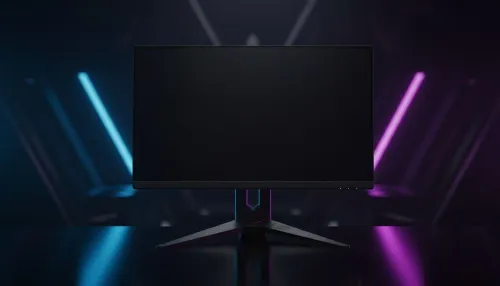
So, you've just built your first gaming PC. Howzit! The excitement is real. You've got the case, the GPU is humming, but now you're staring at a massive decision: the monitor. Don't just grab any old screen. Choosing the best monitor for your entry-level gaming PC is one of the most important calls you'll make. It’s the window to your digital worlds, and the right one makes your new rig feel truly next-gen. Let's find your perfect match.
Key Specs for Your First Gaming Monitor
When you're starting out, it's easy to get lost in a sea of technical jargon. Forget the noise. For an entry-level gaming PC in South Africa, you only need to focus on three core things: Resolution, Refresh Rate, and Response Time. Nailing this balance is the secret to finding a brilliant budget monitor for gaming.
Resolution: 1080p is Your Best Friend
While the marketing for flashy 5K and 4K monitors is tempting, pairing one with an entry-level graphics card is like putting bicycle wheels on a bakkie. Your GPU will struggle to push that many pixels, leading to low frame rates.
For budget to mid-range builds, 1920x1080 (Full HD or 1080p) is the undisputed champion. It delivers a sharp, clear image and allows your graphics card to hit high, stable frame rates for a buttery-smooth experience. It's the performance sweet spot.
Refresh Rate (Hz): The Higher, The Better
Refresh rate, measured in Hertz (Hz), is how many times your screen updates per second. A standard office monitor is 60Hz. For gaming, that's the bare minimum. A higher refresh rate makes motion look incredibly fluid, giving you a competitive edge in fast-paced games like Apex Legends or Valorant.
- 75Hz: A good step up from 60Hz.
- 144Hz+: The gold standard for entry-level gaming. The difference is night and day. Once you experience 144Hz, you'll never go back.
Response Time (ms): Eliminating Blur
Response time, measured in milliseconds (ms), dictates how quickly a pixel can change colour. A low response time (like 1ms) reduces motion blur and "ghosting," where you see a faint trail behind moving objects. For competitive gaming, a fast response time is non-negotiable. For story-driven games, anything under 5ms is perfectly fine.
TIP FOR YOU
Don't Forget Adaptive Sync! ⚡
Look for monitors with AMD FreeSync or NVIDIA G-Sync compatibility. This technology synchronises your monitor's refresh rate with your graphics card's frame output, eliminating ugly screen tearing and stuttering. Most modern gaming monitors support at least one, and it makes a huge difference for smooth gameplay.
Panel Types and Extra Features
Beyond the core specs, the type of panel and other features can shape your experience. There’s no single "best" option; it’s about what you value most.
Do you crave an immersive experience for games like Starfield or Cyberpunk 2077? A screen that wraps around your field of view can pull you right into the action. Check out the latest curved monitors to see how they can transform your setup. While not essential, they add a serious cool factor. ✨
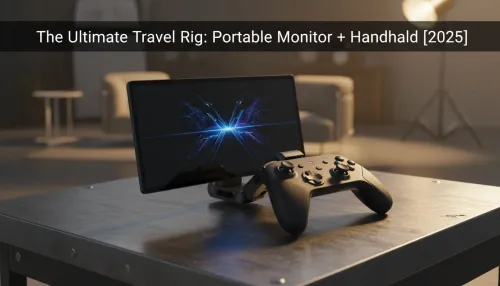
For those who attend LAN parties or need a second screen for their laptop, a niche but growing category is portable monitors. They offer plug-and-play convenience for gaming on the go.
Final Touches for the Perfect Setup
Finding the best monitor for an entry-level gaming PC is the biggest step, but don't forget the details. A good monitor arm can free up desk space and give you perfect ergonomic positioning. High-quality DisplayPort or HDMI cables ensure you're getting the signal your PC is putting out. Investing in a few key monitor accessories can elevate your entire battle station.
Ultimately, the goal is to match your monitor's capabilities to your PC's power. A balanced setup is a happy setup. By focusing on a 1080p resolution with a high refresh rate, you'll have a fantastic foundation for years of gaming. You can browse a wide variety of PC monitors to see what fits your budget and style. 🚀
Ready to Find Your Perfect Match? Choosing the right screen is the final, crucial step to unlocking your new PC's potential. Explore our massive range of gaming monitors and find the perfect display to conquer your world.
1080p (Full HD) is the ideal resolution for entry-level PCs, ensuring high frame rates without stressing budget graphics cards like the GTX 1650 or RX 6400.
Yes, especially in competitive titles like Valorant. However, in heavy AAA games, a budget gaming monitor running at 75Hz might be a more realistic target.
Curved monitors add immersion but often cost more. A flat 24-inch IPS panel usually offers better value and color accuracy for budget gaming monitors.
Not strictly. Look for FreeSync support, which is common in affordable gaming monitors and works with most modern GPUs to prevent screen tearing.
A 24-inch monitor is the sweet spot for 1080p gaming, offering sharp pixel density and fitting perfectly on smaller desks common in entry-level setups.
For casual story games, yes. However, aiming for at least 75Hz or 100Hz provides a noticeably smoother experience on an entry-level gaming setup.
Related Articles