



Intel Core i3 vs i5 Laptops: Which Processor Fits Your Budget?
Struggling to decide? Our Intel Core i3 vs i5 laptop comparison breaks down performance, multitasking, and cost. 💻 Find out which processor handles your daily tasks best without breaking the bank! 🚀 Discover the perfect balance of speed and value.
|
Loading tags...

Staring at two laptops, trying to figure out the real-world difference between an Intel Core i3 and a Core i5? We’ve all been there. The price gap in South Africa can be a few thousand Rand, and you’re wondering… is the i5 really worth the extra cash for your daily grind or after-hours gaming session? Let’s break down the Intel Core i3 vs i5 laptop choice so you can spend your money wisely and get the performance you actually need.


Understanding the Core Differences: i3 vs i5
At a glance, i3 and i5 sound similar, but the numbers tell a story about performance. Think of it like a car engine. The Core i3 is a reliable four-cylinder for getting around town, while the Core i5 is a zippy turbo-charged engine that gives you extra power when you need to overtake.
Here’s the simple breakdown:
- Cores & Threads: Cores are like individual workers in your processor. More cores mean your laptop can handle more tasks at once without slowing down. Modern Core i5 processors almost always have more cores and threads than their Core i3 counterparts, making them multitasking champs.
- Clock Speed & Turbo Boost: Measured in gigahertz (GHz), clock speed is how fast a core can process instructions. While base speeds might look similar, most Core i5 CPUs feature Intel's Turbo Boost technology. This lets the processor automatically speed up for demanding tasks, like loading a game or exporting a video... a feature often limited or absent on an i3.
- Cache: This is a small amount of super-fast memory on the CPU itself. A Core i5 typically has a larger cache, allowing it to access frequently used data much quicker, which results in a snappier overall experience.
Who is the Intel Core i3 Laptop For? 💰
The Intel Core i3 processor is the king of value. If your daily computer use involves browsing the web, sending emails, streaming Netflix, and working on Microsoft Office documents, an i3-powered machine is more than capable. It’s the perfect engine for students, professionals working from home, and anyone who needs a reliable, no-fuss laptop for everyday tasks.
An Intel Core i3 laptop offers fantastic performance for its price point, handling standard productivity and entertainment without breaking a sweat. While it won’t be running the latest AAA games on high settings, it can certainly handle casual titles like Minecraft or League of Legends. For a machine that nails the essentials, it's a smart, budget-friendly choice. You can check out the latest Intel laptops on special to see just how much performance you can get for your money.

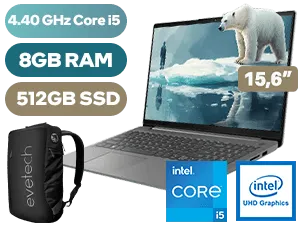
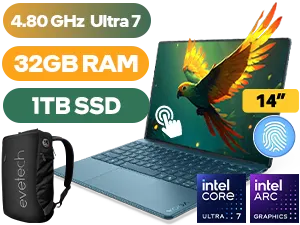
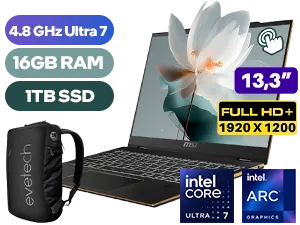
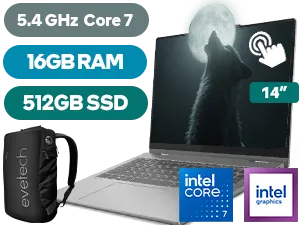
When Should You Upgrade to a Core i5 Laptop? 🚀
You should consider stepping up to an Intel Core i5 if your needs go beyond the basics. Are you the type of person who has 20+ browser tabs open while streaming music and chatting on Discord? That's where the extra cores of an i5 make a huge difference.
An Intel Core i5 laptop is the sweet spot for performance and price. It’s ideal for:
- Serious Multitasking: Juggling multiple applications smoothly.
- Content Creation: Working with large photos in Adobe Photoshop or doing light video editing.
- Mainstream Gaming: When paired with a decent graphics card (GPU), a Core i5 is the foundation for a brilliant 1080p gaming experience. It provides the power needed to run modern titles without bottlenecking your GPU.
If you're looking for a machine that can handle both work and play, investing in an i5 is a wise move. It provides a significant performance uplift that you'll feel every day, especially when you push it. This is particularly true if you explore some of our best gaming laptop deals, where the Core i5 is often the star of the show.
TIP FOR YOU
Don't Forget the Supporting Cast! 💻
A powerful CPU is great, but it's only one part of the performance puzzle. For a snappy, responsive laptop, make sure it also has at least 8GB of RAM (16GB is ideal for gaming) and a Solid State Drive (SSD) instead of an old-school hard drive. An SSD makes booting up, loading apps, and transferring files lightning-fast.
The Final Verdict for South African Buyers
So, when it comes to the Intel Core i3 vs i5 laptops debate, there’s no single "best" answer... just the best one for you.
- Choose the Core i3 if: Your budget is your main priority, and your tasks are focused on browsing, streaming, and office work. It’s a fantastic value proposition.
- Choose the Core i5 if: You're a multitasker, a budding content creator, or a gamer. The extra investment in ZAR pays off with a much smoother, faster, and more future-proof experience.
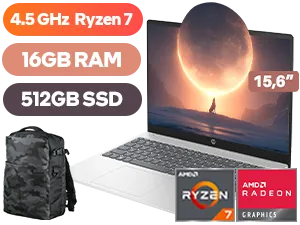
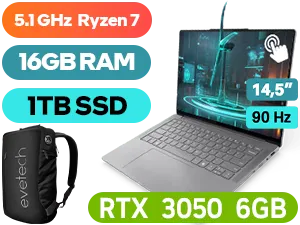
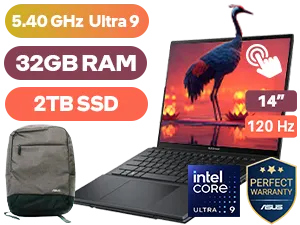
Ultimately, the decision rests on how you'll use your machine. While we've focused on Intel here, it's also worth noting that there are many great value AMD laptops that offer competitive performance at similar price points. The goal is to get the most power for your Rand.
Ready to Find Your Perfect Match? The Intel Core i3 vs i5 laptop debate comes down to your needs and budget. Whether you're after everyday value or a multitasking powerhouse, we've got the machine for you. Explore our massive range of laptop specials and find the perfect CPU to conquer your world.
Related Products
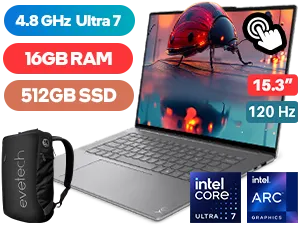
Lenovo Yoga Slim 7 16GB/512GB Ultra 7
R29,999In Stock
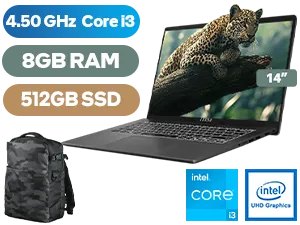
MSI Modern 14 8GB/512GB Core i3
R8,299In Stock

Microsoft Surface 7 16GB/512GB Snapdragon X Plus
R28,999In Stock
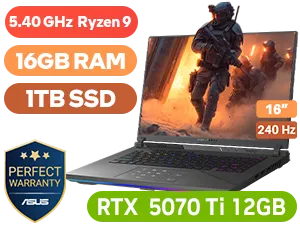
ASUS ROG Strix G16 16GB/1TB Ryzen 9
R47,999In Stock

HP Victus 15 8GB/512GB Ryzen 5
R11,999In Stock
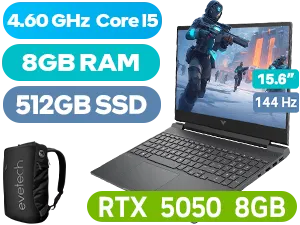
HP Victus 15-fa2013ni 8GB/512GB
R21,499In Stock
Yes, an Intel Core i3 is perfect for web browsing, streaming, and basic Microsoft Office tasks, offering excellent value for casual users and students.
Generally, yes. The i5 offers higher clock speeds, Turbo Boost technology, and often more cores, making it superior for multitasking and heavier applications.
You can play light indie games or older titles, but for modern gaming, an i5 paired with a dedicated GPU is significantly better for frame rates.
For essays and research, an i3 is sufficient. However, engineering or design students running complex software should opt for an i5 for smoother performance.
Laptops with i5 chips typically cost roughly $100-$200 more than comparable i3 models, though this varies based on generation, RAM, and storage specs.
Often yes, as higher performance draws more power. However, modern Intel chips are optimized for efficiency, so the difference in daily use is minimal.











