



Online Gaming Latency: Why It Matters and How to Lower It
Online gaming latency directly affects responsiveness and win rates — learn practical tests and fixes to measure and reduce latency for smoother multiplayer play 🎮⚡
|
Loading tags...
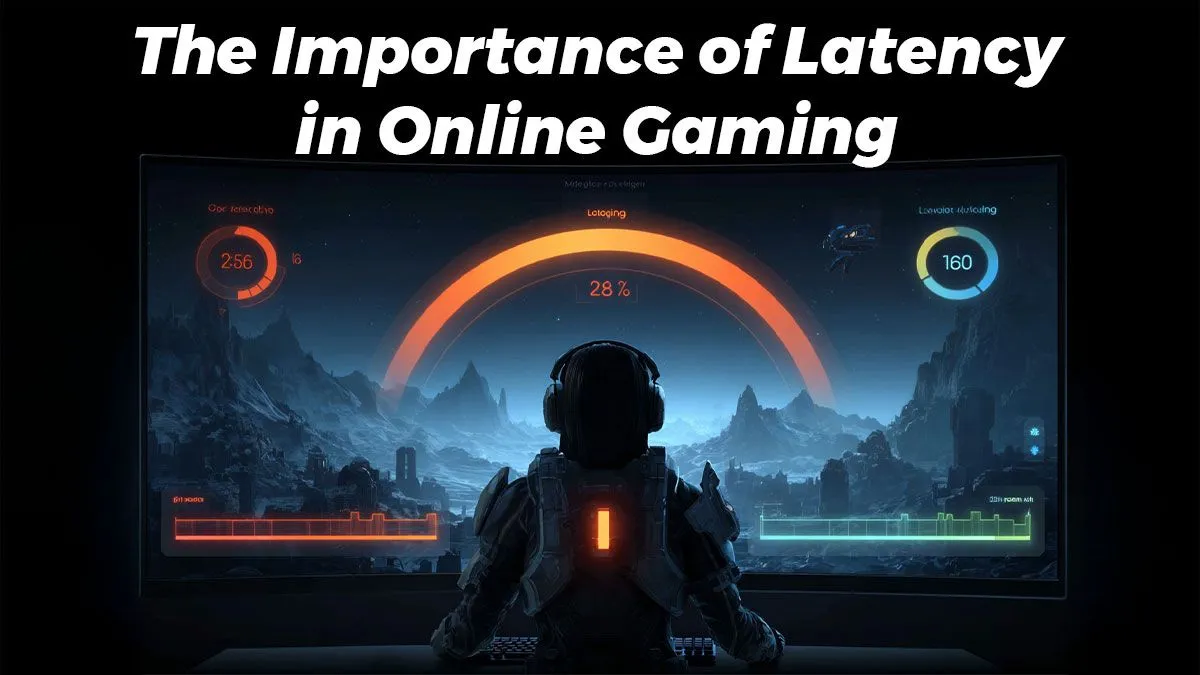
You’ve lined up the perfect headshot. You click… and for a split second, nothing happens. Then, the dreaded lag spike hits, and you’re staring at the respawn screen. Sound familiar? That’s not your aim failing you; it’s the silent killer of any competitive match: online gaming latency. For South African gamers, understanding and conquering this digital delay is the key to climbing the ranks. Let's dive into why it matters and how you can lower it.

Intel Core Ultra 9 285K 5.7GHz RTX 5090 32GB DDR5 Gaming PC
R80114.00In Stock
Intel Core Ultra 5 245K 5.2GHz RTX 5060 Ti 16GB DDR5 Gaming PC
R30449.00In Stock

RYZEN 5 8400F 4.7GHz GT 710 2GB DDR5 Workstation PC
R10079.00In Stock

RYZEN 5 9600X 5.4GHz A1000 8GB DDR5 Workstation PC
R25199.00In Stock

RYZEN 9 9900X 5.6GHz RTX PRO 6000 96GB DDR5 Next Gen Workstation PC
R210524.00In Stock

RYZEN 5 9600X 5.2GHz ARC B580 12GB DDR5 Gaming PC
R21419.00In Stock
Understanding Online Gaming Latency (aka Ping)
So, what exactly is online gaming latency? Think of it as the travel time for your game's data. When you press a key, that command travels from your PC to the game server and back again. The time this round trip takes, measured in milliseconds (ms), is your "ping." A lower ping means a more responsive, real-time experience.
Bandwidth (your internet speed) is how much data you can download or upload at once, but latency is how fast that data travels. You can have a super-fast fibre line, but if your latency is high, you'll still experience frustrating delays. In fast-paced games like Apex Legends or CS:GO, high online gaming latency means your opponent sees you and reacts before their actions even appear on your screen.
Key Causes of High Latency in South Africa
For us Saffas, a few common culprits are responsible for high ping. The most significant is often the physical distance to game servers. If you're connecting to a server in Europe, your data has a long way to travel. But other factors are closer to home:
- Wi-Fi Woes: Wireless connections are convenient but prone to interference from walls, other devices, and even your neighbour's network.
- Network Congestion: If your family is streaming 4K movies while you're trying to clutch a round, your router is struggling to prioritise traffic, causing your ping to skyrocket.
- Outdated Hardware: An old PC or a budget router might not have the processing power or modern networking components to keep up.
Practical Steps to Lower Your Online Gaming Latency 🚀
Before you start blaming your ISP, there are several powerful tweaks you can make right now to reduce your online gaming latency.
![[Pre Built] AMD RYZEN 7 9700X RX 9070 XT Gaming PC](https://img.evetech.co.za/repository/ProductImages/ryzen-7-9700-x-rx-9070-xt-gaming-pc-pbs-main-1600px-v2.png)
[Pre Built] AMD RYZEN 7 9700X RX 9070 XT Gaming PC
R39794.00In Stock
AMD RYZEN 5 3400G 4.2GHz Radeon Vega PC
R5879.00In Stock

RYZEN 7 9800X3D 5.2GHz RTX 5080 16GB DDR5 Gaming PC
R51869.00In Stock

Intel Core Ultra 7 265K 5.5GHz RX 9070 XT 16GB DDR5 Gaming PC
R40109.00In Stock
![[Pre Built] AMD Ryzen 7 9800X3D RX 9070 XT Gaming PC](https://img.evetech.co.za/repository/ProductImages/ryzen-7-9800-x-3-d-rx-9070-xt-gaming-pc-48-gb-2-tb-nvme-main-1600px-v1.webp)
[Pre Built] AMD Ryzen 7 9800X3D RX 9070 XT Gaming PC
R69299.00In Stock

AMD RYZEN 5 8400F 4.7GHz RTX 5060 8GB DDR5 Budget Gaming PC
R17534.00In Stock
Optimise Your Home Network
This is your first line of defence. A stable home network is the foundation of a low-ping gaming experience. The single most effective change you can make is to switch from Wi-Fi to a wired Ethernet connection. It provides a more stable, faster, and lower-latency link directly to your router. Even our most accessible budget gaming PCs come equipped with high-quality Ethernet ports for this very reason.
TIP FOR YOU
Router Pro Tip 🔧
Most modern routers have a Quality of Service (QoS) setting. Log into your router's admin panel and prioritise traffic for your gaming PC's MAC or IP address. This tells your router to handle your game's data packets first, which can significantly reduce in-game latency, especially if others are streaming Netflix or downloading files on the same network.
Tidy Up Your Digital Space
Your PC might be working against you. Background applications like cloud sync services, automatic updates, and even some browser tabs can consume bandwidth without you realising it. Before you launch a game, take a moment to close unnecessary programs. A powerful machine can handle this multitasking better, and you’ll find that many of the best PCs under R20,000 have more than enough power to keep your system running smoothly.
Choose the Right Server and Hardware
Whenever possible, play on local South African servers. The reduction in physical distance will have a massive impact on your online gaming latency. When you do have to play on international servers, a high-performance PC becomes even more critical. A machine with a top-tier CPU and a modern motherboard can process network data more efficiently, making the experience feel smoother. This is where investing in PCs above R20,000 pays dividends, as they often feature advanced networking controllers built for competitive gaming.
AMD RYZEN 9 9900X 5.6GHz RTX 4000 Blackwell 24GB DDR5 Workstation PC
R56174.00In Stock

RYZEN 7 9700X 5.5GHz RX 9070 XT 16GB DDR5 Gaming PC
R37484.00In Stock
![[Pre Built] AMD RYZEN 9 9900X RX 9070 XT Gaming PC](https://img.evetech.co.za/repository/ProductImages/ryzen-9-9900-x-rx-9070-xt-gaming-pc-pbs-main-1600px-v1.webp)
[Pre Built] AMD RYZEN 9 9900X RX 9070 XT Gaming PC
R42524.00In Stock

Intel 14th Gen Core i3 14100F 4.7GHz ARC A380 6GB Gaming PC
R12599.00In Stock

RYZEN 7 5700 4.6GHz RTX 5060 Ti 16GB Budget Gaming PC
R20264.00In Stock
![[Pre Built] Intel Core Ultra 7 265KF RX 9070 XT Gaming PC](https://img.evetech.co.za/repository/ProductImages/intel-core-ultra-7-265-kf-rx-9070-xt-gaming-pc-pbs-main-1600px-v1.webp)
[Pre Built] Intel Core Ultra 7 265KF RX 9070 XT Gaming PC
R42209.00In Stock
When Your Hardware is the Final Bottleneck ✨
You've tried everything... you're on a wired connection, your software is optimised, but you're still experiencing lag spikes. At this point, it's time to look at your rig. An older PC, especially one with a dated motherboard or network card, can be the final bottleneck holding you back.
Modern gaming PCs are engineered from the ground up for low-latency performance. For a hassle-free solution, exploring pre-built PC deals ensures that every component is chosen to work in harmony, giving you a competitive edge straight out of the box. Ultimately, the most reliable way to crush high online gaming latency is by using hardware that's built for the job. Investing in a solid rig is an investment in your victory. Check out the best gaming PC deals to find a machine that will keep your ping low and your K/D ratio high.
Ready to Conquer Lag for Good? While these tips can make a huge difference, the ultimate fix for high latency is a machine built for pure performance. Explore our massive range of gaming PC deals and find the perfect rig to dominate the competition.
Related Products

RYZEN 5 8500G 5.0GHz with Vega Graphics DDR5 PC
R11024.00In Stock
AMD RYZEN 5 3400G 4.2GHz Radeon Vega PC
R5879.00In Stock

RYZEN 7 9700X 5.5GHz RTX 5070 12GB DDR5 Gaming PC
R34334.00In Stock
![[Pre Built] Intel Core Ultra 7 265K RTX 5070 Gaming PC](https://img.evetech.co.za/repository/ProductImages/intel-core-ultra-7-265-kf-rtx-5070-gaming-pc-pbs-main-1600px-v1.webp)
[Pre Built] Intel Core Ultra 7 265K RTX 5070 Gaming PC
R38114.00In Stock
![[Pre Built] HP OMEN 35L B1ZR4EA Intel Core Ultra 7 265K RTX 4080 SUPER Gaming PC](https://img.evetech.co.za/repository/ProductImages/intel-core-ultra-7-265-k-rtx-4080-super-gaming-pc-pbs-main-1600px-v1.webp)
[Pre Built] HP OMEN 35L B1ZR4EA Intel Core Ultra 7 265K RTX 4080 SUPER Gaming PC
R49349.00In Stock
Intel Core Ultra 7 265K 5.5GHz RX 9070 XT 16GB DDR5 Gaming PC
R40109.00In Stock
Latency is the delay between your action and the server response. Lower online gaming latency means faster, more responsive gameplay.
Ping measures round-trip time; latency is the delay itself. Both indicate responsiveness—lower values improve multiplayer experience.
High latency often stems from weak Wi-Fi, long network routes, congested ISPs, or overloaded servers. Router settings can also play a role.
Use in-game net metrics, ping tests, or tools like traceroute to measure latency and identify network bottlenecks quickly.
Wired Ethernet typically delivers lower latency than Wi-Fi, providing steadier performance for competitive or fast-paced games.
Close background apps, prioritize gaming traffic in your router, use Ethernet, and choose servers closer to your location.
Under 30 ms is ideal for competitive play; 30–70 ms is good for most games; above 100 ms may cause noticeable lag.











