



South African PC build guide: Resources, parts & tips
South African PC build guide: Find local parts, pricing, step-by-step builds, vendor tips and troubleshooting to build reliable PCs in South Africa 🇿🇦🔧
|
Loading tags...
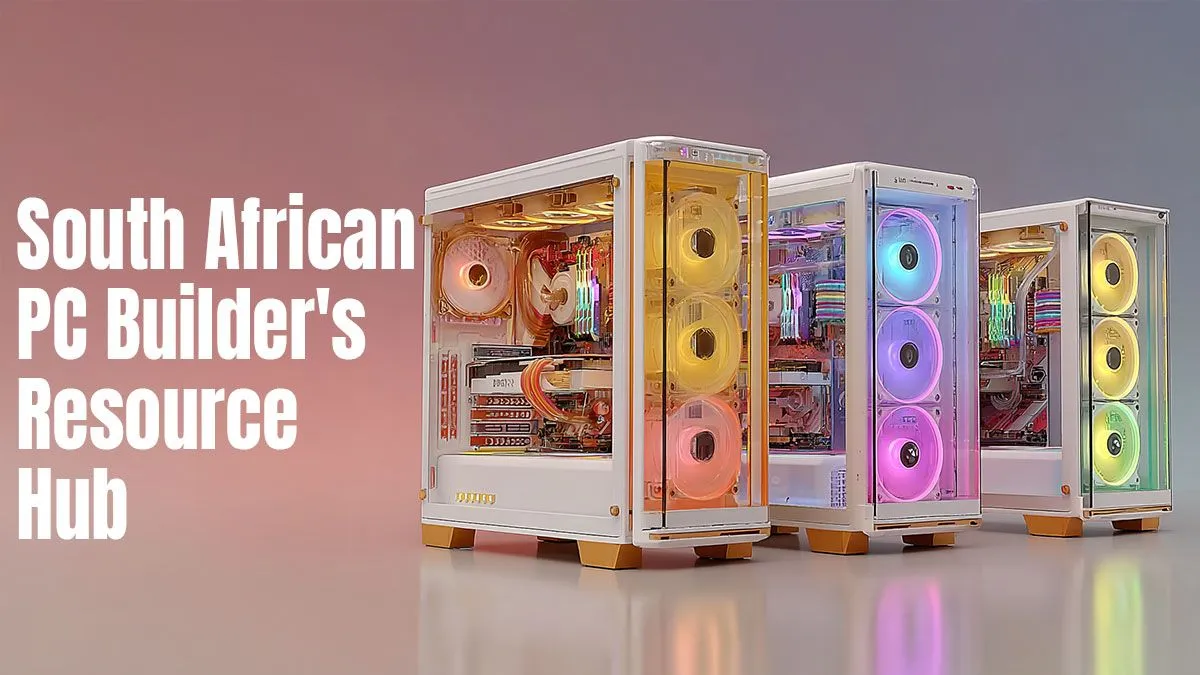
So, you’re ready to build your own PC in South Africa? Awesome! It’s a rite of passage for any serious gamer or tech enthusiast. But wading through parts lists and compatibility charts can feel a bit daunting. Don't stress. This practical South African PC build guide is your roadmap, breaking down everything from essential components to local tips, ensuring your first build is a massive success. Let's get started. 🚀
![[Pre Built] AMD RYZEN 7 5700 RTX 5060 Gaming PC](https://img.evetech.co.za/repository/ProductImages/ryzen-7-5700-rtx-5060-gaming-pc-pbs-main-1600px-v1.webp)
[Pre Built] AMD RYZEN 7 5700 RTX 5060 Gaming PC
R18794.00In Stock
AMD RYZEN 7 5700 4.6GHz A1000 8GB Workstation PC
R20159.00In Stock

Ryzen 7 9700X 5.5GHz RTX 5060 Ti 16GB DDR5 Gaming PC
R29399.00In Stock
RYZEN 5 9600X 5.2GHz GT 710 2GB DDR5 PC
R14489.00In Stock
RYZEN 5 9600X 5.4GHz A1000 8GB DDR5 Workstation PC
R25199.00In Stock
![[Pre Built] HP OMEN 35L B1ZR4EA Intel Core Ultra 7 265K RTX 4080 SUPER Gaming PC](https://img.evetech.co.za/repository/ProductImages/intel-core-ultra-7-265-k-rtx-4080-super-gaming-pc-pbs-main-1600px-v1.webp)
[Pre Built] HP OMEN 35L B1ZR4EA Intel Core Ultra 7 265K RTX 4080 SUPER Gaming PC
R49349.00In Stock
Your PC Building Blueprint: The Core Components
Building a PC is like assembling a high-performance team. Every component has a specific job, and their synergy determines the final performance. Getting the balance right is the secret to a great build. This PC parts guide will walk you through the non-negotiables.
The Brains and Nervous System: CPU & Motherboard
Your Central Processing Unit (CPU) is the brain of the operation, executing commands and running your games and applications. The two main players are Intel and AMD, both offering fantastic options at various price points.
The motherboard is the central nervous system that connects everything. Your choice of CPU will determine which motherboard you need (e.g., an AMD CPU needs a motherboard with an AM5 socket). Choosing a quality foundation is crucial, so picking from a solid range of Intel and AMD motherboards is your first big decision. Don't cheap out here; a good motherboard provides better power delivery and more features for future upgrades.
The Visual Powerhouse: Graphics Card (GPU)
For gamers, this is the most exciting part. A powerful Graphics Processing Unit (GPU) is what delivers those buttery-smooth frame rates and stunning visuals. It handles all the heavy lifting for rendering graphics, from Warzone to Starfield. Whether you're Team Green (NVIDIA) or Team Red (AMD), browsing a wide selection of NVIDIA and AMD graphics cards will help you find the perfect match for your monitor's resolution and your performance goals.

RYZEN 7 5700 4.6GHz RTX 5060 Ti 16GB Budget Gaming PC
R20264.00In Stock

AMD RYZEN 7 5700 4.6GHz RX 9060 XT 16GB Gaming PC
R19634.00In Stock
![[Pre Built] AMD RYZEN 9 9900X RTX 5070 Ti Gaming PC](https://img.evetech.co.za/repository/ProductImages/ryzen-9-9900-x-rtx-5070-ti-gaming-pc-pbs-main-1600px-v1.webp)
[Pre Built] AMD RYZEN 9 9900X RTX 5070 Ti Gaming PC
R44729.00In Stock
Intel Core Ultra 7 265K 5.3GHz Quadro A1000 8GB DDR5 Workstation PC
R33389.00In Stock

Intel Core Ultra 5 225F 4.9GHz RX 9060 XT 16GB DDR5 Gaming PC
R24674.00In Stock

RYZEN 7 7800X3D 5.0GHz RTX 5060 Ti 16GB DDR5 Gaming PC
R26774.00In Stock
The Short-Term Workspace: Memory (RAM)
Think of RAM (Random Access Memory) as your PC's short-term memory. It holds the data for the applications and games you are currently running. For modern gaming in South Africa, 16GB is the sweet spot, but 32GB is quickly becoming the new standard for future-proofing. Ensure you get fast, reliable DDR4 or DDR5 gaming RAM modules to keep your system snappy and responsive during intense multitasking.
Assembling Your Rig: Essential Supporting Parts
With the core trio selected, it's time to round out your build with the supporting cast. These components are just as vital for a stable and enjoyable experience. This part of our South African PC build guide covers the unsung heroes of your new rig.
The Heartbeat: Power Supply Unit (PSU)
Never, ever skimp on your Power Supply Unit (PSU). A cheap, unreliable PSU can put your entire R20,000+ investment at risk with unstable power. It’s the heart of your PC, pumping electricity to every component. A reliable power supply from a trusted brand with an 80+ Bronze rating or higher ensures efficiency, stability, and peace of mind. ✨
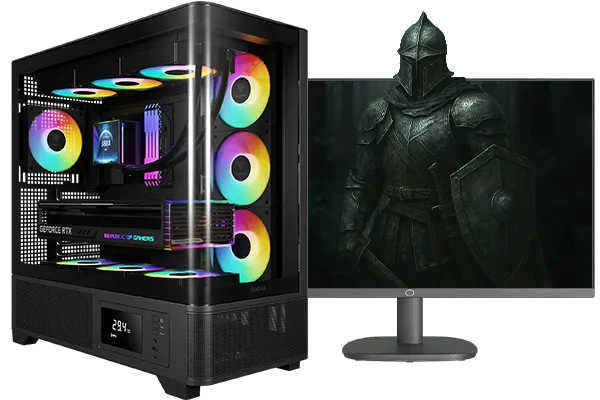
Intel Core Ultra 5 245K 5.2GHz RTX 5060 Ti 16GB DDR5 Gaming PC
R30449.00In Stock
Intel Core Ultra 5 225F 4.9GHz RX 9060 XT 16GB DDR5 Gaming PC
R24674.00In Stock

AMD RYZEN 5 3600 4.2GHz ARC A380 6GB Gaming PC
R9659.00In Stock

AMD RYZEN 5 3600 4.2GHz A400 4GB Workstation PC
R9449.00In Stock
[Pre Built] HP OMEN 35L B1ZR4EA Intel Core Ultra 7 265K RTX 4080 SUPER Gaming PC
R49349.00In Stock
![[Pre Built] AMD Ryzen 7 9800X3D RTX 5080 Gaming PC](https://img.evetech.co.za/repository/ProductImages/ryzen-7-9800-x-3-d-rtx-5080-gaming-pc-48-gb-main-1600px-v1.webp)
[Pre Built] AMD Ryzen 7 9800X3D RTX 5080 Gaming PC
R77699.00In Stock
The Armour and Style: PC Case
Your PC case is more than just a box; it's the home for your expensive components. It dictates airflow, noise levels, and the overall look of your setup. Good airflow is critical for keeping temperatures down and performance high. From minimalist designs to RGB showcases, finding the right computer case is about balancing personal style with excellent thermal performance.
TIP FOR YOU
Compatibility Check ⚡
Before you buy anything, use a tool like PCPartPicker. It's a fantastic resource for checking if your chosen CPU, motherboard, RAM, and case will all play nicely together. It even estimates your total power draw, helping you choose the right PSU. This simple step can save you a massive headache and a lot of ZAR.
Keeping it Cool & Other Pro Tips 🔧
You've got the parts... now what? A few final considerations can make the difference between a good build and a great one. Building a PC in South Africa means thinking about dust and heat, so these tips are extra important.
CPU Cooling: Don't Sweat It
While most CPUs come with a stock cooler, it's often just... okay. For a gaming rig, especially in our warmer climate, upgrading is a wise move. An aftermarket air or liquid CPU cooler can dramatically lower temperatures, reduce noise, and even provide headroom for overclocking down the line.
Budgeting Wisely in SA
Building a PC is all about getting the most performance for your money. A fantastic way to save some cash and guarantee compatibility from the start is by looking at bundles. These often pair a CPU, motherboard, and sometimes RAM together at a discounted price. Exploring Intel and AMD bundle packs can be a very smart start to any PC build, freeing up more of your budget for that powerful GPU you've been eyeing.
![[Pre Built] Intel Core Ultra 7 265KF RX 9070 XT Gaming PC](https://img.evetech.co.za/repository/ProductImages/intel-core-ultra-7-265-kf-rx-9070-xt-gaming-pc-pbs-main-1600px-v1.webp)
[Pre Built] Intel Core Ultra 7 265KF RX 9070 XT Gaming PC
R42209.00In Stock
Intel Core Ultra 5 245K 5.2GHz RTX 5060 Ti 16GB DDR5 Gaming PC
R30449.00In Stock

RYZEN 5 9600X 5.2GHz ARC B580 12GB DDR5 Gaming PC
R21419.00In Stock
Ryzen 5 9600X 5.4GHz RTX 5060 8GB DDR5 Budget Gaming PC
R21524.00In Stock
AMD RYZEN 7 5700 RTX Pro 2000 Workstation PC
R26669.00In Stock
[Pre Built] HP OMEN 35L B1ZR4EA Intel Core Ultra 7 265K RTX 4080 SUPER Gaming PC
R49349.00In Stock
Putting It All Together: A Final Checklist
You have the knowledge and the parts list. The final step is the assembly. It's less intimidating than it looks!
- Prepare Your Workspace: Find a clean, well-lit area with a non-conductive surface (like a wooden table).
- Read the Manuals: Your motherboard and case manuals are your best friends. They have diagrams for everything.
- Take Your Time: Building a PC isn't a race. Enjoy the process.
- Cable Management: Route cables neatly for better airflow and a cleaner look.
- Install Your OS: Once built, you'll need to install Windows or your chosen operating system from a USB drive.
Following this South African PC build guide sets you on the path to success. Welcome to the club!
Ready to Build Your Dream Machine? This South African PC build guide is just the beginning of an exciting journey. Building your own rig is incredibly rewarding, giving you power and customisation you can't get anywhere else. Explore our massive range of components or start with our award-winning PC builder and craft the perfect machine to conquer your world.
Related Products

Intel Core Ultra 5 225F 4.9GHz A400 4GB DDR5 Workstation PC
R14174.00In Stock
RYZEN 5 9600X 5.2GHz A400 4GB DDR5 Workstation PC
R18164.00In Stock
RYZEN 7 9800X3D 5.2GHz RTX 5080 16GB DDR5 Gaming PC
R51869.00In Stock
Intel Core Ultra 5 225F ARC A380 6GB Gaming PC
R14174.00In Stock
Ryzen 7 9700X 5.5GHz RTX 5060 Ti 16GB DDR5 Gaming PC
R29399.00In Stock
AMD RYZEN 5 8400F 4.7GHz RX 9060 XT 16GB DDR5 Budget Gaming PC
R20159.00In Stock
Compare local PC vendors South Africa like Evetech, Wootware and caseking alternatives to find stock, warranty and the best price.
Yes. Use this guide to pick parts, watch local pricing and prioritize GPU and CPU to build an affordable gaming PC in South Africa.
Match CPU socket, RAM speed and power needs, then verify product pages from local PC vendors South Africa for confirmed compatibility.
Yes — this hub includes SFF build South Africa guide tips, compact cases, cooling choices and local part availability advice.
Many retailers offer online ordering and expedited delivery. Check stock, shipping times and local return policies before you buy.
Follow step-by-step troubleshooting in this resource: check PSU, re-seat RAM, test GPUs and consult South African PC troubleshooting tips.
Evetech and other local shops provide PC assembly services Johannesburg and nationwide; compare warranties and build options before ordering.











