

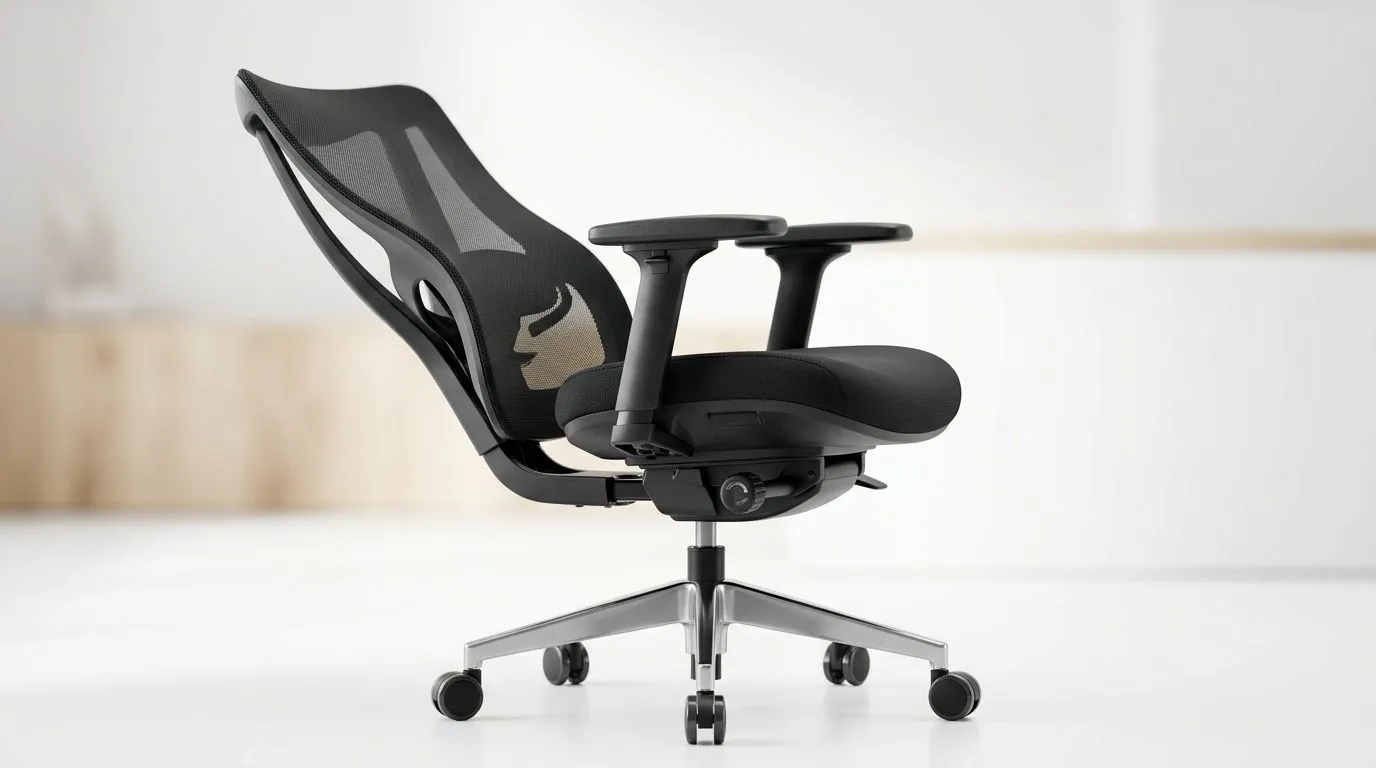
A 165 degree reclining gaming chair guide matters more than most buyers think. If you’ve ever leaned back after a long Valorant session, felt your lower back complain, and wondered why the “premium” chair still feels off, you’re not alone. Comfort is not just about padding. It is about posture, support, and how long you can stay focused without fidgeting. For South African gamers, that can mean the difference between a proper grind and a painful reset. ⚡
165 degree reclining gaming chair guide: what reclining actually changes
A deep recline gives your body a chance to shift pressure away from the spine and hips. That sounds simple, but it’s the real reason many people love reclinable gaming chairs. A more open angle can help when you are watching cutscenes, waiting in queue, or taking a break between ranked matches.
The key is balance. A chair that reclines far is not automatically better. You still need stable lumbar support, a solid base, and a mechanism that locks securely. If the chair feels like it “drops” when you lean back, that is a red flag. Comfort should feel controlled, not loose.
For a broader workspace setup, it is worth matching your chair with a desk that gives you proper legroom and monitor distance. See Evetech’s gaming desk range for setup ideas that suit both play and work.
165 degree reclining gaming chair guide: ergonomics first, hype second
Ergonomics is just a practical way of saying the chair should fit the body, not fight it. Good support helps reduce strain during long sessions. That matters whether you are raiding, coding, studying, or editing clips.
Look for these basics:
Seat height and foot placement
Your feet should rest flat on the floor. If your knees float too high, pressure builds behind the thighs. If the seat is too low, your hips take the strain.
Lumbar support
Lower-back support should sit where your spine curves inward. If it’s too high, it pushes the wrong area. If it’s too low, it does very little.
Armrest position
Your shoulders should stay relaxed. Raised shoulders lead to tension fast. Adjustable armrests help keep wrists and elbows in a more natural position.
Recline stability
A chair that reclines to 165 degrees must still feel anchored. Test whether the tilt mechanism holds position well. A weak lock can make a long session uncomfortable.
Cushion density
Soft is not always supportive. Very plush padding can flatten out over time, especially under daily use. A balanced foam feel usually lasts better.
Ergonomic Seat Setup Tip 🔧
Keep your elbows close to 90 degrees and your monitor roughly at eye level. Small adjustments often improve comfort more than buying extra accessories.
165 degree reclining gaming chair guide: choosing the right fit for South Africa
South African buyers often compare looks, build quality, and value in ZAR. That makes sense. A chair is something you’ll use every day, so it should suit your room, your body size, and your budget.
If you want a more premium-feeling option, browse AutoFull gaming chair options. If you prefer styles with a strong gaming aesthetic and solid adjustability, take a look at Arozzi gaming chair listings. For buyers comparing practical value, Nitro chair choices are also worth a scan.
A useful buying habit is to think beyond the spec sheet. Ask yourself:
- Will I use this for gaming and work?
- Do I sit for long stretches?
- Do I prefer firmer support or softer cushioning?
- Is the room hot, so breathable materials matter more?
- Does the chair fit my desk height?
A chair can look perfect online and still feel wrong if the proportions are off.
165 degree reclining gaming chair guide: setup tips that improve comfort fast
Sometimes the best comfort fix costs nothing. A proper setup can improve the experience immediately.
Match chair height to desk height
If your chair is too high, your shoulders tense up. If it is too low, your wrists and neck take the strain.
Keep the backrest angle active
Even with a 165 degree recline, you do not need to sit fully laid back all the time. Use the recline for rest, not for every match.
Use a footrest if needed
Shorter users often benefit from a footrest, especially when the chair is set higher for desk alignment.
Take micro-breaks
Stand up between matches. Stretch your shoulders. Walk to get water. These small pauses help more than people expect.
For a deeper setup, the desk matters too. A stable surface and the right height can improve your whole posture chain from wrists to neck. That is why chair and desk should be considered together, not separately.
165 degree reclining gaming chair guide: what to look for before you buy
Before you click add to cart, check the following:
- Recline lock quality
- Seat width and depth
- Lumbar support design
- Armrest adjustment range
- Material finish and breathability
- Base and wheel stability
- Weight rating and warranty details
If a product page does not explain a feature clearly, pause and compare. Good product information should help you buy with confidence. If a seller provides exact specs, even better. That is usually a sign they understand what buyers need.
A well-chosen chair should support your routine, not just your gaming setup. That means comfort for overtime sessions, better posture during workdays, and less back fatigue over time ✨
Ready to Find Your Perfect Match? The Mac vs Windows debate is complex, but for maximum power, choice, and value in South Africa, Windows is hard to beat. Explore our massive range of laptop specials and find the perfect machine to conquer your world.
Tone Snapshot
Friendly, authoritative, and human-sounding. Short, clear sentences. South African English spelling used throughout. Light contractions and natural phrasing. No exaggerated hype. Claims kept general and safe. Emojis used sparingly.
Quality Checklist
- Spell-check: SA English.
- MDX lint: zero build errors expected.
- ✅ All RecommendURLs placed (1× each).











