

Best Marvel Rivals Settings for RTX 5060 Ti: FPS Optimisation Guide
Top Marvel Rivals Settings for RTX 5060 Ti: FPS picks evaluated on performance, value & SA availability with current Rand pricing from Evetech.
Read moreMaster cable management for multi-device gaming setups to reclaim your desk space. 🎮 Discover professional tips to organize your PC, monitor, and console cables for a cleaner, more efficient battlestation. 🚀
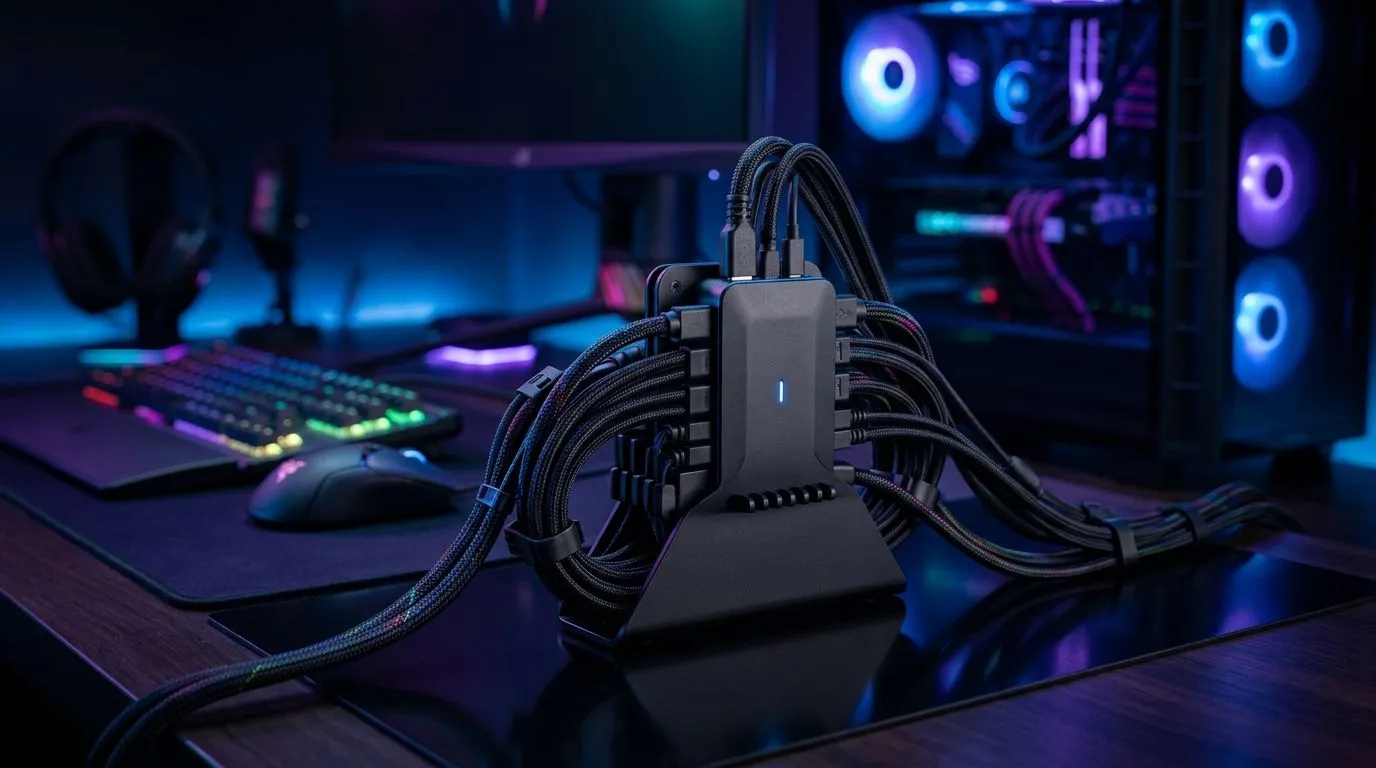
Managing cables in a multi-device gaming setup can feel like taming a wild beast. If your gaming desk is congested with tangled cords— from your keyboard, controllers, headphones, and monitors— your focus and aesthetic take a hit. South African gamers know that a clean, organised space sharpens gameplay and reduces the risk of accidental unplugging. Let’s explore practical cable management tips that enhance any game desk while respecting your wiring needs ⚡.
A cluttered gaming desk isn’t just unsightly—it can also impact performance and hardware health. Tangled cables wear down faster, disrupt airflow, and add unnecessary tension to ports and connectors. With multiple devices hooked up, chaos is easy without a proper plan. A tidier setup ensures each device connects securely, improving reliability during those intense moments.
If you’re looking to upgrade, consider investing in a quality gaming desk with built-in cable channels and management features. Several options from Evetech offer smart designs tailored to gamers: check out the gaming desk collection for options that blend style with function.
List each device and its cable; this helps know exactly what you need to manage. Remove unused cables to eliminate clutter.
Use tags or coloured tape to label cables. This simple trick keeps you from guessing which cable plugs where—vital during quick adjustments.
Group related cables together—like all monitors or chargers—to keep them from sprawling. Avoid zip ties, which can damage cables if too tight.
Brands like AutoFull gaming desks specialise in desks with integrated cable trays and cutouts, making routing effortless and neat.
If multiple cables run parallel, sleeve them together to reduce mess and protect against fraying.
Use adhesive cable clips or mounts on the desk underside to keep cables off your desktop and floor, preserving airflow and ease of cleaning.
Separating power cables from data cables reduces interference and can improve device responsiveness.
a desk like the [Arozzi gaming desk series](https: www.evetech.co.za PC-Components gaming-desk-331?brands=Arozzi) that incorporates built-in under-desk trays and side cable ports to declutter your setup with minimal effort.
Getting your cables tidy is just half the battle. Regularly inspect cables for wear and reposition bundles to avoid stress spots. South African gamers often juggle multiple gadgets—headphones, streaming gear, controllers—so it’s smart to rotate cables out or upgrade damaged ones quickly.
Also, avoid overstretching cables by ensuring your desk setup allows devices to sit comfortably without tight pulls at connection points. Minimising strain prolongs lifespan and protects your investment.
An ergonomic desk designed for gamers doesn’t just elevate comfort but also simplifies cable management. Nitro gaming desks from Evetech combine sturdy build quality with clever cable routing features—ideal for setups that handle multiple devices and accessories. Explore the Nitro gaming desk range to find a desk that complements your style and cable strategy.
Call-to-Action Heading Ready to transform your gaming area into an organised haven? Discover a variety of sleek, cable-conscious gaming desks crafted for South African players. Shop now at Evetech for performance that leaves lag in the dust.
Start by grouping cables by device, using cable sleeves, and utilizing an under-desk cable tray to keep power strips and excess cords off the floor.
Use adhesive cable clips, velcro ties, and cable management boxes to secure cords along the edges of your desk legs or the back of your monitor stand.
While it doesn't boost FPS, effective cable management improves airflow, reduces dust buildup, and makes upgrading your hardware much easier.
Essential tools include velcro cable ties, adhesive clips, braided cable sleeves, a cable management tray, and a surge-protected power strip.
Use monitor arm mounts with built-in cable channels to route display and power cables directly through the stand, keeping them hidden from view.
Perform a deep cable management cleanup whenever you add or remove a device to prevent tangles and ensure your gaming area remains clutter-free.
Top Marvel Rivals Settings for RTX 5060 Ti: FPS picks evaluated on performance, value & SA availability with current Rand pricing from Evetech.
Read more
Top Valorant Settings for RTX 5070: FPS Optimisation picks evaluated on performance, value & SA availability with current Rand pricing from Evetech.

RDNA 3.5 Graphics in Ryzen AI 400? Can You Game. Plain-English explanation of what it means, why it matters & how it affects your buying decisions in SA.

GPU Price Index : December Report. Current stock data & price tracking for SA buyers. See what is available and where prices are heading.

RX 9070 XT Elden Ring Nightreign at 4K: FPS. Real-world benchmark data, FPS numbers & performance analysis. What SA gamers can actually expect.

Core i5-14600K + B760 + RTX 5060 Build Under. Full parts list, Rand pricing & expected performance. Build confidently with SA-available components.

RX 7600 Apex Legends at 4K: FPS Benchmark. Real-world benchmark data, FPS numbers & performance analysis. What SA gamers can actually expect.

RX 7900 XTX GTA 6 at 4K: FPS Benchmark & Optimal. Real-world benchmark data, FPS numbers & performance analysis. What SA gamers can actually expect.

Head-to-head comparison of RTX 5070 vs RX 9070 XT: Gaming Performance for SA gamers. Performance benchmarks, Rand pricing & which delivers better value.

Top RTX 5070 Under R25,000 picks evaluated on performance, value & SA availability with current Rand pricing from Evetech.
Core i5-14600K + B760 + RTX 5060 Build Under. Full parts list, Rand pricing & expected performance. Build confidently with SA-available components.

Top Monitor for RX 9070: Resolution & Refresh Rate picks evaluated on performance, value & SA availability with current Rand pricing from Evetech.

Valorant Settings on RX 9060 XT: Performance. Real-world benchmark data, FPS numbers & performance analysis. What SA gamers can actually expect.