

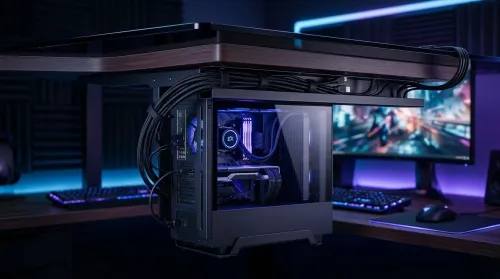
Cable Channels for a Clean Gaming Desk
Cable channels for a clean gaming desk keep power and data tidy, improve airflow, and make setup easier for upgrades. Say goodbye to tangles and hello to focus. 🖥️✨
Read moreLearn how to route cables on a large gaming desk using integrated management channels for a tidy setup and smoother airflow. Cut clutter, reduce snagging, and keep maintenance easy with smart planning 🛠️🎮
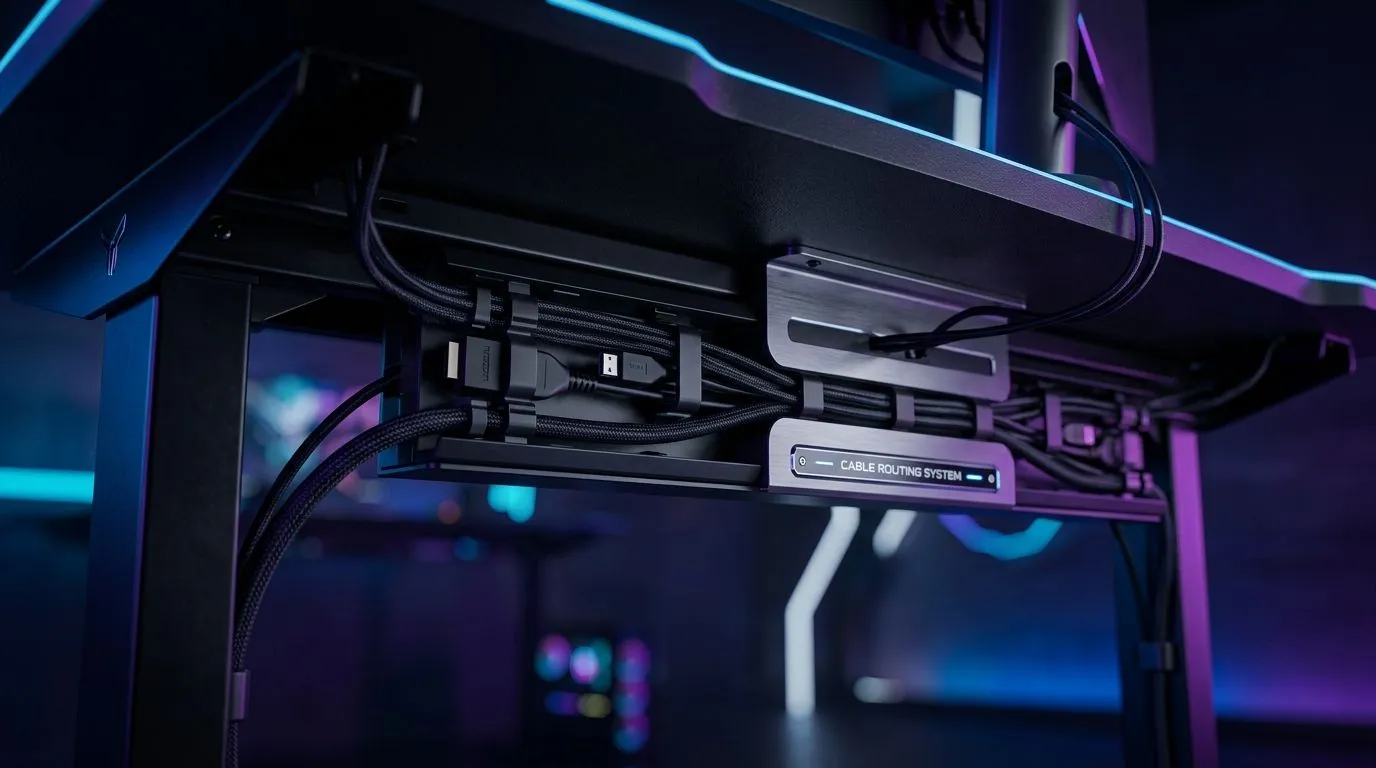
South African gamers know how quickly cables can turn a sleek gaming setup into a tangled mess. If you’ve invested in a large gaming desk with integrated channels, you’re already ahead in keeping your battlestation neat and efficient. But how exactly do you route cables like a pro to maximise both functionality and style? Let’s dive in and make your gaming space as clean as your high scores ⚡.
Integrated channels transform a cluttered desk into a clean command centre. They allow cables from your gaming PC, peripherals, and lighting to stay hidden yet accessible. This means less dust accumulation and no tripping over cords during intense raids or streams. Plus, it keeps your desk surface looking sleek — a must-have when streaming or showing off your setup.
If you’re still deciding on the ideal gaming desk, check out the Evetech gaming desk collection. They offer durable, spacious desks designed with gamers in South Africa in mind, tailored for cable management and spacious setups.
A clean desk is great, but pairing it with dynamic case lighting elevates your gaming vibe. The NZXT Case Lighting range offers easy-to-install RGB strips to bring colour and energy without adding wire chaos.
Comfort matters too when you’re grinding for hours. Gaming chairs designed for South African gamers combine ergonomic features with style. Check out the latest gaming chairs on Evetech made for long sessions and cool comfort.
Cable channels are great, but leave extra room for future upgrades. Adding 15-20% length to wire bundles now can save headaches later!
Looking for ideas? The Arrozi Gaming Setups show off rigs with well-routed cables and clean desk spaces that balance aesthetics with functionality. These setups prove that good cable management complements performance and style alike.
Your desk is the foundation of your gaming world. With integrated channels, smart routing, and the right accessories, you can maintain a sharp, distraction-free zone where focus and fun happen every time.
Level Up Your Gaming Space Ready for a sleek, efficient battlestation? Shop now at Evetech to get a large gaming desk with integrated channels and power your setup like a pro.
Use integrated management channels where possible, then group by function (power, display, peripherals) to reduce tangles and improve airflow.
They provide dedicated pathways to hide cables, limit slack buildup, and make it easier to add or replace components later.
Avoid mixing high-power and signal runs when you can. Separate display cables from power cables to minimize interference.
Route toward the back edges, keep gentle slack at bends, and secure runs inside channels so cables do not cross moving areas.
Start from each device, follow the shortest path into desk channels or grommets, then bundle neatly with ties and Velcro for access.
Use a dedicated channel section near the input devices, then bundle small cables separately to keep the main runs clean.
Yes. Leave service loops where needed and use modular bundling so you can pull one cable run without disturbing everything.
Cable channels for a clean gaming desk keep power and data tidy, improve airflow, and make setup easier for upgrades. Say goodbye to tangles and hello to focus. 🖥️✨
Read more
Every spec on PCIe 5.0 explained in plain English. What matters for gaming and creator work in 2026, what's marketing fluff, and how each number translates to real-world performance.

A head-to-head look at WiFi 7: real-world performance, ZAR pricing and which option delivers better value for SA builders. The clear answer — no fluff.

Everything you need to set up and tune PCIe 5.0 properly: the prep work, the settings that actually matter, and the mistakes to skip. Written for SA builders in 2026.

Everything you need to set up and tune X870E Motherboard properly: the prep work, the settings that actually matter, and the mistakes to skip. Written for SA builders in 2026.

Wondering what a 512GB SSD capacity really holds? This guide breaks down how many games, photos, and documents fit on 512GB, with real-world ranges 📦💾

Every spec on vrm explained in plain English. What matters for gaming and creator work in 2026, what's marketing fluff, and how each number translates to real-world performance.

Every spec on motherboard explained in plain English. What matters for gaming and creator work in 2026, what's marketing fluff, and how each number translates to real-world performance.

Premium vs Midrange Motherboards in South Africa: real-world performance, SA pricing, power draw and which one delivers better value for your build for SA buyers. The clear answer — without the fluff.
Wondering what a 512GB SSD capacity really holds? This guide breaks down how many games, photos, and documents fit on 512GB, with real-world ranges 📦💾
Every spec on PCIe 5.0 explained in plain English. What matters for gaming and creator work in 2026, what's marketing fluff, and how each number translates to real-world performance.
A head-to-head look at WiFi 7: real-world performance, ZAR pricing and which option delivers better value for SA builders. The clear answer — no fluff.

Every spec on USB4 explained in plain English. What matters for gaming and creator work in 2026, what's marketing fluff, and how each number translates to real-world performance.