


Best Laptop with Core Ultra 9 + RTX 4070 Laptop: SA Picks 2026
Top Laptop with Core Ultra 9 + RTX 4070 Laptop: Picks picks evaluated on performance, value & SA availability with current Rand pricing from Evetech.
Read more120 hours battery life on a wireless gaming mouse sounds huge, but does it change which model you should buy? Learn what affects battery life, how to verify claims, and what to prioritize 🔋🎮
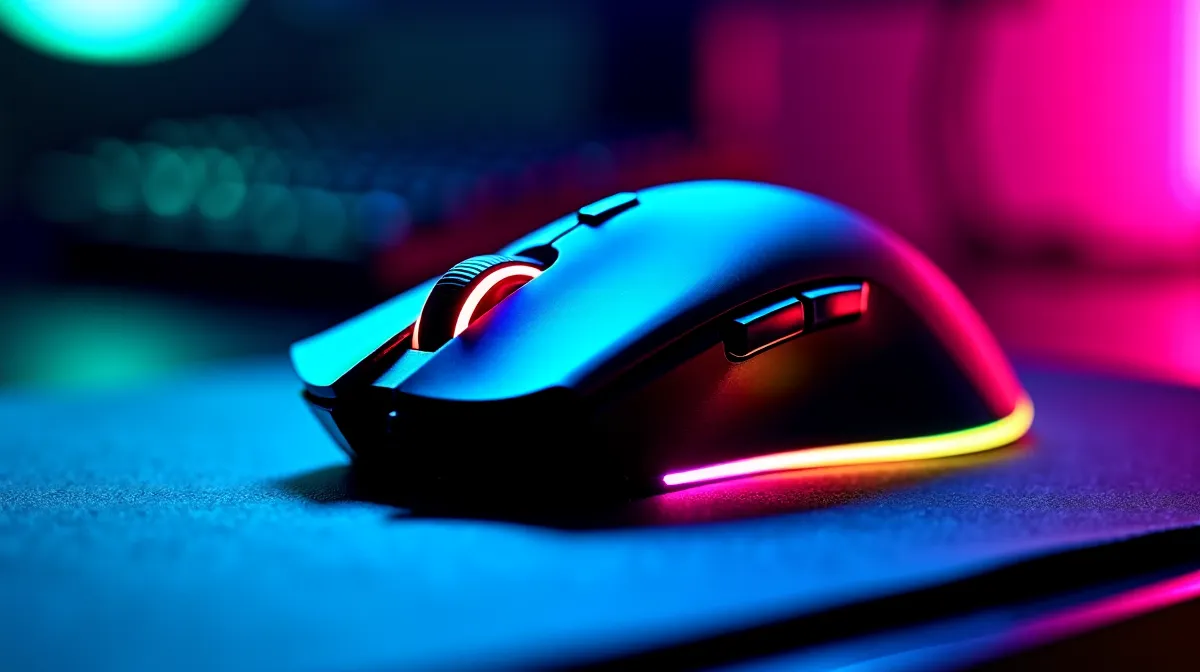
If a wireless mouse claims “120 hours battery life”, you’re probably thinking, “Finally… no more charging before a weekend LAN.” In South Africa, where power outages and load-shedding can turn charging routines into a chore, battery comfort matters. But how do those marketing hours hold up in real play, FPS sweat, and long school or office days? Let’s break it down, and help you decide if a 120-hour wireless gaming mouse is actually worth it… for your setup.
Battery life claims depend on testing conditions: lighting, sensor usage, polling rate, and how often you actually click. Many brands rate battery under “typical” settings, often with lower polling (like 1,000Hz vs higher rates) and standard RGB usage. Even if you can’t see the exact test method on every product page, you can still shop smarter by matching your use pattern.
Fast rule of thumb: the more you push performance features (higher polling, always-on RGB, frequent wireless reconnections), the closer you get to the lower end of expected runtime. That’s why some users see “weeks” and others see “a couple of weekends”.
For many shoppers, it’s worth comparing what you’ll actually do. If you’re mostly playing single-session evenings and you don’t max RGB, those 120 hours can be realistic. If you’re an all-day workstation + heavy aim training player, plan for more frequent charging.
Wireless is convenient, full stop. But you’re trading convenience for a new maintenance habit: charging. If you’re building a “set-and-forget” battle station, a wired mouse still wins on reliability.
If you’re open to alternatives, check Evetech’s options here:
Ask yourself: How often will you notice battery anxiety? If you hate interruptions mid-match, you might still prefer wired. But if your charging habits are consistent, a “120-hour” wireless mouse can mean fewer interruptions per month.
Before you trust the claim, look for these spec clues on the product listing.
On a busy gaming desk, set a weekly reminder to fully charge your mouse on the same day you normally buy groceries or pay accounts. That habit matters more than the marketing claim, especially when you’re juggling ranked sessions and work.
Let’s say you play Valorant or Fortnite 4-5 evenings a week, plus some school work. If the mouse has RGB on full brightness, you’ll likely drain it faster than the “120 hours” label. If RGB is off and you run moderate polling, you may indeed stretch it into “charge once a fortnight” territory… which feels amazing in practice.
Even if you decide wireless is for you, price is where the smart decision shows. Look for bundles, last-gen discounts, or offers that reduce your total cost of ownership.
Start with today’s savings and best-fit options:
And if you’re comparing sensor and switch style options, use this category page as your baseline:
Ready to Find Your Perfect Match? The Mac vs Windows debate is complex, but for maximum power, choice, and value in South Africa, Windows is hard to beat. Explore our massive range of laptop specials and find the perfect machine to conquer your world.
Not always. Real battery life depends on polling rate, RGB, sensor power use, surface, and usage patterns. Use reviews and settings to estimate.
Higher polling rate, active RGB lighting, heavy button usage, and power-hungry software profiles can drain battery faster, reducing real-world wireless gaming mouse battery life.
It can be, but only if your expected settings match the claim. If you run high polling and RGB, shorter battery life may matter more than the headline.
Look for independent battery tests, mention of polling/RGB settings, charging schedule timelines, and consistent review methodology for wireless mouse battery life.
Yes. Wireless gaming mouse polling rate battery impact is real: moving to higher rates typically increases power draw, especially at 1kHz.
Often. Using power-saving profiles, disabling unnecessary lighting, and optimizing sleep/idle behavior can help you approach the best-case estimate.
Balance them. If you need low latency, higher polling may cost battery life. For most players, choose the model that matches your settings.
Top Laptop with Core Ultra 9 + RTX 4070 Laptop: Picks picks evaluated on performance, value & SA availability with current Rand pricing from Evetech.
Read more
RTX 4090 Laptop GPU Starfield Performance: Laptop. Real-world benchmark data, FPS numbers & performance analysis. What SA gamers can actually expect.
Read more
RTX 4070 Laptop GPU Baldurs Gate 3 Performance. Real-world benchmark data, FPS numbers & performance analysis. What SA gamers can actually expect.
Read more
RTX 4060 Laptop GPU Call of Duty Performance. Real-world benchmark data, FPS numbers & performance analysis. What SA gamers can actually expect.
Read more
the CPU Pairing for the RTX 4060 Ti. Optimal CPU matches ranked by performance balance & SA value. Avoid bottlenecks with the right pairing.
Read more
Top Gaming GPU Between R30,000 and R50,000 picks evaluated on performance, value & SA availability with current Rand pricing from Evetech.
Read more
Can RTX 4080 Super Run AI Workloads for SA Developers Detailed answer with SA data, expert analysis & practical recommendations for local buyers.

Can RTX 4090 Run AI Workloads for SA Developers Detailed answer with SA data, expert analysis & practical recommendations for local buyers.

Top Settings for Intel Arc B580 at Ultrawide 1440p picks evaluated on performance, value & SA availability with current Rand pricing from Evetech.

RX 7600 Overclocking Guide: Safe OC Settings for. Real-world benchmark data, FPS numbers & performance analysis. What SA gamers can actually expect.

RTX 4060 CS2 Low Settings at 1080p: FPS Results. Real-world benchmark data, FPS numbers & performance analysis. What SA gamers can actually expect.

Visual Artifacts: Possible GPU Issue Issue #1. Diagnosis steps, proven fixes & when to seek professional help. SA-specific support info included.

Can the RTX 4090 Handle 1440p 144Hz Gaming. Performance testing verdict with real data & practical recommendations for SA buyers.

Top ASUS GPU Under R15000 picks evaluated on performance, value & SA availability with current Rand pricing from Evetech.

RTX 4060 Ti Throttling Under Load: Temperature. Everything you need to know with SA pricing, step-by-step instructions & expert recommendations.

Apex Legends Max Settings on RTX 4080. Tested & verified settings for best FPS and visual quality on SA hardware budgets.

GPU Buying Guide. Everything you need to know with SA pricing, step-by-step instructions & expert recommendations.

GPU Terms Guide. Everything you need to know with SA pricing, step-by-step instructions & expert recommendations.