


Dedicated Media Keys for Streamers: Improve Workflow Fast
Dedicated media keys give streamers one-touch control to mute, switch scenes, clip highlights, and adjust audio — cutting task time and boosting consistency 🎛️⚡
Read more- Assess benefits; - Optimize layouts; - Recommend gear; - Improve ergonomics. 49-inch monitor for programming unlocks huge screen real estate for side-by-side editors, terminals, and docs. Practical tips and top picks. 🔧💻
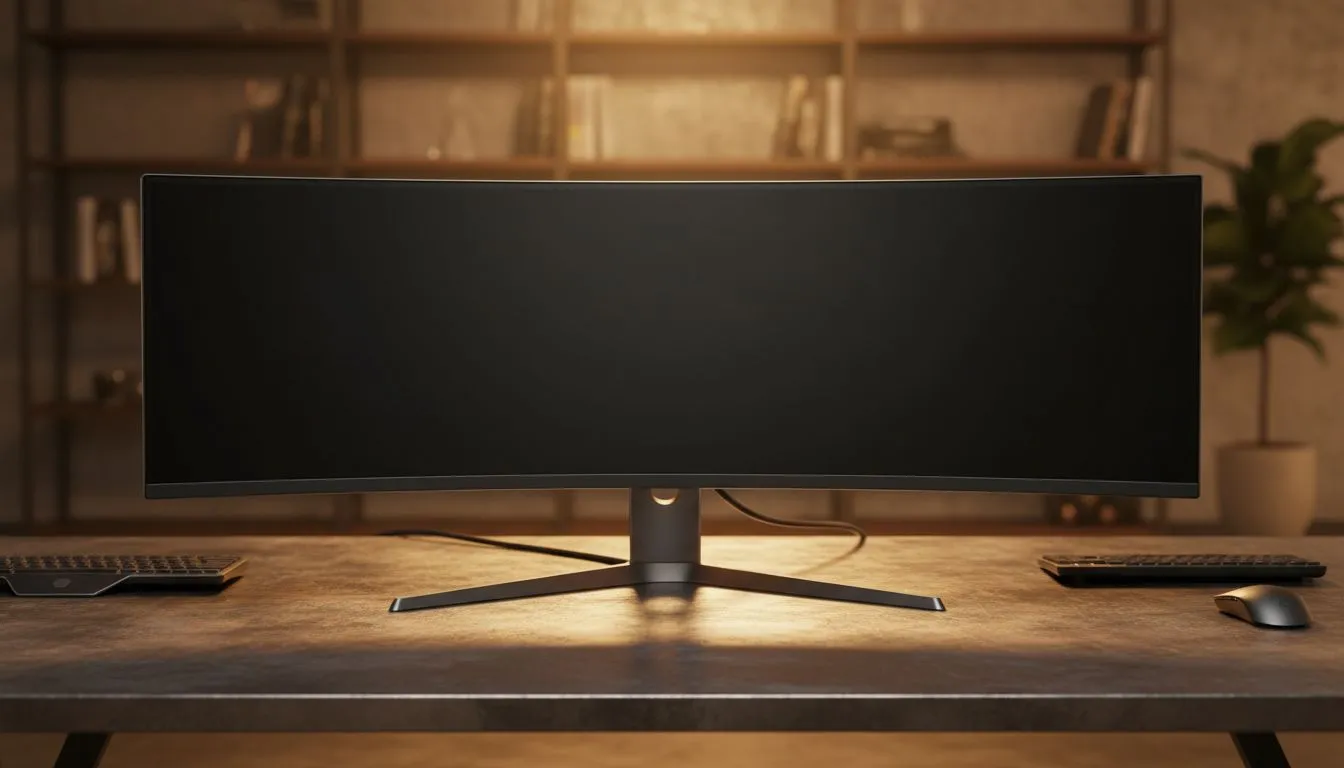
Coding on a single 1080p screen feels like looking at the world through a straw. You waste seconds every hour hunting for that one lost terminal window or browser tab. For South African developers, upgrading to a 49-inch monitor for programming is the fastest way to boost productivity. It provides a massive digital canvas that keeps your focus where it belongs: on the code. 🚀
A 49-inch monitor for programming offers the same screen area as two 27-inch displays... but without the annoying bezel in the middle. When you are deep in a debugging session, having your IDE, the browser, and your logs side-by-side is a massive advantage. Our full range of PC monitors includes options that fit every desk size... though 49 inches is the gold standard for power users who need to see everything at once.
Long hours at the desk require a screen that is easy on the eyes. A vibrant IPS panel ensures that your syntax highlighting looks crisp and colours remain accurate from any angle. While some developers prefer a Flat monitor for specific design tasks, most ultra-wide fans opt for a Curved display. This curve helps maintain a consistent focal distance... reducing neck strain during those late-night sprint sessions. ✨
On Windows, use the PowerToys FancyZones utility to create custom snap layouts for your windows. It's a lifesaver for managing multiple apps on an ultrawide monitor, letting you organise your IDE, documentation, and terminal windows perfectly for a seamless coding workflow.
Even if you aren't gaming, screen tearing and stuttering can be distracting during fast scrolling through long files. Many modern displays feature Adaptive Sync to keep the image stable. If you are using an AMD setup, look for FreeSync (AMD) compatibility. NVIDIA users will want to ensure their new screen supports G-Sync (NVIDIA) to get the most out of their hardware. 🔧
Investing in a high-end display is a major career decision. In South Africa, high-quality 49-inch panels usually start around R15,000... but the productivity gains often pay for themselves within months. Having your entire workflow visible at once eliminates the mental tax of context switching. It is time to stop toggling tabs and start building.
Ready to Find Your Perfect Match? The Mac vs Windows debate is complex, but for maximum power, choice, and value in South Africa, Windows is hard to beat. Explore our massive range of laptop specials and find the perfect machine to conquer your world.
Yes. A 49-inch monitor boosts productivity by replacing dual monitors and enabling side-by-side editors, terminals, and docs for focused coding.
For best 49-inch monitor for coding, choose high-res curved ultrawides with 5120x1440, good color, USB-C, and low-blue-light features.
Use 3–4 vertical panes: editor, terminal, browser/docs, and debug. Window managers or FancyZones make split-screen coding 49-inch simple.
Not if you enforce layouts and virtual desktops. A focused ultrawide monitor programming setup reduces task switching and distractions.
5120x1440 (DFHD) is ideal for clarity; 3840x1080 works too. Higher pixel density improves text legibility—adjust scaling for comfort.
Yes. A 49-inch curved ultrawide can replace dual monitors, offering seamless space and fewer bezels for multitasking and coding productivity.
Center your primary editor, set height and tilt to eye level, and use an ergonomic chair. An ergonomic setup 49-inch ultrawide prevents strain.
Dedicated media keys give streamers one-touch control to mute, switch scenes, clip highlights, and adjust audio — cutting task time and boosting consistency 🎛️⚡
Read more
PBT vs ABS keycaps: Clear, local guide for South African gamers—compare feel, sound, durability and where to buy. Find the best material for your budget and playstyle 🎮🇿🇦
Read more
- Multi-Function Digital Dial: define benefits - Show gamer setups and macros - Offer buying and setup tips Multi-Function Digital Dial puts programmable control at your fingertips for faster actions and smoother streaming. 🎮⚙️
Read more
- Explain benefits; - Show the science; - Compare options; - Recommend picks. Magnetic wrist rest for gaming cuts wrist strain and boosts comfort during long sessions 🕹️✨
Read more
best gaming keyboard South Africa: Learn how to pick a low-latency mechanical keyboard, choose switches, layout and budget for competitive play 🎮⚡
Read more
Best wireless keyboard and mouse combo for small desks — curated, space-saving picks that boost comfort and productivity in tight setups. Find low-profile layouts, compact mice, and reliable range to fit your compact workstation. 🖱️⌨️
Read more
Discover webcams that automatically adjust light and color for crystal-clear video calls 🎥✨. Boost your streaming quality today!
Read more
Discover webcams that blend into your workflow 🎯 Capture moments while you work, stream, or create. Upgrade your setup with smart, multitasking tech!
Read more Dedicated media keys give streamers one-touch control to mute, switch scenes, clip highlights, and adjust audio — cutting task time and boosting consistency 🎛️⚡
Read more PBT vs ABS keycaps: Clear, local guide for South African gamers—compare feel, sound, durability and where to buy. Find the best material for your budget and playstyle 🎮🇿🇦
Read more - Multi-Function Digital Dial: define benefits - Show gamer setups and macros - Offer buying and setup tips Multi-Function Digital Dial puts programmable control at your fingertips for faster actions and smoother streaming. 🎮⚙️
Read more - Explain benefits; - Show the science; - Compare options; - Recommend picks. Magnetic wrist rest for gaming cuts wrist strain and boosts comfort during long sessions 🕹️✨
Read more