

Best Laptop with Core Ultra 9 + RTX 4070 Laptop: SA Picks 2026
Top Laptop with Core Ultra 9 + RTX 4070 Laptop: Picks picks evaluated on performance, value & SA availability with current Rand pricing from Evetech.
Read more4K 120Hz monitor for ACC: practical verdict on visual fidelity, input latency, and GPU needs plus best single-screen setups to shave lap time and stay competitive 🏁⚡
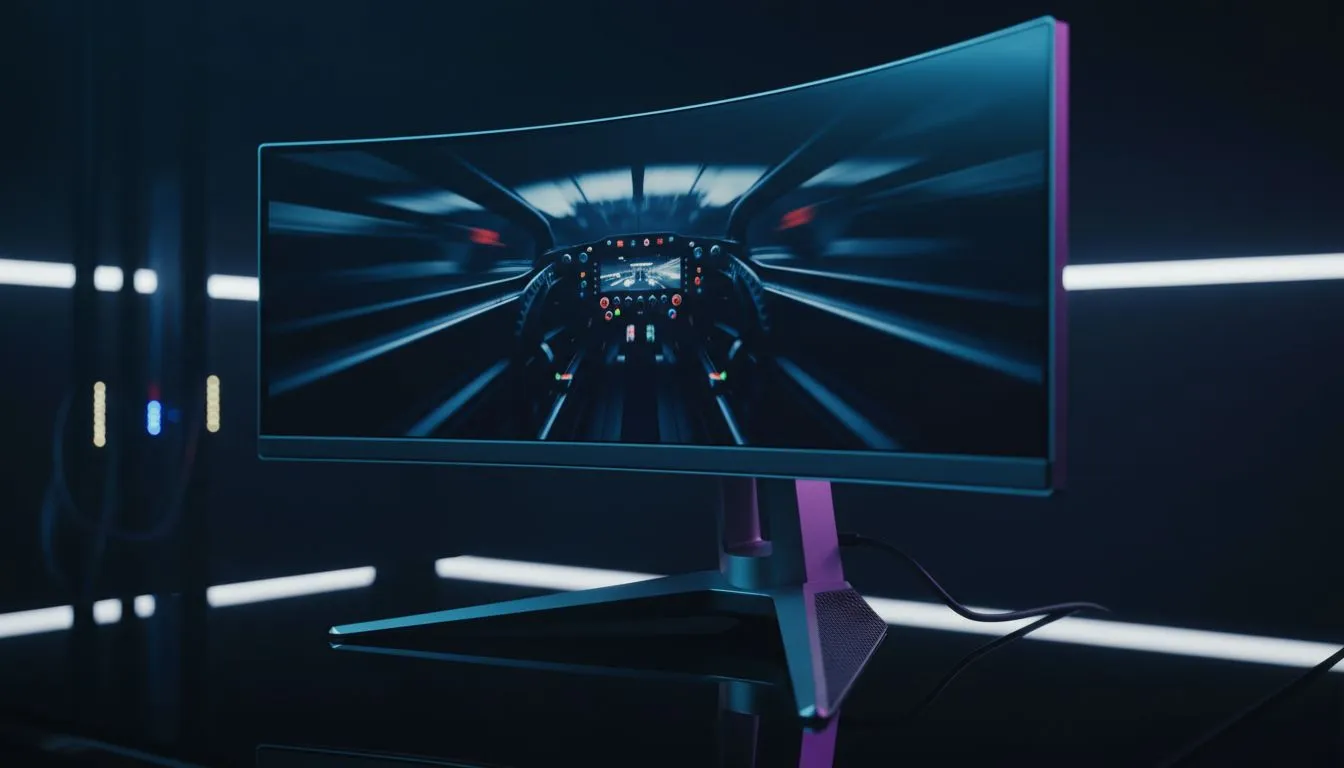
Hitting the apex at Kyalami or keeping your line through Eau Rouge requires more than just a steady hand... it demands visual precision. If you are wondering if a 4K 120Hz Monitor for ACC is worth the investment, you are in the right place. In the world of Assetto Corsa Competizione, every pixel counts when you are hunting for those extra tenths of a second. 🏎️
When you are deep into a GT3 endurance stint, the clarity of your surroundings keeps you focused. Standard high-definition screens can look soft, making it harder to spot braking markers in the distance. When you look at the best PC monitor deals, the jump to 4K stands out immediately. The increased pixel density means track textures look sharper and the dashboard telemetry is perfectly legible without squinting.
Choosing from the wide variety of PC monitors currently available allows you to customise your cockpit to your specific needs. In South Africa, where sim racing communities are growing fast, having that extra resolution can be the difference between a clean overtake and a costly collision.
High resolution is only half the battle. If your frame rate is stuttering, your inputs will feel disconnected. A 4K 120Hz Monitor for ACC provides the fluid motion needed to react to weight transfers and slides. While 60Hz is playable, 120Hz feels like removing a veil between you and the car.
You can browse all gaming monitors to find panels that support high refresh rates over DisplayPort or HDMI 2.1. This ensures that as you turn into a corner, the motion remains buttery smooth... allowing your brain to process the car's rotation more naturally.
Running ACC at 4K and 120Hz is demanding on hardware. To maintain a stable frame rate without sacrificing too much visual quality, utilise DLSS or FSR settings within the game. This allows you to keep the 4K sharpness while hitting that crucial 120Hz target on mid-to-high-end RTX or Radeon cards.
Not all screens are created equal. Many local racers prefer to buy curved monitors to increase their field of view and immersion. A subtle curve helps keep the edges of the screen within your peripheral vision, which is vital for side-by-side racing. ✨
For those with limited space or who need a secondary display for telemetry data like Z1 Dashboard or SimHub, you might even consider to buy portable monitors. However, for your primary view, the goal should always be to buy 5K & 4K monitors that offer the best colour accuracy and response times.
If your PC has the horsepower to push 8 million pixels at high speeds, then yes... a 4K 120Hz Monitor for ACC is a massive upgrade. It transforms the experience from a "game" into a true simulation. Just remember to check your mounting options and monitor accessories to ensure your new screen sits at the perfect eye level for your racing seat. 🔧
Investing in high-end gear might cost a few more ZAR upfront, but the consistency it brings to your lap times is priceless. 🚀
Ready to Find Your Perfect Match? The quest for the ultimate lap time starts with the right display. For maximum clarity, speed, and value in South Africa, our curated selection is hard to beat. Explore our massive range of 4K gaming monitors and find the perfect screen to dominate the track.
Yes for ultra sharp visuals and consistent frame pacing if your GPU hits high frame rates; consider 4K 120Hz vs 1440p tradeoffs for performance.
High-end GPUs like Nvidia RTX 4080/4090 or AMD RX 7900 XT with settings tweaks deliver close to 120fps in many ACC scenarios.
1440p 240Hz favors higher frame rates and lower input lag; 4K 120Hz prioritizes clarity. Pick based on GPU and competitive vs immersion goals.
Balance render scale, shadows, and post effects. Use adaptive sync, cap FPS near 120, and enable low latency GPU settings for best results.
Ultrawide increases peripheral view but may reduce pixel density. A 4K 120Hz single screen offers crisp visuals and easier GPU demands per pixel.
Yes. G-Sync / FreeSync smooth frame delivery at variable rates, improving perceived input and reducing tearing during frame dips.
Look for last-gen panels from established brands with adaptive sync and HDR support; check reviews for input lag and response times.
Top Laptop with Core Ultra 9 + RTX 4070 Laptop: Picks picks evaluated on performance, value & SA availability with current Rand pricing from Evetech.
Read more
RTX 4090 Laptop GPU Starfield Performance: Laptop. Real-world benchmark data, FPS numbers & performance analysis. What SA gamers can actually expect.
Read more
RTX 4070 Laptop GPU Baldurs Gate 3 Performance. Real-world benchmark data, FPS numbers & performance analysis. What SA gamers can actually expect.
Read more
RTX 4060 Laptop GPU Call of Duty Performance. Real-world benchmark data, FPS numbers & performance analysis. What SA gamers can actually expect.
Read more
the CPU Pairing for the RTX 4060 Ti. Optimal CPU matches ranked by performance balance & SA value. Avoid bottlenecks with the right pairing.
Read more
Top Gaming GPU Between R30,000 and R50,000 picks evaluated on performance, value & SA availability with current Rand pricing from Evetech.
Read more
Can RTX 4080 Super Run AI Workloads for SA Developers Detailed answer with SA data, expert analysis & practical recommendations for local buyers.

Can RTX 4090 Run AI Workloads for SA Developers Detailed answer with SA data, expert analysis & practical recommendations for local buyers.

Top Settings for Intel Arc B580 at Ultrawide 1440p picks evaluated on performance, value & SA availability with current Rand pricing from Evetech.

RX 7600 Overclocking Guide: Safe OC Settings for. Real-world benchmark data, FPS numbers & performance analysis. What SA gamers can actually expect.

RTX 4060 CS2 Low Settings at 1080p: FPS Results. Real-world benchmark data, FPS numbers & performance analysis. What SA gamers can actually expect.

Visual Artifacts: Possible GPU Issue Issue #1. Diagnosis steps, proven fixes & when to seek professional help. SA-specific support info included.

Can the RTX 4090 Handle 1440p 144Hz Gaming. Performance testing verdict with real data & practical recommendations for SA buyers.

Top ASUS GPU Under R15000 picks evaluated on performance, value & SA availability with current Rand pricing from Evetech.

RTX 4060 Ti Throttling Under Load: Temperature. Everything you need to know with SA pricing, step-by-step instructions & expert recommendations.

Apex Legends Max Settings on RTX 4080. Tested & verified settings for best FPS and visual quality on SA hardware budgets.

GPU Buying Guide. Everything you need to know with SA pricing, step-by-step instructions & expert recommendations.

GPU Terms Guide. Everything you need to know with SA pricing, step-by-step instructions & expert recommendations.