


Dedicated Media Keys for Streamers: Improve Workflow Fast
Dedicated media keys give streamers one-touch control to mute, switch scenes, clip highlights, and adjust audio — cutting task time and boosting consistency 🎛️⚡
Read moreSearching for the best AIO cooler with LCD screen capabilities? 🖥️ Customize your rig with real-time temps or funny GIFs. We rank the top liquid coolers for aesthetics and thermal performance in 2025. 🚀
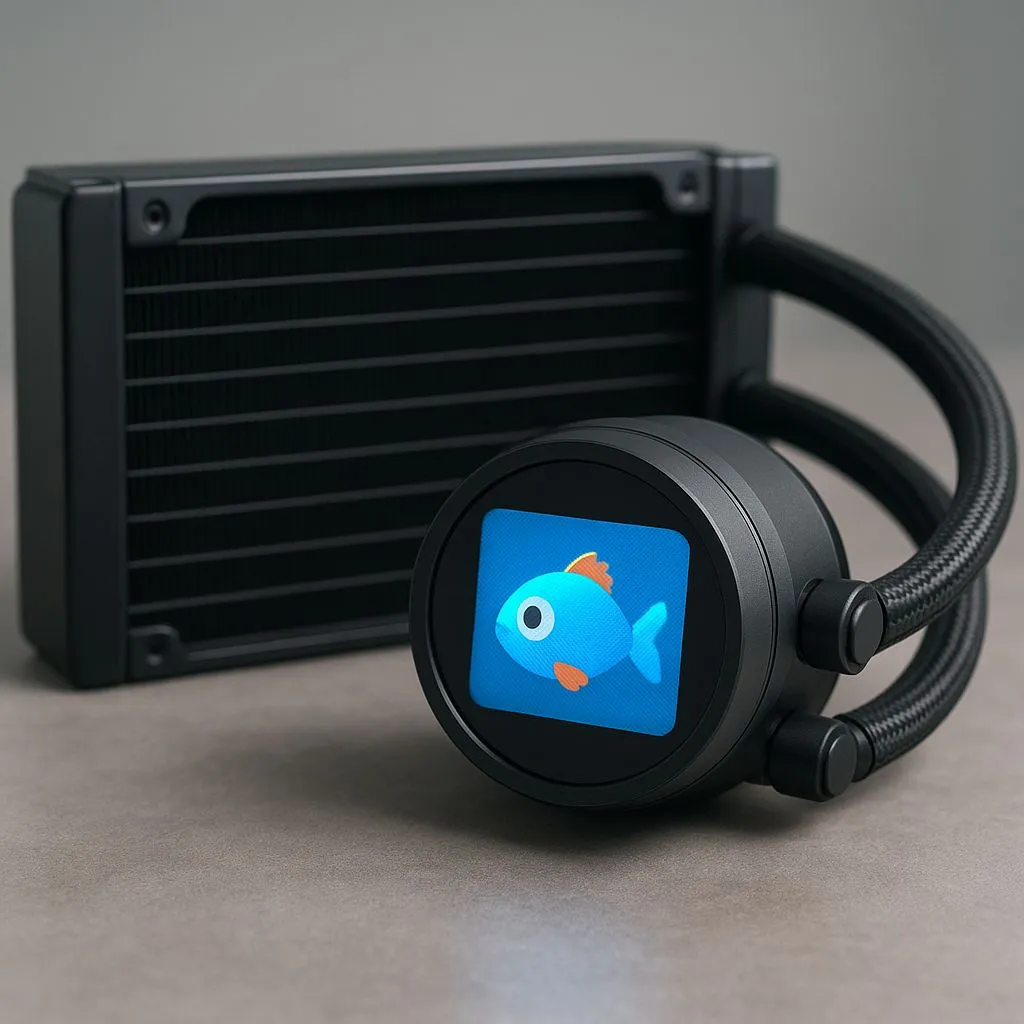
Your gaming rig is more than just a machine; it's a personal statement. But what if your hardware could do more than just perform? The latest trend in PC building lets you do just that. Finding the best AIO cooler with an LCD screen in 2025 is about merging elite cooling performance with ultimate personalisation. It’s time to stop just chilling your CPU and start showcasing your style with custom GIFs and vital stats. 🚀
Let's be honest, the standard PC build is getting a bit predictable. An AIO cooler with a built-in LCD screen completely changes the game. It’s not just about aesthetics... although displaying a looping animation of your favourite meme is a massive plus. These screens provide at-a-glance access to crucial system information like CPU temperature, fan speeds, and liquid coolant temps, all without needing to open a monitoring app.
This blend of form and function is where brands like Corsair shine, offering polished software to control both the cooling curves and the customisable display. For anyone serious about creating a unique and intelligent build, exploring options from top-tier brands like Corsair is the perfect starting point.
When you're ready to buy, not all screen-equipped coolers are created equal. To find the best AIO cooler with an LCD screen for your setup, you need to look beyond the marketing hype and focus on the specs that truly matter.
The star of the show is the display. Look for a bright, high-resolution IPS panel for the best colour and viewing angles. Equally important is the software. Is it intuitive? Can you easily upload your own GIFs and images, or are you stuck with pre-sets? A seamless software experience is what separates a great cooler from a frustrating gimmick.
A fancy screen means nothing if your CPU is thermal throttling. The core of any AIO is its ability to dissipate heat. For high-end processors from Intel and AMD, a larger radiator is almost always better. Opting for a model with a 360mm radiator provides a massive surface area for heat exchange, ensuring your temps stay low even during intense gaming sessions or heavy rendering tasks.
For the best results, use high-quality GIFs with a resolution that matches your AIO screen (often 480x480). Websites like GIPHY are great, but for a truly custom look, use an online tool to convert a short video clip into a GIF. Keep it simple and looping for a clean, professional finish!
Ultimately, the right cooler depends on your priorities. Are you an all-out performance enthusiast who needs the absolute best cooling for overclocking? Or are you a style-conscious builder looking for that perfect visual centrepiece?
The market is dominated by incredible all-in-one liquid cooler (AIO) solutions that offer this amazing blend of performance and personality. However, it's always wise to remember the alternatives. While they lack the flashy screens, high-end air coolers can still offer competitive performance, often at a lower price point. The choice comes down to your budget and what you value most in your PC.
For most modern gamers and creators in South Africa, the visual flair and data-rich display of an AIO with a screen is an investment that pays off every time you look at your rig.
Ready to Upgrade Your Rig's Vibe? Choosing the best AIO cooler with an LCD screen transforms your PC from a powerful tool into a personalised masterpiece. From monitoring temps to flashing your favourite GIF, it’s the ultimate finishing touch. Explore our complete range of high-performance CPU coolers and give your processor the cooling and style it deserves.
The NZXT Kraken Elite and Corsair iCUE LINK H150i are top contenders for the best AIO cooler with LCD screen due to their vibrant displays and robust software.
Yes, most modern AIO liquid coolers with displays allow you to upload custom GIFs and images via proprietary software like NZXT CAM or Corsair iCUE.
If you value aesthetics and real-time monitoring, an LCD AIO is worth it. They offer premium cooling performance alongside high-end visual customization.
No, the screen sits atop the pump block housing. As long as the pump mechanics are high quality, the screen does not negatively impact thermal performance.
It depends on the brand. NZXT uses CAM, Corsair uses iCUE, and Lian Li uses L-Connect to manage the customizable CPU cooler LCD features and lighting.
Budget options like the ID-Cooling SL series or DeepCool Mystique offer an AIO water cooler with screen features at a lower price point than premium models.
Dedicated media keys give streamers one-touch control to mute, switch scenes, clip highlights, and adjust audio — cutting task time and boosting consistency 🎛️⚡
Read more
PBT vs ABS keycaps: Clear, local guide for South African gamers—compare feel, sound, durability and where to buy. Find the best material for your budget and playstyle 🎮🇿🇦
Read more
- Multi-Function Digital Dial: define benefits - Show gamer setups and macros - Offer buying and setup tips Multi-Function Digital Dial puts programmable control at your fingertips for faster actions and smoother streaming. 🎮⚙️
Read more
- Explain benefits; - Show the science; - Compare options; - Recommend picks. Magnetic wrist rest for gaming cuts wrist strain and boosts comfort during long sessions 🕹️✨
Read more
best gaming keyboard South Africa: Learn how to pick a low-latency mechanical keyboard, choose switches, layout and budget for competitive play 🎮⚡
Read more
Best wireless keyboard and mouse combo for small desks — curated, space-saving picks that boost comfort and productivity in tight setups. Find low-profile layouts, compact mice, and reliable range to fit your compact workstation. 🖱️⌨️
Read more
Discover webcams that automatically adjust light and color for crystal-clear video calls 🎥✨. Boost your streaming quality today!
Read more
Discover webcams that blend into your workflow 🎯 Capture moments while you work, stream, or create. Upgrade your setup with smart, multitasking tech!
Read more Dedicated media keys give streamers one-touch control to mute, switch scenes, clip highlights, and adjust audio — cutting task time and boosting consistency 🎛️⚡
Read more PBT vs ABS keycaps: Clear, local guide for South African gamers—compare feel, sound, durability and where to buy. Find the best material for your budget and playstyle 🎮🇿🇦
Read more - Multi-Function Digital Dial: define benefits - Show gamer setups and macros - Offer buying and setup tips Multi-Function Digital Dial puts programmable control at your fingertips for faster actions and smoother streaming. 🎮⚙️
Read more - Explain benefits; - Show the science; - Compare options; - Recommend picks. Magnetic wrist rest for gaming cuts wrist strain and boosts comfort during long sessions 🕹️✨
Read more