

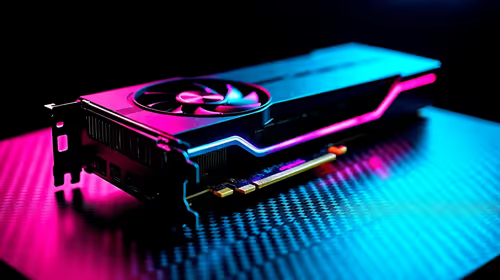
Fortnite Settings on RTX 5060 Ti: Best Performance
Fortnite Settings on RTX 5060 Ti: Performance. Real-world benchmark data, FPS numbers & performance analysis. What SA gamers can actually expect.
Read moreTop Core Ultra 5 Laptop for Students picks evaluated on performance, value & SA availability with current Rand pricing from Evetech.

Intel's Core Ultra lineup (codenamed Meteor Lake) represents a fundamental redesign from the older Core i3/i5/i7 naming convention. The Core Ultra 5 sits between entry-level Celeron/Pentium and the high-performance Core Ultra 7/9 tiers. For students, this chip is cleverly positioned: it's fast enough to handle any legitimate academic workload, efficient enough to deliver 10+ hour battery life, and priced to compete with AMD Ryzen 5 alternatives. The architecture shift means better performance-per-watt, which translates to cooler operation and longer battery endurance during those marathon study sessions at the library.
Unlike previous Intel chips, Core Ultra 5 uses a hybrid design with a mix of performance cores (P-cores) and efficiency cores (E-cores). This isn't just a marketing term—it fundamentally changes how the processor handles different tasks. When you're typing an essay in Google Docs, the efficiency cores handle it quietly while preserving battery. When you render a video project or compile code, performance cores kick in. For students juggling research, assignments, and browser tabs, this flexibility is genuinely useful and explains the improved battery life compared to older generations.
Web browsing and productivity: Core Ultra 5 handles 20+ browser tabs, Google Docs simultaneous editing, and Slack/Teams calls without any lag. Typical office usage sees battery drain of 8–12% per hour.
Light content creation: Video editing in DaVinci Resolve, photo editing in Affinity Photo, and 3D modelling in Blender run smoothly at normal playback speeds. Export times are longer than on i7 chips but acceptable for student projects.
Programming and development: VS Code, Python, Java, and web development frameworks compile/run without noticeable delays. Larger projects might take 5–10 seconds longer than on Core Ultra 7, but the difference is negligible for coursework.
Gaming: Light gaming (Valorant, Stardew Valley, indie titles) is smooth. AAA gaming requires integrated graphics (which Core Ultra 5 handles decently) or discrete GPU, depending on the laptop model.
This is where Core Ultra 5 shines for student life. Laptops with this chip commonly achieve 11–13 hours of mixed use on a single charge. Realistic campus use (lectures, note-taking, light browsing) extends this to a full day without seeking power outlets. That's a massive upgrade from i5 laptops which typically drop to 6–7 hours under the same load. For vaalties commuting 2+ hours daily, this is transformative.
Core Ultra 5 laptops run noticeably cooler than equivalent i5 machines. Expect operating temperatures of 45–55°C during normal work, 65–70°C under sustained load. Keyboard surfaces stay comfortable even during long study marathons. Fans are quieter too, which matters when your digs mate is sleeping and you're cramming at midnight.
Core Ultra 5 laptops typically pair 8GB or 16GB RAM with 512GB SSDs. For students, 16GB is the sweet spot—it handles multitasking without swapping to disk (which causes noticeable slowdowns on older tech). 8GB is fine if your workload is single-focused (coursework over research), but you'll feel the ceiling during exam weeks when everything's open simultaneously.
Core Ultra 5 sits at a sweet spot for pricing. It's cheaper than Core Ultra 7 (15–20% less) but performs only 5–10% slower on academic workloads. Compared to Ryzen 5 alternatives, Core Ultra 5 trades price fairly—Ryzen 5 might be slightly faster in compute, but Core Ultra 5 offers better efficiency and battery life. For students buying once for a 4-year degree, the battery advantage justifies the choice.
Check if your course tools have specific CPU requirements. Engineering software, design programs, and video production benefit from the extra cores in Ultra 7. But for Law, Commerce, Arts, and most Science degrees, Core Ultra 5 delivers everything you need at better battery life.
Core Ultra 5 laptops don't compromise on build materials just to hit the price point. Aluminum chassis, backlit keyboards, and decent hinge durability are standard. Port selection includes USB-C, USB-A, and HDMI—everything you need for presentations and external drives.
Core Ultra 5 is new enough (2024+) that it won't feel dated by graduation. Software requirements typically evolve slowly for student tools, so a Core Ultra 5 laptop purchased now should remain viable for 4 years of coursework and beyond. Resale value holds well due to recent generation and balanced specs—neither overkill nor underpowered.
Core Ultra 5 laptops are the pragmatic choice for South African students. They're efficient enough to deliver real battery benefits, capable enough to handle any academic software, and priced for student budgets. Whether you're tackling engineering assignments, writing essays, or designing projects, this platform delivers consistency without fuss. Check our laptop collection to see Core Ultra 5 models in stock.
Ready to study smarter with better battery life? Explore our range of Core Ultra 5 laptops designed for student productivity, longer battery endurance, and reliable performance through four years of coursework. Find your Core Ultra 5 laptop
Best Core Ultra 5 Laptop for Students in available at Evetech.co.za with local warranty and fast delivery.
Best Core Ultra 5 Laptop for Students in - check Evetech for latest stock and SA pricing.
Depends on your use case. Best Core Ultra 5 Laptop for S offers good value at current Rand pricing.
Fortnite Settings on RTX 5060 Ti: Performance. Real-world benchmark data, FPS numbers & performance analysis. What SA gamers can actually expect.
Read more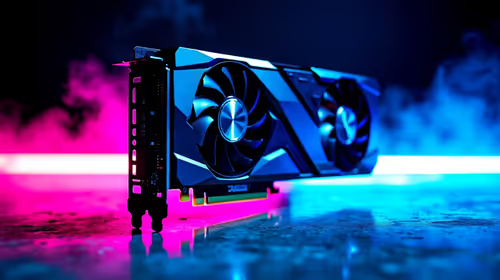
Top Aftermarket RX 7900 XTX Cards: AIB Partner picks evaluated on performance, value & SA availability with current Rand pricing from Evetech.
Read more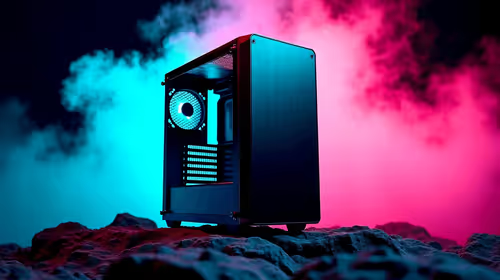
Top Case for RTX 5060: Airflow & Size Compatibility picks evaluated on performance, value & SA availability with current Rand pricing from Evetech.
Read more
Complete ATX Case Size Guide: Interior Dimensions. Best deals curated with real SA discounts, price history & tips on getting genuine value.

What GPU Do You Need for AI & Machine Learning. Hardware requirements breakdown with recommended specs & SA pricing for each tier.

Top Settings for RTX 4060 at Ultrawide 1440p picks evaluated on performance, value & SA availability with current Rand pricing from Evetech.

Head-to-head comparison of FreeSync vs G-Sync Explained: Which Should Gamers for SA gamers. Performance benchmarks, Rand pricing & which delivers better value.

Every spec on PCIe 5.0 explained in plain English. What matters for gaming and creator work in 2026, what's marketing fluff, and how each number translates to real-world performance.

Every spec on bios explained in plain English. What matters for gaming and creator work in 2026, what's marketing fluff, and how each number translates to real-world performance.

Every spec on gaming setups explained in plain English. What matters for gaming and creator work in 2026, what's marketing fluff, and how each number translates to real-world performance.

Every spec on cooling systems explained in plain English. What matters for gaming and creator work in 2026, what's marketing fluff, and how each number translates to real-world performance.

Every spec on understanding how much vram is needed explained in plain English. What matters for gaming and creator work in 2026, what's marketing fluff, and how each number translates to real-world.

How to pick the right PCIe 5.0 for your build in 2026: the features worth paying for, ZAR value tiers, and the trade-offs between budget, mid-range and flagship picks.

Every spec on gpu explained in plain English. What matters for gaming and creator work in 2026, what's marketing fluff, and how each number translates to real-world performance.

Every spec on gpu explained in plain English. What matters for gaming and creator work in 2026, what's marketing fluff, and how each number translates to real-world performance for SA buyers.