


RTX 5070 Valorant Optimised Settings: Best Graphics for Max FPS 2026
RTX 5070 Valorant Optimised Settings: Graphics. Real-world benchmark data, FPS numbers & performance analysis. What SA gamers can actually expect.
Read moreBest electric duster for PC: Compare top models that handle harsh SA dust, cordless power, battery life and safe cleaning tips to protect components ⚡🧹
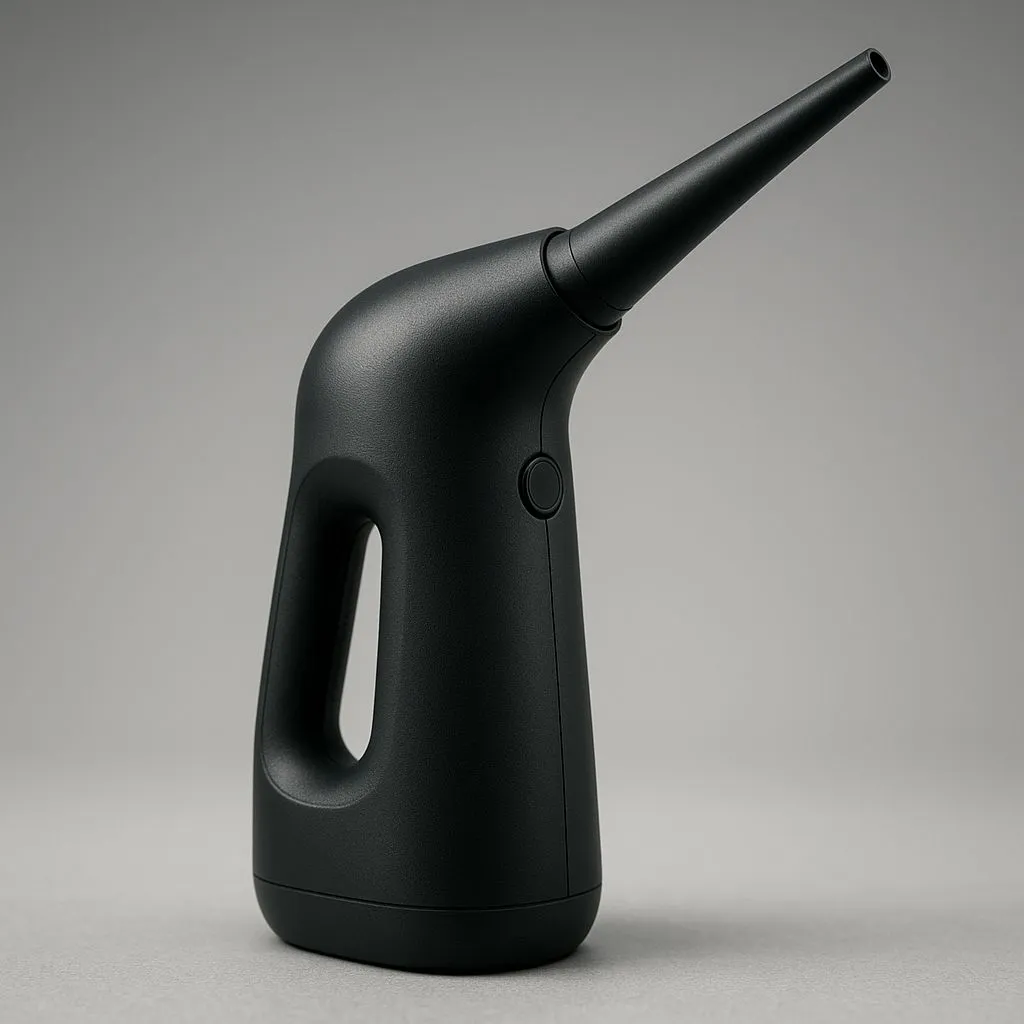
Is your gaming rig gasping for air? Here in South Africa, dust isn’t just a nuisance… it’s a performance killer. From the fine red sand of the Highveld to coastal humidity, our environment is tough on sensitive electronics. Before you grab another can of compressed air that freezes your fingers and runs out mid-clean, there’s a better way. This guide will show you why finding the best electric duster for your PC is a true investment.
For years, canned air was the go-to solution. But let's be honest, it’s a terrible value proposition. A single can costs a surprising amount and might only last for one or two proper cleanings. Over a year, you could easily spend more on disposable cans than you would on a permanent solution.
More importantly, canned air poses risks. The propellant inside can liquefy and spit out moisture, which is disastrous for your motherboard or GPU. It also gets incredibly cold, potentially causing thermal shock to sensitive components. An electric duster, on the other hand, uses a continuous stream of filtered, room-temperature air. It’s safer, more powerful, and pays for itself after just a few uses.
Finding the right tool for the job makes all the difference. When you're looking for the best electric duster for PC cleaning, you're not just buying a mini leaf blower; you're investing in your rig's lifespan. Look for a model with multiple nozzle attachments to get into tight spots around your CPU cooler and PSU shroud. A long power cord is also essential for maneuverability.
Ultimately, the goal is to blast away stubborn dust without creating static or leaving residue. A quality electric duster provides consistent, high-velocity airflow that's far more effective than the weak, sputtering bursts from a nearly empty can. It’s the professional’s choice for a reason. ✨
Before you open your PC case, always unplug it from the wall and press the power button a few times to discharge any residual electricity. Touch a grounded metal object (like the metal part of the case itself) before handling components to discharge any static buildup from your body. This simple step can prevent catastrophic damage to your parts, especially in dry winter air.
Ready to give your PC a new lease on life? Follow these simple steps for a perfect clean every time.
While a powerful electric duster is your best weapon against buildup, your PC case is your first line of defence. Modern computer cases are designed with airflow and dust management in mind, featuring fine mesh filters on all the major intakes. These filters trap the vast majority of particles before they ever reach your precious components.
If your case is old or lacks proper filtering, you're fighting a losing battle. Investing in a chassis with good dust protection makes cleaning far easier and less frequent. Top-tier brands offer premium options from Fractal Design known for their exceptional filtration. Even on a tighter budget, you can find stylish and effective Gamdias gaming cases that prioritise airflow. In fact, there are many excellent affordable Gamdias cases under R1500 that will significantly cut down on dust.
Ready to Keep Your Rig Cool & Clean? A clean PC is a happy PC. Lower temps, quieter fans, and a longer lifespan for your components are just a good clean away. Explore our range of PC cleaning tools and find the perfect gear to keep your machine running like new.
Top picks vary by budget; choose a cordless electric duster for PC with strong airflow, replaceable nozzles and solid battery life for SA dust.
Yes when used correctly: hold nozzles off sensitive parts, use short bursts, avoid static-prone units and keep airflow low near fans.
Cordless electric duster for PC gives portability and safer battery-powered bursts; corded models offer steady power for heavy, frequent use.
Yes — the best electric canned air alternative provides continuous airflow, lower long-term cost and better eco credentials.
In high-dust areas clean major intakes and fans every 1–3 months and deep-clean internals every 3–6 months to prevent overheating.
Use an electric air duster for PC on low bursts through vents, clean filters, and lift the case occasionally for a quick internal blowout.
Prioritise airflow (CFM), adjustable speed, replaceable nozzles, brushless motor, battery life and easy filter cleaning for SA dust resilience.
RTX 5070 Valorant Optimised Settings: Graphics. Real-world benchmark data, FPS numbers & performance analysis. What SA gamers can actually expect.
Read more
Top Laptop with Core i7 + RX 7700S: Picks picks evaluated on performance, value & SA availability with current Rand pricing from Evetech.
Read more
When Will the RTX 6090 Launch in South Africa Detailed answer with SA data, expert analysis & practical recommendations for local buyers.

Top Valorant Settings for RTX 5070: FPS Optimisation picks evaluated on performance, value & SA availability with current Rand pricing from Evetech.

RDNA 3.5 Graphics in Ryzen AI 400? Can You Game. Plain-English explanation of what it means, why it matters & how it affects your buying decisions in SA.

GPU Price Index : December Report. Current stock data & price tracking for SA buyers. See what is available and where prices are heading.

Core i5-14600K + B760 + RTX 5060 Build Under. Full parts list, Rand pricing & expected performance. Build confidently with SA-available components.

RX 7600 Apex Legends at 4K: FPS Benchmark. Real-world benchmark data, FPS numbers & performance analysis. What SA gamers can actually expect.

RX 7900 XTX GTA 6 at 4K: FPS Benchmark & Optimal. Real-world benchmark data, FPS numbers & performance analysis. What SA gamers can actually expect.

Head-to-head comparison of RTX 5070 vs RX 9070 XT: Gaming Performance for SA gamers. Performance benchmarks, Rand pricing & which delivers better value.

Starfield Max Settings on RTX 5070. Tested & verified settings for best FPS and visual quality on SA hardware budgets.

Top RX 7800 XT Model Under R8,000 picks evaluated on performance, value & SA availability with current Rand pricing from Evetech.
RTX 5070 Valorant Optimised Settings: Graphics. Real-world benchmark data, FPS numbers & performance analysis. What SA gamers can actually expect.
Top Laptop with Core i7 + RX 7700S: Picks picks evaluated on performance, value & SA availability with current Rand pricing from Evetech.