

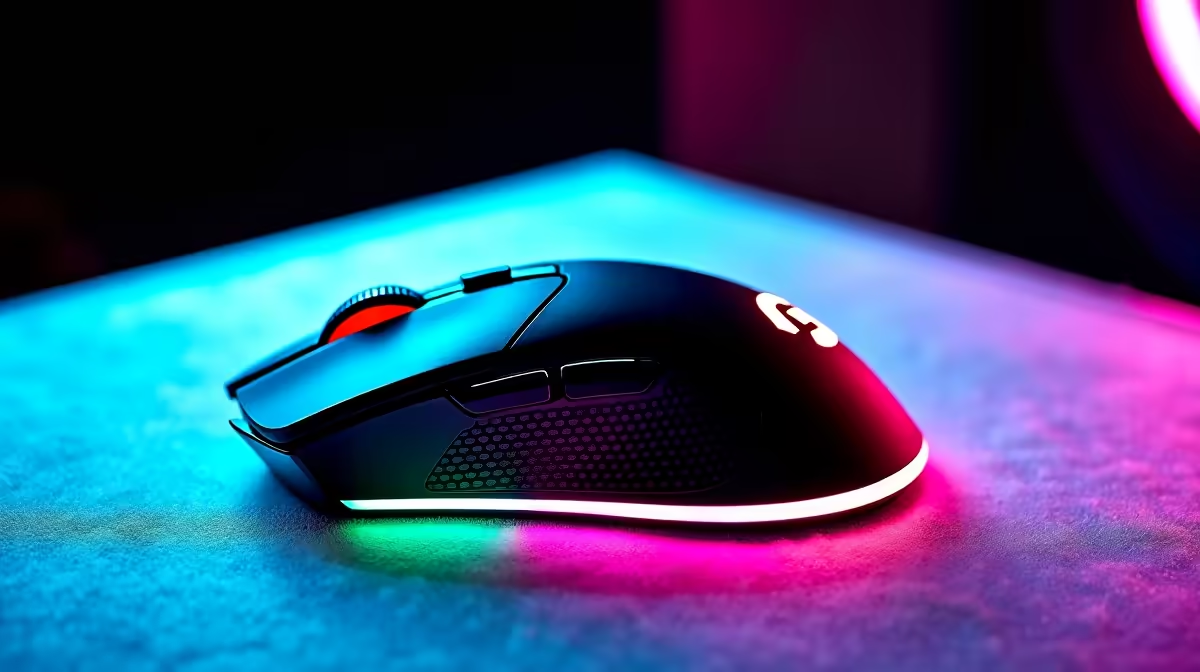
GTA has always rewarded precise movement - whether you are losing police pursuits through narrow alleys, landing shots in Freemode PvP, or navigating the chaos of Online sessions. The right gaming mouse makes the difference between a reaction you execute and one you almost made. South African gamers in 2026 have access to a strong range of options across every budget tier.
Quick Answer
The best gaming mouse for GTA in South Africa in 2026 is the Logitech G Pro X Superlight 2 for competitive Online play, the Razer DeathAdder V3 for ergonomic comfort during long sessions, and the SteelSeries Rival 3 for budget-conscious players who want reliable performance without overspending.
What GTA Demands from a Gaming Mouse 🔧
GTA's gameplay loop spans fast-paced combat, vehicle control, and general navigation - a combination that rewards a mouse with accurate tracking at a range of DPI settings rather than one tuned purely for low-sensitivity flick shots like an FPS game. The switch between on-foot combat and vehicle navigation means you benefit from a sensor that tracks accurately across a wider DPI range rather than one optimised for a single sensitivity.
Weight matters for GTA Online's extended session lengths. Lightweight mice reduce fatigue during multi-hour lobbies. Grip style is equally important - GTA's variable pace allows different grip styles, but players who lean on precise aim during PvP benefit from a mouse that supports a claw or fingertip grip for fast pivots.
The full gaming mouse range shows what is currently stocked locally across shape, weight, and budget categories.
Top Gaming Mouse Picks for GTA in SA 2026 💡
Logitech G Pro X Superlight 2 - The performance benchmark. At under 60g, it is among the lightest mice available and eliminates fatigue across long sessions entirely. The HERO 2 sensor achieves perfect tracking at any DPI setting without acceleration, smoothing, or filtering. The ambidextrous shape suits both claw and palm grip players. This is the choice for players who take GTA Online PvP seriously and want hardware that never holds them back. Premium priced but represents genuine quality.
Razer DeathAdder V3 - The ergonomic option for right-handed palm grip players. The DeathAdder's elongated shape with a pronounced thumb rest suits players who prefer a relaxed, full-hand grip during long story mode or exploration sessions. The Focus Pro optical sensor tracks flawlessly on any surface. The DeathAdder V3 is lighter than previous generations and uses HyperSpeed wireless for a cable-free experience.
SteelSeries Rival 3 - The value pick for GTA players who want reliable performance without the premium cost. The TrueMove Core sensor handles GTA's range of DPI settings accurately, and the lightweight build is comfortable across extended sessions. Wired only at this price point, but the cable is braided and flexible. The best entry point for SA players building their first gaming setup.
Logitech G502 X - For players who prefer a heavier, feature-rich mouse with DPI shift and additional programmable buttons. GTA Online's complex keybinding options benefit from the additional thumb buttons for vehicle functions, ability shortcuts, or radio control. Not suited for players who prioritise lightweight design, but the sensor quality is top-tier.
HyperX Pulsefire Haste 2 - A lightweight honeycomb-shell mouse in the mid-tier price range. The perforated design reduces weight while maintaining structural rigidity. The sensor is accurate across GTA's typical DPI range, and the flexible Speedflex cable eliminates drag. A strong option for SA gamers who want lightweight performance without the Logitech Superlight 2's premium price.
DPI and Sensitivity Settings for GTA Online ⚡
GTA Online's mouse sensitivity slider and your hardware DPI work together. Most competitive GTA Online players use 800–1,600 DPI on hardware, then adjust in-game sensitivity to their comfort. Very high DPI settings (6,400+) introduce micro-jitter that makes precision shots more difficult - stick to mid-range DPI and tune sensitivity in-game.
Vehicle aiming during drive-bys benefits from slightly higher sensitivity than on-foot combat, which you can accommodate with a DPI shift button if your mouse includes one. The Logitech G502 X and Razer Basilisk series both offer hardware DPI shift buttons for on-the-fly adjustment.
Wireless vs Wired for GTA ⚡
Modern 2.4GHz wireless gaming mice have eliminated the latency concerns that made wired mice mandatory for competitive gaming. Wireless options from Logitech, Razer, and SteelSeries all operate at polling rates of 1,000 Hz or higher, producing response times identical to wired alternatives. The cable-free experience genuinely improves session comfort.
At budget tiers, wired mice offer better value because the wireless components add cost without adding performance at this price level. Above R1,200, the wireless premium becomes reasonable.
Pairing your mouse with a quality gaming keyboard rounds out the input setup for GTA Online - consistent key response for vehicle controls and ability activation is as important as mouse precision for overall gameplay feel.
Frequently Asked Questions ❓
Q: What DPI should I use for GTA 5 and GTA 6? A: Most GTA players find 800–1,600 DPI comfortable for on-foot play. Start at 800 DPI and adjust the in-game sensitivity slider to find your preferred speed. Avoid extremely high DPI settings as they introduce instability in precise aiming scenarios.
Q: Is a gaming mouse necessary for GTA, or does a regular mouse work? A: A standard office mouse works for single-player story mode. For GTA Online PvP, a gaming mouse with a quality optical sensor, higher polling rate, and lower click latency provides a meaningful advantage in combat situations where reaction speed and precision matter.
Q: How important is mouse pad quality for GTA gaming? A: A consistent, clean mouse surface is more important than most players realise. A gaming mouse pad eliminates surface inconsistency that causes tracking errors mid-swipe. Cloth pads offer the best combination of control and glide for GTA's mixed sensitivity requirements.
Q: Do wireless gaming mice have enough battery life for long GTA Online sessions? A: Premium wireless gaming mice typically offer 40–70 hours of battery life per charge. A full GTA Online session of 6–8 hours uses roughly 10–15% of battery. Battery is not a practical concern for any normal gaming session length.
Check out GTA V Gaming PCs and All Gaming Mice at Evetech — South Africa's home for gaming gear.
Ready to Find Your Perfect Match? Explore relevant Evetech options, compare current South African pricing, and choose hardware that fits your setup. Shop now











