


What Is Vapour Chamber Cooling? Laptop and GPU Cooling Tech Explained
Vapour Chamber Cooling? Laptop and GPU Cooling. Plain-English explanation of what it means, why it matters & how it affects your buying decisions in SA.
Read moreTop GPU for Lightroom picks evaluated on performance, value & SA availability with current Rand pricing from Evetech.

Waiting for Lightroom to process AI Denoise on a massive RAW file is pure torture. If your brush strokes lag or exports take hours, your hardware is holding your creativity hostage. Finding the best GPU for Lightroom in South Africa 2026 is no longer just about gaming... it is about reclaiming your time and sanity as a digital creator.
Lightroom Classic has evolved significantly over the last few years. Adobe now leans heavily on your graphics processing unit for AI masking, Lens Blur, and the incredibly demanding AI Denoise feature. A weak graphics chip means you stare at loading bars instead of editing your next masterpiece.
If you want to upgrade your graphics card, you need to look closely at VRAM and tensor cores. Nvidia's RTX 4060 Ti or the newer RTX 5060 models deliver incredible value for ZAR budgets. They offer the CUDA cores necessary to slice through complex Lightroom tasks like butter. AMD's Radeon RX 7600 XT is also a fantastic budget option for creators... though Nvidia still holds a slight edge in Adobe optimisation.
When choosing the best GPU for Lightroom in South Africa 2026, you have two main routes. You can build a custom rig or buy a complete system. Nvidia remains the top recommendation for Adobe software due to superior driver stability and AI performance. ⚡
If you are building from scratch, an RTX 4070 Super offers the perfect sweet spot for 4K editing. It handles heavy colour grading and massive panorama stitching without breaking a sweat. Not keen on building? You can grab one of our best gaming PC deals that double as phenomenal creative workstations. Gamers and photographers actually need very similar hardware to succeed.
Go to Lightroom Preferences, select the Performance tab, and ensure 'Use Graphics Processor' is set to Custom. Check all three boxes for display, image processing, and export to force Lightroom to utilise your new GPU fully.
Sometimes your photography takes you into the bush or out on location for a wedding shoot. In that case, a bulky desktop simply will not cut it. Thankfully, modern mobile GPUs are incredibly potent. Many premium notebooks for sale now feature dedicated RTX graphics that rival their desktop counterparts. You can edit high-resolution RAW files right from your hotel room.
For studio-bound professionals, desktop power is still king. If you need maximum performance without the hassle of assembling parts, exploring our pre-built PC deals is a smart move. You get tested, warrantied hardware that is ready to crunch data the moment you plug it in.
Creative software will only become more demanding as AI tools advance. Investing in a card with at least 8GB of VRAM... preferably 12GB or more... ensures your setup remains relevant for years. Remember to pair your new graphics card with a capable power supply and decent cooling. High-performance components generate heat when processing massive batches of photos, and keeping them cool ensures maximum longevity.
Keep an eye out for our latest tech specials to stretch your ZAR further. You can often find high-end GPUs at mid-range prices if you shop smart. 🔧
Ready to Supercharge Your Edits? Stop letting slow hardware dictate your creative output. Whether you are a professional photographer or a passionate hobbyist, having the right tech makes all the difference. Explore our massive range of graphics cards and find the perfect GPU to conquer your Lightroom workflow today.
Best GPU for Lightroom in South Africa 2 available at Evetech.co.za with local warranty and fast delivery.
Best GPU for Lightroom in South Africa 2 - check Evetech for latest stock and SA pricing.
Depends on your use case. Best GPU for Lightroom in Sout offers good value at current Rand pricing.
Vapour Chamber Cooling? Laptop and GPU Cooling. Plain-English explanation of what it means, why it matters & how it affects your buying decisions in SA.
Read more
Call of Duty Warzone 2 Settings on RTX 5090. Real-world benchmark data, FPS numbers & performance analysis. What SA gamers can actually expect.
Read more
Top Laptop with Ryzen 5 + RTX 5070 Laptop: Picks picks evaluated on performance, value & SA availability with current Rand pricing from Evetech.
Read more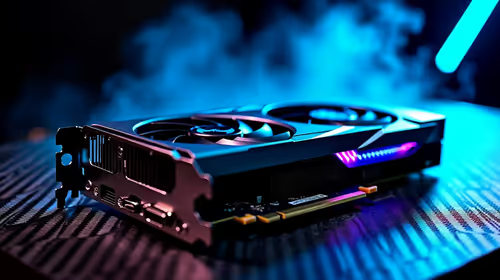
Call of Duty Warzone 2 Settings on RTX 5080. Real-world benchmark data, FPS numbers & performance analysis. What SA gamers can actually expect.
Read more
Top Laptop with Core i5 + RTX 5080 Laptop: Picks picks evaluated on performance, value & SA availability with current Rand pricing from Evetech.
Read more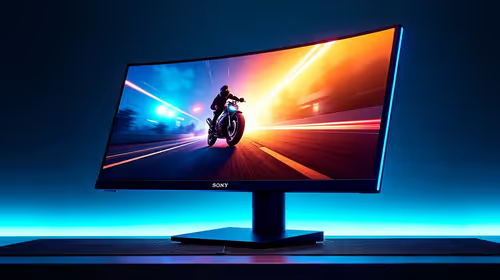
Top Monitor for RTX 5060 Ti: Resolution & Refresh picks evaluated on performance, value & SA availability with current Rand pricing from Evetech.
Read more
Complete ATX Case Size Guide: Interior Dimensions. Best deals curated with real SA discounts, price history & tips on getting genuine value.

What GPU Do You Need for AI & Machine Learning. Hardware requirements breakdown with recommended specs & SA pricing for each tier.

Top Settings for RTX 4060 at Ultrawide 1440p picks evaluated on performance, value & SA availability with current Rand pricing from Evetech.

Head-to-head comparison of FreeSync vs G-Sync Explained: Which Should Gamers for SA gamers. Performance benchmarks, Rand pricing & which delivers better value.

Every spec on PCIe 5.0 explained in plain English. What matters for gaming and creator work in 2026, what's marketing fluff, and how each number translates to real-world performance.

Every spec on bios explained in plain English. What matters for gaming and creator work in 2026, what's marketing fluff, and how each number translates to real-world performance.

Every spec on gaming setups explained in plain English. What matters for gaming and creator work in 2026, what's marketing fluff, and how each number translates to real-world performance.

Every spec on cooling systems explained in plain English. What matters for gaming and creator work in 2026, what's marketing fluff, and how each number translates to real-world performance.

Every spec on understanding how much vram is needed explained in plain English. What matters for gaming and creator work in 2026, what's marketing fluff, and how each number translates to real-world.

How to pick the right PCIe 5.0 for your build in 2026: the features worth paying for, ZAR value tiers, and the trade-offs between budget, mid-range and flagship picks.

Every spec on gpu explained in plain English. What matters for gaming and creator work in 2026, what's marketing fluff, and how each number translates to real-world performance.

Every spec on gpu explained in plain English. What matters for gaming and creator work in 2026, what's marketing fluff, and how each number translates to real-world performance for SA buyers.