

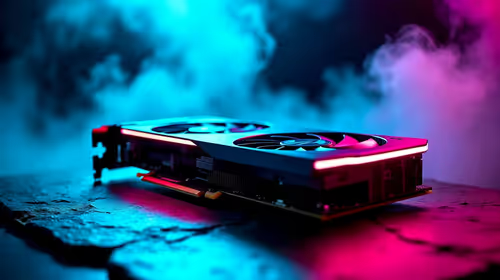
Best Aftermarket RTX 5070 Cards: AIB Partner Comparison 2026
Top Aftermarket RTX 5070 Cards: AIB Partner Comparison picks evaluated on performance, value & SA availability with current Rand pricing from Evetech.
Read moreBest laptops for 4K video editing — checklist: • compare CPU/GPU; • test battery & thermals; • recommend portable picks. Edit 4K on the go with color-accurate, fast-rendering laptops. 🎬💻

Staring at a stuttering timeline while your 4K drone footage drops frames? We’ve all been there. In South Africa, being a creator on the move means your gear can't be a bottleneck. The good news? The days of needing a massive desktop tower for smooth editing are over. The best laptops for 4K video editing in 2025 pack serious power into a portable chassis, letting you cut, grade, and render anywhere from Cape Town to Polokwane. 🚀
Scrubbing through 4K timelines, applying colour grades, and exporting final cuts demand serious hardware. It’s not just one component, but a balanced team working together. Let’s break down the non-negotiables for a smooth workflow.
The Central Processing Unit (CPU) is the brain of your operation. It handles tasks like video decoding, playback, and the final render. A powerful CPU with multiple cores and high clock speeds means smoother scrubbing and faster export times. For years, the debate has raged between Intel and AMD, but today, both offer incredible performance. High-end Intel laptops on special with Core Ultra processors offer brilliant efficiency, while the latest Ryzen laptop deals often lead the pack in multi-core rendering tasks.
While the CPU does the heavy lifting, the Graphics Processing Unit (GPU) is your creative accelerator. It takes the load off the CPU for graphically intensive tasks like applying effects (think Lumetri Colour or Warp Stabilizer), motion graphics, and AI-powered features in software like DaVinci Resolve. For video editing, an NVIDIA GPU is often the top choice due to its CUDA cores, which are widely supported by professional software. A machine from our range of GeForce RTX gaming laptops on special will dramatically speed up your exports and effects rendering.
Think of RAM as your computer's short-term memory or workspace. 4K video files are huge, and you need enough RAM to handle them without your system grinding to a halt. 16GB is the absolute minimum, but 32GB or more is the sweet spot for professional 4K workflows.
For storage, a fast NVMe Solid-State Drive (SSD) is essential. It ensures your operating system, editing software, and project files load in a flash. Many of the best gaming laptop deals come equipped with the high-speed RAM and NVMe storage that video editors need.
If your machine struggles with raw 4K footage, create low-resolution proxies! Most editing software (like Premiere Pro and DaVinci Resolve) can generate smaller, easier-to-handle versions of your files for editing. You get a smooth, responsive timeline, and the software automatically links back to the full-quality 4K files for the final export. It's a lifesaver.
Not everyone has a Hollywood-sized budget, and that's okay. You can still find an excellent laptop for 4K video editing without breaking the bank. The key is smart compromise. You might opt for a last-generation high-end GPU, which still offers fantastic performance, or choose a model with 16GB of RAM that you can easily upgrade later.
You'd be surprised at the power you can find with a bit of savvy shopping. It's entirely possible to buy gaming laptops under R20k that have the CPU and GPU muscle to handle a 4K project efficiently, especially if you optimise your workflow.
Raw power is crucial, but so is the user experience. Look for a laptop with a colour-accurate screen—ideally one that covers close to 100% of the DCI-P3 colour gamut. This ensures the colours you see are the colours your audience will see. Good connectivity, like Thunderbolt 4 or USB4 ports for fast external drives and an SD card reader, also makes a world of difference for a creator on the go. ✨
Ready to Render Without the Wait? Finding the best laptop for 4K video editing in South Africa doesn't have to be a mission. With the right specs, you can turn your creative vision into reality... anywhere. Explore our massive range of powerful laptops and find the perfect machine to conquer your next project.
Prioritise a multi-core CPU, dedicated GPU, 32GB RAM if possible, fast NVMe SSD, and a color-accurate display for smooth 4K editing.
Look for a balanced option with an efficient high-core CPU and mobile GPU, 32GB RAM, and good thermals to edit 4K on the go.
Some modern thin-and-light laptops with M-series or high-efficiency Intel/AMD chips can handle 4K editing, though cooling and battery matter.
16GB can work for short 4K projects, but 32GB+ is recommended for larger timelines, multitasking, and smoother exports.
A dedicated GPU speeds up timeline playback and hardware encoding; choose GPUs optimised for video apps for faster 4K renders.
Battery life drops during heavy editing. Look for laptops with efficient chips (M-series or low-power Intel/AMD) for longer editing away from outlets.
Yes. Gaming laptops often offer strong GPUs and cooling, making them capable 4K editing laptops, though they may be heavier.
Top Aftermarket RTX 5070 Cards: AIB Partner Comparison picks evaluated on performance, value & SA availability with current Rand pricing from Evetech.
Read more
Top Laptop with Core i7 + RTX 5060 Laptop: Picks picks evaluated on performance, value & SA availability with current Rand pricing from Evetech.
Read more
Top GPU for Students picks evaluated on performance, value & SA availability with current Rand pricing from Evetech.
Read more
RTX 5070 Laptop GPU Hogwarts Legacy Performance. Real-world benchmark data, FPS numbers & performance analysis. What SA gamers can actually expect.
Read more
the CPU Pairing for the RTX 3060. Optimal CPU matches ranked by performance balance & SA value. Avoid bottlenecks with the right pairing.
Read more
Top 4K Monitor for RX 9070 picks evaluated on performance, value & SA availability with current Rand pricing from Evetech.
Read more
Can RTX 4080 Super Run AI Workloads for SA Developers Detailed answer with SA data, expert analysis & practical recommendations for local buyers.

Can RTX 4090 Run AI Workloads for SA Developers Detailed answer with SA data, expert analysis & practical recommendations for local buyers.

Top Settings for Intel Arc B580 at Ultrawide 1440p picks evaluated on performance, value & SA availability with current Rand pricing from Evetech.

RX 7600 Overclocking Guide: Safe OC Settings for. Real-world benchmark data, FPS numbers & performance analysis. What SA gamers can actually expect.

RTX 4060 CS2 Low Settings at 1080p: FPS Results. Real-world benchmark data, FPS numbers & performance analysis. What SA gamers can actually expect.

Visual Artifacts: Possible GPU Issue Issue #1. Diagnosis steps, proven fixes & when to seek professional help. SA-specific support info included.

Can the RTX 4090 Handle 1440p 144Hz Gaming. Performance testing verdict with real data & practical recommendations for SA buyers.

Top ASUS GPU Under R15000 picks evaluated on performance, value & SA availability with current Rand pricing from Evetech.

GTA 6 Max Settings on RTX 5070. Tested & verified settings for best FPS and visual quality on SA hardware budgets.

Cyberpunk 2077 Max Settings on RTX 5080. Tested & verified settings for best FPS and visual quality on SA hardware budgets.

Starfield Max Settings on RTX 5070 Ti. Tested & verified settings for best FPS and visual quality on SA hardware budgets.

Top RTX 5090 Under R5000 picks evaluated on performance, value & SA availability with current Rand pricing from Evetech.