

Best Aftermarket RTX 5070 Cards: AIB Partner Comparison 2026
Top Aftermarket RTX 5070 Cards: AIB Partner Comparison picks evaluated on performance, value & SA availability with current Rand pricing from Evetech.
Read more- Research top OLEDs - Test color accuracy - Compare performance - Recommend by workflow Best laptops for content creators: compare 2025 OLED picks with pro color accuracy, calibration tips, and buying advice for photo, video, and streaming workflows. 🎨💻
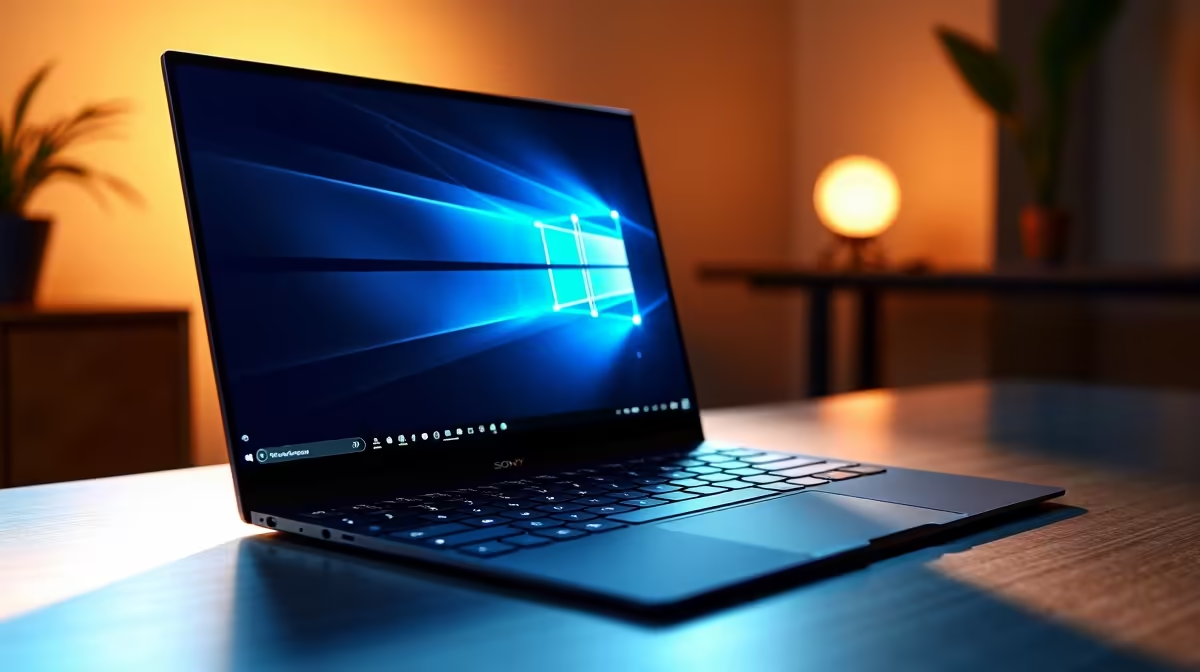
Staring at your screen, wondering if the colours are right? For South African content creators, that doubt can be a project-killer. You pour hours into a video edit or photo retouch, only for it to look completely different on a client's display. The good news? The search for the best laptops for content creators just got easier, thanks to incredible advancements in OLED screens and factory-calibrated colour accuracy. Let's dive in. 🎨
Before we even talk about processors or graphics cards, let's tackle the most crucial element for any visual artist: the display. You've probably seen terms like sRGB, DCI-P3, and Delta E < 2. But what do they actually mean?
Think of it like this:
Getting this right means your final product looks exactly as you intended, every single time.
This is where OLED (Organic Light Emitting Diode) technology truly shines. Unlike traditional LCDs that use a backlight, each pixel in an OLED panel creates its own light. When a pixel needs to be black, it simply turns off completely. This creates an infinite contrast ratio and "true blacks" that make your content pop with incredible depth and realism. ✨
This isn't just for looks; it's a practical advantage. For video editors, the near-instant pixel response time means less motion blur when scrubbing through timelines. For photographers, it means seeing every last detail in the shadows without any backlight bleed. Many of the most powerful creator machines, including top-tier Intel laptops on special, now feature these stunning OLED displays.
Even the best factory-calibrated screens can drift over time. For professional work, invest in a colorimeter like a Calibrite or Datacolor Spyder. Calibrating your display every month or two ensures your colours remain perfectly accurate, protecting your work and your reputation.
A brilliant screen needs a powerful engine behind it. When searching for the best laptops for content creators, these are the components you need to prioritise.
Your Central Processing Unit (CPU) handles everything from rendering videos to running complex filters in Photoshop. The choice often comes down to Intel vs. AMD. Both offer fantastic options, with Intel's Core Ultra and AMD's Ryzen series leading the charge. High core counts and clock speeds are your best friends for chewing through demanding creative tasks. Exploring the latest Ryzen laptop deals can reveal some serious performance-for-rand value.
A dedicated Graphics Processing Unit (GPU) is non-negotiable for video editing, 3D modelling, and even accelerating tasks in photo editing software. NVIDIA's RTX series is the industry standard, with its dedicated CUDA cores providing a massive speed boost in apps like Adobe Premiere Pro and DaVinci Resolve. Many of the most powerful GeForce RTX gaming laptops on special double as phenomenal creator machines, offering top-tier graphical power.
Don't let your workflow grind to a halt. For content creation in 2025, 16GB of RAM is the absolute minimum. If you're working with 4K video or complex multi-layer design files, 32GB or more is highly recommended. For storage, a fast NVMe SSD is essential for quick file transfers and snappy app loading times.
We get it. The cost of gear in South Africa can be steep. But securing a powerful, colour-accurate laptop doesn't have to empty your wallet. Often, the best gaming laptop deals offer the perfect blend of high-performance CPUs, dedicated GPUs, and fast displays that are ideal for creative work.
While premium OLED models carry a higher price tag, you can still find fantastic workhorses that deliver incredible value. Some of the best gaming laptops under R20,000 provide more than enough power to get you started, allowing you to invest the savings in other crucial gear like cameras or software. The key is to prioritise the components that matter most for your specific workflow.
Ready to Create Without Compromise? Finding the best laptop for content creators in South Africa means balancing power, colour accuracy, and price. From stunning OLED displays to raw processing muscle, your perfect creative partner is waiting. Explore our massive range of laptop specials and find the machine to bring your vision to life.
Top 2025 picks include OLED-equipped laptops with wide DCI-P3 coverage, high brightness, and calibrated panels ideal for photo and video editing.
OLED delivers deeper blacks, higher contrast, and wide color gamuts so color-critical photo and video work appears more accurate and vibrant.
Prioritize a color-accurate display (DCI-P3/sRGB), strong CPU/GPU, 16GB+ RAM, fast NVMe storage, and versatile ports for drives and monitors.
Yes—factory profiles vary. Calibrate with a hardware colorimeter or use manufacturer profiles to hit D65 white point and target gamut.
Choose by software and workflow: MacBooks excel with macOS color-managed apps; Windows offers more OLED hardware variety and customization.
Modern OLEDs include mitigation, but avoid static UI elements for long periods; use screen savers and varied workflows to reduce risk.
Look for factory calibration, 100% DCI-P3 coverage, low Delta E scores, and consistent user reviews that confirm color fidelity across the gamut.
Top Aftermarket RTX 5070 Cards: AIB Partner Comparison picks evaluated on performance, value & SA availability with current Rand pricing from Evetech.
Read more
Top Laptop with Core i7 + RTX 5060 Laptop: Picks picks evaluated on performance, value & SA availability with current Rand pricing from Evetech.
Read more
Top GPU for Students picks evaluated on performance, value & SA availability with current Rand pricing from Evetech.
Read more
RTX 5070 Laptop GPU Hogwarts Legacy Performance. Real-world benchmark data, FPS numbers & performance analysis. What SA gamers can actually expect.
Read more
the CPU Pairing for the RTX 3060. Optimal CPU matches ranked by performance balance & SA value. Avoid bottlenecks with the right pairing.
Read more
Top 4K Monitor for RX 9070 picks evaluated on performance, value & SA availability with current Rand pricing from Evetech.
Read more
AMD RX 9050 XT: Rumoured Specs, Price & Release. SA-focused analysis with local pricing data, real-world insights & actionable buying advice.

Can RTX 4080 Super Run AI Workloads for SA Developers Detailed answer with SA data, expert analysis & practical recommendations for local buyers.

Can RTX 4090 Run AI Workloads for SA Developers Detailed answer with SA data, expert analysis & practical recommendations for local buyers.

Top Settings for Intel Arc B580 at Ultrawide 1440p picks evaluated on performance, value & SA availability with current Rand pricing from Evetech.

RTX 4060 CS2 Low Settings at 1080p: FPS Results. Real-world benchmark data, FPS numbers & performance analysis. What SA gamers can actually expect.

Visual Artifacts: Possible GPU Issue Issue #1. Diagnosis steps, proven fixes & when to seek professional help. SA-specific support info included.

Can the RTX 4090 Handle 1440p 144Hz Gaming. Performance testing verdict with real data & practical recommendations for SA buyers.

Top ASUS GPU Under R15000 picks evaluated on performance, value & SA availability with current Rand pricing from Evetech.

GTA 6 Max Settings on RTX 5070. Tested & verified settings for best FPS and visual quality on SA hardware budgets.

Cyberpunk 2077 Max Settings on RTX 5080. Tested & verified settings for best FPS and visual quality on SA hardware budgets.

Starfield Max Settings on RTX 5070 Ti. Tested & verified settings for best FPS and visual quality on SA hardware budgets.

Top RTX 5090 Under R5000 picks evaluated on performance, value & SA availability with current Rand pricing from Evetech.