

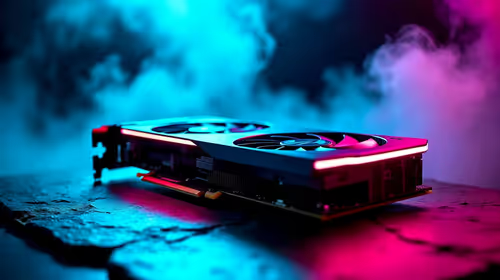
Best Aftermarket RTX 5070 Cards: AIB Partner Comparison 2026
Top Aftermarket RTX 5070 Cards: AIB Partner Comparison picks evaluated on performance, value & SA availability with current Rand pricing from Evetech.
Read moreBest monitor for Control buyers: Discover why OLED delivers unmatched contrast, instant pixel response and HDR that makes Control Resonant sing — plus 2026 OLED picks and buying tips. 🖥️🔥
Imagine navigating the Oldest House in Control... the shifting shadows of the Hiss look grey on your old LCD. That ends now. In 2026, the Best Monitor for Control: Why OLED Is Mandatory becomes clear as soon as you see true black. South African gamers are finally getting the hardware they deserve to experience Remedy’s masterpiece the way it was intended. ✨
The secret lies in the pixels. Traditional PC monitors rely on a backlight that often bleeds into dark areas. OLED technology allows every single pixel to turn off completely. This creates an infinite contrast ratio. When Jesse Faden moves through a dimly lit corridor, the darkness is absolute... not a murky charcoal. If you are hunting for the best value in South Africa, checking the latest best PC monitor deals is the smartest first step to upgrading your setup.
In a fast-paced supernatural thriller, every millisecond counts. OLED panels offer near-instantaneous response times. This eliminates the motion blur found on older displays. When you browse all gaming monitors at Evetech, you will notice that OLEDs consistently lead the pack in clarity.
To prevent burn-in on your new panel, hide your Windows taskbar and use a rotating wallpaper. Modern OLEDs have built-in pixel shifting, but these small habits ensure your R15,000 investment stays pristine for years to come.
The fluidity of movement on an OLED makes aiming feel more natural. You aren't fighting the hardware... you are part of the action. This level of responsiveness is why many claim the Best Monitor for Control: Why OLED Is Mandatory (2026) is no longer a suggestion... it is a requirement for competitive and immersive play alike.
For those who want to feel truly "inside" the Bureau, the form factor matters. Many enthusiasts prefer curved monitors for that extra wrap-around feel. The curve keeps the edges of the screen within your natural field of view. This is especially effective when combined with high resolutions. The clarity of 5K and 4K monitors ensures every floating object and environmental detail is sharp.
Even for those on the move, high-end portable monitors are starting to adopt these panels. You no longer have to sacrifice visual fidelity just because you are away from your desk. 🚀
Setting up your dream display involves more than just the panel. Don't forget to grab quality monitor accessories like VESA mounts or premium DisplayPort cables. These small additions help you optimise your viewing angles. Proper ergonomics ensure you can play for hours without neck strain.
The shift to OLED in 2026 represents a massive leap in how we consume media. It is about more than just "better colours"... it is about seeing the game exactly as the developers envisioned. For South African gamers, the choice is clear.
Ready to Find Your Perfect Match? The Best Monitor for Control: Why OLED Is Mandatory (2026) is more than just a headline... it's a reality for peak gaming performance. Explore our massive range of gaming monitor specials and find the perfect OLED to transform your visual experience today.
Yes. OLED's instant pixel response, deep blacks and true HDR noticeably enhance Control Resonant's visuals and responsiveness.
27–32" offers the best balance of pixel density and immersion; 34"+ ultrawide boosts FOV but needs more GPU power.
4K OLED gives the sharpest visuals but demands a stronger GPU. 1440p yields higher framerates with excellent clarity.
Aim for 120Hz or higher and prioritize low input lag and adaptive sync (G-Sync/FreeSync) for smoother gameplay.
High-end gaming OLEDs from leading brands typically show the lowest input lag—check lab measurements and gaming mode specs.
Enable HDR in-game, use your monitor's HDR gaming mode, then fine-tune brightness and color with presets or a calibration tool.
Yes for immersion and wider FOV if the game supports it. Ensure your GPU can handle the extra pixels for stable framerates.
Top Aftermarket RTX 5070 Cards: AIB Partner Comparison picks evaluated on performance, value & SA availability with current Rand pricing from Evetech.
Read more
Top Laptop with Core i7 + RTX 5060 Laptop: Picks picks evaluated on performance, value & SA availability with current Rand pricing from Evetech.
Read more
Top GPU for Students picks evaluated on performance, value & SA availability with current Rand pricing from Evetech.
Read more
RTX 5070 Laptop GPU Hogwarts Legacy Performance. Real-world benchmark data, FPS numbers & performance analysis. What SA gamers can actually expect.
Read more
the CPU Pairing for the RTX 3060. Optimal CPU matches ranked by performance balance & SA value. Avoid bottlenecks with the right pairing.
Read more
Top 4K Monitor for RX 9070 picks evaluated on performance, value & SA availability with current Rand pricing from Evetech.
Read more
AMD RX 9050 XT: Rumoured Specs, Price & Release. SA-focused analysis with local pricing data, real-world insights & actionable buying advice.

Can RTX 4080 Super Run AI Workloads for SA Developers Detailed answer with SA data, expert analysis & practical recommendations for local buyers.

Can RTX 4090 Run AI Workloads for SA Developers Detailed answer with SA data, expert analysis & practical recommendations for local buyers.

Top Settings for Intel Arc B580 at Ultrawide 1440p picks evaluated on performance, value & SA availability with current Rand pricing from Evetech.

RTX 4060 CS2 Low Settings at 1080p: FPS Results. Real-world benchmark data, FPS numbers & performance analysis. What SA gamers can actually expect.

Visual Artifacts: Possible GPU Issue Issue #1. Diagnosis steps, proven fixes & when to seek professional help. SA-specific support info included.

Can the RTX 4090 Handle 1440p 144Hz Gaming. Performance testing verdict with real data & practical recommendations for SA buyers.

Top ASUS GPU Under R15000 picks evaluated on performance, value & SA availability with current Rand pricing from Evetech.

GTA 6 Max Settings on RTX 5070. Tested & verified settings for best FPS and visual quality on SA hardware budgets.

Cyberpunk 2077 Max Settings on RTX 5080. Tested & verified settings for best FPS and visual quality on SA hardware budgets.

Starfield Max Settings on RTX 5070 Ti. Tested & verified settings for best FPS and visual quality on SA hardware budgets.

Top RTX 5090 Under R5000 picks evaluated on performance, value & SA availability with current Rand pricing from Evetech.